
Quick Summary: A 1/4″ adapter for headphones is a small, crucial connector that bridges the gap between your headphones and various audio equipment. This guide simplifies choosing and using these adapters, ensuring compatibility and optimal sound for your listening needs, whether at home or on the go.
The Essential 1/4″ Adapter for Headphones: Your Must-Have Guide
Welcome, fellow audio explorers! Ever found yourself with fantastic headphones but a musical gadget that doesn’t quite connect? You’re not alone! That’s often where the humble, yet mighty, 1/4″ headphone adapter steps in. These little dynamos are unsung heroes in the audio world, allowing you to use your favorite headphones with a wider range of devices.
Think of them as translators for your sound, ensuring your music, podcasts, or calls flow seamlessly, no matter the port. This guide is designed to demystify these adapters, making it super easy for you to find the right one and get back to enjoying crystal-clear audio. No more tech head-scratching, just pure listening pleasure!
Why You Might Need a 1/4″ Headphone Adapter

You might be wondering, “Why would I need an adapter for my headphones when they already have a plug?” It’s a fair question! The most common reason is the difference in common audio jack sizes. Most consumer headphones today come with a 3.5mm (or 1/8-inch) plug. This is the standard for smartphones, laptops, tablets, and most portable music players. On the other hand, many professional audio devices, such as:
- Audio Interfaces: These are common in home studios for recording music.
- Mixing Consoles: Used for live sound and professional recording.
- Amplifiers: Especially larger Hi-Fi or home theater systems.
- Electric Guitars and Keyboards: Some instruments have headphone outputs for practice.
- Older Stereo Systems: Some legacy audio equipment featured larger jacks.
These devices often sport a larger 1/4″ (also known as 6.35mm) headphone jack. Without the right adapter, your standard headphones simply won’t fit into these jacks. It’s like trying to plug a USB-C cable into a USB-A port – it just doesn’t work. The adapter bridges this size difference, making your existing headphones compatible with a whole new world of audio gear.
Understanding the Different Types of 1/4″ Adapters

While the core function of a 1/4″ adapter is the same – to convert jack sizes – there are a couple of variations you’ll encounter. Mostly, it comes down to how the connection is made and the direction of the conversion.
1/4″ to 3.5mm Adapters (The Most Common)
This is the adapter most people will need. It takes a standard 3.5mm headphone plug and allows you to connect it to a 1/4″ jack on your audio equipment. These are incredibly useful for:
- Connecting your phone’s earbuds to a home stereo receiver.
- Plugging your comfortable studio headphones into a guitar amp for quiet practice.
- Using your laptop headphones with a professional audio mixer.
These adapters are readily available and come in various forms, from simple, single-piece units to more robust, cable-style adapters.
3.5mm to 1/4″ Adapters (Less Common for Headphones, but Exists)
While less common for the specific use case of plugging headphones into larger gear, you might encounter adapters that do the opposite – converting a 1/4″ output to a 3.5mm input. This is more typical for connecting some audio sources to smaller devices, but it’s good to be aware of the direction of conversion.
Stereo vs. Mono Adapters
This is a crucial distinction for headphone users. Most headphones are stereo, meaning they have separate left and right audio channels. Ensure that your adapter is also stereo if you want to maintain this separation. A mono adapter will combine the left and right channels into a single signal, which can sound a bit strange and is generally not what you want for music listening.
- Stereo: Provides separate left and right audio channels. This is what most headphones and audio sources expect.
- Mono: Combines left and right channels into a single signal. Usually found in older or specialized audio equipment.
For headphone use, always aim for a stereo adapter unless you have a very specific reason otherwise.
Key Features to Look For in a 1/4″ Adapter

When you’re shopping for a 1/4″ adapter, several factors can impact its performance, durability, and how well it suits your needs. Don’t just grab the cheapest one; a little consideration goes a long way!
Build Quality and Materials
This is perhaps the most important consideration. A well-built adapter will last longer and ensure a cleaner signal. Look for:
- Solid Metal Construction: Many good adapters have a housing made of brass or aluminum. This feels more premium and is more durable than plastic.
- Gold-Plated Connectors: Gold is resistant to corrosion and provides excellent conductivity. This can help maintain a clear, strong signal over time.
- Secure Fit: The adapter should connect snugly to both the headphone plug and the audio device’s jack without wobbling.
Adapter Style: Plug-in vs. Cable
Adapters come in two main styles:
- Plug-in Adapters: These are compact, single-piece units where your headphone plug goes directly into one end, and the adapter plugs into the device. They are very portable and unobtrusive.
- Cable Adapters: These have a short built-in cable, usually a few inches long, between the 3.5mm input and the 1/4″ male plug. This can be beneficial if you’re worried about the weight of your headphone cable putting stress on the device’s jack, or if the device’s jack is in an awkward spot.
For most casual users, a compact plug-in adapter is perfectly fine. If you’re using expensive headphones or connecting to a port that’s easily damaged, a cable adapter might offer extra peace of mind.
Compatibility (Plug and Jack Sizes)
Double-check the sizes! You’re looking for a connector that converts:
- Input: 3.5mm (1/8-inch) TRS female jack (where your headphone plug goes in).
- Output: 1/4″ (6.35mm) TRS male plug (that fits into your audio device).
The “TRS” stands for Tip, Ring, and Sleeve, which indicates a stereo connection. Most headphone adapters will be TRS.
Brand Reputation
While adapters are relatively simple, sticking with known audio brands can sometimes offer a better assurance of quality control. Brands like Hosa, Monoprice, Ugreen, Neewer, and even some dedicated headphone manufacturers offer reliable adapter options.
How to Use a 1/4″ Headphone Adapter: A Step-by-Step Guide

Using a 1/4″ adapter couldn’t be simpler. It’s one of those “plug and play” accessories that just works. Here’s the straightforward process:
Step 1: Identify Your Connectors
First, look at your headphone plug. It’s almost certainly a 3.5mm (1/8-inch) plug. Next, locate the headphone jack on your audio device. You’ll be looking for the larger 1/4″ (6.35mm) socket.
Step 2: Connect Your Headphones to the Adapter
Take the 3.5mm plug from your headphones and firmly insert it into the female end of your 1/4″ adapter. Make sure it’s seated all the way in. For most adapters, this will be a simple push-in connection into the 3.5mm jack on the adapter itself.
Step 3: Connect the Adapter to Your Audio Device
Now, take the male 1/4″ plug of the adapter and insert it into the corresponding headphone jack on your audio equipment. Again, push it in until it feels secure and there’s no gap. Ensure it’s fully plugged in to get the best possible connection.
Step 4: Adjust Volume and Enjoy
Once everything is connected, you can turn on your audio device and start playing some sound. It’s a good practice to set the volume on your audio device to a low level initially before you start playing anything out loud. Then, gradually increase the volume to a comfortable listening level. This helps prevent sudden loud noises that could damage your hearing or your headphones, especially when using amplifiers or mixers.
That’s it! Your usual headphones are now ready to go with your larger audio equipment.
Troubleshooting Common Issues
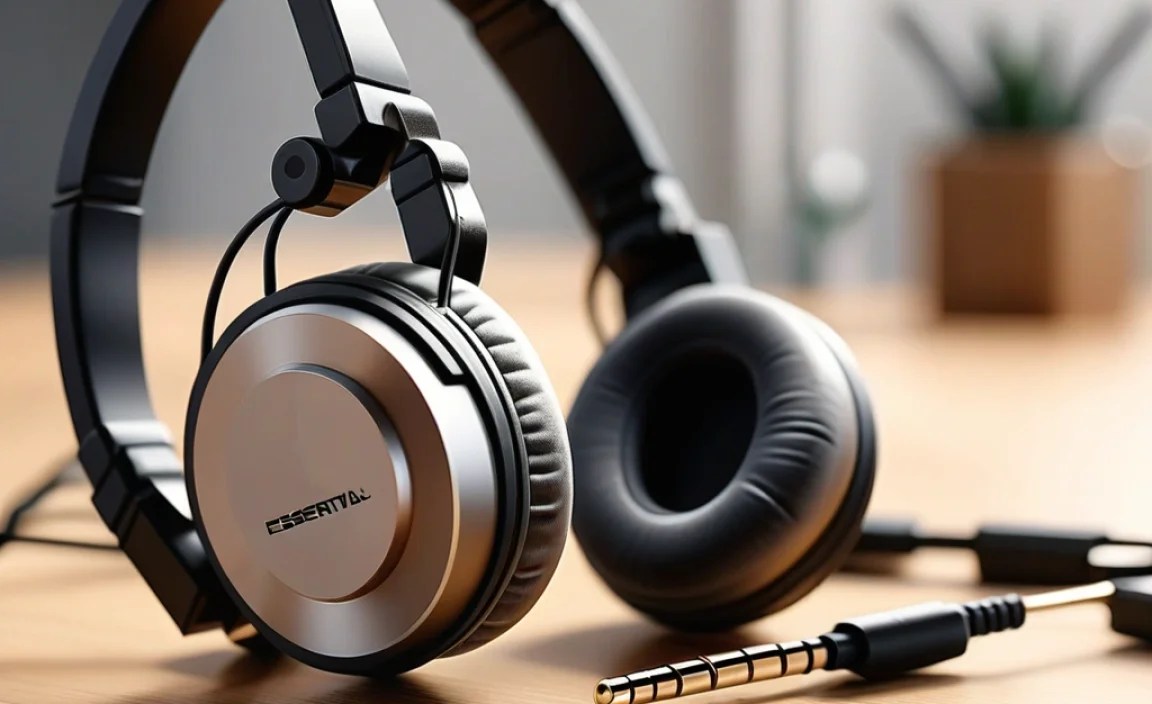
While adapters are usually reliable, you might occasionally run into a small hiccup. Here are a few common issues and their simple fixes:
No Sound or Intermittent Sound
This is the most common problem. The culprit is usually a loose connection or an incorrect adapter type.
- Check Connections: Eeverything should be firmly plugged in. Unplug and replug the adapter into both the headphones and the device.
- Verify Adapter Type: Are you using a stereo adapter for stereo headphones? Most issues arise from using a mono adapter for stereo equipment, or vice-versa, or a faulty adapter.
- Test Without Adapter: If possible, test the device’s headphone jack with a different set of 3.5mm headphones or a known working adapter to see if the issue is with the device itself or the adapter.
- Inspect for Damage: Look for any bent pins or damage on the plugs or jacks.
Sound Only in One Ear (Mono)
This typically means you’re using a mono adapter with stereo headphones or a stereo port, or your adapter is faulty.
- Use a Stereo Adapter: Ensure your adapter is explicitly listed as “stereo” (TRS).
- Check Headphone Plug: Make sure the 3.5mm plug from your headphones is fully inserted into the adapter.
Adapter Doesn’t Fit Snugly
Sometimes, an adapter might feel a bit loose. This can lead to crackling or intermittent sound.
- Try a Different Adapter: Different brands have slightly different tolerances. A different adapter might fit better.
- Avoid Excessive Wiggling: If it’s a bit loose, try not to move it too much. For permanent setups, consider a short cable adapter that puts less leverage on the jack.
Remember, the goal is a clean, solid connection. If an adapter consistently causes problems, it might be time to replace it with a higher-quality unit.
When Might You Not Need a 1/4″ Adapter?
You’ll be happy to know that in many modern scenarios, you might not need an adapter at all!
- Smartphones and Tablets: Almost universally use 3.5mm jacks.
- Most Laptops and Computers: Feature standard 3.5mm headphone ports.
- Portable Music Players (DAPs): Unless they are high-end audiophile models with specific outputs, most use 3.5mm.
- Gaming Consoles: Modern consoles like PlayStation and Xbox typically have 3.5mm jacks on their controllers or consoles.
- Bluetooth Headphones: These connect wirelessly, so physical jacks are irrelevant for their primary mode of listening.
The need for a 1/4″ adapter is primarily tied to connecting to more traditional, professional, or larger home audio equipment.
Choosing the Right Adapter: A Quick Comparison
To help you visualize the differences and make a choice, here’s a table comparing the common adapter types you might encounter. For headphone users, the focus is on the 3.5mm to 1/4″ stereo adapter.
| Adapter Type | Description | Typical Use Case | Sound Output | Where to Find |
|---|---|---|---|---|
| 3.5mm to 1/4″ Stereo Adapter (Female to Male) | Accepts a 3.5mm plug, outputs a 1/4″ plug. Usually compact metal plug. | Connecting standard headphones to amps, mixers, receivers, guitars. | Stereo (maintains Left/Right channels) | Electronics stores, online retailers (Amazon, Best Buy, etc.) |
| 1/4″ to 3.5mm Stereo Adapter (Female to Male) | Accepts a 1/4″ plug, outputs a 3.5mm plug. Less common for headphones. | Connecting larger pro audio gear to smaller devices (rare for headphones). | Stereo | Specialty audio stores, online retailers. |
| 3.5mm to 1/4″ Mono Adapter (Female to Male) | Accepts a 3.5mm plug, outputs a 1/4″ mono plug. | Connecting to mono inputs, some older or specialized gear. Not ideal for music. | Mono (channels combined) | Online retailers, electronics component stores. |
For your primary headphone needs, you’re almost always looking for the first row in the table: a 3.5mm to 1/4″ Stereo (TRS) Adapter.
The Importance of Quality Connections in Audio
In the world of audio, the journey of sound from its source to your ears is only as strong as its weakest link. While your headphones and audio device might be top-notch, a poor-quality adapter can introduce noise, reduce clarity, or even fail entirely. Think about it like this: a pristine river (your audio signal) can be muddied by a dirty filter (a bad adapter).
High-quality adapters use better materials for their plugs and internal wiring. For instance, gold-plated connectors, as mentioned before, resist oxidation, which is a common cause of static and signal degradation over time. Good shielding within the adapter also helps prevent electromagnetic interference from your computer or other devices from creeping into your audio signal. For a deeper dive into signal integrity and audio basics, resources like those found on educational websites can be very insightful. For example, many university electrical engineering departments offer open-access materials that explain basic electrical principles relevant to audio signal transmission. A reliable source such as the Institute of Electrical and Electronics Engineers (IEEE) often has publicly accessible articles on audio technology.
Choosing a good adapter isn’t about chasing the most expensive option, but rather opting for one that provides a secure, clean, and durable connection. It’s a small investment that significantly protects the quality of your listening experience and the longevity of your gear.
Frequently Asked Questions (FAQ)
Here are some common questions beginners have about 1/4″ headphone adapters:
Q1: Will a 1/4″ adapter affect my sound quality?
A: A high-quality, stereo 1/4″ adapter should have a negligible impact on your sound quality. It’s essentially a passive connector. If you notice a significant drop in quality, particularly in clarity or volume, it might indicate a poor-quality adapter, a loose connection, or that you might be using a mono adapter for stereo equipment.
Q2: Can I use my earbuds with a 1/4″ adapter?
A: Certainly! If your earbuds have a standard 3.5mm plug, you absolutely can use them with a 1/4″ adapter to connect to audio equipment that has a larger headphone jack.
Q3: Are all 1/4″ headphone jacks the same size?
A: The vast majority of headphone jacks on consumer and prosumer audio equipment use the 1/4″ (6.35mm) size. There are also 1/4″ jacks for balanced audio, but these are less common for standard headphone outputs and may have more pins (like 1/4″ XLR or 1/4” balanced TRS). For typical headphone use, the standard 1/4″ TRS jack is what most adapters are designed to fit.
Q4: How do I know if my headphones are stereo or mono?
A: Almost all headphones designed for music listening, gaming, or general use are stereo. This includes earbuds, on-ear, and over-ear headphones. Mono headphones are typically found in specialized applications like single-ear communication headsets or some older intercom systems.
Q5: Can I use a 1/4″ adapter with a microphone?
A: These adapters are specifically designed for headphone plugs (typically 3.5mm TRS) and audio outputs. While some microphones might have a 1/4″ output, they often have different impedance and signal levels. It’s best to use adapters specifically designed for microphones for those applications, as a headphone
