
Quick Summary: Unlock wireless freedom for your favorite wired headphones with a 3.5mm Bluetooth adapter. This simple device lets you pair your headphones with smartphones, tablets, and computers, offering a convenient way to enjoy audio without tangled cables. It’s an affordable upgrade for effortless listening.
3.5mm Bluetooth Adapter for Headphones: Effortless Audio is Just a Click Away
Ever loved a pair of high-quality wired headphones but wished you could ditch the pesky cords? Or maybe your newer phone ditched the headphone jack, and you’re frustrated with needing adapters just to listen to music? You’re not alone! Many of us have a beloved pair of headphones that we’d hate to give up. The good news is, there’s an incredibly simple and effective solution: the 3.5mm Bluetooth adapter for headphones. This little gadget can transform your wired listening experience into a wireless one, offering convenience and freedom without sacrificing the sound quality you cherish. Let’s dive into how these adapters work and how they can bring effortless audio into your life.
What Exactly is a 3.5mm Bluetooth Adapter for Headphones?

At its core, a 3.5mm Bluetooth adapter for headphones is a small, portable device that bridges the gap between your wired audio gear and the wireless world. It essentially takes the audio signal from a Bluetooth-enabled device (like your smartphone, tablet, or laptop) and transmits it wirelessly to the adapter. The adapter then plugs into your existing headphones via their standard 3.5mm audio jack, allowing you to listen wirelessly.
Think of it as a miniature wireless receiver for your headphones. You pair your headphones’ 3.5mm jack with your Bluetooth source device, and voilà – your wired setup is now wireless!
Why You Might Need One
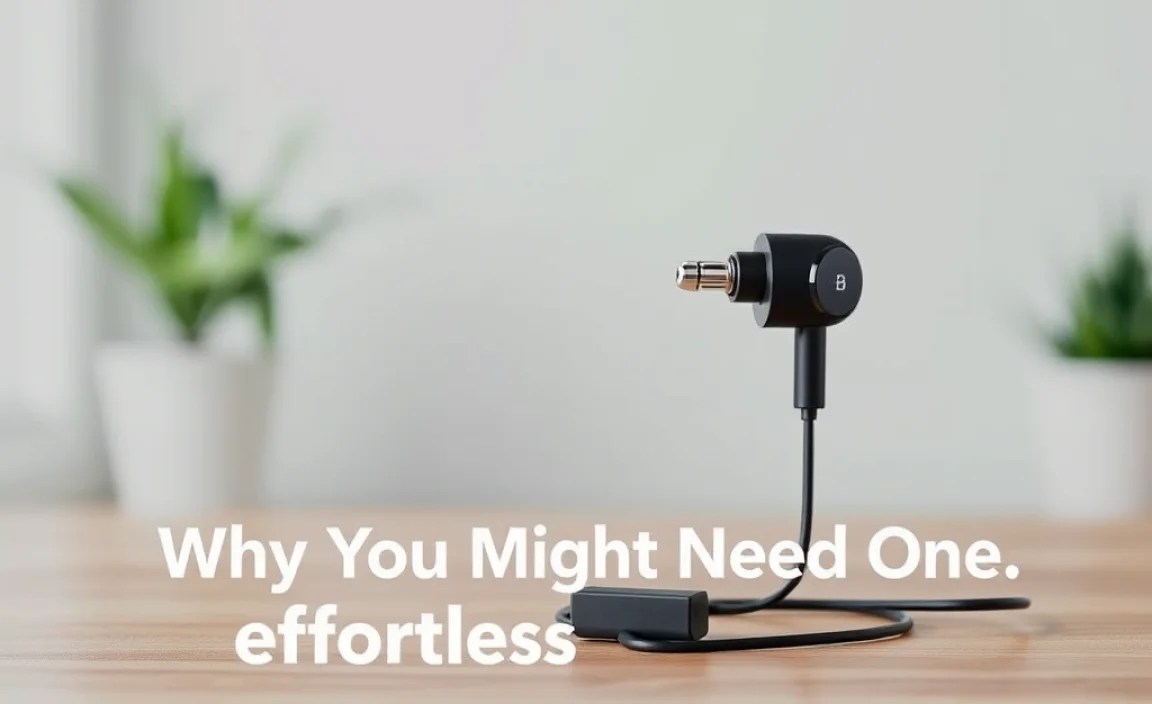
The headphone jack seems to be disappearing from many modern devices. Manufacturers are pushing towards wireless audio solutions, leaving many users in a bind. Here are some common scenarios where a 3.5mm Bluetooth adapter becomes a lifesaver:
- No Headphone Jack: If your smartphone, tablet, or laptop no longer has a 3.5mm port, connecting your favorite wired headphones becomes a hassle, often requiring clumsy dongles. A Bluetooth adapter bypasses this issue entirely.
- Desire for Wireless Freedom: Even if your device has a headphone jack, you might simply crave the freedom of not being tethered by a cable. This is especially true for activities like exercising, commuting, or moving around your home.
- Extending Headphone Lifespan: You might have invested in a premium pair of wired headphones with excellent sound. Instead of replacing them with a wireless (and potentially lower-quality) pair, an adapter lets you keep using what you love.
- Upgrading Older Devices: If you have older speakers or audio systems with a 3.5mm input, a Bluetooth adapter can stream music to them wirelessly from your phone.
How It Works: The Magic Behind the Adapter

The technology is quite straightforward. A 3.5mm Bluetooth adapter typically contains a small Bluetooth chip and a battery. Here’s a simplified breakdown of the process:
- Pairing: You first put the adapter into pairing mode (usually by pressing and holding a button) and enable Bluetooth on your source device (phone, tablet, etc.). Your source device will scan for nearby Bluetooth devices, and you’ll select the adapter from the list to connect them.
- Receiving Audio: Once paired, your source device sends the audio signal wirelessly via Bluetooth to the adapter.
- Transmitting to Headphones: The adapter receives this Bluetooth signal and converts it back into an analog audio signal.
- Playing Sound: This analog signal is then sent through the adapter’s 3.5mm output port, which you plug your headphones into.
Some adapters also allow for two-way communication, meaning they can both send and receive audio. This is useful if you want to transmit audio from a TV (which has a headphone jack) to wireless headphones, or if you want to use a microphone on your headphones for calls. For most users seeking to make their existing headphones wireless, the primary function is receiving audio.
Key Features to Look For
When choosing a 3.5mm Bluetooth adapter, several features can enhance your experience:
- Bluetooth Version: Newer versions (like Bluetooth 5.0 or higher) offer better range, faster pairing, more stable connections, and improved power efficiency compared to older versions. For example, Bluetooth version 5.3 (the latest as of late 2024) offers significant improvements.
- Battery Life: Check the estimated playback time on a single charge. This is crucial for extended listening sessions. Some adapters have impressive battery lives of 10-20 hours or more.
- Charging Method: Most adapters charge via USB (often USB-C for faster charging). Some might use Micro-USB ports.
- Microphone: If you plan to take calls, ensure the adapter has a built-in microphone.
- Codec Support: For audiophiles, certain audio codecs can improve sound quality. Common ones include SBC (standard quality), AAC (good for Apple devices), and aptX (often perceived as higher quality, though requires compatible devices on both ends).
- Multipoint Pairing: This feature allows the adapter to connect to two devices simultaneously (e.g., your phone and laptop). You can seamlessly switch between them.
- Controls: Look for buttons for play/pause, volume control, and track skipping, which add convenience.
- Form Factor: Some adapters are very small and discreet, while others might be slightly larger with more controls.
Step-by-Step Guide: Using Your 3.5mm Bluetooth Adapter
Getting your 3.5mm Bluetooth adapter up and running is remarkably simple. Here’s a breakdown of the typical process:
Step 1: Charge Your Adapter
Before you can use your adapter, it’s usually a good idea to give it a full charge. Connect the adapter to a power source using the included USB cable. The charging indicator light will typically change color or turn off when fully charged.
Step 2: Put the Adapter into Pairing Mode
This step varies slightly between models, but most adapters have a dedicated pairing button. You’ll typically need to press and hold this button for a few seconds until an indicator light starts flashing, often in blue and red or just blinking blue. Consult your adapter’s manual if you’re unsure.
Step 3: Enable Bluetooth on Your Source Device
Go to the Bluetooth settings on your smartphone, tablet, or computer. Turn Bluetooth on if it’s not already enabled. Your device will start searching for available nearby Bluetooth devices.
Step 4: Select and Pair the Adapter
Look for the name of your Bluetooth adapter in the list of available devices on your source device’s screen. It might be a generic name like “Bluetooth Audio Receiver” or a model-specific name. Tap on it to initiate the pairing process. You might hear an audio cue from the adapter, or the indicator light might change to a solid color (e.g., solid blue) to confirm a successful connection.
Step 5: Connect Your Headphones
Plug your favorite wired headphones into the 3.5mm audio jack on the Bluetooth adapter. Ensure it’s securely plugged in.
Step 6: Play Your Audio
Now, simply play any music, podcast, or video on your source device. The audio should automatically stream through your headphones connected to the adapter. You can control playback and volume using buttons on the adapter or directly from your source device.
Step 7: Disconnecting and Reconnecting
To disconnect, you can simply turn off Bluetooth on your source device or turn off the adapter itself. Most adapters will automatically reconnect to the last paired device when both are powered on and within range.
Comparison: Different Types of Bluetooth Adapters
While the core function is the same, Bluetooth adapters can vary. Here’s a look at some common types:
| Type | Description | Best For | Potential Downsides |
|---|---|---|---|
| Compact Receiver/Transmitter | Small, standalone units that plug into a 3.5mm jack and are often worn clipped to clothing or placed discreetly. Can often switch between receiving and transmitting. | Making existing headphones wireless, streaming to speakers, basic TV audio. | May have limited controls, battery life can vary. |
| Car Bluetooth Adapter | Designed to plug into a car’s auxiliary audio input and transmit from a phone to the car speakers. Often includes hands-free calling features and charging ports. | Adding Bluetooth to car audio systems without built-in capabilities. | Primarily for automotive use, may not be ideal for other applications. |
| Bluetooth Dongle (for PCs) | Plugs into a USB port and adds Bluetooth functionality to a computer that lacks it. Some may include a 3.5mm jack for direct audio output to headphones, but many are just for data/control. | Adding Bluetooth connectivity to older desktops or laptops. | Less common for direct headphone audio output from the dongle itself; usually paired with the PC’s audio. |
| True Wireless Earbud Case Adapter | Some newer True Wireless Earbud (TWS) cases can act as Bluetooth transmitters, connecting to a 3.5mm aux jack. | Using your specific TWS earbuds with non-Bluetooth devices that have an aux port (like airline entertainment systems). | Requires specific TWS earbuds and cases, limited functionality outside of that ecosystem. |
For the purpose of this guide, we are primarily focusing on the Compact Receiver/Transmitter type, as it’s the most versatile for making existing headphones wireless.
Pros and Cons of Using a 3.5mm Bluetooth Adapter
Like any tech gadget, there are advantages and disadvantages to using these adapters. Understanding them helps you make an informed decision.
Pros:
- Wireless Freedom: The most obvious benefit is the elimination of headphone cables.
- Retain Existing Headphones: You can continue using your favorite, high-quality wired headphones.
- Wide Compatibility: Works with virtually any device that has a 3.5mm audio jack and any headphones with a 3.5mm plug.
- Affordability: Generally much cheaper than buying a new pair of wireless headphones, especially high-end ones.
- Portability: Small and lightweight, easy to carry around.
- Versatility: Many can also transmit audio from a source (like a TV) to wireless earbuds or speakers.
Cons:
- Battery Dependence: The adapter needs to be charged, adding another device to manage.
- Sound Quality (Potential): Depending on the Bluetooth version and codecs supported, there can be a slight degradation in audio quality compared to a direct wired connection, though high-quality adapters minimize this.
- Latency: There might be a slight delay between the audio and video (latency), which can be noticeable when watching videos or gaming. Newer codecs like aptX Low Latency aim to reduce this.
- Extra Step: It’s an additional device to carry and manage compared to native Bluetooth headphones.
- Range Limitations: Bluetooth signals have a limited range (typically around 30-50 feet, or 10-15 meters), though this is improving with newer versions.
Tips for the Best Wireless Audio Experience
To get the most out of your 3.5mm Bluetooth adapter, consider these tips:
- Keep Devices Close: For the most stable connection and minimal latency, keep your source device and the adapter relatively close to each other.
- Charge Regularly: Ensure your adapter is charged before you head out for the day to avoid interruptions.
- Update Your Source Device: Make sure your smartphone, tablet, or computer has the latest operating system updates, as these often include Bluetooth stability improvements.
- Minimize Interference: Other wireless devices (microwaves, Wi-Fi routers, other Bluetooth devices) can sometimes interfere with the signal. Try to maintain a clear line of sight as much as possible.
- Choose Quality Headphones: Remember that the adapter transmits the signal. The quality of the headphones you plug in will still be the primary factor in your sound experience.
- Understand Codecs: If sound quality is paramount, research which Bluetooth codecs your adapter and source device support. For instance, if both support aptX, you might get better audio than with standard SBC. You can often check your phone’s Developer Options (on Android) to see which codec is currently being used. For more on Bluetooth audio codecs, resources like Bluetooth SIG’s blog offer insights.
Frequently Asked Questions (FAQ)
Q1: Will a 3.5mm Bluetooth adapter work with any headphones?
Yes, as long as your headphones have a standard 3.5mm audio plug, they will be compatible with a 3.5mm Bluetooth adapter. The adapter simply acts as the connection point to your Bluetooth-enabled device.
Q2: Can I use my 3.5mm Bluetooth adapter for gaming or watching movies?
You can, but be aware of potential latency (a delay between audio and video). While newer Bluetooth versions and codecs like aptX Low Latency significantly reduce this, it might still be noticeable for fast-paced gaming or critical movie watching. For casual viewing, it’s usually fine, but for a truly lag-free experience, consider native Bluetooth headphones or wired connections.
Q3: How do I know if my adapter is paired correctly?
Most adapters have an indicator light that changes its flashing pattern or color once a successful connection is made. You might also hear an audio prompt like “Connected” from the adapter itself.
Q4: What does it mean when an adapter supports aptX or AAC?
aptX and AAC are Bluetooth audio codecs. They are essentially different ways of compressing and transmitting audio wirelessly. AAC is well-supported by Apple devices and generally offers better sound quality than the basic SBC codec. aptX and its variants (like aptX HD, aptX Low Latency) are often found on Android devices and can provide even higher fidelity audio or lower latency, but both your adapter and your source device must support the same codec for it to be used.
Q5: How do I charge my 3.5mm Bluetooth adapter?
Most adapters come with a USB cable (either standard USB-A to Micro-USB, or USB-A to USB-C). You plug the smaller end into the adapter’s charging port and the larger end into a USB power source, such as a wall adapter, a computer’s USB port, or a power bank.
Q6: Can I use the adapter as a Bluetooth receiver for my car speakers if my car doesn’t have Bluetooth?
Yes, absolutely! If your car has a 3.5mm auxiliary (AUX) input, you can plug the Bluetooth adapter into it. Then, pair your phone to the adapter wirelessly. Audio from your phone will play through your car’s speakers. Many car-specific adapters also include a built-in microphone for hands-free calling.
Q7: Do I need to re-pair the adapter every time I use it?
Generally, no. Once you’ve initially paired your adapter with a device, they should automatically reconnect the next time both are powered on and within range, as long as Bluetooth is enabled on your source device. You usually only need to re-pair if you want to connect to a new, different device or if the connection is behaving strangely.
Conclusion: Embrace Wireless Convenience
The 3.5mm Bluetooth adapter for headphones is a practical, budget-friendly solution that brings the convenience of wireless audio to your favorite wired headsets. Whether your new device lacks a headphone jack or you simply crave the freedom from tangled cords, this little gadget can significantly enhance your listening experience. By understanding what to look for, how to set it up, and by following a few simple tips, you can easily unlock effortless audio. So go ahead, dust off those beloved headphones, grab a 3.5mm Bluetooth adapter, and step into a world of liberated sound!
