
Quick Summary: Transform your wired headphones into a wireless marvel with a 3.5mm Bluetooth receiver. This small, affordable gadget uses Bluetooth to connect your headphones to smartphones, tablets, and computers, offering freedom from cords and enhanced audio experiences for everyday listening.
3.5mm Bluetooth Receiver: Your Essential Upgrade for Wireless Freedom
Hey everyone, Edward Cavitt here from headphonehorizon! Ever tangled with headphone cords, wishing for a bit more freedom? Or maybe your favorite headphones are still wired, and you’re eyeing the convenience of Bluetooth without wanting to buy a whole new pair? You’re in the right place. Today, we’re diving into a fantastic little gadget that can effortlessly bridge that gap: the 3.5mm Bluetooth receiver. It’s a brilliant upgrade that breathes new life into your existing audio gear, giving you that sweet wireless experience you’ve been craving. Let’s explore how easy it is to make this upgrade!
What Exactly is a 3.5mm Bluetooth Receiver, Anyway?

Think of a 3.5mm Bluetooth receiver as a tiny translator. It takes the wireless audio signal from your Bluetooth-enabled device (like your smartphone or laptop) and converts it into a signal your wired headphones can understand. It connects to your headphones via their standard 3.5mm audio jack – that circular port you’re already familiar with. This means you can use your beloved, high-quality wired headphones without being tethered by a wire.
Essentially, it turns your “dumb” wired headphones into “smart” wireless ones, all without compromising the sound quality you’ve come to expect from your current cans. It’s incredibly compact, often no bigger than a USB stick or a small coin, making it perfect for portability and ease of use.
Why You Need This Essential Upgrade: The Benefits

The appeal of a 3.5mm Bluetooth receiver goes beyond just ditching cables. It offers a range of advantages that can significantly improve your daily listening experience.
- Cord-Free Convenience: This is the most obvious benefit. No more untangling knots, no more getting snagged on door handles, and no more worrying about your phone falling off a table when you move.
- Save Money: Instead of buying new Bluetooth headphones, you can upgrade your existing ones. This is especially cost-effective if you already own a pair of premium wired headphones you love.
- Universal Compatibility: Most modern smartphones and laptops have ditched the headphone jack. This receiver lets you connect your wired headphones to these devices wirelessly.
- Extended Range: Bluetooth technology allows you to move away from your device while still listening to audio. The range can vary by device, but it generally offers ample freedom for many situations.
- Enhanced Audio Features: Many Bluetooth receivers support advanced audio codecs like aptX, aptX HD, and LDAC. These codecs allow for higher-quality audio transmission over Bluetooth, potentially sounding even better than a wired connection for some listeners.
Understanding the Technology Behind the Magic

At its core, a 3.5mm Bluetooth receiver uses radio waves to communicate. When you pair it with your audio source device (like your phone), it establishes a wireless connection via Bluetooth. Your device sends the audio data wirelessly to the receiver, which then processes and outputs it through the 3.5mm jack to your headphones. Simple as that!
The quality of the Bluetooth connection and audio transmission depends on the Bluetooth version and the audio codecs supported. Newer Bluetooth versions (like 5.0 and above) offer better stability, range, and power efficiency. As mentioned, codecs like aptX, aptX HD, and LDAC are designed to transmit audio with less compression than standard codecs, leading to higher fidelity sound. If audio quality is a top priority, look for receivers that support these advanced codecs.
For a deeper dive into Bluetooth technology and its versions, the official Bluetooth website offers comprehensive information.
Choosing the Right 3.5mm Bluetooth Receiver: Key Features to Consider
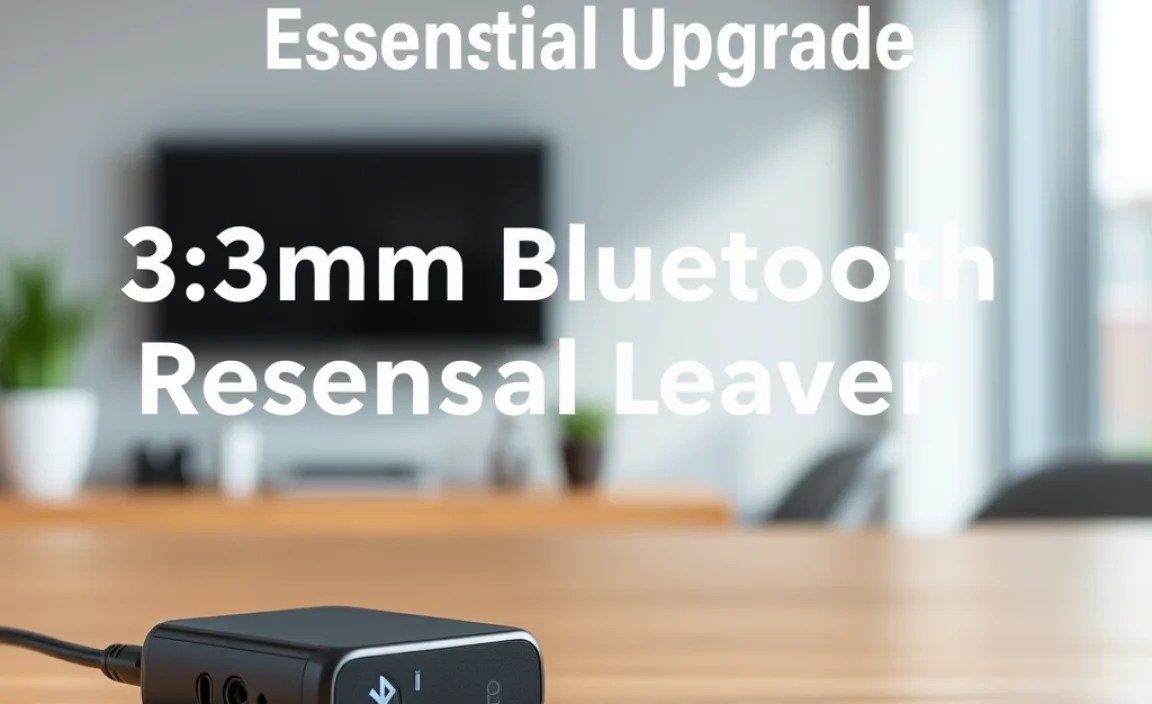
With so many options available, picking the right receiver can feel a bit overwhelming. Here are the key features to keep in mind to ensure you get a device that meets your needs:
1. Bluetooth Version
Look for receivers with Bluetooth 5.0 or higher. This offers:
- Improved Speed and Range: Faster data transfer and a more stable connection over longer distances.
- Better Power Efficiency: Longer battery life for the receiver.
- Lower Latency: Reduced delay between the audio source and your headphones, which is crucial for watching videos or gaming.
2. Audio Codec Support
This is vital for sound quality. At a minimum, aim for SBC (Subband Coding), which is the standard Bluetooth audio codec. However, for a better listening experience, consider receivers supporting:
- aptX: Offers near CD-quality audio transmission.
- aptX HD: Provides even higher-resolution wireless audio.
- LDAC: A high-quality codec developed by Sony, capable of transmitting more data than aptX HD.
Important Note: Both your audio source device (phone, tablet, computer) and the Bluetooth receiver must support the same advanced codec for you to benefit from it. Not all devices support aptX or LDAC.
3. Battery Life and Charging
Since these receivers are often wireless, battery life is a major factor. Most offer anywhere from 5 to 15 hours of playback on a single charge. Consider how you’ll use it – for short commutes or all-day listening? Most charge via USB, and some even support simultaneous charging and listening.
4. Form Factor and Portability
These receivers vary in size and shape. Some are tiny clip-on devices, while others are slightly larger and might resemble a small dongle. Consider where you’ll be using it and how you prefer to carry it. A clip can be handy for attaching to clothing.
5. Microphone Quality (If Applicable)
If you plan to use the receiver for hands-free calls, check reviews for the quality of the built-in microphone. Some offer noise cancellation for clearer calls.
6. Ease of Pairing
Most receivers are simple to pair. You typically press and hold a button until an LED indicator flashes, then select the receiver from your device’s Bluetooth menu. Look for devices with straightforward pairing processes.
Key Features Table: Quick Comparison
To help you visualize the differences, here’s a table comparing common features:
| Feature | Basic Receiver | Mid-Range Receiver | Premium Receiver |
|---|---|---|---|
| Bluetooth Version | 4.0 – 4.2 | 5.0 or higher | 5.0 or higher (e.g., 5.2, 5.3) |
| Audio Codecs | SBC | SBC, AAC, aptX | SBC, AAC, aptX, aptX HD, LDAC |
| Battery Life | 4-7 hours | 8-12 hours | 10-15+ hours |
| Latency | Moderate | Low | Very Low (especially with aptX Low Latency) |
| Microphone | Basic | Decent, sometimes with basic noise reduction | Clear, often with advanced noise cancellation |
| Price Range | $10 – $20 | $20 – $40 | $40 – $70+ |
How to Set Up Your 3.5mm Bluetooth Receiver: A Step-by-Step Guide
Getting your wired headphones and new receiver working together is surprisingly straightforward. Follow these simple steps:
Step 1: Charge Your Receiver
Before you start, ensure your new 3.5mm Bluetooth receiver has a good charge. Most come with a USB charging cable. Plug it into a power source (like a wall adapter, computer USB port, or power bank) and leave it until the indicator light shows it’s fully charged. Check your receiver’s manual for specific charging times and indicator light behavior.
Step 2: Put the Receiver into Pairing Mode
This is usually done by pressing and holding the power or pairing button on the receiver for a few seconds. You’ll typically see an LED indicator light start to flash, often in a rapid blue or red/blue pattern. This signifies it’s ready to connect to a new device.
Tip: Consult your receiver’s manual to find the exact button and pairing sequence, as it can vary slightly between models.
Step 3: Enable Bluetooth on Your Audio Source Device
On your smartphone, tablet, or computer, go to the Bluetooth settings. Make sure Bluetooth is turned on. For example, on most smartphones, you can find this in the main Settings app under “Bluetooth” or “Connections.” On Windows, it’s under “Settings” > “Devices” > “Bluetooth & other devices.”
Step 4: Scan for Devices and Pair
Your audio source device will begin scanning for nearby Bluetooth devices. Look for the name of your receiver in the list of available devices. It might be a generic name like “BT Receiver” or a brand-specific name. Once you find it, tap or click on it to initiate the pairing process.
You might be prompted to enter a PIN code, though this is rare with most modern receivers. If so, try “0000” or “1234” as default PINs, or check your manual.
Step 5: Connect Your Headphones
Once the receiver is successfully paired with your device, it usually indicates this with a solid or slow-flashing LED light. Now, plug your wired headphones into the 3.5mm audio jack on the Bluetooth receiver. Make sure they are firmly seated.
Step 6: Play Your Audio!
Your audio source device should now send sound wirelessly to the Bluetooth receiver, which in turn outputs it to your headphones. You can now control playback and volume from your source device. Enjoy your newfound wireless freedom!
Troubleshooting Common Issues
Most of the time, setup is a breeze. But if you encounter a hiccup, here are a few common issues and how to fix them:
- No Sound:
- Check that the receiver is charged and powered on.
- Ensure your headphones are plugged in securely.
- Verify that the receiver is selected as the audio output device on your source device.
- Try unpairing and re-pairing the receiver.
- Test your headphones with another device to ensure they are working.
- Connection Drops or Audio Stutters:
- Ensure your receiver and source device are within range. Thick walls or other electronic devices can interfere.
- Check if your receiver supports a more stable Bluetooth version (e.g., 5.0+).
- Try charging both your receiver and source device, as low battery can sometimes affect performance.
- Restart both your receiver and your audio source device.
- Cannot Pair:
- Make sure the receiver is in pairing mode (flashing light).
- Turn off Bluetooth on your source device and then turn it back on.
- Forget the device from your source device’s Bluetooth list and try pairing again.
- Ensure no other devices are actively connected to the receiver.
- Poor Sound Quality:
- Check if your source device and receiver support advanced codecs like aptX or LDAC and if they are enabled.
- Ensure your audio files are of good quality.
- Try updating your source device’s operating system, as this sometimes includes Bluetooth driver updates.
The “Why Not Just Buy Wireless Headphones?” Question
This is a common point! While investing in a pair of dedicated wireless headphones is a great option, a 3.5mm Bluetooth receiver offers a compelling alternative for several reasons:
1. Cost-Effectiveness: If you already own high-quality wired headphones that you adore for their sound signature and comfort, buying a Bluetooth receiver (typically $20-$50) is significantly cheaper than purchasing a comparable pair of wireless headphones (which can range from $50 to hundreds of dollars). You’re leveraging your existing investment.
2. Preserving Audio Quality: Some audiophiles find that wired connections still offer the absolute best sound quality, especially when using high-impedance headphones that require more power than typical Bluetooth receivers can provide. A receiver allows you to enjoy this premium sound wirelessly, and with advanced codecs, the difference can be minimal.
3. Versatility: A single Bluetooth receiver can be used with multiple pairs of wired headphones or even car stereos and home audio systems that have a 3.5mm aux input. This makes it a versatile gadget for various audio setups.
4. Upgrading Older Gear: It’s a fantastic way to make older, beloved audio equipment compatible with modern devices that lack headphone jacks.
Frequently Asked Questions (FAQ)
Q1: Can I use any 3.5mm headphones with a Bluetooth receiver?
Yes! As long as your headphones have a standard 3.5mm audio plug, they will work with any 3.5mm Bluetooth receiver. This includes earbuds, over-ear headphones, and on-ear headphones.
Q2: Will my smartphone work with a 3.5mm Bluetooth receiver if it doesn’t have a headphone jack?
Absolutely. That’s one of the primary uses for these receivers! You plug your wired headphones into the receiver, and the receiver connects wirelessly to your smartphone via Bluetooth.
Q3: How long does the battery on a Bluetooth receiver typically last?
Battery life varies by model, but most receivers offer between 5 to 15 hours of continuous playback on a single charge. Some higher-end models might offer even more. Always check the product specifications for an accurate estimate.
Q4: Does a 3.5mm Bluetooth receiver affect sound quality?
It can, but not necessarily in a negative way. The quality depends on the Bluetooth version and the audio codecs supported. Basic receivers using only the SBC codec might introduce some compression. However, receivers supporting aptX, aptX HD, or LDAC can deliver very high-quality audio, often indistinguishable from wired connections for most listeners. Ensure your source device also supports these codecs for the best results.
Q5: Can I use a Bluetooth receiver to make my wired speakers wireless?
Yes, you can! If your speakers have a 3.5mm auxiliary input, you can plug the receiver into that input, and then connect the receiver wirelessly to your phone, tablet, or computer. This turns your wired sound system into a wireless streaming setup.
Q6: Is there a delay (latency) when using a Bluetooth receiver?
There is always some latency with Bluetooth transmission, but it’s usually minimal for general listening. For watching videos or gaming, latency can be noticeable. Look for receivers that specifically advertise “low latency” or support “aptX Low Latency” (which requires your source device to also support it) for a better experience.
Q7: How do I pair multiple devices to my Bluetooth receiver?
Some advanced receivers can be paired with and connected to multiple devices simultaneously (multipoint pairing). However, most basic receivers are designed to connect to only one device at a time. If you want to switch between devices, you typically need to disconnect from one before pairing with another. Check the product description or manual for multipoint capabilities.
Conclusion: Embrace the Wireless Upgrade
The 3.5mm Bluetooth receiver is more than just a gadget; it’s a smart, cost-effective way to modernize your audio experience. Whether you want to cut the cord on your daily commute, make your favorite pair of headphones compatible with your new phone, or simply gain more freedom in how you listen, this little device is an essential upgrade. By understanding the key features and following the simple setup steps, you can unlock a world of wireless convenience without sacrificing the sound quality you love or emptying your wallet.
So, if you’ve been looking for a way to get that untethered listening experience, consider grabbing a 3.5mm Bluetooth receiver. It’s a small change that makes a big difference, freeing you to enjoy your music, podcasts, and calls with unparalleled ease. Happy listening!
