
Quick Summary: A headphone jack adapter is a small, often overlooked gadget that bridges the gap between your audio source and headphones, especially when traditional ports are missing. This guide demystifies these adapters, explaining their function, types, how to choose one, and simple troubleshooting, ensuring you can enjoy your audio without compatibility worries.
Headphone Jack Adapter: Your Genius Solution for Seamless Audio
Hey there, audio enthusiasts and everyday listeners! Edward Cavitt here from headphonehorizon, where we make understanding your sound gear a breeze. Ever felt that little pang of frustration when you get a brand-new device, only to realize your favorite headphones just won’t plug in? It’s a common modern conundrum, especially with the rise of sleeker, port-less designs. But what if I told you there’s a tiny, affordable hero ready to save the day? Enter the headphone jack adapter – a surprisingly ingenious solution that’s become an essential accessory for millions. Today, we’re going to dive deep into what these adapters are, why they exist, how to pick the perfect one, and even some simple tips to keep them working their best. Get ready to reclaim your audio freedom!
What Exactly is a Headphone Jack Adapter?

At its core, a headphone jack adapter is a simple connector that allows you to physically link different types of audio ports. Think of it as a universal translator for your sound. Most commonly, we’re talking about adapting a device that lacks a traditional 3.5mm headphone jack (that familiar round hole) to accept headphones that use one. This is particularly relevant for smartphones, tablets, and some laptops that have ditched the headphone port in favor of USB-C or Lightning connectors. The adapter essentially converts the digital audio signal from your device’s USB-C or Lightning port into an analog signal that your standard headphones can understand and play.
Why the Sudden Need for Adapters?
The shift away from the 3.5mm headphone jack is primarily driven by design and technological advancements. Here’s a quick rundown:
- Sleeker Designs: Removing the headphone jack allows manufacturers to make devices thinner, more water-resistant, and to utilize that internal space for larger batteries or other components.
- Improved Audio Quality (Potentially): Some argue that sending digital audio directly via USB-C can lead to higher fidelity sound, as the digital-to-analog conversion happens within the adapter or your headphones themselves.
- Wireless Dominance: The rise of truly wireless earbuds and Bluetooth headphones has also played a role, leading manufacturers to believe the wired headphone jack is becoming less essential.
However, for those of us with a beloved collection of wired headphones, or those who simply prefer the reliability and often superior sound quality of wired connections, adapters are a lifesaver. They ensure that older accessories remain compatible with newer technology, saving you money and preventing e-waste.
Types of Headphone Jack Adapters: Navigating Your Options
When you start looking for an adapter, you’ll notice a few common types. Understanding these will help you make the right choice:
1. USB-C to 3.5mm Adapters
These are the most prevalent adapters these days, designed for devices with a USB-C port. USB-C is becoming the universal standard for charging and data on many Android phones, newer iPads, and some laptops. These adapters connect to your device’s USB-C port and provide a female 3.5mm jack for your headphones.
Key Features to Look For:
- DAC (Digital-to-Analog Converter): Some USB-C adapters have a built-in DAC. This is crucial because many phones that lack a headphone jack don’t output analog audio through their USB-C port. An adapter with a DAC ensures the digital signal is converted correctly for your headphones. If your device’s USB-C port doesn’t support audio output natively, you absolutely need a DAC.
- Build Quality: Look for sturdy connectors and a durable cable to prevent wear and tear.
- Plug-and-Play: Most good adapters work instantly without needing drivers or software.
2. Lightning to 3.5mm Adapters
If you’re an iPhone or iPad user (and don’t have a model with a headphone jack), this is likely the adapter you’ll need. Apple’s proprietary Lightning port is used on many of their devices. These adapters plug into the Lightning port and offer a 3.5mm jack.
Important Considerations for Lightning Adapters:
- MFi Certified: “Made for iPhone/iPad” (MFi) certification is important. It means the adapter meets Apple’s performance and safety standards. Uncertified adapters might stop working after iOS updates or perform poorly.
- DAC Integration: Similar to USB-C, most Lightning adapters have an integrated DAC to handle the audio conversion.
- Charging Passthrough: Some Lightning adapters include an additional Lightning port, allowing you to charge your device while listening to music. This is incredibly convenient if your device only has one port.
3. Other Adapter Types (Less Common)
While less common for the typical consumer, you might also encounter:
- Micro USB to 3.5mm: Found on older Android devices that lacked a headphone jack.
- Bluetooth Adapters: These are a bit different. They convert a wired audio source (like a car stereo with an Aux-in or a non-Bluetooth speaker) to Bluetooth, allowing you to wirelessly connect your phone.
- Dedicated DAC/Amps: These are more advanced devices that offer superior audio quality for audiophiles, often connecting via USB-C or Lightning and providing both headphone output and amplification.
Choosing the Right Headphone Jack Adapter: A Step-by-Step Guide

Selecting the perfect adapter might seem straightforward, but a little knowledge goes a long way. Here’s how to make an informed decision:
Step 1: Identify Your Device’s Audio Output Port
This is the most critical step. What kind of port does your phone, tablet, or computer have where you would plug in headphones, or where you’re missing the headphone jack?
- USB-C: Look for a small oval-shaped port, often found on newer Android phones, iPads, and many laptops.
- Lightning: This is Apple’s proprietary port, smaller and with rounded edges, found on iPhones and older iPads.
- No Audio Port? If your device has no discernible audio port and relies purely on wireless, you’ll definitely need an adapter.
Step 2: Determine if Your Device’s Port Outputs Analog Audio
This can be the trickiest part. Many modern devices that omit the headphone jack only output digital audio through their USB-C or Lightning port. This means you’ll need an adapter that includes a built-in DAC.
How to Check:
- Consult Your Device’s Manual or Manufacturer Website: This is the most reliable method. Search for “[Your Device Name] audio output” or “[Your Device Name] headphone jack”.
- Online Forums and Reviews: Often, other users have asked and answered this question. Search for “[Your Device Name] USB-C audio support” or “[Your Device Name] Lightning audio out”.
- Look for “DAC” in Adapter Descriptions: If you’re unsure about your device, err on the side of caution and select an adapter that explicitly states it has an integrated DAC. It will work even if your device can output analog audio.
Example: If you have a Google Pixel 5 (USB-C) and it doesn’t have a headphone jack, you’ll need a USB-C to 3.5mm adapter with a DAC. If you have an older iPhone 7 (Lightning) and it doesn’t have a headphone jack, you’ll need a Lightning to 3.5mm adapter, which typically includes a DAC.
Step 3: Consider Extra Features
Do you have any specific needs beyond just plugging in your headphones?
- Charging Passthrough: Extremely useful for devices with only one port (especially iPhones with Lightning). Allows simultaneous charging and listening.
- Microphone Support: Ensure the adapter supports the inline microphone on your headphones if you plan to make calls or use voice commands. Most reputable adapters do.
- Cable Length: Some adapters have a short, stubby design, while others have a short cable. Consider what’s more convenient for your setup.
Step 4: Read Reviews and Check Brand Reputation
As with any tech accessory, quality varies. Stick to well-known brands or adapters with consistently positive reviews. Look for common praise regarding:
- Sound quality (clear, no static)
- Durability
- Reliability after software updates
- Compatibility with specific devices
Quick Fixes: Troubleshooting Your Headphone Jack Adapter
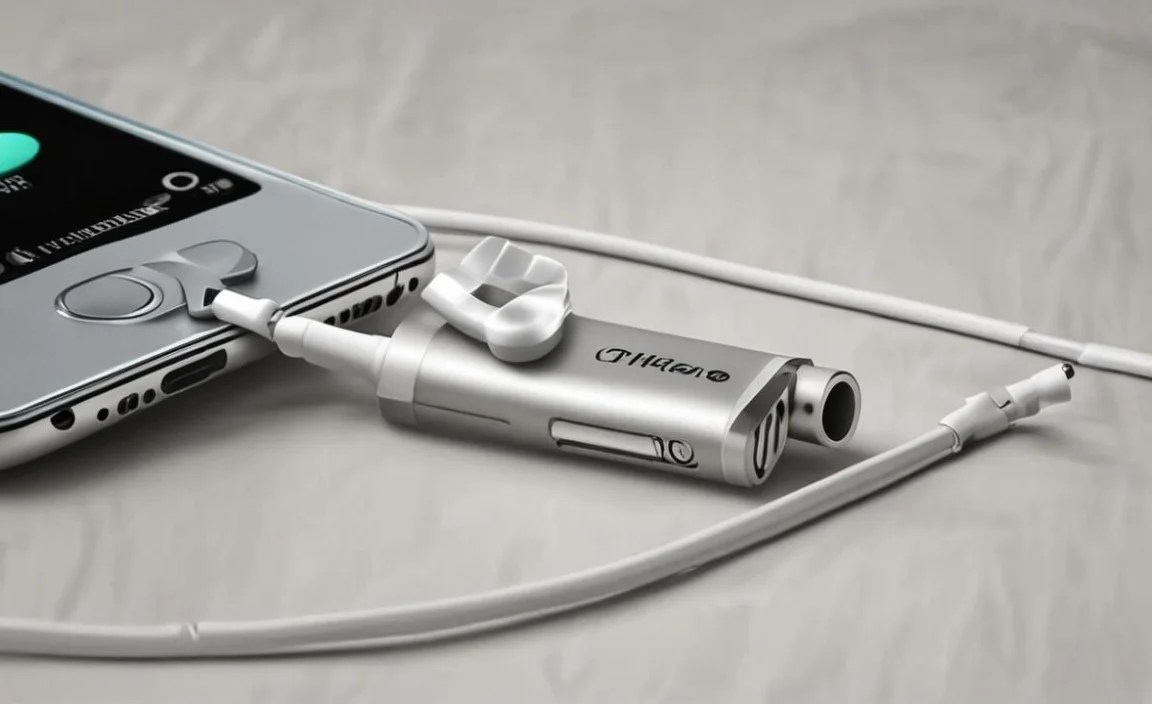
Even the most genius solutions can sometimes encounter hiccups. If your adapter isn’t working perfectly, don’t panic! Here are some common issues and simple fixes:
Problem 1: No Sound or Intermittent Sound
Why it happens: Loose connection, software glitch, faulty adapter, or the device port isn’t outputting audio correctly.
Troubleshooting Steps:
- Ensure a Secure Connection: Unplug and firmly re-plug the adapter into your device and your headphones into the adapter.
- Restart Your Device: A simple reboot can often clear temporary software issues affecting audio output.
- Test with Different Headphones: Rule out the headphones themselves by trying a different pair.
- Test the Adapter on Another Device: If possible, try the adapter on a different compatible device to see if the issue persists.
- Check Device Audio Settings: Make sure audio output isn’t being routed elsewhere (e.g., to a Bluetooth speaker).
- Clean the Ports: Gently clean the USB-C/Lightning port on your device and the adapter’s connector with compressed air or a dry, soft brush. Avoid using liquids or metal objects.
Problem 2: Crackling or Static Noise
Why it happens: Poor connection, interference, faulty DAC in the adapter, or damaged headphone cable.
Troubleshooting Steps:
- Check Connections: As above, ensure everything is plugged in snugly.
- Try a Different Outlet/Location: Electrical interference can sometimes cause static.
- Test Headphones Independently: Plug your headphones directly into a known working audio source (like another phone with a headphone jack) to see if the static is present.
- Try a Different Adapter: If possible, try a different adapter. This helps determine if the adapter itself is the source of the noise. Using an adapter with a higher-quality DAC might also resolve this.
Problem 3: Microphone Not Working
Why it happens: Adapter doesn’t support microphone input, software permission issues, or microphone damage.
Troubleshooting Steps:
- Verify Adapter Compatibility: Ensure the adapter explicitly states support for microphone input. Some very basic adapters might not.
- Check Device Permissions: Go into your device’s settings and ensure the microphone is enabled for all apps.
- Test Microphone Separately: Use a voice recording app to test the microphone functionality.
- Clean the Adapter Port: Ensure the 3.5mm port on the adapter is clean and free of debris.
Headphone Jack Adapters vs. Dongles: A Clarification

You might hear the terms “adapter” and “dongle” used interchangeably, and for the most part, they refer to the same type of device in this context. A dongle is essentially a small piece of hardware that plugs into a port to extend functionality. So, a headphone jack adapter is a type of audio dongle. However, “dongle” can sometimes refer to other peripherals like USB Wi-Fi adapters or security keys. When we talk about headphone jacks, “adapter” is often the clearer term, but don’t be surprised if you see “dongle” used in product descriptions.
The Importance of a Built-in DAC

Let’s circle back to the DAC (Digital-to-Analog Converter). This component is what transforms the digital audio files stored on your device into the analog electrical signals that your speakers or headphone drivers can produce as sound. Many modern smartphones and other devices have eliminated the analog circuitry needed for a headphone jack to save space and power. Instead, they rely on the USB-C or Lightning port to transmit a digital audio signal. If your device does this, and you plug in a simple adapter without a DAC, you simply won’t get any sound. It’s like trying to speak a language nobody understands. An adapter with a built-in DAC ensures that the digital signal is converted into a usable analog signal, making your headphones work.
According to sources like the International Telecommunication Union (ITU), the transition to digital audio formats and transmission methods is a worldwide trend, highlighting the need for effective conversion tools like adapters with DACs.
Maintenance and Care for Your Adapter

These little gadgets are workhorses, but a little care can extend their lifespan significantly:
Keep it Clean
- Ports: Regularly check the USB-C or Lightning port on your device and the connector on the adapter. Dust and debris can impede connection. Use compressed air or a dry, soft brush.
- 3.5mm Jack: Ensure the female 3.5mm jack on the adapter is also free of lint or grime.
Handle with Care
- Avoid Excessive Bending: Don’t let the adapter or its cable hang freely from your device, especially when the device is in your pocket or bag. Constant stress can damage the internal wiring.
- Protect from Liquids: Keep your adapter dry. Water damage is usually irreparable.
- Store Properly: When not in use, store the adapter in a small pouch, a pocket, or a designated tech organizer rather than letting it float around in your bag where it can get snagged or bent.
Update Your Device
While sometimes updates can cause issues with uncertified adapters (especially Lightning ones), generally keeping your device’s software up-to-date ensures optimal compatibility and performance. If an adapter suddenly stops working after an update, check if there’s a newer version or consider a certified option.
Frequently Asked Questions (FAQ)
Q1: Can I use any headphone jack adapter with any phone?
A: Not necessarily. You need to match the adapter’s input to your device’s port (USB-C, Lightning, etc.) and ensure it has a DAC if your device only outputs digital audio. Always check your device’s specifications.
Q2: Will a headphone jack adapter affect my sound quality?
A: It can, depending on its quality. A well-designed adapter with a good DAC will maintain or even slightly improve sound quality by providing a clean conversion. Cheaper, unbranded adapters might introduce static, hiss, or distortion.
Q3: Do I need a special adapter for my gaming headset with a microphone?
A: Most standard USB-C or Lightning to 3.5mm adapters that support microphone input will work with gaming headsets. However, some very high-end gaming headsets might have proprietary connectors or require specific USB interfaces. Check the headset’s compatibility requirements.
Q4: Can I charge my phone and use headphones at the same time with an adapter?
A: Only if the adapter specifically has a charging passthrough port (e.g., an additional USB-C or Lightning port). Standard adapters do not offer this functionality.
Q5: How do I know if my phone’s USB-C port supports audio output?
A: Some USB-C ports are data/charging only. The best way to check is to look at your phone’s official specifications on the manufacturer’s website or consult online reviews for your specific model. If in doubt, choose an adapter with a DAC.
Q6: My adapter suddenly stopped working after an iOS update. What should I do?
A: If you have a Lightning adapter, it might not be MFi certified, and Apple may have changed compatibility. Try reconnecting it, restarting your iPhone, or consider purchasing an MFi-certified adapter from a reputable brand.
Q7: Are cheap, no-name adapters worth it?
A: Generally, it’s best to invest a little more in adapters from reputable brands. While cheap ones might work initially, they are more prone to poor sound quality,
