
Quick Summary: This guide explains how to choose and use adapters for your headphones and charger, especially for devices with single ports. Learn about different adapter types, compatibility, and how to enjoy your audio and power your device simultaneously without hassle.
Adapter for Headphones and Charger: Your Essential Guide

Hello, fellow music lovers and tech enthusiasts! Edward Cavitt here from headphonehorizon. It’s frustrating when your sleek new phone or tablet ditches the headphone jack, isn’t it? Or perhaps you just want to listen to your favorite tunes while keeping your battery topped up. This is where the humble yet mighty adapter comes into play. Don’t let confusing jargon or a tangle of wires intimidate you; understanding adapters for your headphones and charger is straightforward. This guide will demystify these essential little gadgets, helping you make the right choice and use them with confidence, ensuring your audio experience and device power are always seamless. Let’s dive in!
The Rise of the Single Port: Why Adapters Are Now Essential

Remember the days when phones and tablets had a dedicated port for your headphones and another for charging? Those days are, for many devices, in the past. Manufacturers have streamlined designs, often opting for a single USB-C or Lightning port to handle both data transfer, audio output, and charging. While this makes devices sleeker, it presents a common dilemma: how do you listen to music or take a call with your headphones if the only port is currently occupied by your charger?
This is where the “adapter for headphones and charger” steps in. These clever accessories bridge the gap, allowing you to connect both your headphones and your charging cable to that single, versatile port. They are indispensable for anyone who values versatility and doesn’t want to sacrifice their listening pleasure for a much-needed power boost.
Understanding the Different Types of Adapters

Not all adapters are created equal, and choosing the right one depends heavily on your device and your headphones. The primary distinction lies in the type of port your device uses and the type of connector your headphones have.
1. USB-C Adapters
For most modern Android phones, many laptops, and newer iPads, USB-C is the standard. You’ll find several kinds of USB-C adapters designed to solve the headphone/charger dilemma:
- USB-C to 3.5mm Headphone Jack Adapter (with PD Charging Port): This is the most common type. It converts the USB-C port into a traditional 3.5mm headphone jack, and it features an additional USB-C port specifically for charging. This allows you to plug in both your wired headphones and your charger simultaneously.
- USB-C to USB-C + 3.5mm Adapter: Similar to the above, but instead of a separate charging port, it might have an additional USB-C port that could be used for data or a different type of charging solution, which is less common for direct power delivery. Always check specifications.
- USB-C Hubs/Docks: For laptops or tablets, a USB-C hub is a more robust solution. These multi-port adapters can offer a 3.5mm headphone jack, multiple USB-A or USB-C ports for accessories, and HDMI or SD card readers, along with power delivery for charging.
2. Lightning Adapters
Apple devices (iPhones, some iPads) use the Lightning connector. The adapters here are designed with this proprietary port in mind:
- Lightning to 3.5mm Headphone Jack Adapter (with Charging Port): This adapter plugs into your iPhone’s Lightning port and provides a 3.5mm headphone jack. Crucially, it also includes a second Lightning port, allowing you to charge your iPhone while using wired headphones.
- Apple’s Official Lightning to 3.5mm Headphone Jack Adapter: Apple also sells a basic adapter with just a 3.5mm jack. This one does not allow for simultaneous charging, so ensure you’re looking for one that specifies charging capabilities if that’s what you need.
- Lightning to USB-C Adapters (with PD Charging): Some advanced setups might use a Lightning to USB-C adapter that then connects to another USB-C hub or accessory, but for direct headphone and charger use, the 3.5mm versions are more common.
3. Wireless Audio Adapters
While not strictly for plugging in wired headphones, it’s worth mentioning adapters that facilitate wireless audio. These might not let you charge and use wired headphones, but they can connect your device to wireless speakers or Bluetooth headphones via their charging port, sometimes with an additional port for power. Their primary function is audio transmission, not necessarily providing multiple physical connections for wired peripherals and charging simultaneously.
How to Choose the Right Adapter: Key Considerations

Selecting the perfect adapter involves a few simple checks. Getting this right ensures compatibility and prevents frustrating glitches. Here’s what to look for:
1. Device Compatibility
This is paramount. Your adapter must be designed for your device’s port type.
- Check your phone/tablet’s port: Is it USB-C or Lightning? This is the most critical factor.
- Manufacturer recommendations: For Apple devices, using official accessories or MFi-certified (Made for iPhone/iPad) products is generally recommended for the best compatibility.
- Android devices: While USB-C standards are more universal, some older or specific phone models might have unique requirements. Check your device’s manual or the manufacturer’s website.
2. Headphone Connector Type
What kind of headphones do you use?
- 3.5mm: The vast majority of wired headphones use this standard analog jack. If your adapter provides a 3.5mm port, it will work with these.
- USB-C Headphones: Some newer headphones connect directly via USB-C. If you have these, an adapter might still be needed if these headphones also lack a passthrough charging port.
- Lightning Headphones: Similar to USB-C, these connect directly to Apple devices.
3. Charging Capability (Power Delivery – PD)
If your goal is to charge and listen, you need an adapter that explicitly supports charging passthrough. For USB-C, this often involves support for USB Power Delivery (PD).
- Look for “Charging Port” or “PD Charging”: The adapter should clearly state it has an additional port for charging and supports power delivery standards.
- Charging Speed: Some adapters might support fast charging, while others only offer standard charging speeds. Check the specifications if charging speed is important to you.
4. Audio Quality
Most reputable adapters will not degrade audio quality noticeably, especially for everyday listening. However, for audiophiles, it’s worth noting:
- DAC (Digital-to-Analog Converter): Cheaper adapters might use basic DACs. Higher-end ones might incorporate better DACs for improved sound fidelity. If sound quality is a top priority, research adapters known for good audio performance, often those with a specific mention of their DAC.
- Analog vs. Digital Output: Most 3.5mm adapters rely on your device’s internal DAC. Adapters that convert USB-C directly to USB-C audio (for USB-C headphones) or Lightning to digital audio will have their own DAC.
5. Build Quality and Durability
An adapter is a small piece of tech that gets a lot of use. Look for sturdy construction.
- Materials: Braided cables and robust connector housings are usually a good sign.
- Brand Reputation: Stick with well-known brands or those with excellent reviews for reliability.
Step-by-Step: Using Your Adapter
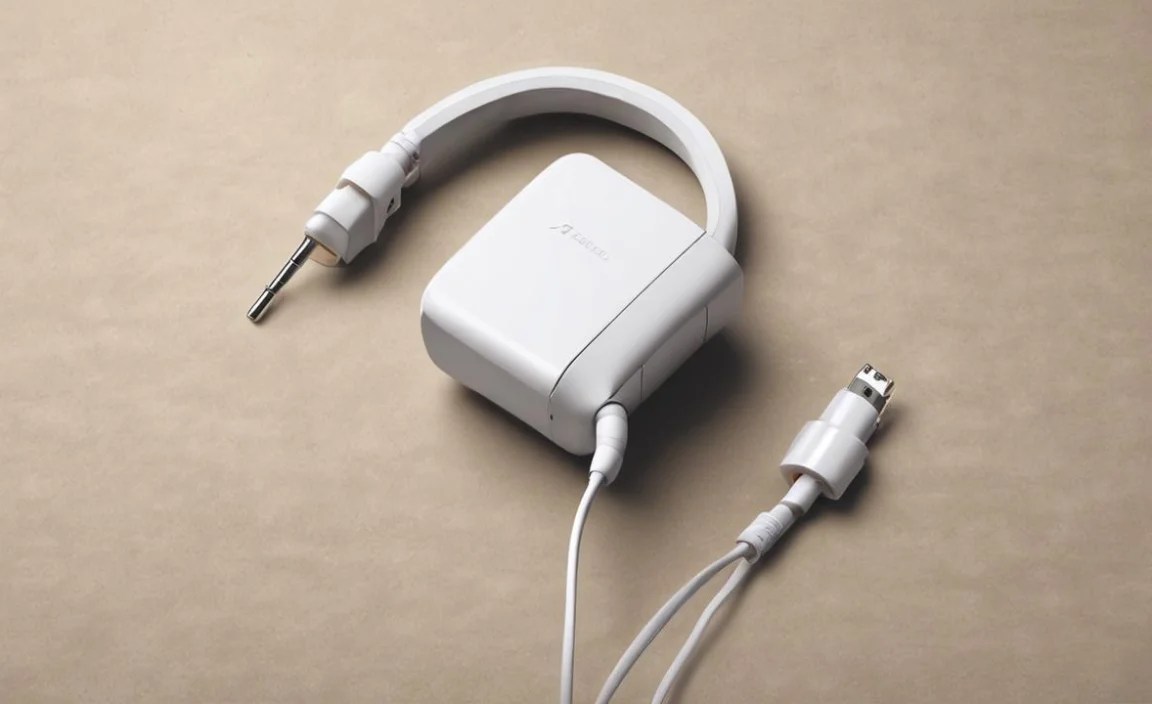
Once you have the right adapter in hand, using it is incredibly simple. Here’s how:
Step 1: Identify Your Device’s Port
Confirm whether your device uses USB-C or Lightning. This dictates the type of adapter you need.
Step 2: Connect the Adapter to Your Device
Plug the adapter’s main connector (USB-C or Lightning) firmly into your device’s single port.
Step 3: Connect Your Headphones
If your adapter has a 3.5mm headphone jack, plug your standard wired headphones into this port. If you have USB-C or Lightning headphones, plug them into the corresponding port on the adapter (if available and compatible).
Step 4: Connect Your Charger (If Needed)
If you want to charge your device simultaneously, plug your charging cable into the designated charging port on the adapter (usually another USB-C or Lightning port, depending on the adapter type).
Step 5: Test and Enjoy
Your device should now recognize both your headphones and the charging connection. You can start playing music or take calls while your device powers up. If you encounter issues, try unplugging and replugging everything, starting with the adapter into the device.
Common Troubleshooting Tips
While generally reliable, adapters can sometimes act up. Here are a few common issues and how to fix them:
- No Audio:
- Ensure the adapter is fully plugged into the device.
- Check that your headphones are firmly connected to the adapter’s headphone jack.
- Restart your device.
- Try plugging your headphones directly into another device to ensure they are working.
- No Charging:
- Verify the charging cable and power brick are working correctly by plugging them directly into the device (if possible, or another device).
- Ensure the charging cable is securely connected to the adapter’s charging port.
- Some adapters might not support charging speeds as fast as direct charging, but they should still charge.
- Restart your device.
- Intermittent Audio/Connection Drops:
- This can sometimes point to a loose connection – try re-seating all connections.
- A faulty adapter is a common culprit. If possible, test with another adapter.
- Ensure your device’s software is up to date.
- Adapter Gets Warm:
- It’s normal for adapters to get slightly warm during use, especially while charging.
- If it gets excessively hot, disconnect it immediately and consider it faulty. Overheating can be a safety hazard.
Technical Considerations: DACs, PD, and Analog vs. Digital
Let’s briefly touch on a couple of terms you might encounter: DAC and PD.
Digital-to-Analog Converter (DAC)
Your music files are digital, but your headphones need an analog signal to produce sound. The DAC is the component that performs this conversion. Most 3.5mm headphone jacks on phones and tablets have a built-in DAC. When you use a USB-C to 3.5mm adapter, your phone’s internal DAC typically handles the conversion. Some USB-C adapters contain their own external DAC chip, which can sometimes offer improved sound quality over the device’s internal one, especially in devices where the headphone functionality has been removed or is of lower quality. If an adapter mentions a high-quality DAC, it’s usually a selling point for better audio fidelity.
Power Delivery (PD)
USB Power Delivery is a standard that allows for higher power output and smarter power management over USB-C connections. When an adapter supports PD for charging, it means it can take a PD-compatible charger and allow your device to charge at its optimal speed, often faster than standard USB charging. Look for the USB-IF certification logo or explicit mention of “USB PD” on the adapter or its packaging for reassurance of compatibility and safety with PD charging. For more information on USB standards, you can refer to resources like the USB Implementers Forum (USB-IF).
Pros and Cons of Using Adapters
Like any accessory, adapters have their advantages and disadvantages. Understanding these can help you decide if it’s the right solution for your needs.
Pros:
- Universality: Allows you to use your existing 3.5mm headphones with newer devices.
- Simultaneous Use: Enables listening to audio and charging at the same time.
- Cost-Effective: Cheaper than buying all-new headphones or devices with multiple ports.
- Portability: Small and easy to carry around.
- Device Design: Enables sleeker, more water-resistant device designs by reducing port count.
Cons:
- Extra Dongle: It’s another item to carry and potentially lose.
- Potential for Lower Quality Audio: Very cheap adapters might have inferior DACs or introduce noise.
- Durability Concerns: Small adapters can be prone to damage or connection issues over time.
- Compatibility Issues: Not all adapters work flawlessly with all devices.
- One Less Port: If your device has only one port, using an adapter means that port is occupied.
A Quick Comparison Table
Here’s a table that highlights some key differences between common adapter types:
| Adapter Type | Primary Use Case | Headphone Connector | Charging Passthrough | Typical Device Compatibility |
|---|---|---|---|---|
| USB-C to 3.5mm + USB-C Charging | Use 3.5mm headphones & charge on USB-C devices | 3.5mm Jack | Yes (via USB-C port) | Most USB-C phones, tablets, laptops |
| Lightning to 3.5mm + Lightning Charging | Use 3.5mm headphones & charge on Lightning devices | 3.5mm Jack | Yes (via Lightning port) | iPhones, some iPads |
| USB-C Hub with Audio Output | Expand connectivity for laptops/tablets | Often 3.5mm, sometimes USB-C audio | Yes (via USB-C PD input) | USB-C laptops, tablets, some phones |
| Official Apple Lightning to 3.5mm Adapter | Use 3.5mm headphones with Lightning devices | 3.5mm Jack | No | iPhones, iPads |
Maintaining Your Adapter
To ensure your adapter lasts and performs well, follow these simple maintenance tips:
- Keep it Clean: Gently wipe the connectors with a dry, lint-free cloth. Avoid harsh chemicals.
- Proper Storage: When not in use, store the adapter in a case, pouch, or a dedicated tech organizer to prevent damage to the ports and cable.
- Avoid Bending: Don’t repeatedly bend the cable sharply at the connector points, as this is where most internal damage occurs.
- Handle with Care: Treat it like any delicate electronic accessory. Avoid dropping it or exposing it to extreme temperatures or moisture.
The Future of Audio Jacks and Adapters
The trend towards removing the 3.5mm headphone jack isn’t slowing down. Wireless audio is gaining traction, and many devices are prioritizing water resistance and smaller form factors. This means adapters are likely to remain relevant for the foreseeable future. For those who prefer wired headphones or need the reliability of a physical connection, adapters are the bridge connecting the past and the future of audio jacks. As technology evolves, we might see even more integrated solutions or perhaps a universal standard emerge. Until then, understanding and using these adapters effectively is a key skill for any modern device owner.
For those interested in the evolution of mobile device ports, the GSM Arena website offers fantastic historical timelines and reviews that often touch upon these port changes.
Frequently Asked Questions (FAQ)
Q1: Can I use any USB-C to headphone adapter with my phone?
Not necessarily. While most modern USB-C phones work with standard USB-C to 3.5mm adapters, some older devices or specific models might require adapters that support “analog audio output” via USB-C. Always check your phone’s specifications or the adapter’s compatibility list.
Q2: Will using an adapter affect my music quality?
For most users and most reputable adapters, the difference in sound quality will be unnoticeable. However, exceptionally cheap adapters might have lower-quality DACs (Digital-to-Analog Converters) which could subtly impact clarity or introduce noise. If you’re an audiophile, look for adapters that specifically mention high-quality DACs.
