
Quick Summary: iPhone headphone jack adapters, often called dongles, are small devices that let you use your favorite wired headphones with the latest iPhones that lack a traditional headphone port. This guide explains what they are, why you need one, how to choose the right one, and tips for using them to enjoy your music without interruption.
Adapter for iPhone Headphone Jack: Your Essential Guide
Hey there, audio adventurers and music lovers! Edward Cavitt from Headphone Horizon here. Remember when plugging in your headphones was as simple as, well, plugging them in? For many of us who cherish our trusty wired headphones, the shift in smartphone design, especially with iPhones, has presented a bit of a puzzle.
If you’ve picked up a newer iPhone and realized your beloved headphones just won’t connect, don’t worry! The solution is ingeniously simple: an adapter for your iPhone headphone jack. These little gadgets are often called “dongles,” and they’re your instant gateway back to high-quality audio without needing to switch to wireless. This guide is designed to demystify these adapters, making it easy for you to find, use, and enjoy your music to the fullest.
Why Do You Even Need an Adapter for Your iPhone Headphone Jack?

The main reason you’ll need an adapter for your iPhone headphone jack is that Apple, starting with the iPhone 7, removed the standard 3.5mm headphone port from their flagship devices. This move was often cited as a way to make phones thinner, waterproof, and to encourage adoption of wireless audio technologies like Bluetooth. However, this left a lot of us with perfectly good, high-quality wired headphones (especially those with a 3.5mm plug) in a bit of a bind. The adapter acts as a bridge, translating the digital audio signal from your iPhone’s Lightning port into an analog signal that your standard headphones can understand and play.
Understanding the Two Main Types of Adapters
When you’re looking for an adapter, you’ll primarily encounter two main types, each serving a slightly different purpose and offering a different listening experience:
1. Apple Lightning to 3.5mm Headphone Jack Adapter
This is the official adapter from Apple, and for many users, it’s the most straightforward choice. It’s specifically designed to work seamlessly with iPhones and iPads.
- How it Works: This adapter plugs into your iPhone’s Lightning port and provides a standard 3.5mm female jack where you can plug in any wired headphones or earbuds with a 3.5mm connector.
- Key Features:
- DAC Chip: It contains a Digital-to-Analog Converter (DAC) chip. This chip is crucial because your iPhone outputs digital audio signals from the Lightning port, but your headphones need an analog signal to produce sound. The built-in DAC handles this conversion smoothly.
- Compatibility: Designed by Apple, it ensures broad compatibility with iOS devices.
- Inline Controls: It typically supports the microphone and volume controls found on most standard iPhone earbuds.
- Pros:
- Guaranteed compatibility with Apple devices.
- High likelihood of supporting inline controls (play/pause, volume, mic).
- Simple plug-and-play operation.
- Cons:
- Can sometimes be more expensive than third-party options.
- Only provides one function (audio out); you can’t charge your phone while listening in most cases, unless you buy a specific splitter.
2. Third-Party Lightning to 3.5mm Headphone Adapters (and Splitters)
The market is flooded with alternatives from various manufacturers. These can range from simple adapters to more complex splitters that allow charging and listening simultaneously.
- How it Works: Similar to the Apple adapter, these plug into the Lightning port and offer a 3.5mm jack for your headphones. However, some may include an additional Lightning port for charging.
- Key Features:
- Varying DAC Quality: The quality of the DAC chip can vary significantly between brands and models. Some might offer excellent audio, while others might produce lower-quality sound or experience issues.
- Additional Ports: Many third-party adapters include a secondary Lightning port, allowing you to charge your iPhone while using your wired headphones – a feature often missing in the basic Apple adapter.
- MFi Certification: Look for adapters that are “Made for iPhone/iPad” (MFi) certified. This means they’ve met Apple’s standards and are approved for use with their devices. Uncertified accessories can sometimes cause performance issues or stop working after iOS updates. You can check for MFi certification on Apple’s official website about accessories.
- Pros:
- Often more affordable than Apple’s official adapter.
- Many models offer a charging passthrough feature with an extra Lightning port.
- Wider variety of designs and functionalities available.
- Cons:
- Compatibility can be hit-or-miss, especially with uncertified products.
- Audio quality can be inconsistent.
- May not always support inline controls from your headphones’ remote.
- Risk of ceasing to work after iOS updates if not MFi certified.
How to Choose the Right Adapter for Your Needs
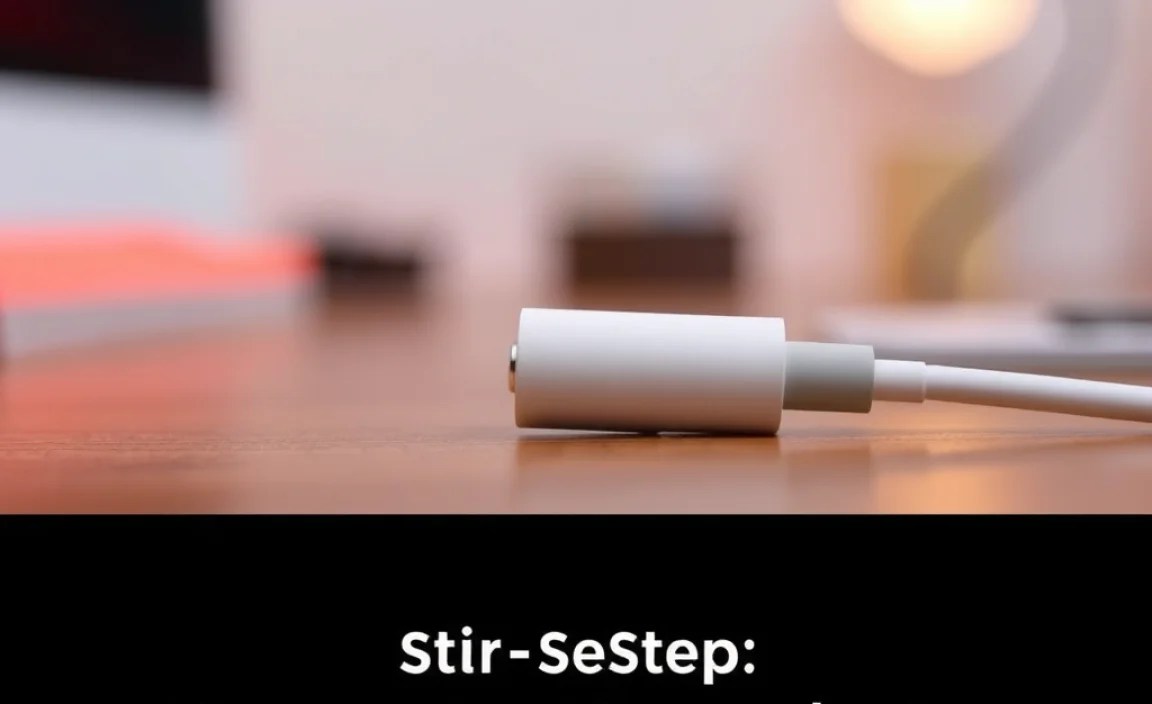
Selecting “the one” from a sea of options might seem daunting, but a few key considerations will steer you towards the perfect fit:
1. Functionality: What Do You Need It To Do?
Start by thinking about your daily routine. Do you just need to listen to music occasionally, or do you find yourself needing to charge your phone while you game, watch videos, or take calls?
- Basic Listening: If you only need to plug in your headphones and listen, the standard Apple adapter or a simple, MFi-certified third-party adapter will suffice.
- Simultaneous Charging and Listening: If you’re a heavy user or a mobile gamer who needs power while enjoying audio, look for a splitter adapter with both a 3.5mm headphone jack and an additional Lightning port.
- Portability: Consider the size and design if you plan to keep it attached to your headphones or carry it around. Some are tiny, while others are bulkier splitters.
2. Audio Quality: What’s Your Sound Standard?
While most adapters will produce audible sound, the quality can vary. If you’re an audiophile or have high-end headphones, you might notice differences.
- Built-in DAC: Every adapter needs a DAC. Apple’s official adapter is designed to meet Apple’s audio standards. For third-party options, reviews can be helpful in assessing audio performance. Look for mentions of clarity, lack of static, and balanced sound.
- Sampling Rate and Bit Depth: Professional-grade adapters might advertise higher sampling rates ( kHz) and bit depths (bits), indicating potential for higher fidelity audio. For everyday listening, most basic adapters are more than adequate.
3. Compatibility: Will It Work?
This is crucial. You don’t want to buy an adapter only to find it doesn’t work with your iPhone or your specific headphones.
- MFi Certification: As mentioned, MFi certification is a strong indicator of compatibility and reliability. Check for the “Made for iPhone/iPad” logo on the packaging or product description.
- Specific iPhone Models: While most Lightning adapters work across recent iPhone models, it’s always good to double-check product listings for any specific compatibility notes.
- Headphone Inline Controls: If your headphones have a built-in microphone and remote for volume and playback control, ensure the adapter you choose supports these features. Most Apple and MFi-certified adapters do, but it’s worth confirming, especially with cheaper third-party options.
4. Durability and Build Quality
An adapter is often a small, flexible piece of hardware that can be prone to wear and tear, especially if it’s constantly plugged and unplugged or left dangling from your phone.
- Cable Thickness: Look for adapters with a reasonably thick, reinforced cable to prevent fraying.
- Connector Strength: The Lightning connector and the 3.5mm jack should feel sturdy and well-made.
- Brand Reputation: Stick with reputable brands, whether it’s Apple itself or well-known third-party accessory makers, for a better chance at durability.
Step-by-Step: How to Use Your Adapter
Using your new iPhone headphone jack adapter is remarkably simple. It’s designed for ease of use, so you can get back to your audio in no time.
Step 1: Identify Your Adapter Type
Unpack your adapter. Is it a single plug with a single 3.5mm jack? Or is it a splitter with a 3.5mm jack and an extra Lightning port?
Step 2: Connect the Adapter to Your iPhone
Take the Lightning end of the adapter and firmly plug it into the Lightning port on your iPhone. You should feel a slight click, indicating it’s securely connected.
Step 3: Connect Your Headphones to the Adapter
Now, take your wired headphones or earbuds that have a 3.5mm plug and insert it into the 3.5mm jack on the adapter. Ensure it’s pushed in all the way.
Step 4: Play Your Audio
Open your music app, podcast player, or any app that produces sound. Your iPhone should automatically detect the headphones connected via the adapter, and you should begin to hear audio through them. If you have an adapter with inline controls, test the play/pause, volume, and microphone functions to ensure they are working.
Step 5: (Optional) Charge Your iPhone
If you are using a splitter adapter with an extra Lightning port, you can now plug your standard iPhone charging cable into this port and connect it to a power source to charge your phone while you listen.
Tips for Getting the Best Experience with Your Adapter
To make sure your audio journey is as smooth and enjoyable as possible, here are a few handy tips:
- Keep it Clean: Dust and debris can accumulate in both the Lightning port of your iPhone and the 3.5mm jack of the adapter. Gently clean these ports periodically with a fine-bristled brush or a can of compressed air to ensure good contact. Avoid using sharp metal objects.
- Handle with Care: The adapter is a small piece of technology. Avoid excessive bending, pulling, or exposing it to extreme temperatures or moisture.
- Firm Connections: Always ensure the adapter is plugged in securely to your iPhone and your headphones are firmly seated in the adapter’s jack. A loose connection can cause static, dropouts, or no sound at all.
- Check for Updates: Apple occasionally releases iOS updates that can affect accessory compatibility. If you experience issues after an update, check if your adapter is MFi certified and if the manufacturer has released any firmware updates.
- Consider an Extended Cable: If you find the combined length of your headphones, adapter, and iPhone a bit short, an extension cable can be a lifesaver.
- Protect Your Lightning Port: If you plan to keep the adapter plugged in for extended periods, consider if it puts undue stress on your iPhone’s Lightning port. For some, unplugging it when not in use is a good practice.
Troubleshooting Common Adapter Issues
Even with the best intentions, you might run into a hiccup. Here are some common problems and their easy fixes:
- No Sound:
- Ensure the adapter is fully plugged into the iPhone and headphones are fully plugged into the adapter.
- Restart your iPhone.
- Try another pair of headphones or try your headphones with another device to rule out headphone issues.
- If using a third-party adapter, try the official Apple one if possible, or vice-versa.
- Static or Crackling Sound:
- Check for debris in the ports.
- Make sure the connections are secure.
- This could indicate a faulty DAC chip in the adapter or damaged headphone cable.
- Microphone or Inline Controls Not Working:
- Verify your adapter is compatible with inline controls.
- Ensure the headphone plug is fully inserted; sometimes, a partial insertion can disable mic functions.
- Check iPhone’s Bluetooth settings (yes, sometimes even wired accessories can interact oddly with Bluetooth toggles on older OS versions) – ensure Bluetooth is on.
- “Accessory Not Supported” Message:
- This is a strong indicator of an uncertified or faulty third-party accessory.
- Try unplugging and replugging the adapter.
- Restart your iPhone.
- If it persists, the adapter likely needs to be replaced, preferably with an MFi-certified one.
Adapter Options at a Glance
To help you visualize some choices, here’s a quick overview. Prices and availability can vary.
| Adapter Type | Typical Price Range (USD) | Key Feature | Best For |
|---|---|---|---|
| Apple Lightning to 3.5mm Headphone Jack Adapter | $9 – $15 | Official Apple Quality & Compatibility | Users prioritizing seamless integration and Apple standards. Simple listening. |
| MFi-Certified Third-Party Adapter (No Charging Port) | $7 – $15 | Reliable, Cost-Effective | Budget-conscious users needing dependable audio without charging. |
| MFi-Certified Third-Party Adapter (With Lightning Charging Port) | $15 – $30 | Listen and Charge Simultaneously | Heavy users, gamers, or anyone who needs to charge while listening. |
| High-Fidelity / DAC Adapters | $30 – $100+ (e.g., some from AudioQuest, iBasso) | Enhanced Sound Quality (Better DAC) | Audiophiles seeking superior audio performance, willing to invest more. |
The Future of iPhone Audio and Adapters
While Apple’s long-term vision seems to lean towards wireless audio (think AirPods and their ecosystem) and USB-C for newer devices like the latest iPads and iPhones (depending on the model release cycle), the demand for 3.5mm headphone jack adapters isn’t likely to disappear anytime soon. Many people have invested in excellent wired headphones – from budget-friendly earbuds to high-end over-ear cans – and they want to continue using them without sacrificing sound quality or dealing with battery life concerns inherent to wireless. Furthermore, for professionals who rely on wired headsets for calls or for musicians and producers who need the latency-free connection of wired audio, these adapters remain an essential tool. Apple’s own support for the Lightning adapter, even on their latest models, underscores its continued relevance. As USB-C becomes more prevalent on iPhones, we’ll see a similar transition to USB-C to 3.5mm adapters, but the core concept – bridging the gap – will remain.
For instance, research into the benefits of Wired vs. Wireless Audio, often discussed in audiophile communities and tech reviews, highlights that wired connections can still offer advantages in speed, reliability, and sometimes sound fidelity without compression, especially for critical listening or professional applications. Resources like the Federal Communications Commission (FCC) provide insights into wireless technologies and regulations, but the persistent need for wired connections in specific scenarios keeps adapters in the picture. The technology behind these adapters is relatively straightforward, involving a DAC to convert digital signals to analog, and for many, this offers a reliable, higher-fidelity alternative to Bluetooth, particularly when paired with quality headphones.
Frequently Asked Questions (FAQ)
Let’s address some common questions you might have about using an adapter for your iPhone headphone jack.
1. Will any 3.5mm headphones work with an iPhone adapter?
Yes, as long as your headphones have a standard 3.5mm plug, they should work with any iPhone headphone jack adapter. The adapter’s job is to convert the iPhone’s audio signal to a format your standard headphones can understand.
2. Do I need an adapter if my iPhone has a Lightning port but also a USB-C port (like some iPads)?
If your iPhone has a Lightning port, you need a Lightning-to-3.5mm adapter. If you are referring to newer iPhones that might also have or transition to USB-C, then you would need a USB-C to 3.5mm adapter, similar to those used with USB-C iPads. Always match the adapter’s plug to your device’s port.
