
Quick Summary: Unlock a world of superior sound with AKG headphones. This guide explores what makes AKG renowned for its sound quality, helps you choose the right pair for your needs, and offers tips to maximize your listening enjoyment. Discover essential audio bliss with AKG.
AKG Sound Quality Headphones: Essential Audio Bliss
Hey there, fellow music lovers! Edward Cavitt here from headphonehorizon, ready to dive into the wonderful world of AKG headphones. If you’ve ever found yourself searching for that perfect, immersive sound that makes every note pop and every beat resonate, you’ve likely stumbled upon the AKG name. They’re a brand that serious audiophiles and casual listeners alike have trusted for decades, and for good reason. In this guide, we’re going to demystify what makes AKG sound quality so special, help you pick the right pair to suit your lifestyle, and offer some simple tricks to ensure you’re getting the absolute best audio experience. Let’s unlock some essential audio bliss together!
Why AKG is Synonymous with Exceptional Sound Quality

For me, and for many others who appreciate fine audio, AKG isn’t just another headphone brand; it’s a promise of auditory excellence. Their reputation is built on a foundation of meticulous engineering and a deep understanding of how sound truly works. When you listen to music or any audio through a well-crafted AKG pair, you’re experiencing sound as the artist intended it.
What’s the secret sauce? It boils down to a few key factors:
- Balanced Frequency Response: This is a fancy way of saying that AKG headphones aim to reproduce all the different sound frequencies – from the deepest bass to the highest trebles – accurately and without emphasizing one over the others. This results in a natural, lifelike sound that’s easy on your ears, even for long listening sessions.
- Clarity and Detail: AKG headphones are celebrated for their ability to reveal subtle nuances in your audio. You’ll hear instruments you might have missed before, the texture of a singer’s voice, or the delicate reverb in a studio. This level of detail makes your music feel more alive and engaging.
- Wide Soundstage: This refers to how “spacious” the audio sounds. A wide soundstage makes it seem like the music is happening all around you, rather than just inside your head. AKG often achieves this, providing an almost concert-hall-like experience.
- Patented Technologies: AKG has a history of innovation, developing proprietary technologies that enhance sound reproduction. Things like their specially designed drivers and acoustic baffling contribute significantly to their signature sound.
- Heritage and Expertise: AKG has been in the business of creating professional audio gear since 1947. This extensive experience and their deep roots in the professional recording and broadcast world mean they know what accurate sound reproduction truly entails.
These elements combine to create a listening experience that is often described as “pure,” “accurate,” and “immersive.” It’s this commitment to fidelity that has earned AKG a place in studios worldwide and in the hearts of discerning listeners.
Choosing Your Perfect AKG Headphones

With so many models available, picking the right AKG headphones can feel a little overwhelming. But don’t worry, it’s all about matching a pair to your specific needs and listening habits. Let’s break down the common types and what to look for:
Understanding Headphone Types
The first step is understanding the different ways headphones are designed, which greatly impacts your listening:
- Over-Ear Headphones: These cups completely surround your ears. They are often the most comfortable for long periods and generally offer the best passive noise isolation and sound quality due to their larger drivers and acoustic chambers.
- On-Ear Headphones: These rest directly on your ears. They are typically smaller and lighter than over-ear models, offering a balance between portability and sound performance.
- In-Ear Monitors (IEMs): These fit inside your ear canal. They are excellent for portability, noise isolation, and often deliver surprisingly detailed sound.
- Open-Back vs. Closed-Back Designs:
- Open-Back headphones have earcups that are not sealed. This allows air and sound to pass through, resulting in a more natural, spacious, and airy soundstage. They are fantastic for critical listening in quiet environments but isolate poorly and can leak sound, so they aren’t ideal for commuting or shared spaces.
- Closed-Back headphones have sealed earcups. They offer better noise isolation, preventing outside noise from disturbing your listening and minimizing sound leakage. They are more versatile and are a great choice for everyday use, commuting, or in noisy environments.
Popular AKG Series and Their Strengths
AKG offers various lines, each with its own character:
- AKG K-Series (K7, K8, K9, K2, K5, K4, K3, K300, K500 Series): This is perhaps their most iconic and widespread series. Many of these are studio-grade headphones known for their exceptional accuracy and balanced sound.
- K701/K702/Q701: Often lauded for their incredibly open soundstage, detail, and clarity. These are favorites for classical music and detailed listening. They are open-back, so best for quiet rooms.
- K812/K872: High-end, professional-grade headphones offering unparalleled detail, accuracy, and comfort. The K872 are closed-back, making them versatile for studio work.
- K240 Studio: A legendary semi-open studio headphone that offers a great balance of clarity, comfort, and affordability. A fantastic entry into premium sound for producers and musicians.
- K550/K553: Closed-back options that still manage to offer a surprisingly spacious sound for their type, with great bass response and isolation.
- AKG Y-Series: These are generally more lifestyle-oriented, often featuring stylish designs, good portability, and a sound profile that’s pleasing for everyday listening. They tend to be more bass-forward than the studio K-series, making them great for pop, electronic, and hip-hop.
- AKG N-Series: This series often includes advanced features like active noise cancellation (ANC) and Bluetooth connectivity, blending AKG’s audio expertise with modern convenience for travelers and commuters.
What to Consider When Buying
To help narrow down your search, ask yourself these questions:
- Where will you use them most?
- Quiet Room (Home/Office): Open-back headphones like the K701/K702 or K240 could be perfect.
- Commuting/Public Transport: Closed-back (K550/K553) or ANC models (N-Series) are better for noise isolation.
- Traveling: Compact, foldable designs, perhaps with ANC, will be your best bet. IEMs are also very travel-friendly.
- What kind of music do you listen to?
- Classical, Jazz, Acoustic: Generally, open-back, neutral-sounding headphones will excel here.
- Electronic, Hip-Hop, Rock: You might prefer a slightly more pronounced bass, found in some closed-back models or the Y-series.
- Mixed Genres: Look for well-balanced headphones that can handle a variety of sounds.
- Do you need wireless or wired? Wired headphones typically offer the best sound quality for their price point, but wireless offers ultimate convenience.
- What’s your budget? AKG offers headphones at various price points, from affordable studio staples to premium audiophile gear.
Getting the Most Out of Your AKG Headphones

Once you’ve got your AKG headphones, there are a few simple things you can do to ensure they perform at their best and last for years to come.
Proper Connection and Source Quality
The best headphones in the world can’t perform miracles if the audio source or connection is poor. Think of it like trying to enjoy a gourmet meal served on a dirty plate – it just won’t be enjoyable.
Wired Connections:
- Standard 3.5mm Jack: Most everyday devices (smartphones, laptops, tablets) use this. Ensure it’s plugged in firmly.
- 6.35mm (1/4-inch) Jack: Common on audio interfaces, amplifiers, and turntables. Many AKG headphones come with a detachable cable that has a 3.5mm plug and a screw-on 6.35mm adapter, giving you flexibility.
- XLR Connectors: Found on some high-end professional gear, these offer a more stable and robust connection.
Wireless Connections:
- Bluetooth Codecs: If you have wireless AKG headphones, the Bluetooth codec used (like SBC, AAC, aptX, LDAC) can affect sound quality. AAC is generally good for Apple devices, while aptX and LDAC offer higher fidelity for compatible Android devices.
- Firmware Updates: For newer Bluetooth models, check the manufacturer’s app or website for firmware updates. These can sometimes improve sound or connectivity performance.
Audio Source:
- High-Quality Audio Files: Streaming services offer different quality settings. Opt for the highest quality setting available (often labeled “Hi-Fi,” “Lossless,” or using codecs like FLAC, ALAC, or superior MP3/AAC). For local files, avoid heavily compressed formats.
- Digital-to-Analog Converter (DAC): Your device has a built-in DAC to convert digital audio signals into analog ones your headphones can play. For critical listening, an external DAC can offer significant improvements in clarity and detail. You can learn more about audio conversion at sites like SoundGuys, a trusted resource for audio explanations.
Listening Environment Matters
The best headphones won’t sound great if your environment is noisy or your music is drowned out. Consider these tips:
- For Open-Back Headphones: Find a quiet space where you won’t be interrupted and where others won’t be bothered by any sound leakage. This is where AKG’s open-back magic truly shines, allowing for an expansive and natural sound.
- For Closed-Back and ANC Headphones: While they offer great isolation, extremely noisy environments can still be challenging. Try to minimize background distractions to focus on the audio.
- Comfort is Key: Ensure your headphones fit comfortably. Tight-fitting headphones can cause fatigue, and a poor seal can negatively impact bass response and isolation. Adjust headbands and earpads for a snug but comfortable fit.
Maintaining Your AKG Headphones
Taking good care of your headphones ensures they deliver optimal performance and longevity. AKG’s are built to last, but a little care goes a long way.
Cleaning Your Headphones
Regular, gentle cleaning is essential. Dirt and earwax buildup can affect sound and comfort.
- Earpads:
- Leather/Pleather Earpads: Wipe gently with a slightly damp, soft cloth. You can use an audio-specific earpad cleaner, but avoid harsh chemicals that can degrade the material.
- Velour Earpads: These can be gently brushed with a soft brush. For deeper cleaning, you can remove them (if detachable) and hand-wash with mild soap and cool water, then air dry completely before reattaching.
- Headband: Wipe down with a soft, slightly damp cloth.
- Earcups and Housing: Use a dry or very lightly damp microfiber cloth.
- Grilles and Vents: These are delicate. Use a dry, soft brush (like a clean paintbrush or makeup brush) to gently sweep away dust. Do NOT push anything into the grilles.
- Cables: Wipe cables with a dry cloth. Avoid twisting or sharply bending them.
Important Note: Never submerge your headphones or their components in water. Always ensure components are completely dry before reassembling or using them.
Storage and Handling
- Use a Case: Whenever possible, store your headphones in a protective case, especially when traveling.
- Avoid Extreme Temperatures: Don’t leave your headphones in a hot car or a freezing environment, as this can damage the materials and electronics.
- Proper Cable Management: Don’t wrap cables tightly around your device or headphones. Instead, use a gentle loop to avoid stressing the internal wires. Detachable cables are a lifesaver here; unplug them for transport.
- Keep Away from Liquids and Debris: Be mindful of spills and dust.
Troubleshooting Common Issues
Even with the best care, minor issues can arise. Here are a few common problems and their solutions:
No Sound or Only Sound in One Ear
This is often down to connection issues or a faulty cable/driver.
- Check the Connection:
- Ensure the headphone jack is fully and securely inserted into the device’s audio port.
- If you use an adapter, check that it’s properly attached.
- Try plugging your headphones into a different device or a different audio source to isolate the problem.
- Inspect the Cable: Look for any visible damage, kinks, or fraying on the headphone cable. A damaged cable is a very common culprit.
- Check Device Volume and Settings: Ensure the volume on your device is turned up and that the balance control (if your device has one) is centered or set correctly. Some audio software has its own volume and output settings.
- Test with Another Pair: If possible, try a different pair of headphones with your device to see if the issue lies with the device or your AKG headphones.
- Driver Problems (if applicable): For wireless headphones, try “forgetting” the headphones in your Bluetooth settings and re-pairing them.
If you suspect a faulty cable and your headphones have a detachable cable, you can often purchase a replacement cable. For an internal driver issue, it may require professional repair or replacement.
Low Volume
If your headphones sound quieter than they should:
- Check Source Device Volume: This is the most common reason. Ensure your phone, computer, or amplifier is turned up to a sufficient level.
- Check Headphone Impedance: Some high-end, professional AKG headphones have a high impedance (measured in Ohms, Ω). This means they require more power from the source to reach adequate volume. Connecting a high-impedance pair directly to a low-power smartphone or laptop might result in low volume. In such cases, a headphone amplifier is recommended. You can find out the impedance of your specific AKG model on its product page or manual.
- Power on ANC (If applicable): For ANC headphones, sometimes the ANC feature itself can slightly reduce the perceived volume of the audio. Try toggling ANC off and on.
Distorted or “Crackle” Sound
This can be frustrating and may indicate an underlying issue.
- Check Connection and Cable: As with no sound, a damaged cable or a loose connection is often the cause. Try wiggling the jack gently at the device end and at the headphone end (if detachable).
- Lower Volume: If you’re listening at very high volumes, your headphones or the source device might be struggling to reproduce the sound cleanly. Try lowering the volume.
- Clean the Jack: Sometimes, dust or debris in the headphone jack of your device can cause intermittent connectivity and distortion. You can carefully clean it with a dry cotton swab or a blast of compressed air.
- Audio Source Issues: The audio file itself might be poorly recorded or corrupted, leading to distortion. Try a different track or streaming service.
If the distortion persists across different devices and sources, it could indicate a problem with the headphone drivers, which might require professional attention.
AKG Sound Quality: A Comparison Table (Example)
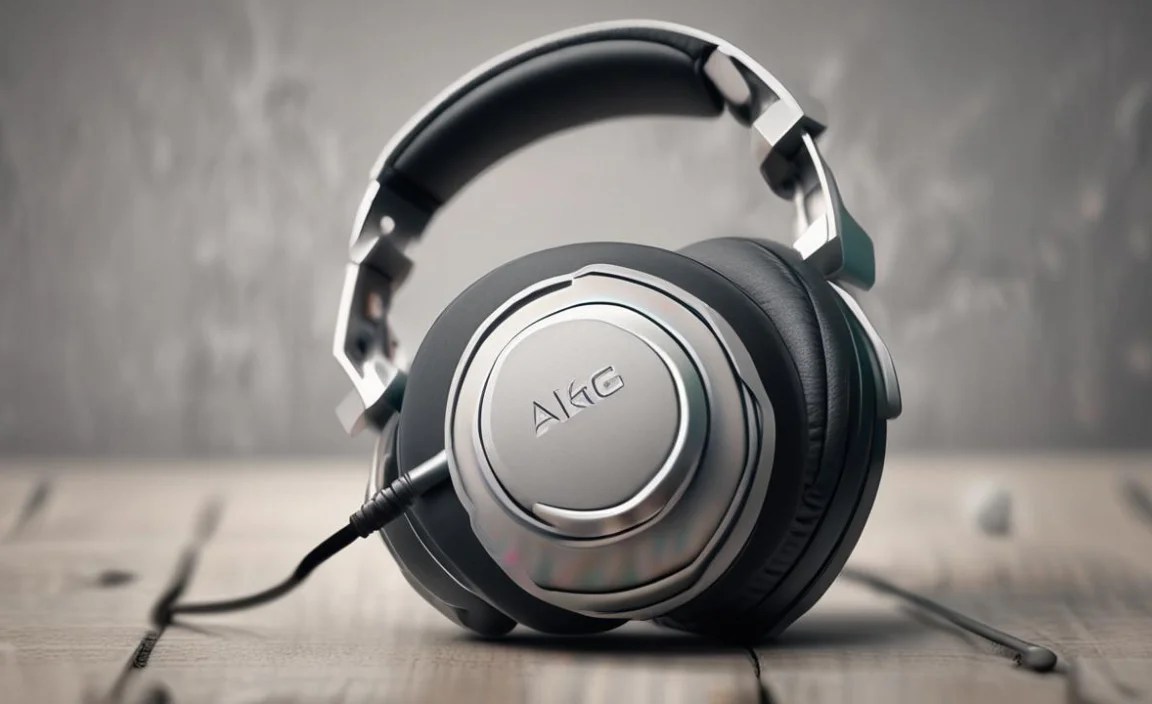
To give you a clearer picture, here’s a simplified comparison of a couple of popular AKG models. Keep in mind that sound preference is subjective, and these are general observations:
| Model | Type | Primary Use Case | Key Sound Characteristics | Noise Isolation |
|---|---|---|---|---|
| AKG K240 Studio | Semi-Open Over-Ear | Studio Monitoring, Music Production, Critical Listening | Balanced, clear mids, good detail, moderate soundstage | Low |
| AKG K7 |
