
Quick Summary: AKG studio headphones offer a brilliant balance of professional sound quality and user-friendly design. Perfect for both creators and everyday listeners, they provide accurate audio reproduction for critical listening, mixing, and everyday enjoyment. This guide breaks down their key features and how to make the most of yours.
AKG Studio Headphones: Essential & Brilliant for Every Listener
Hey everyone, Edward Cavitt here from Headphone Horizon! When it comes to getting amazing sound without breaking the bank or getting lost in confusing tech talk, AKG studio headphones are a real gem. Maybe you’re just starting out in music production, you’re a serious music lover, or you simply want headphones that sound fantastic for everyday listening. Whatever your reason, AKG studio headphones deliver a brilliant experience. They’re known for their accuracy, comfort, and durability – qualities that matter whether you’re mixing a song or just enjoying your favorite playlist. In this guide, we’ll dive into what makes these headphones so special and how you can get the absolute best out of them, keeping things simple and straightforward.
Why AKG Studio Headphones Are a Smart Choice

AKG has a long-standing reputation in the audio world, and their studio headphones are a cornerstone of that legacy. They are designed with precision and a commitment to sonic integrity. This means when you put on a pair of AKG studio headphones, you’re hearing your audio as accurately as possible, without the sound being overly boosted or altered. This is crucial for creators, but it also means for everyday listening, you get a pure, uncolored sound that many audiophiles truly appreciate. They strike a perfect balance, offering professional-grade performance in a package that’s accessible and easy to use for everyone.
Understanding Key Features of AKG Studio Headphones

Before we get into how to use them, let’s quickly touch on what makes AKG studio headphones stand out. Understanding these features will help you appreciate the quality you’re getting.
1. Sound Accuracy (Flat Frequency Response)
This is perhaps the most important feature. Studio headphones, including AKGs, aim for a “flat” frequency response. Imagine a perfectly straight line on a graph; that’s what audio engineers strive for. This means that all the different sound frequencies (low bass, mid-range vocals, high treble) are reproduced at their intended volume. Why does this matter to you?
- For Creators: You can trust what you hear. If a mix sounds good on AKG studio headphones, it will likely sound good everywhere else.
- For Listeners: You hear music as the artist and producer intended, with all the subtle details and nuances intact. No exaggerated bass muddling the mids, no piercing highs.
This commitment to accuracy is what makes AKG studio headphones “brilliant” – they present sound without artificial flavorings.
2. Open-Back vs. Closed-Back Designs
AKG offers both open-back and closed-back studio headphones. The design impacts your listening experience significantly:
Open-Back Headphones:
- Soundstage: They offer a wider, more natural “soundstage,” which feels like you’re in a room listening to speakers rather than having sound directly in your ears. This is excellent for critical listening and immersive experiences.
- Leaking: Sound can easily leak out, meaning others can hear what you’re listening to, and external noise can easily get in.
- Best For: Quiet studio environments, critical listening, mixing, and for those who want a spacious, airy sound.
Closed-Back Headphones:
- Isolation: They provide excellent passive noise isolation, meaning less external sound enters, and your audio stays contained. This is great for louder environments or when privacy is needed.
- Bass Response: Often perceived to have a more focused and punchy bass response due to the sealed design.
- Best For: Tracking in the studio (so microphones don’t pick up headphone bleed), commuting, noisy offices, or when you want to feel more immersed in the bass.
3. Comfort and Build Quality
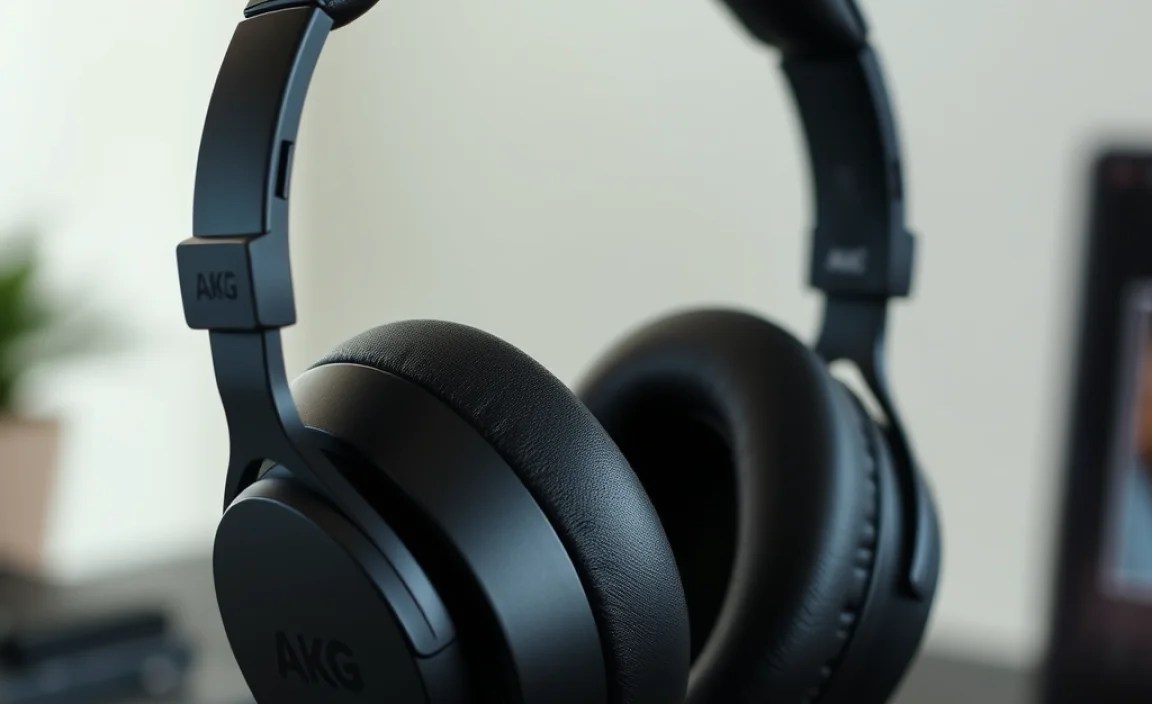
AKG studio headphones are built to be worn for long periods. This means comfortable earcups, adjustable headbands, and durable materials. This “essential” quality ensures your listening sessions are enjoyable, not a chore.
4. Detachable Cables
Many AKG studio models come with detachable cables. This might seem like a small detail, but it’s a huge plus for longevity. If a cable gets damaged or you need a different length or type (e.g., coiled vs. straight), you can easily replace it without needing to buy a whole new pair of headphones.
Getting Started: Setting Up Your AKG Studio Headphones
Setting up your AKG studio headphones is refreshingly simple, whether you’re a seasoned pro or just starting. The beauty is in their plug-and-play nature.
Step 1: Unboxing and Initial Inspection
First, carefully unbox your headphones. You’ll typically find the headphones themselves, a cable, and sometimes a carrying pouch or a 1/4-inch adapter. Take a moment to inspect everything. Make sure there are no visible signs of damage from shipping.
Step 2: Connecting the Cable
This is usually straightforward. Most AKG studio headphones use a standard 3.5mm jack for the connection to the headphones, which then plugs into your device. Some models might have a proprietary connector on the headphone side (e.g., a mini-XLR or a twist-lock mechanism). Check your specific model’s manual if you’re unsure. The other end of the cable will be a standard 3.5mm plug, often with a screw-on 1/4-inch adapter for use with audio interfaces or amplifiers.
- Locate the cable input on your headphones.
- Align the connector with the port and gently push or screw it in (depending on the model) until it’s secure.
- Attach the 1/4-inch adapter to the 3.5mm plug on your audio source if needed.
Step 3: Connecting to Your Audio Source
Your AKG studio headphones can be connected to a wide range of devices:
- Computer: Plug the 3.5mm jack into the headphone port on your computer’s soundcard or motherboard.
- Smartphone/Tablet: Plug into the headphone jack. If your device doesn’t have a headphone jack (like many newer iPhones or Android phones), you’ll need a USB-C to 3.5mm adapter or a DAC/amp.
- Audio Interface/Mixer: This is where the 1/4-inch adapter often comes in handy. Plug directly into the headphone output on your audio interface or mixer.
- Hi-Fi System: Connect to the dedicated headphone jack on your amplifier or receiver.
Step 4: Adjusting for Comfortable Fit
A good fit is essential for both comfort and achieving the best sound. The earcups should fully enclose your ears without pressing too hard. The headband should be adjustable so the weight is distributed evenly on your head.
Here’s a quick check:
- The headphones shouldn’t feel too tight or too loose.
- They should sit comfortably without any pressure points.
- Ensure the earcups are positioned correctly over your ears to get the full intended sound profile.
Step 5: Setting Your Volume Levels
This is crucial for hearing protection and enjoying your audio properly. Studio headphones are often highly efficient, meaning they can get loud with relatively little power. Always start with the volume at its lowest setting and gradually increase it until you reach a comfortable listening level.
Important Note: Prolonged exposure to high volume levels can cause permanent hearing damage. According to the National Institute on Deafness and Other Communication Disorders (NIDCD), loud noise exposure is a leading cause of preventable hearing loss.
A good rule of thumb is to listen at a volume where you can still have a conversation if someone were in the room, or at a level where you can clearly hear subtle details without straining. For mixing, especially over long periods, keeping the volume moderate is vital for accuracy and preventing ear fatigue.
Maximizing Your AKG Studio Headphones Experience
Once set up, there are several ways to get even more out of your AKG studio headphones, whether for creative work or pure listening pleasure.
For Music Production and Mixing
If you’re using your AKG studio headphones for music production, mixing, or mastering, consistency and accuracy are your best friends. The flat frequency response means you can trust what you hear.
- Listen at Moderate Volumes: As mentioned, this prevents ear fatigue and allows you to make more objective mixing decisions.
- Cross-Reference: While AKGs are accurate, it’s still wise to check your mixes on other playback systems (e.g., studio monitors, consumer speakers, car stereos) to ensure they translate well.
- Understand Your Room: If working in an untreated room with monitors, headphones can be invaluable for hearing details the room might be masking.
- Take Breaks: Ear fatigue is real and can skew your perception of the sound. Regular breaks are essential for sustained critical listening without bias.
For Everyday Listening and Audiophile Enjoyment
For pure music enjoyment, AKG studio headphones offer a treat for the ears. Their accuracy means you’ll discover nuances in your favorite tracks you may have missed before.
- Explore Different Genres: You might find that familiar music sounds new and exciting again through these accurate drivers.
- High-Quality Audio Sources: To truly appreciate accurate headphones, use high-quality audio files (like FLAC or high-bitrate MP3s) or streaming services set to their highest quality.
- Consider a DAC/Amp: For some devices, especially smartphones where the headphone output might be weak or noisy, a portable Digital-to-Analog Converter (DAC) coupled with a small amplifier can significantly boost clarity and power. This is especially true if you’re using open-back models that might require a bit more drive.
For Gaming and Multimedia
While not always the primary design focus, AKG studio headphones can offer a fantastic experience for gaming and watching movies.
- Immersion: Their accurate sound reproduction can make game worlds feel more alive and cinematic. Pinpointing enemy footsteps or enjoying dramatic soundscapes becomes easier.
- Clarity: Dialogue in movies and podcasts will be crystal clear, making it easy to follow conversations even at lower volumes.
AKG Studio Headphone Models: A Quick Overview
AKG has a range of popular studio headphone models, each with its own strengths. Here’s a look at a couple of frequently recommended ones to give you an idea of what to expect.
| Model | Type | Key Features | Ideal User |
|---|---|---|---|
| AKG K240 Studio | Semi-Open-Back | Widely used in studios for decades, balanced sound, comfortable, semi-open design provides good detail without excessive leakage. | Beginner to intermediate producers, musicians, home studio enthusiasts. |
| AKG K361/K371 | Closed-Back | AKG’s “Harmonic Reference Curve” target, excellent detail and balanced sound, great isolation, often praised for portability and value. K371 is the higher-end option with slightly improved specs. | Mobile producers, content creators, commuters, general listeners seeking accurate sound. |
| AKG K701/K702 | Open-Back | Renowned for their expansive soundstage, detailed treble, and neutral midrange. Excellent for critical listening and mastering. | Mastering engineers, audiophiles, critical listeners who prioritize soundstage and detail. |
These are just a few examples, and AKG has other excellent models catering to different needs and price points. Always check reviews and specifications for the model you are interested in.
Basic Maintenance for Longevity
To keep your AKG studio headphones performing brilliantly for years to come, a little basic care goes a long way.
Cleaning the Earcups and Headband
Over time, dust, sweat, and oils can accumulate on your headphones. Gentle cleaning will keep them hygienic and feeling fresh.
- Disconnect the cable to prevent accidental damage.
- Use a dry microfiber cloth to wipe down the exterior surfaces and headband.
- For tougher grime or sweat residue: Lightly dampen a microfiber cloth with water. Wring it out thoroughly so it’s just barely moist. Gently wipe the earcups and headband. Avoid getting excess moisture into any openings.
- For earpads (if removable): Some earpads can be removed for more thorough cleaning. Check your manual. If removable, you might be able to gently wash them with mild soap and water, but ensure they are completely dry before reattaching. Always refer to the manufacturer’s instructions for specific models.
Caring for the Cable
The cable is often the most vulnerable part of any headphone setup.
- Avoid kinking or sharply bending the cable.
- Don’t yank the cable when disconnecting; pull from the plug itself.
- When storing, loosely coil the cable rather than wrapping it tightly.
- If the cable is detachable, consider storing it separately in a small pouch to protect its connectors.
Storage
Proper storage protects your headphones from dust, accidental impacts, and environmental damage.
- Use the original box or a dedicated headphone stand for everyday use.
- When traveling, utilize the included carrying pouch or a hardshell headphone case. This is especially important for preventing damage to open-back designs which can be more delicate.
- Avoid extreme temperatures and humidity for long-term storage.
Troubleshooting Common Issues
Even the best gear can sometimes have minor hiccups. Here are solutions for a few common problems you might encounter with your AKG studio headphones.
Issue 1: No Sound or Only Sound in One Ear
This is usually a connection issue.
- Check Cable Connection: Ensure the cable is fully plugged into both the headphones and your audio source. Try disconnecting and reinserting it.
- Test the Cable: If possible, try a different compatible cable. Cables can fail internally quite easily.
- Check Audio Source Settings: Make sure the volume isn’t muted or set too low on your device. Also, check your device’s audio output settings to ensure it’s directing sound to the headphone jack.
- Test on Another Device: Plug your headphones into a different device (e.g., a different phone, computer, or audio interface) to see if the problem persists. If it works elsewhere, the issue is likely with your original audio source.
Issue 2: Sound is Distorted or Crackly
This can be due to a few factors:
- Volume Too High: Your audio source might be clipping (sending a signal too strong). Lower the volume on your device.
- Damaged Cable/Headphones: A frayed cable or internal damage to the headphone driver can cause distortion. Check the cable for visible damage. If distortion is constant and present at all volumes, it might indicate an issue with the headphones themselves.
- Poor Quality Audio Source: Very low-quality audio files or streaming can sound distorted. Try a higher-quality audio source.
Issue 3: Headphones are Uncomfortable
Comfort is key for long listening sessions.
- Adjust Headband: Ensure the headphone band is adjusted correctly to sit on your head without excessive pressure.
- Check Earcup Position: Make sure the earcups are fully encompassing your ears.
- Consider Earpad Replacements: Over time, earp
