
Quick Summary: This guide demystifies audio cords for headphones. Learn about different connectors, common issues, and simple fixes. We’ll help you understand what to look for, how to maintain your cords, and when it might be time for a replacement, ensuring your music always sounds its best.
Audio Cord for Headphones: Your Essential Guide to Great Sound

Hello audiophiles and everyday listeners! Edward Cavitt here from headphonehorizon, your friendly guide to all things headphones. Ever notice how a tiny little wire can make a HUGE difference in your listening experience? That’s the humble audio cord for headphones!
It’s the silent hero connecting your favorite tunes to your ears. Without a good, working cord, even the most amazing headphones are just fancy headgear. This guide is all about that essential cable. We’ll break down what you need to know, from understanding different plug types to keeping your cords in top shape and troubleshooting those annoying little crackles. Let’s dive in and make sure your sound journey is smooth and clear!
Why Your Headphone Audio Cord Matters (More Than You Think!)

The audio cord for headphones is far from just a simple wire. It’s the critical link that transmits the delicate electrical signals carrying your music, podcasts, or calls from your device to your headphones.
Think of it as a highway for sound. If the highway is bumpy, has potholes, or is a dead end, the journey for your audio will be anything but smooth. A quality audio cord ensures that these signals arrive at your headphones pristine and uncorrupted, allowing you to hear the full richness of the sound without static, interference, or dropped audio.
A damaged or low-quality cord can lead to a host of frustrating problems: crackling sounds, one headphone not working, audio cutting out intermittently, or even a muffled, tinny sound profile.
These issues don’t necessarily mean your headphones are broken; more often than not, the culprit is the cord. Understanding the anatomy and quality of your audio cord is therefore a fundamental step in ensuring you get the best possible listening experience from your headphones.
Decoding Headphone Connector Types
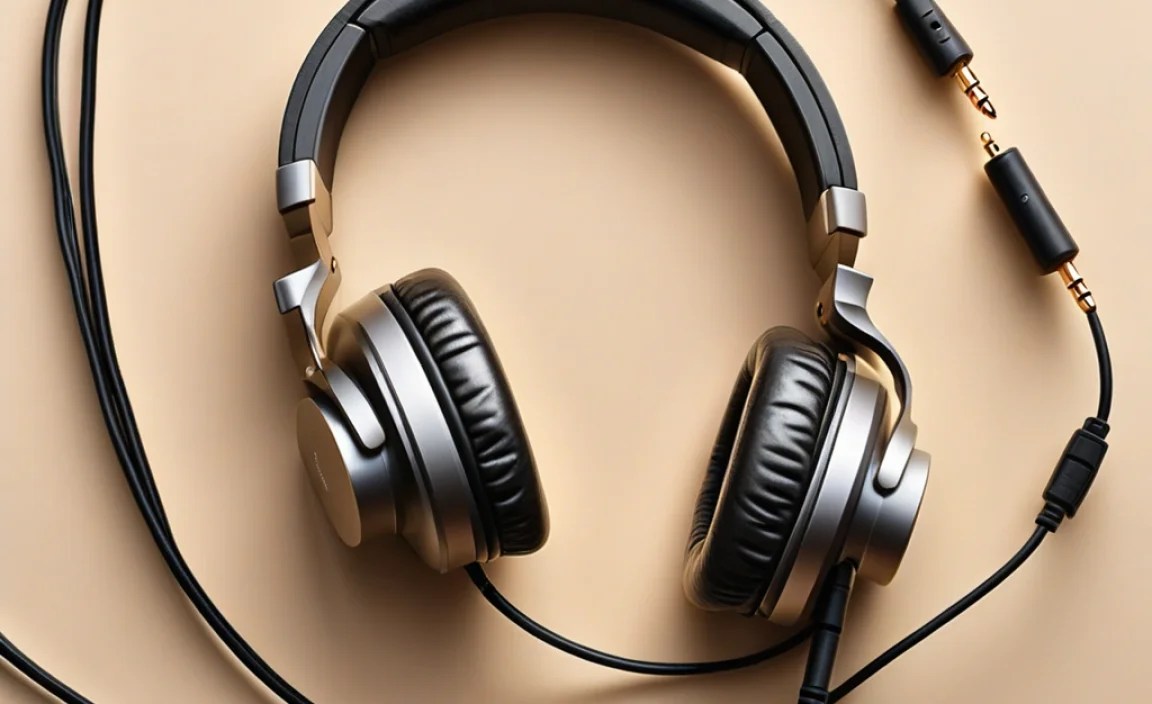
One of the first things you’ll notice about audio cords is the variety of connectors, often called jacks or plugs. These are designed to fit into specific ports on your audio source (like a smartphone, computer, or amplifier) and your headphones. Knowing these common types will save you a lot of confusion when buying replacements or simply understanding what you have.
The Mighty 3.5mm (1/8-inch) Connector
This is the most ubiquitous connector out there. You’ll find it on most smartphones (though many newer ones are ditching it!), laptops, portable music players, and countless headphones. It’s small, convenient, and works with a vast array of devices. The 3.5mm connector comes in a few variations based on the number of “rings” around the tip, which dictate its function:
- TS (Tip-Sleeve): This is the simplest, with two conductors. It’s primarily used for mono audio signals and is less common for standard headphones, often found in professional audio equipment for specific applications.
- TRS (Tip-Ring-Sleeve): This is the standard stereo connector. It has three conductors: one for the left audio channel, one for the right audio channel, and a common ground. This is what most wired headphones with a simple audio-only plug use.
- TRRS (Tip-Ring-Ring-Sleeve): This four-conductor connector is a bit more advanced. It carries stereo audio (left, right, ground) PLUS an additional channel. On mobile devices, this extra channel is typically used for microphone input (allowing you to use your headphones for calls) or sometimes for video signals. It’s crucial to match your TRRS headset with a TRRS port.
The Larger 6.35mm (1/4-inch) Connector
You don’t see this one as often in everyday consumer gear, but it’s a staple in the professional audio world. This larger connector is commonly found on electric guitars, keyboards, amplifiers, and home stereo receivers. It offers a more robust connection and is available in TS (mono) and TRS (stereo) configurations, similar to the 3.5mm. Some high-fidelity headphone setups use a 6.35mm plug, often with a small adapter to convert it to 3.5mm for wider device compatibility.
Specialized and Wireless Connectors
Beyond the common wired connectors, there are others to be aware of:
- USB-C Audio: With the decline of the 3.5mm jack on many smartphones, USB-C has become a popular wired audio connector. It can transmit digital audio signals, allowing for potentially higher quality sound and enabling features like active noise cancellation directly through the cable. Some USB-C headphones use a proprietary digital audio protocol, while others emulate the analog signal of a 3.5mm jack.
- Lightning Connector: Apple’s proprietary connector, found on older iPhones and iPads, also carries digital audio. Similar to USB-C, it allows for high-quality audio transmission and feature integration.
- Proprietary Connectors: Some higher-end or specialized headphones (especially studio monitors or in-ear monitors) might use unique connectors where the cable plugs into the headphone earcups. These are often 2-pin or 3-pin connectors designed for a secure, reliable connection, preventing accidental disconnection during use.
Adapters: Your Best Friend for Compatibility
Don’t despair if your device doesn’t have the right port! Audio adapters are widely available and incredibly useful. You’ll commonly find adapters such as:
- 3.5mm female to 6.35mm male
- 3.5mm male to 6.35mm female
- 3.5mm male to USB-C male
- 3.5mm male to Lightning male
When choosing an adapter, ensure it’s designed for audio transmission and not just charging. For digital audio ports like USB-C or Lightning, using an adapter that includes a Digital-to-Analog Converter (DAC) is often necessary if you’re adapting from a device that expects an analog signal.
What Makes a “Good” Audio Cord? Materials and Construction

Beyond the connector type, the physical construction of the audio cord itself plays a significant role in sound quality, durability, and longevity. Here’s what to look for:
Conductor Material
The wires inside the cable that carry the audio signal are the most important component. The better the conductivity, the cleaner the signal.
- Copper: The most common material. Higher purity copper, like Oxygen-Free Copper (OFC), offers better conductivity than standard copper, leading to less signal degradation and potentially clearer sound, especially over longer cable runs.
- Silver-Plated Copper: This can sometimes offer a slight improvement in high-frequency response, though the difference is often subtle and debated among audiophiles.
- Other Metals: Gold and aluminum are sometimes used, but pure copper remains the industry standard for its balance of conductivity, cost, and durability.
Shielding
Audio cords are susceptible to electromagnetic interference (EMI) from nearby electronic devices, power lines, and even Wi-Fi signals. Good shielding acts like a protective barrier, preventing this external noise from infiltrating the audio signal.
- Braided Shielding: Often made of woven copper or aluminum, this is a very effective form of shielding against EMI.
- Foil Shielding: A layer of Mylar or aluminum foil wrapped around the conductors. It’s effective but can be less durable than braiding.
Cables with good shielding are less likely to produce static or buzzing sounds when you move your device or source equipment. For critical listening, especially in noisy environments, well-shielded cables are a must.
Cable Jacketing and Construction
The outer layer (jacketing) and the overall construction significantly impact durability and feel.
- PVC: The most common and cost-effective jacketing material. Can be prone to tangling and can stiffen in cold weather.
- TPE (Thermoplastic Elastomer): More flexible and durable than PVC, less prone to tangling.
- Braided Fabric: Offers excellent durability and a premium feel, but can sometimes create microphonic noise (noise from the cable rubbing against clothing).
- Reinforced Connectors: Look for cables where the connection point between the cable and the plug is reinforced. This is a common failure point, so robust strain relief here is a big plus.
Detachable Cables
Many higher-end headphones feature detachable cables. This is a significant advantage for durability and customization. If the cable fails, you simply replace it without needing new headphones. It also allows for upgrade paths – you might buy a longer cable for home use or a shorter, more robust one for travel.
Common Audio Cord Problems and How to Troubleshoot Them

Even the best audio cords can develop issues over time. Don’t panic! Most common problems are solvable with a bit of patience and troubleshooting. Here are some of the most frequent culprits and how to address them:
Problem 1: Crackling, Popping, or Static Sounds
This is often the first sign of trouble. It can be caused by:
- Loose Connection: Ensure the plug is fully inserted into both your device and your headphones (if applicable). Try wiggling it gently to see if the crackling changes.
- Internal Wire Damage: This can happen near the plug or where the cable enters the earcup. Repeated bending or stress can break the tiny wires inside.
- Interference: If the sound occurs only when you move, your cable might lack sufficient shielding. Try moving your audio source away from other electronic devices.
- Damaged Plug: The pins on the connector might be bent or corroded.
Fixes:
- Test with a different audio source and a different pair of headphones (if possible) to isolate whether the issue is the headphones, the cord, or the source device.
- Clean the plug with a cotton swab lightly moistened with isopropyl alcohol (ensure it’s dry before re-inserting).
- If testing reveals the cord is the issue, and it’s a detachable cable, try replacing it. If it’s integral, professional repair might be possible, or replacement is likely needed.
Problem 2: One Headphone Not Working (Mono Sound)
This is a classic symptom of a problem with the signal to one of the drivers.
- Cable Break: The most common cause is a break in the wire carrying the signal for the dead earbud/earcup, often near the plug or the headphone connection point.
- Faulty Plug/Connection: The contacts within the plug or where the cable connects to the headphone might not be making proper contact.
- Software/Device Setting: Though less common with wired headphones, always check your device’s audio settings to ensure accidental mono output or balance adjustments haven’t been made.
Fixes:
- Gently wiggle the cable near the plug and the earcups. If the sound flickers on and off, you’ve likely found the break point.
- Swap channels: If your headphones use TRRS, try plugging them into a device with a TRS-only port (if you have one) to see if the issue persists. This can sometimes help diagnose if the problem is with the stereo signal or the microphone line.
- If the cable is detachable, try a new one. If not, and your headphones are out of warranty, a repair shop might be able to fix it, but often replacement is more cost-effective for consumer-grade headphones.
Problem 3: Audio Cutting Out Intermittently
This can be infuriating, as it disrupts your listening flow.
- Poor Connection: The plug isn’t seated firmly, or the connector is slightly loose.
- Cable Fatigue: The cable has been bent or pulled too many times, causing micro-fractures in the internal wires that only make contact occasionally.
- Device Port Issues: The headphone jack on your device might be dirty or slightly damaged.
