
Quick Summary: An aux cable is a simple yet crucial connector for your headphones, transmitting audio signals between devices. Essential for wired headphones, it ensures reliable sound quality and a universal connection. This guide covers its importance, how to choose one, and basic maintenance for optimal performance.
Aux Cable For Headphones: The Genius Essential You Can’t Live Without
Hey there, fellow audio lovers! Edward Cavitt here from headphonehorizon, your go-to spot for all things headphones. Today, we’re diving deep into something so common, so unassuming, yet so incredibly vital to our listening experience: the aux cable for headphones. You might already have one tucked away in a drawer, or maybe you’re wondering what that little cable actually does and why it’s so important. Well, get ready for a revelation! This humble piece of tech is the bridge that connects your favorite tunes to your ears, offering a reliable and often superior way to enjoy your music, podcasts, or calls. Let’s explore why this “genius essential” deserves a prime spot in your audio arsenal.
What Exactly is an Aux Cable? Understanding the Basics

At its core, an aux cable, short for auxiliary, is a cable used to connect audio devices. Think of it as a universal translator for sound. It has 3.5mm connectors on both ends, which are those standard headphone jack sizes you see on most smartphones, laptops, car stereos, and older audio equipment. The “auxiliary” part simply means it’s an extra, or secondary, way to get sound into or out of a device, distinct from built-in speakers or dedicated audio outputs.
These cables transmit analog audio signals. This means the audio signal is a continuous wave, much like the sound waves you hear in the real world. Unlike digital signals, which are converted into binary code (0s and 1s), analog signals are a direct representation. For many, especially those who appreciate a faithful reproduction of sound, this analog transmission is what gives aux cables their charm and reliability.
The most common type of aux cable features two main conductors: one for the left audio channel and one for the right audio channel, plus a ground connection to reduce noise. Some aux cables, particularly those designed for headphones with built-in microphones or control buttons (like volume up/down or play/pause), might have additional conductors to handle these extra features. These are often referred to as TRRS cables (Tip, Ring, Ring, Sleeve), as opposed to the standard TRS cables (Tip, Ring, Sleeve).
Why Aux Cables Remain a Genius Essential in a Wireless World

You might be thinking, “In 2024, with Bluetooth booming, why bother with wires?” It’s a fair question! While wireless technology is fantastic, aux cables offer several advantages that keep them relevant and, dare I say, essential.
Unwavering Reliability
One of the biggest wins for aux cables is their sheer reliability. No pairing issues, no frustrating dropouts, no dead batteries to worry about (for the cable, at least!). Once plugged in, you’re connected. This makes them perfect for situations where a stable connection is paramount, like live performances, recording sessions, or important conference calls.
Superior Sound Quality (Often!)
While high-quality Bluetooth codecs are improving, an analog aux connection can often deliver a purer, more direct audio signal. This is because Bluetooth involves compression and decompression of audio data, which can sometimes lead to a subtle loss of detail. A well-made aux cable bypasses this digital process, sending an unadulterated analog signal straight to your headphones. For audiophiles, this direct connection can mean a richer, more nuanced listening experience. As explained by Dolby Laboratories, while Bluetooth has revolutionized connectivity, analog audio still holds a special place for fidelity.
Universal Compatibility
The 3.5mm jack is a long-standing standard. Even as some newer smartphones ditch the headphone jack, you’ll find it on countless other devices: computers, tablets, gaming consoles, car stereos, portable speakers, and older Hi-Fi systems. An aux cable provides a consistent, straightforward way to connect your headphones to virtually anything with a compatible port. This universality is a huge convenience that Bluetooth simply can’t always match.
No Battery Drain (on the Source Device or Headphones)
Unlike Bluetooth headphones that require charging for wireless connectivity, using an aux cable means your headphones draw power directly from the source device. This can be a lifesaver when your headphones’ battery is low, and you still need to listen. Furthermore, headphones that are purely passive (meaning they don’t have active noise cancellation or Bluetooth receivers) won’t drain any battery from your source device at all when used with an aux cable.
Cost-Effectiveness
Good quality aux cables are generally very affordable. Compared to some premium wireless headphone accessories, an aux cable is a small investment that can significantly extend the life and usability of your headphones.
Choosing the Right Aux Cable: Features to Consider

Not all aux cables are created equal. While they might look similar, a few factors can influence their performance and durability. Here’s what to look for.
Cable Length: Find Your Sweet Spot
Aux cables come in various lengths, typically ranging from 3 feet (about 1 meter) to 10 feet (about 3 meters) or more. The best length depends on your intended use:
- Short (3-5 ft / 1-1.5m): Ideal for connecting your phone or MP3 player to a speaker or car stereo when the devices are close by, or for connecting headphones directly to a laptop or desktop computer.
- Medium (5-7 ft / 1.5-2m): Great for situations where you need a bit more freedom of movement, like connecting headphones to a TV from a couch or to a computer tower on the floor.
- Long (7-10+ ft / 2-3+m): Useful for connecting audio equipment across a room or for situations where you need maximum mobility while remaining tethered. Be aware that very long cables can be more prone to tangling and, in some rare cases, signal degradation if they are of poor quality.
Connector Type: TRS vs. TRRS
As mentioned earlier, the type of connector matters.
- TRS (Tip, Ring, Sleeve): This is the standard connector for stereo audio output. It has two black rings and is used for headphones that only output sound.
- TRRS (Tip, Ring, Ring, Sleeve): This connector has three black rings and is designed to carry stereo audio and microphone signals, plus sometimes control signals. Most smartphone headphones with integrated mics and controls use TRRS.
Key takeaway: If your headphones have a microphone or control buttons, you’ll need a TRRS aux cable to use those features. If your headphones are purely for listening, TRS is sufficient. Some devices might only have TRS ports, so check your gear!
Build Quality and Durability
This is where you can really see the difference between a cheap, flimsy cable and a robust one. Look out for:
- Shielding: Good aux cables have internal shielding to protect the audio signal from electromagnetic interference (EMI), which can cause buzzing or humming sounds.
- Connector Material: Gold-plated connectors are often touted for their corrosion resistance and better conductivity, though the difference might be subtle in everyday use. More importantly, ensure the connectors are sturdy and well-seated.
- Cable Sheathing: A durable outer jacket, like braided nylon or reinforced rubber, can protect the inner wires from bending, twisting, and fraying, significantly increasing the cable’s lifespan.
- Strain Relief: Look for flexible rubber boots where the cable meets the connector. This strain relief prevents the cable from bending too sharply and breaking at the weakest point.
Brand Reputation and Reviews
Sticking with reputable audio brands or those known for quality accessories can give you peace of mind. Reading user reviews can also highlight common issues or strengths of a particular cable that you might not notice from the product description alone.
When Do You Need to Replace Your Aux Cable? Signs of Wear and Tear

Even the best aux cables can eventually succumb to the rigors of daily use. Here are the tell-tale signs that it’s time to say goodbye and grab a new one:
- Intermittent Audio: If the sound cuts out when you jiggle the cable or twist the connector, it’s a clear sign of a loose connection or internal wire break.
- Crackling or Static: Persistent crackling, buzzing, or static that isn’t present on other devices or with other headphones often points to a faulty cable.
- One Channel Missing: If you only hear sound from the left or right earbud/speaker, the cable is likely damaged internally, particularly affecting one of the audio channels.
- Physical Damage: Obvious signs like frayed wires, exposed internal conductors, cracked connectors, or bent pins mean the cable is compromised and should be replaced immediately for safety and sound quality.
- Device Not Recognizing Audio: While sometimes an issue with the port itself, if a device consistently fails to output audio through the aux input with multiple headphones known to be working, the cable is a prime suspect.
Fixing Common Aux Cable Issues: Simple DIY Solutions
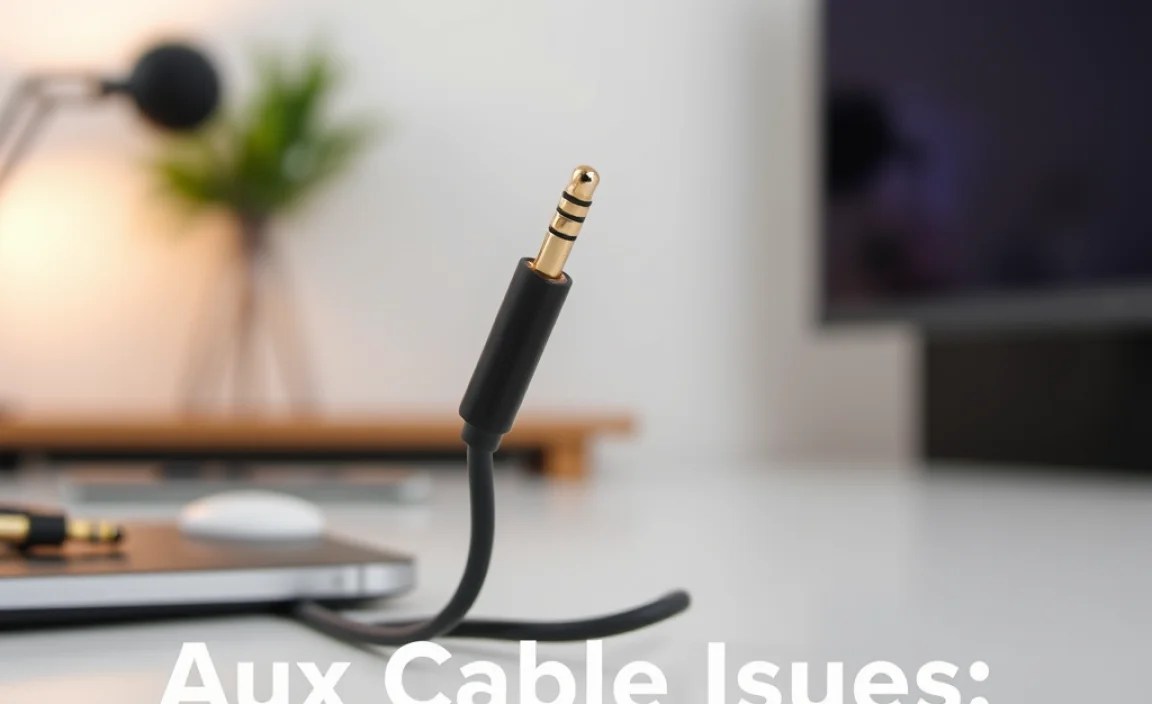
Before you toss that seemingly broken aux cable, there are a couple of simple things you can try. Remember, these are for minor issues and won’t fix major internal damage.
1. Cleaning the Connectors
Dirt, dust, or grime on the metal connectors can interfere with the electrical connection, leading to audio dropouts or poor sound. This is especially common with portable devices that get tossed into bags or pockets.
Tools You’ll Need:
- Isopropyl alcohol (rubbing alcohol)
- Cotton swabs (Q-tips)
- A soft, lint-free cloth (like a microfiber cloth)
Steps:
- Ensure the cable is unplugged from all devices.
- Dampen a cotton swab slightly with isopropyl alcohol. Don’t drench it; just enough to clean.
- Gently swab the metal tip and the rings of the aux connector. Rotate it to ensure all surfaces are cleaned.
- Let the connector air dry completely for a minute or two, or gently wipe it with a dry lint-free cloth.
- Repeat for the other end of the cable.
- Test the cable by plugging it back into your devices.
Caution: Always unplug devices before cleaning. Be gentle; you don’t want to scratch the metal or damage the internal components.
2. Checking the Port on Your Device
Sometimes, the issue isn’t the cable but the port on your phone, laptop, or speaker. Lint and debris can accumulate inside the port, preventing a proper connection.
Tools You’ll Need:
- A flashlight
- A non-metallic, thin tool like a wooden toothpick or a plastic spudger (avoid metal paperclips or pins which can damage internal contacts)
Steps:
- Turn off the device completely.
- Use the flashlight to look inside the headphone jack and identify any visible debris.
- Very gently use the toothpick or spudger to dislodge any lint or dust. Scrape lightly from the inside edge of the port outwards. Be extremely careful not to bend or break anything.
- You can also try blowing a puff of compressed air into the port (holding the can upright and at a distance).
- Once you believe the port is clear, try plugging in your aux cable again.
Important Note: Cleaning device ports can be risky. If you’re not comfortable, it’s better to seek professional help or simply use a different port if available.
3. Securing Loose Connections (Temporary Fix)
If your audio keeps cutting out only when the cable is bent at a specific angle near the connector, you might have a slightly loose internal connection. This is a temporary fix, but sometimes it can buy you more time.
Tools You’ll Need:
- Electrical tape or high-quality masking tape
Steps:
- Identify the spot where the cable is most likely to bend or stress (usually right where it enters the connector).
- Carefully wrap a small amount of electrical tape around that section of the cable, securing it firmly but without making it too rigid. This can help reduce excessive movement.
- Test the connection. If it improves, great! But remember, this is a makeshift solution and doesn’t address the underlying internal damage.
If none of these simple fixes work, it’s almost certainly time for a new aux cable. They are inexpensive enough that replacing a faulty one is usually the most efficient and reliable solution.
Maintenance Tips for Extending Aux Cable Life
Treating your aux cable right can make it last for years. Here are some simple maintenance habits to adopt:
- Coil it Properly: Instead of wrapping the cable around your fingers tightly (which stresses the internal wires), gently loop it into loose circles or use the “over-under” wrapping method. This preserves the cable’s flexibility. A cable tie or Velcro strap can help keep it neatly coiled.
- Avoid Tugging: When unplugging, always pull the connector itself, never the cable. Pulling the cable can strain the internal connections at the connector, leading to breaks.
- Protect from Moisture and Heat: Keep your aux cables away from excessive moisture, direct sunlight, and extreme temperatures. These conditions can degrade the cable’s materials and internal components.
- Store Safely: When not in use, store your aux cable in a place where it won’t be stepped on, crushed, or tangled with other items. A small pouch, a drawer, or a dedicated cable organizer works wonders.
- Regularly Inspect: Take a quick look at your cables now and then for any signs of wear, fraying, or damage. Catching issues early can prevent further damage or a sudden failure.
Aux Cable vs. Other Audio Connections: A Quick Comparison
To truly appreciate the aux cable, it helps to see how it stacks up against other common audio connection methods.
Aux Cable vs. Bluetooth
| Feature | Aux Cable | Bluetooth |
|---|---|---|
| Connection Type | Wired (Analog) | Wireless (Digital) |
| Audio Quality | Potentially higher fidelity, no compression | Good to excellent, but can involve compression |
| Reliability | Extremely high, no dropouts | Good, but susceptible to interference and dropouts |
| Battery Usage | Minimal to none on source device; none on passive headphones | Requires charging for both headphones and sometimes source devices |
| Setup | Plug and play | Pairing required |
| Compatibility | Wide range of older and newer devices with 3.5mm jack | Requires Bluetooth capability on both devices |
| Latency (Delay) | Virtually zero | Can have noticeable delay, especially in older versions |
Aux Cable vs. USB Audio
USB connections (like USB-C or Lightning to headphone jack adapters) are becoming more common as headphone jacks disappear from devices.
| Feature | Aux Cable (3.5mm) | USB Audio Adapter (USB-C/Lightning) |
|---|---|---|
| Connection Type | Analog | Digital |
| Audio Quality | Pure analog signal | Digital signal processed by DAC in adapter/device, can be very high quality |
| Reliability | Very high | High, but dependent on chip quality and software support |
| Compatibility | Devices with 3.5mm jack | Devices with USB-C or Lightning port (requires adapter) |
| Power Usage | Minimal to none | Draws power from the source device |
| Latency | Virtually zero | Very low, usually imperceptible for most users |
The aux cable excels in its simplicity, directness, and near-universal compatibility with devices that still feature the 3.5mm jack. USB audio offers a digital pathway that can be beneficial when the 3.5mm jack is absent, often incorporating a Digital-to-Analog Converter (DAC) for high-
