
Quick Summary: Discover the genius sound of Beats headphones! This easy guide helps beginners understand what makes Beats stand out, explore top models for different needs, and learn how to get the most from your audio experience. Enjoy amazing sound made simple.
Beats Best Headphones: Unlocking Genius Sound for Everyone

Hey everyone, Edward Cavitt from headphonehorizon here! If you’re diving into the world of headphones and keep hearing the buzz about Beats, you’re in the right place. Beats headphones have become a household name, lauded for their powerful bass and stylish designs. But what exactly creates that “genius sound” they’re known for, and how can you pick the perfect pair? Whether you’re a seasoned audiophile or just starting to appreciate good audio, this guide will demystify Beats and help you find headphones that truly sing to your ears. Let’s explore the technology and the fantastic options available, making your journey to amazing sound simple and enjoyable.
What Makes Beats Sound “Genius”?

The term “genius sound” often gets thrown around, but with Beats, it’s rooted in specific design choices and technologies aimed at delivering a vibrant and impactful listening experience. While personal preference plays a huge role in what sounds “good,” Beats has carved out a signature sound profile that many users adore.
Signature Sound Profile: The Bass Boost
At its core, Beats is famous for its boosted low frequencies. This means you’ll often experience deep, resonant bass that makes music feel more energetic and immersive, especially in genres like hip-hop, EDM, and pop. This isn’t just about loudness; it’s about making the bass notes feel punchy and clear, adding a physical dimension to your music. This deliberate tuning makes the headphones particularly enjoyable for casual listening and for feeling the rhythm of your favorite tracks.
Active Noise Cancellation (ANC)
Many of Beats’ higher-end models feature advanced Active Noise Cancellation technology. This is a game-changer for commuters, travelers, or anyone looking to escape distractions. ANC works by using microphones to detect ambient noise and then generating opposing sound waves to neutralize it. This leaves you with a cleaner, more focused audio signal, allowing you to hear every detail of your music or podcasts without external interference. It’s like creating your own personal quiet space, wherever you go.
Driver Technology
The “drivers” are the small speakers inside your headphones that produce sound. Beats headphones typically use custom-tuned drivers designed to handle a wide frequency range, with a specific emphasis on delivering strong bass. While they might not always cater to the ultra-flat, analytical sound preferred by some purists, their drivers are engineered to provide a dynamic and exciting sound that is pleasing to the masses.
Apple Ecosystem Integration (for Wireless Models)
Since being acquired by Apple, many Beats wireless headphones boast seamless integration with Apple devices. This means effortless pairing, automatic device switching (e.g., moving from an iPhone to an iPad), and access to features like “Find My” to locate lost earbuds or headphones. This convenience factor adds to the overall “genius” appeal for Apple users.
Choosing Your Beats: A Style and Sound for Everyone

Beats offers a range of headphones and earbuds, each designed with different listening scenarios and user preferences in mind. Understanding these differences will help you pinpoint the perfect pair.
Over-Ear: The Immersive Experience
Beats’ over-ear headphones, like the Beats Studio Pro and the older Beats Studio³ Wireless, are designed to completely envelop your ears. This creates a natural seal that helps with passive noise isolation, and when combined with ANC, it provides a deeply immersive listening experience.
Key Features & Benefits:
- Superior Comfort: Plush earcups and adjustable headbands are designed for long listening sessions.
- Rich Sound: Larger drivers can often produce a fuller, more powerful soundstage.
- Advanced ANC: Top-tier noise cancellation technology for maximum quiet.
- Durability: Built to withstand daily use.
Ideal For:
- Home listening
- Travel and commuting
- Anyone seeking maximum comfort and immersion
On-Ear: The Balanced Choice
On-ear Beats, such as the Beats Solo³ Wireless, rest directly on your ears. They offer a good balance between portability and sound quality, without completely isolating you from your surroundings.
Key Features & Benefits:
- Compact Design: Lighter and more portable than over-ear models.
- Good Sound: Still delivers the signature Beats sound with strong bass.
- Awareness: Allows some ambient sound in, which can be safer in certain environments.
- Stylish Look: Often feature bold colors and a sleek profile.
Ideal For:
- Everyday listening
- Students and busy professionals
- Those who prefer a less bulky headphone
True Wireless Earbuds: The Ultimate Portability
Beats’ true wireless earbuds, like the Beats Fit Pro and the Beats Studio Buds+, offer unparalleled freedom of movement. With no wires to get tangled, they’re perfect for active lifestyles and on-the-go listening.
Key Features & Benefits:
- Wire-Free Convenience: Completely untethered listening experience.
- Secure Fit: Often come with multiple ear tip sizes for a comfortable, secure fit, especially important for workouts.
- Compact Charging Case: Pocket-friendly and provides multiple charges.
- Active Escape: Many models offer ANC and Transparency modes.
Ideal For:
- Workouts and exercise
- Commuting
- Anyone prioritizing ultimate portability and freedom
Understanding Key Features to Maximize Your Beats Experience
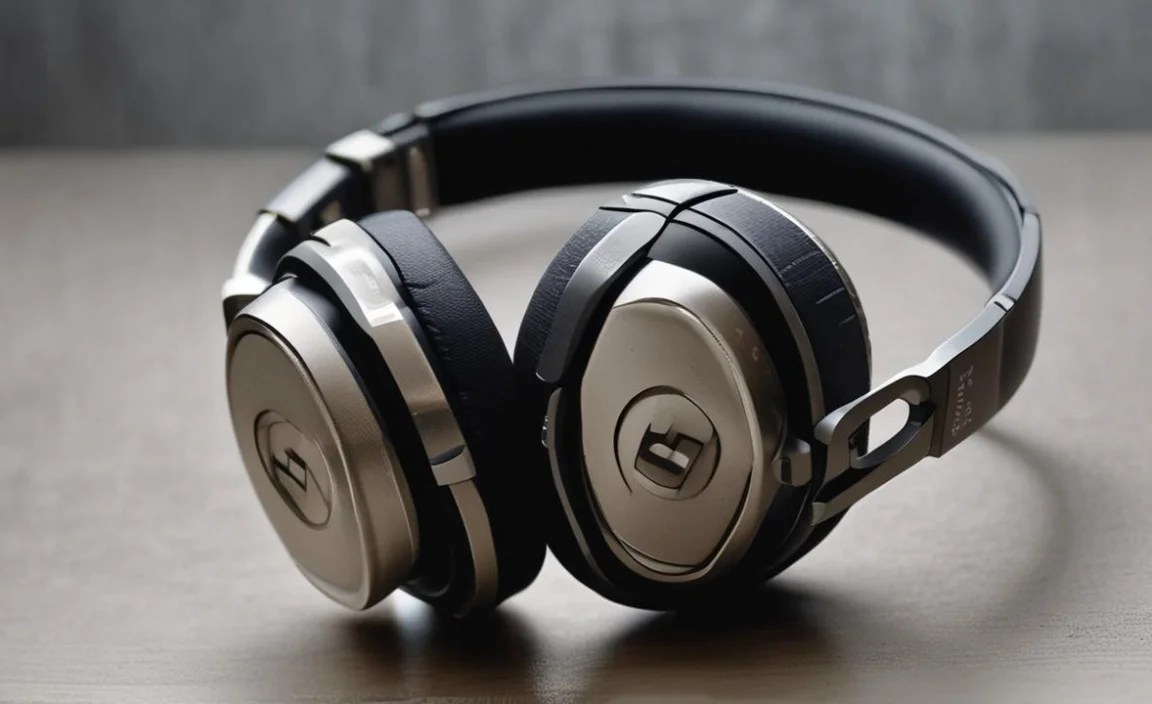
Beyond the core design, several features contribute to making Beats headphones a smart investment and a joy to use. Let’s break them down.
1. Active Noise Cancellation (ANC) vs. Transparency Mode
Active Noise Cancellation (ANC): As discussed, ANC actively blocks out external sounds. When you want to get lost in your music or focus on a podcast without distractions, ANC is your best friend. It’s particularly effective against constant, low-frequency noises like airplane engines, train rumble, or office hum.
Transparency Mode: This feature does the opposite – it lets in ambient sound. Using external microphones, Transparency Mode pipes in surrounding noises so you can hear announcements, traffic, or conversations without taking off your headphones. This is crucial for safety when walking or cycling and for staying aware of your environment.
2. Bluetooth Connectivity and Pairing
Most wireless Beats headphones use Bluetooth to connect to your devices. Pairing is usually straightforward:
- Ensure your Beats headphones are charged and in pairing mode (often by holding a power or Bluetooth button).
- On your phone, tablet, or computer, go to Bluetooth settings and select your Beats from the list of available devices.
- Once paired, they should connect automatically whenever they are powered on and nearby.
For Apple users, pairing is even simpler thanks to Apple’s H1 or W1 chips. You often just hold the Beats near your unlocked iPhone or iPad, and a prompt appears to connect. For more on Bluetooth technology and its role in audio, you can explore resources from the Bluetooth SIG, the official body for Bluetooth standards.
3. Battery Life and Charging
Battery life is a critical consideration for wireless headphones. Beats generally offer competitive battery performance. For example, many over-ear models can provide 20-40 hours of playback with ANC on, while earbuds can offer several hours per charge, with their charging cases providing multiple additional charges.
Charging typically uses a USB-C cable, a universal standard that makes recharging convenient. Fast Fuel technology is also common, giving you several hours of playback from just a few minutes of charging – perfect for when you’re in a hurry. Always check the specific model’s specifications for exact battery life figures.
4. Water and Sweat Resistance
For athleisurely listening, water and sweat resistance are key. Many Beats earbuds, particularly those in their Sport or Fit ranges, come with an IP (Ingress Protection) rating. An IPX4 rating, for instance, means the earbuds are resistant to splashes of water from any direction. This ensures they can handle sweaty workouts and light rain without issue. For more on IP ratings and what they mean for your electronics, the International Electrotechnical Commission (IEC) provides official guidelines.
5. Sound Customization (App-Based)
Some Beats models allow for sound customization through companion apps. For instance, the Beats app (available for both iOS and Android) can let you adjust EQ settings, customize controls, and manage ANC features. This is where you can fine-tune the sound to better suit your personal preferences, whether you want to slightly dial down the bass or boost the mids.
Beats Best Headphones: Top Picks for Different Needs

To help you navigate the excellent lineup, here’s a look at some of the best Beats headphones available today, categorized by their strengths:
| Model | Type | Key Strengths | Best For |
|---|---|---|---|
| Beats Studio Pro | Over-Ear | Advanced ANC, Spatial Audio support, premium comfort, long battery life. | Immersive listening, travel, audiophiles seeking Beats’ signature sound with added fidelity. |
| Beats Fit Pro | True Wireless Earbuds | Secure fit with wingtips, effective ANC & Transparency, Spatial Audio, good for workouts, Apple/Android compatibility. | Fitness enthusiasts, active commuters, users seeking a versatile workout earbud. |
| Beats Solo³ Wireless | On-Ear | Excellent battery life (up to 40 hours), compact design, wide range of colors. | Everyday listening, portability, students, those who prefer on-ear feel. |
| Beats Studio Buds+ | True Wireless Earbuds | Improved ANC, longer battery life than previous generation, good sound, comfortable fit, dual compatibility. | Versatile everyday earbuds, good for commutes and light activities, users prioritizing ANC without a premium price. |
Getting the Most Out of Your Beats: Tips & Tricks

Once you have your Beats headphones, a few simple steps can elevate your listening experience and ensure they last.
1. Proper Fit is Key
For over-ear and on-ear headphones, ensure the earcups are fully covering your ears and the headband is adjusted comfortably. For earbuds, experiment with the different ear tip sizes included in the box. A good seal is essential for both sound quality (especially bass response) and effective noise cancellation. If you’re not getting the bass you expect or ANC isn’t working well, the seal might be the issue.
2. Keep Them Clean
Regular cleaning prevents dirt and earwax buildup, which can affect sound quality and hygiene. For headphones:
- Wipe the earcups and headband gently with a soft, slightly damp cloth. Avoid harsh chemicals.
- For detachable earcups, you might be able to remove and gently wash them (check your manual).
- Clean speaker grilles with a dry, soft brush.
For earbuds:
- Remove ear tips and rinse them with mild soap and water, then dry thoroughly.
- Use a dry cotton swab or soft brush to clean the earbud bodies and charging contacts. Ensure the contacts are dry before placing them back in the case.
- Clean the charging case interior with a dry cloth.
3. Manage Battery Health
To maximize battery longevity:
- Avoid exposing your Beats to extreme temperatures (hot or cold).
- Don’t always drain the battery completely before recharging. Lithium-ion batteries are generally fine with partial charges.
- Use the original charger and cable when possible.
4. Explore the Companion App
If your Beats model supports it, download the Beats app. It offers features like:
- Firmware updates (these can improve performance and add features).
- EQ adjustments.
- Customizing button functions.
- Locating lost headphones with the “Find My” network (for compatible models).
5. Protective Cases
For travel or even just tossing them in a bag, a protective case is invaluable. Many Beats headphones and earbuds come with their own cases, but third-party options can offer enhanced protection or extra storage for cables and accessories.
Frequently Asked Questions about Beats Headphones
Here are some of the most common questions beginners have about Beats headphones.
Q1: Are Beats headphones good for all types of music?
A1: Beats are renowned for their strong bass, which makes them fantastic for genres like hip-hop, pop, EDM, and rock. While they deliver an exciting sound across the board, audiophiles seeking a perfectly neutral sound profile for classical or jazz might prefer headphones with a flatter frequency response. However, with app-based EQ adjustments, you can often tune them to better suit a wider range of genres.
Q2: How do I connect my Beats headphones to a non-Apple device?
A2: Connecting to Android phones, Windows PCs, or other non-Apple devices is usually done via standard Bluetooth pairing. Turn on your Beats and put them in pairing mode (refer to your specific model’s manual for how to do this, often by holding down a button). Then, go to the Bluetooth settings on your device, scan for new devices, and select your Beats from the list.
Q3: Can I use my Beats headphones while exercising?
A3: Many Beats earbuds, such as the Beats Fit Pro and Beats Studio Buds+, are designed for an active lifestyle and have sweat and water resistance (often rated IPX4 or higher). Over-ear and on-ear models might not be ideal for intense workouts due to heat and potential sweat exposure, but they are great for light activity or commuting.
Q4: How long do Beats headphones typically last?
A4: With proper care, Beats headphones can last for several years. Battery degradation is a natural process for all rechargeable devices, but following battery health tips can help extend their lifespan. Physical wear and tear can also occur, so using protective cases and cleaning them regularly contributes to their longevity.
Q5: Are Beats headphones worth the price?
A5: The value of Beats often depends on your priorities. If you love the signature bass-heavy sound, appreciate stylish design, enjoy seamless Apple integration (if you’re in that ecosystem), and value features like ANC, then Beats can absolutely be worth the investment. For those seeking the absolute best audio fidelity for critical listening, there are other brands that might offer a more neutral sound at similar price points. Ultimately, personal preference and intended use are key factors.
