
Quick Summary: Upgrading your Beats headphone cable can significantly boost sound quality, durability, and listening comfort. This guide covers why a new cable is a smart move, what features to look for, how to choose the right one for your needs, and simple steps to swap it out yourselves, ensuring a better audio experience.
Beats Cable for Headphones: The Essential Upgrade You Didn’t Know You Needed

Hey there, headphone lovers! Edward Cavitt here from headphonehorizon, your friendly guide to all things audio. Ever felt like your favorite pair of Beats headphones could sound just a little bit better, or maybe the cable feels a bit… well, tired?
You’re not alone! While Beats are famous for their style and thumping bass, the cable is often an overlooked component. But what if I told you that a simple, affordable upgrade – swapping out your original Beats cable – could unlock a new level of audio clarity, improve durability, and even add some personal flair? It’s true! Think of it like upgrading the tires on a great car; you’re not changing the engine, but you’re definitely improving the ride. This guide is designed to demystify the world of headphone cables, specifically for your Beats, turning what might seem like a small detail into a major sound enhancement.
Whether you’re a seasoned audiophile looking for that extra edge, or just someone who enjoys great music and wants their gear to last longer, diving into the world of replacement cables is a surprisingly rewarding journey. We’ll cover why it’s worth considering, what to look for, and how to make the switch without breaking a sweat. Let’s tune in to how a better cable can elevate your listening experience!
Why Should You Upgrade Your Beats Headphone Cable?

It might seem straightforward, but the cable connecting your headphones to your audio source is more important than you might think. It’s the literal pathway for your music! A damaged or low-quality cable can introduce noise, reduce sound fidelity, and even be frustratingly unreliable. Let’s break down the key reasons why upgrading your Beats cable is a smart move:
1. Enhanced Audio Quality
This is often the primary driver for upgrading. While Beats are designed with their signature sound profile, the stock cables might not always deliver the absolute best possible audio reproduction. Higher-quality replacement cables often feature:
- Better Conductors: Materials like oxygen-free copper (OFC) or silver-plated copper can conduct audio signals more efficiently, leading to clearer highs, more defined mids, and tighter bass.
- Improved Shielding: Shielding helps to block out electromagnetic interference (EMI) and radio frequency interference (RFI) from nearby electronics. This means less static, hum, or crackling in your audio, especially in busy environments.
- Superior Insulation: Better insulation materials can prevent signal degradation and crosstalk between the left and right channels, ensuring a more immersive stereo experience.
For those who appreciate the nuances in their music, a good replacement cable can make a noticeable difference, bringing out details you might not have heard before.
2. Increased Durability and Longevity
Headphone cables are arguably the most fragile part of any headphone set. They’re constantly bent, twisted, pulled, and sometimes even stepped on. Stock cables, especially those designed for mass appeal, might not be built for extreme resilience. Upgraded cables often boast:
- Reinforced Jacketing: Thicker, more robust materials like braided nylon or more flexible, tear-resistant PVC/TPE can withstand significantly more abuse than standard rubber coatings.
- Strain Relief: Look for cables with robust strain relief where the cable meets the connectors (both the headphone end and the plug). This prevents the internal wires from breaking due to repeated bending.
- High-Quality Connectors: Durable connectors that fit snugly and are resistant to corrosion ensure a reliable connection over time.
Investing in a more robust cable can save you money and hassle in the long run by preventing premature wear and tear.
3. Comfort and Convenience
Sometimes, an upgrade is simply about making your listening experience more comfortable and convenient. Replacement cables can offer:
- Custom Lengths: Tired of a cable that’s too long and gets tangled, or too short to comfortably reach your device? Many aftermarket cables come in various lengths to suit your specific needs.
- Different Connector Types: You might want a cable with a straight plug instead of an angled one, or a 3.5mm (1/8-inch) plug that’s slimmer to fit into phone cases more easily.
- Integrated Features: Some cables come with in-line microphones and remote controls, offering the functionality of the original cable but with potentially better build quality or compatibility with devices other than just Apple products (depending on the cable’s design).
- Braided Sleeving: While primarily for durability, braided cables often feel smoother and are less prone to tangling than their rubber-coated counterparts.
These features can significantly improve the day-to-day usability of your Beats headphones.
4. Aesthetics and Personalization
Let’s not forget about style! Your headphones are a statement, and the cable is part of that picture. Replacement cables come in a huge variety of colors, finishes, and braiding patterns. You can:
- Match your cable to the color of your Beats.
- Choose a vibrant color to make your setup pop.
- Opt for a sleek, minimalist look with a black braided cable.
It’s a simple way to add a personal touch to your existing gear.
Types of Beats Headphone Cables and What to Look For

Not all cables are created equal, and understanding the terminology will help you make the best choice for your Beats. When searching for a replacement cable, consider these factors:
1. Connector Types
The most critical aspect is ensuring the cable fits your specific Beats model. Most Beats headphones use one of two main types of headphone jacks:
- 3.5mm (1/8-inch) Jack: This is the standard headphone jack found on most smartphones, tablets, laptops, and audio players. The cable will have a 3.5mm connector that plugs into your device.
- 2.5mm Jack: Some Beats models, particularly older ones like the original Beats Studio, have a 2.5mm jack on the headphone side. It’s crucial to get a cable with the correct 2.5mm connector for the headphone end and a 3.5mm connector for the device end.
Always check your specific Beats model’s manual or look at the port on the headphones themselves to identify the correct jack size.
2. Cable Material and Construction
The physical construction of the cable directly impacts its sound quality, durability, and feel:
- Standard PVC/TPE: This is the most common material for headphone cables. Higher quality TPE (Thermoplastic Elastomer) is more flexible and durable than standard PVC.
- Braided Nylon: Offers excellent durability and tangle resistance. It feels premium and adds a significant layer of protection against wear and tear.
- Tinsel Wire Conductors: Found in very cheap cables, these are less durable and can degrade audio quality over time. Avoid these for any upgrade.
- Oxygen-Free Copper (OFC): High-purity copper (often 99.9% pure) with minimal oxygen content. It’s an excellent conductor for audio signals, reducing resistance and signal loss.
- Silver-Plated Copper (SPC): Copper wires coated in a thin layer of silver. Silver is an even better conductor than copper, potentially offering slightly brighter highs and improved detail, though the difference can be subtle.
3. In-Line Controls and Microphone
Many Beats cables come with an in-line remote and microphone for controlling playback and taking calls. When buying a replacement, decide if you need this feature:
- Universal Compatibility: Cables advertised as “universal” often work with both iOS and Android devices, but functionality (especially volume control) might vary.
- iOS-Specific: These cables are optimized for Apple devices and typically offer full control over volume, playback, and Siri.
- No Controls: If your primary goal is pure audio fidelity and you don’t need remote functionality, a cable without an in-line mic/remote can sometimes be simpler and slightly less expensive.
Note: If you’re replacing a Beats cable that came with an Apple-specific remote, finding an aftermarket cable with identical Apple functionality can sometimes be tricky. Always check product descriptions carefully.
4. Cable Length
Standard headphone cables are usually around 1.2 to 1.5 meters (4-5 feet). Consider your usage:
- Short (0.5m – 1m): Ideal for connecting to devices in your pocket or on a desk.
- Standard (1.2m – 1.5m): Good all-around length for most everyday use.
- Long (2m+): Useful if you frequently use your headphones with a stationary setup, like a home stereo or computer, and need extra slack.
5. Plug Type
The plug that goes into your audio source also comes in variations:
- Straight Plug: A simple, straight connector.
- Right-Angle Plug: Offers a 90-degree bend, which can be more comfortable when your device is in your pocket and reduces strain on the connector.
- Slim/Low-Profile Plug: Designed to fit easily into smartphone cases that have recessed headphone jacks.
Choosing the Right Cable for Your Beats Model
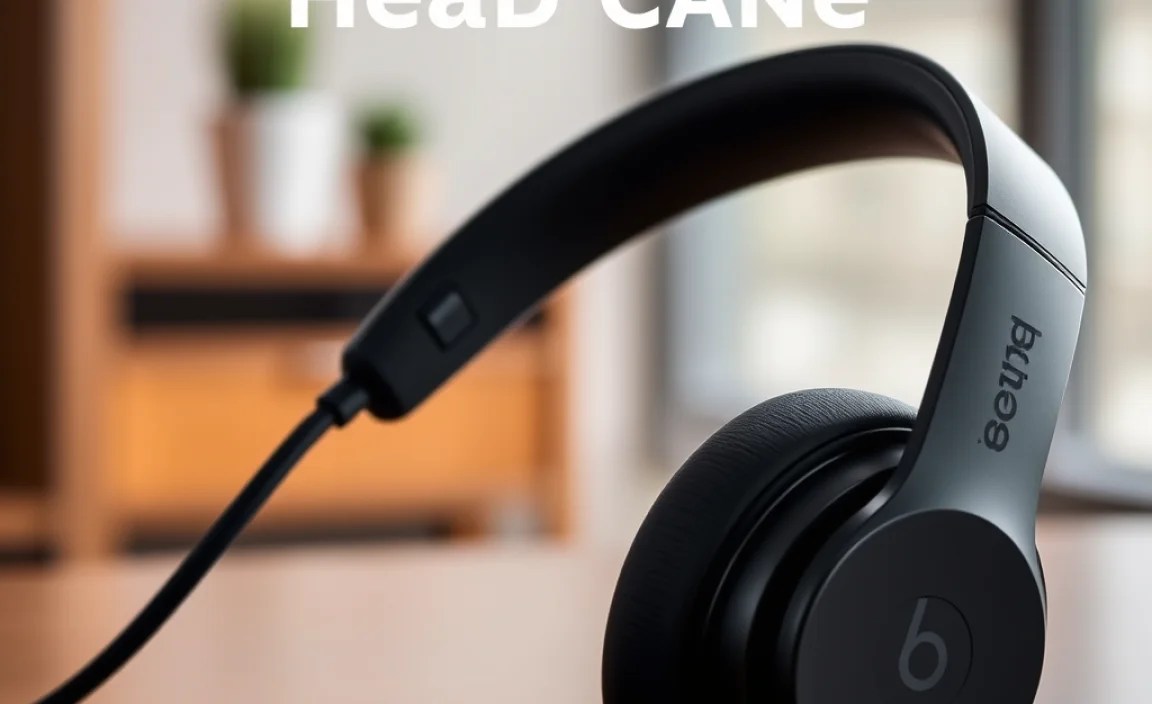
The “best” cable is subjective and depends on your specific Beats model and priorities. Here’s a guide to help you decide:
For Beats Studio Models (Studio 2.0, Studio 3.0)
These typically use a 3.5mm jack on the headphone side and will require a cable with one 3.5mm connector for the headphones and another for your audio source. If your original cable had an in-line mic and remote, look for a replacement that specifies compatibility with Beats Studio models to ensure all functions work.
For Beats Solo Models (Solo 2.0, Solo 3.0)
Most Beats Solo models also use a 3.5mm jack. The cable connects at the bottom of one of the earcups. Again, check for compatibility, especially if you want the in-line controls to function correctly.
For Beats Pro, Beats Detox, or Older Models
Some of these older or professional-grade Beats headphones might use a 2.5mm jack on the headphone side. It’s absolutely essential to confirm this. If so, you’ll need a specialized cable with a 2.5mm plug for the headphone end and a 3.5mm plug for your device.
Key Considerations Table
Here’s a quick reference to help you match features to your needs:
| Priority | Recommended Cable Features | Keywords to Search |
|---|---|---|
| Best Sound Quality | OFC or Silver-Plated Copper conductors, excellent shielding, durable connectors. | “OFC headphone cable,” “audiophile replacement cable,” “high-purity copper cable” |
| Maximum Durability | Braided nylon jacket, reinforced strain relief, robust connectors. | “Braided headphone cable,” “heavy-duty headphone cable,” “durable audio cable” |
| Convenience & Features | In-line microphone & remote, correct plug type (straight/angled), specific length. | “Headphone cable with mic,” “replacement cable for [Your Beats Model],” “3.5mm to 3.5mm cable” |
| Budget-Friendly | Good quality TPE/PVC, tested connectors, standard length. | “Replacement audio cable,” “3.5mm aux cable,” “universal headphone cable” |
Where to Buy
You can find replacement Beats cables from several sources:
- Online Retailers: Amazon, eBay, and specialized audio equipment stores are great places to compare prices and read reviews.
- Manufacturer Websites: Sometimes the original Beats/Apple store or third-party accessory sites offer official or high-quality alternatives.
- Audio Accessory Brands: Many reputable audio accessory companies (e.g., UGREEN, Anker, Audio-Technica – though they might not specifically market for Beats replacements, their universal cables often work) produce high-quality cables.
How to Replace Your Beats Headphone Cable: A Simple Guide
Swapping out your headphone cable is usually a straightforward process. Most Beats headphones are designed with a detachable cable, making replacement a breeze. Here’s how to do it:
Step 1: Identify Your Beats Model and Cable Port
First, confirm which Beats model you have. Look for markings on the headphones or check your purchase history. Then, locate the cable port on the headphones. As mentioned, it’s usually a 3.5mm or a 2.5mm jack. Make sure your new cable has the correct connector for this port.
Step 2: Detach the Old Cable
The cable typically plugs into the bottom of one of the earcups. Gently but firmly grasp the connector end of the cable (the part that plugs into the headphone) and pull it straight out. It should detach without much force. If it feels stuck, try wiggling it slightly while pulling. Never force it, as you could damage the port.
Step 3: Inspect the Port
Before plugging in the new cable, take a quick look inside the headphone port. Ensure there’s no dust, lint, or debris. You can use a can of compressed air to clean it out if necessary. A debris-free port ensures a solid connection.
Step 4: Connect the New Cable
Take your new replacement cable and align its connector with the port on your Beats headphones. Gently push the connector straight in until it feels secure and is fully seated. You might hear or feel a slight click.
Step 5: Test the New Cable
Plug the other end of the new cable into your audio source (phone, laptop, etc.). Play some music and:
- Check Audio Quality: Listen for clarity, balance, and any unwanted noise or static.
- Test Controls: If your cable has an in-line microphone and remote, test the play/pause, skip track, volume, and microphone functions.
- Check Both Channels: Ensure sound is coming equally from both the left and right earcups.
If everything sounds good and functions as expected, congratulations! You’ve successfully upgraded your Beats with a new cable.
What If the Cable Doesn’t Fit or Work?
If you encounter issues:
- Double-check compatibility: Are you sure you bought the correct cable for your specific Beats model? Is the jack size (2.5mm vs. 3.5mm) correct for the headphone end?
- Try a different port: If your audio source has multiple headphone jacks (e.g., a computer), try plugging the cable into a different one.
- Inspect the connectors: Ensure there are no bent pins or manufacturing defects on the cable’s connectors.
- Contact the seller: If the cable is faulty or incompatible, reach out to the seller for a replacement or refund.
For more in-depth troubleshooting of specific Beats models, resources like iFixit’s comprehensive repair guides can be invaluable, offering detailed insights into headphone construction and common issues.
Tips for Maintaining Your New Beats Cable
To get the most life and best performance out of your new cable, a little care goes a long way:
- Avoid Tugging: Always pull the cable from the connector, not by jerking the wire itself.
- Wind It Gently: When storing your headphones, loosely coil the cable. Avoid sharp bends or tight wrapping, which can stress the internal wires.
- Keep it Clean: Periodically wipe down the cable with a slightly damp microfiber cloth to remove dust and oils.
- Protect Connectors: Keep the jacks clean and dry. Moisture and debris can degrade the connection over time.
- Store Properly: If possible, store your headphones and cable in a protective case or pouch to prevent accidental damage.
Following these simple maintenance tips will help ensure your investment in a quality cable pays off for years to come.
