
Quick Summary: Discover budget-friendly wired headphones with this essential guide. Learn what to look for, how to maintain them, and simple fixes for common issues. Get great sound without breaking the bank and keep your audio gear in top shape.
Wired Headphones: The Best Affordable & Essential Guide

Hey there, audio explorers! Edward Cavitt here, your friendly guide from Headphone Horizon. Ever feel a little lost in the sea of headphone options, especially when you’re trying to keep your wallet happy? You’re not alone! Wired headphones are making a serious comeback, offering fantastic sound quality and reliability without the fuss of batteries or Bluetooth pairing.
Whether you’re a student on a budget, a music lover who craves crystal-clear audio, or just someone who wants dependable sound for calls and podcasts, finding the right affordable wired headphones can seem daunting. But don’t worry! This guide is designed to demystify the world of budget-friendly wired cans, helping you make informed choices, keep them in perfect working order, and even tackle minor fixes yourself. Let’s dive in and discover how amazing affordable audio can be!
Why Wired Headphones Still Reign Supreme (Especially for Your Budget)

In a world dominated by wireless gadgets, it’s easy to overlook the humble wired headphone. Yet, for many, they remain the superior choice, especially when affordability is a key factor. Unlike their wireless counterparts, wired headphones typically offer:
- Superior Sound Quality for the Price: Without the need for digital compression or battery power, wired headphones can often deliver a more direct and nuanced audio experience, especially at lower price points.
- No Battery Woes: Forget about charging! Wired headphones are always ready to go the moment you plug them in.
- Simplicity and Reliability: No pairing issues, no dropouts, just plug and play. They’re incredibly dependable for long listening sessions or critical tasks.
- Cost-Effectiveness: You generally get more bang for your buck with wired headphones. The money saved on wireless tech means manufacturers can invest more in driver quality and sound tuning.
- Durability: While cables can sometimes be a weak point, the overall construction of many wired headphones is robust and designed for longevity.
Choosing the Best Affordable Wired Headphones: What to Look For
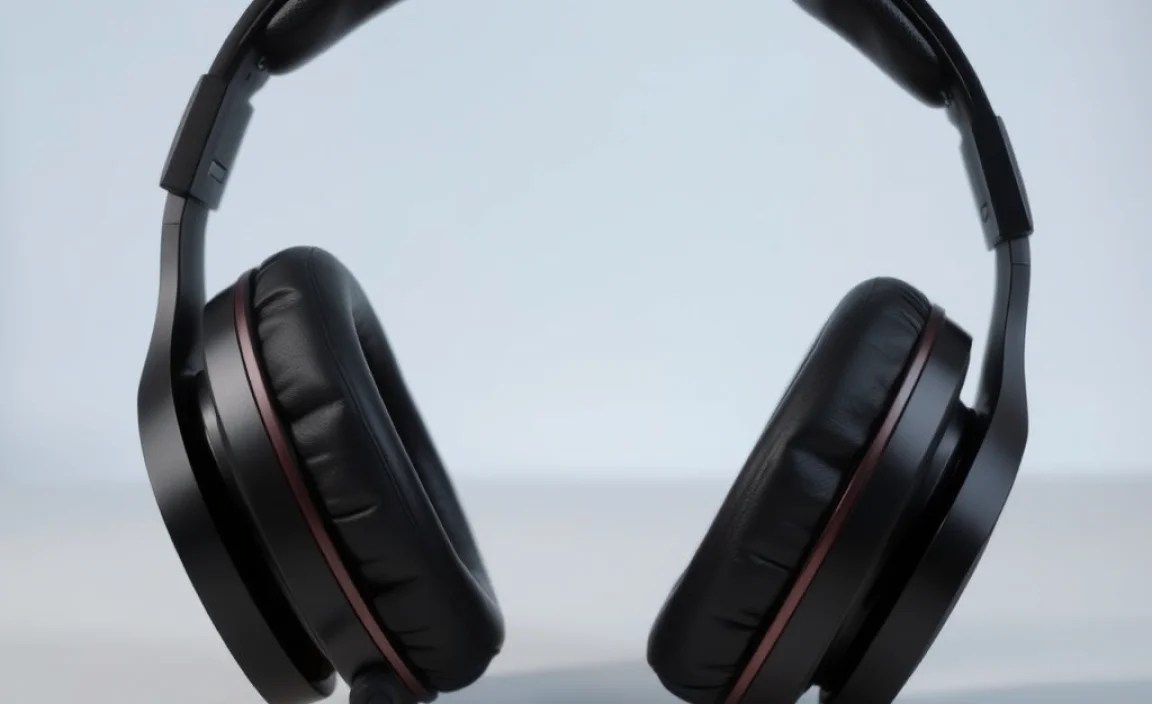
Navigating the market for budget-friendly wired headphones means understanding a few key features. Don’t get overwhelmed by specs; we’ll break it down into what really matters for everyday listening.
Driver Size and Type
Drivers are the tiny speakers inside your headphones that produce sound. Larger drivers (typically measured in millimeters, mm) can sometimes produce a fuller sound, especially in the bass frequencies. Common sizes range from 30mm to 50mm. For affordable options, look for headphones with at least 40mm drivers, as they often provide a good balance of clarity and power.
Impedance
Impedance is measured in Ohms (Ω) and relates to how much electrical resistance the headphones have. Generally, lower impedance (under 32Ω) means the headphones are easier to drive and will sound good with most devices like smartphones and laptops without needing a dedicated amplifier. For most budget-conscious users, headphones in the 16Ω to 32Ω range are ideal.
Frequency Response
This tells you the range of sound frequencies a headphone can produce, measured in Hertz (Hz). The human hearing range is typically 20Hz to 20,000Hz (20kHz). While manufacturers might list wider ranges, focus on how well the headphones perform across the middle frequencies (vocals, instruments) which are crucial for enjoyable listening. A frequency response that covers the standard human hearing range is usually sufficient for affordable options.
Build Quality and Comfort
Even affordable headphones should be comfortable for extended wear. Look for:
- Adjustable Headband: Essential for a good fit and even weight distribution.
- Padded Earcups: Soft, breathable materials like faux leather or velour will make a big difference during long listening sessions. Over-ear (circumaural) designs generally offer better comfort and noise isolation than on-ear models.
- Sturdy Materials: While plastic is common in budget headphones, check for reviews that mention a solid build and durable hinges.
Cable Type
The cable connects your headphones to your device. For affordable wired headphones, a non-detachable cable is standard. Look for a cable that feels reasonably thick and doesn’t kink too easily. A length of around 1.2 to 2 meters (4 to 6.5 feet) is usually practical for most uses.
Top Picks: Best Affordable Wired Headphones (Under $50)
Finding excellent wired headphones doesn’t require a huge investment. Here are some consistently recommended models that offer great value for money. Pricing can fluctuate, but these typically fall well within the budget category.
| Brand & Model | Key Features | Best For | Approx. Price |
|---|---|---|---|
| Audio-Technica ATH-M20x | Solid build, comfortable, good sound isolation, balanced audio profile. | Budding producers, critical listening, everyday use. | $40-$50 |
| Samson SR850 | Semi-open back design for wider soundstage, surprisingly good detail for the price. | Home listening, casual studio work, enjoying music. | $35-$45 |
| OneOdio Pro-10/Pro-30 | Swiveling earcups, comfortable, robust build, clear sound, often include adapters. | DJs, music lovers, long listening sessions. | $30-$45 |
| JBL Tune 510BT (Wired Option Available) | Lightweight, comfortable, decent bass, easy to use. (Note: Ensure you get the wired version if desired). | Commuters, students, casual listening. | $30-$40 |
| Sennheiser HD 206 | Affordable, comfortable, good passive noise isolation, clear sound for basic needs. | Basic home/office use, budget-conscious beginners. | $25-$35 |
Prices are approximate and may vary based on retailer and promotions.
Essential Wired Headphone Maintenance: Keep Them Sounding Great
Treating your headphones with a little care can significantly extend their lifespan and ensure they continue to deliver great sound. Here’s how to do it:
Cleaning Your Headphones
Regular cleaning prevents dirt and earwax buildup, which can affect sound quality and hygiene.
- Earpads: If your earpads are removable, detach them and wipe them gently with a slightly damp cloth (water or a mild soap solution). Ensure they are completely dry before reattaching. For non-removable earpads, use a dry microfiber cloth or one very lightly dampened.
- Headband: Wipe the headband with a dry or slightly damp cloth.
- Earcups/Housing: Use a dry microfiber cloth to wipe down the plastic or metal parts of the earcups. Avoid getting moisture into any small openings.
- Jack/Plug: Occasionally, the audio jack can get dusty. Ensure your device’s audio port is clean, and then use a dry cotton swab to gently clean the metal plug of your headphone cable.
Cable Care
The headphone cable is often the most vulnerable part.
- Avoid Tugging: Never pull on the cable to unplug your headphones. Always grip the connector itself.
- Store Properly: Don’t wrap the cable too tightly around the headphones. Use a gentle loop, or a cable tie if you have one. Stuffing them into a bag with the cable tightly wound can stress the internal wires.
- Keep Away from Damage: Try to keep the cable from getting snagged, pinched under furniture, or run over by a chair.
Storage
When not in use, store your headphones in a safe place.
- Protective Case: If your headphones came with one, use it! Even a simple pouch can prevent scratches and cable damage.
- Dedicated Spot: A hook on your desk, a shelf, or a drawer where they won’t get crushed is ideal.
Troubleshooting Common Wired Headphone Problems (DIY Fixes!)
Even the best-maintained headphones can sometimes act up. Here are some common issues and how to address them without needing to be an electronics wizard.
Issue 1: No Sound From One or Both Earcups
This is one of the most frustrating problems, but it’s often fixable.
- Check the Connection: Ensure the headphone jack is fully inserted into your device’s audio port. Try unplugging and replugging it firmly.
- Test with Another Device: Plug your headphones into a different smartphone, computer, or tablet. If they work fine on the other device, the problem lies with your original device’s audio port or settings.
- Check Device Volume and Balance: On computers and some smartphones, there’s a “balance” setting for left and right audio channels. Make sure it’s centered. Also, double-check that the volume isn’t muted or set too low. For Windows, search for “Sound Settings” and navigate to the “Playback” tab, then “Properties” of your headphones. For macOS, go to “System Preferences” > “Sound” > “Output”.
- Inspect the Jack: Look closely at the headphone jack on your cable. Is it bent, dirty, or damaged? If it looks dirty, try cleaning it gently with a dry cotton swab. If it’s visibly bent or broken, the cable might need replacing (see below).
- Inspect the Cable: Gently wiggle the cable near the earcups and near the jack. If you hear intermittent sound when wiggling, it indicates a loose connection or break inside the cable. This is often difficult to repair at home without specialized tools, but it points to a cable issue.
Issue 2: Distorted or Muffled Sound
This can be caused by dirt, damage, or a bad connection.
- Clean Earpads and Drivers: As mentioned in maintenance, earwax and debris can block sound. Carefully clean the earpads and, if possible without damage, gently blow air or use a very soft brush to clear any visible debris from the speaker grille inside the earcup.
- Check for Cable Damage: Look for any kinks, cuts, or fraying on the cable. Damage can interfere with the audio signal.
- Try a Different Audio Source: The issue might be with the audio file or streaming service, not your headphones. Try playing a different song or podcast.
- Check Device Audio Settings: Some devices have “audio enhancement” features that can sometimes distort sound. Try disabling any equalizers or special effects in your device’s sound settings.
Issue 3: Volume Too Low
This is often related to the device you’re using, not the headphones themselves.
- Check Device Volume: This sounds obvious, but ensure your device’s volume is turned up to its maximum.
- Check Headphone Impedance: As discussed earlier, some headphones (often higher-end models, but sometimes even budget ones) have higher impedance, meaning they require more power from the source to reach a loud volume. Most affordable headphones are designed to be easily driven by smartphones and laptops. If you suspect high impedance, try them with a dedicated headphone amplifier.
- Ensure Full Insertion: A partially inserted jack can sometimes result in lower volume.
Issue 4: Cable is Damaged or Broken
If the cable is visibly damaged, kinked badly, or if you suspect an internal break (e.g., sound cuts out when you move the cable), it’s the most common point of failure for wired headphones.
- Repair vs. Replace: For very inexpensive headphones, it’s often more cost-effective to replace them. For slightly better budget models, you might consider cable repair if you’re feeling adventurous (requiring soldering and replacement parts), but it’s a delicate process. Resources like iFixit have guides that can help if you want to attempt it.
- When to Replace: If the damage is significant, or if you can’t identify a simple fix, it’s usually time to invest in a new pair. The good news is, replacing affordable wired headphones is much kinder to your wallet than replacing expensive wireless sets!
Understanding Connector Types
Most affordable wired headphones use a standard 3.5mm audio jack, also known as a 1/8-inch connector. This is the most common type and is found on most smartphones (though some newer phones omit it), laptops, tablets, and audio interfaces. You’ll usually see a stereo plug (TRS – Tip, Ring, Sleeve) with two black rings, which carries left and right audio signals plus a ground. Some headphones might include a 1/4-inch (6.35mm) adapter, typically used for larger audio equipment like home stereo systems or some guitars.
It’s worth noting that if your phone only has a USB-C or Lightning port, you will need a dongle or adapter (e.g., USB-C to 3.5mm, or Lightning to 3.5mm) to use standard wired headphones. These adapters are generally inexpensive and readily available.
A Note on Passive vs. Active Noise Cancellation
When looking at affordable wired headphones, most will offer passive noise isolation. This is achieved through the physical design of the earcup and earpad, creating a seal around your ear to block out external noise. This is highly effective and doesn’t require power.
Active Noise Cancellation (ANC), on the other hand, uses microphones and electronics to generate opposing sound waves that cancel out ambient noise. ANC typically requires batteries and is a feature usually found in more expensive headphones. For budget wired options, focus on good passive isolation!
FAQ: Your Beginner Questions Answered
Q1: Can I use wired headphones for gaming?
Absolutely! Wired headphones are fantastic for gaming. They offer low latency (no delay between what happens in the game and what you hear), which is crucial for reaction times. Plus, many affordable models offer good sound positioning, helping you pinpoint enemy footsteps or in-game audio cues. Just ensure your gaming console or PC has a 3.5mm audio jack.
Q2: How do I know if my headphones are wired?
Wired headphones have a physical cable that connects them to your audio source (phone, computer, etc.). They do not rely on Bluetooth or Wi-Fi for their connection.
Q3: Are cheaper wired headphones always bad?
Not at all! While quality varies, there are many affordable wired headphones that punch well above their weight class. The key is to look for reputable brands known for audio gear and to read reviews focusing on sound quality, comfort, and durability. As this guide shows, you can find excellent options without spending a fortune.
Q4: Can I get good bass from affordable wired headphones?
Yes! While overly boomy bass might be a sign of poor quality, many budget-friendly wired headphones are tuned to deliver satisfying bass that complements music without overpowering other frequencies. Look for models with larger drivers (40mm+) or those specifically mentioned in reviews for good bass response.
Q5: What’s the difference between on-ear and over-ear wired headphones?
On-ear headphones rest directly on your ears, while over-ear headphones (also called circumaural) completely surround your ears. Over-ear designs generally offer better comfort, passive noise isolation, and a more immersive listening experience, but can be bulkier. On-ear headphones are typically more compact and lighter.
Q6: My phone doesn’t have a headphone jack. How can I use my wired headphones?
You’ll need an adapter or small dongle that connects to your phone’s charging port (like USB-C or Lightning) and provides a 3.5mm jack. These are widely available and typically very affordable. Just make sure to buy the correct adapter for your phone’s port type.
Conclusion: Your Affordable Audio Journey Awaits!
So there you have it – a comprehensive look at the world of affordable wired headphones! We’ve covered why they’re a smart choice, what features to prioritize when you’re shopping, how to keep them in tip-top shape with simple maintenance, and what to do when things go a little awry. The beauty of wired headphones is their accessibility and reliability. You don’t need to break the bank to enjoy good sound, and with a little care, your trusty headphones can last you a long time.
