
Best Aftermarket Headphones: A Proven Guide
Discover the world of aftermarket headphones with this beginner-friendly guide. We’ll simplify brands, essential features, and crucial maintenance to help you find and care for headphones that sound amazing and last. Get ready to upgrade your listening experience with confidence.
Hey there, audio adventurers! Edward Cavitt here from Headphone Horizon. Ever feel a little lost when you hear terms like “aftermarket” or “drivers” thrown around when talking about headphones? You’re definitely not alone! Buying new headphones can feel like navigating a maze, especially when you want something that truly elevates your music, podcasts, or gaming. But guess what? It doesn’t have to be! My goal is to cut through the jargon and give you clear, practical advice. In this guide, we’re diving deep into the exciting realm of aftermarket headphones. Think of it as your friendly roadmap to understanding what makes a great pair, how to choose the perfect fit for you, and even how to keep them sounding fantastic for years to come. Let’s get started on this journey to better sound!
Why Choose Aftermarket Headphones?

When you buy a device, it usually comes with standard accessories. Headphones are no different. The ones that come bundled with your phone or laptop are functional, but they’re often designed for mass appeal and cost-effectiveness rather than superior audio quality or specific listening needs. “Aftermarket” headphones, in this context, simply mean headphones you purchase separately, outside of the original device bundle. This opens up a universe of options tailored to different listening styles, comfort preferences, and sound profiles.
The real magic of aftermarket headphones lies in their specialization. Manufacturers can focus on delivering:
- Superior Sound Quality: Engineered with advanced drivers and acoustic designs for richer bass, clearer highs, and a more immersive soundstage.
- Enhanced Comfort: Ergonomic designs, premium materials, and a wider range of fit options for extended listening sessions.
- Durability and Build Quality: Often constructed with better materials, making them more robust and long-lasting than stock options.
- Specific Features: Noise cancellation, high-fidelity audio codecs, multi-device connectivity, and customized sound profiles.
- Brand Innovation: A competitive market means constant innovation in technology and design from dedicated audio companies.
In essence, choosing aftermarket headphones is choosing to invest in a better listening experience, customized to your ears and your lifestyle.
Understanding Key Headphone Features
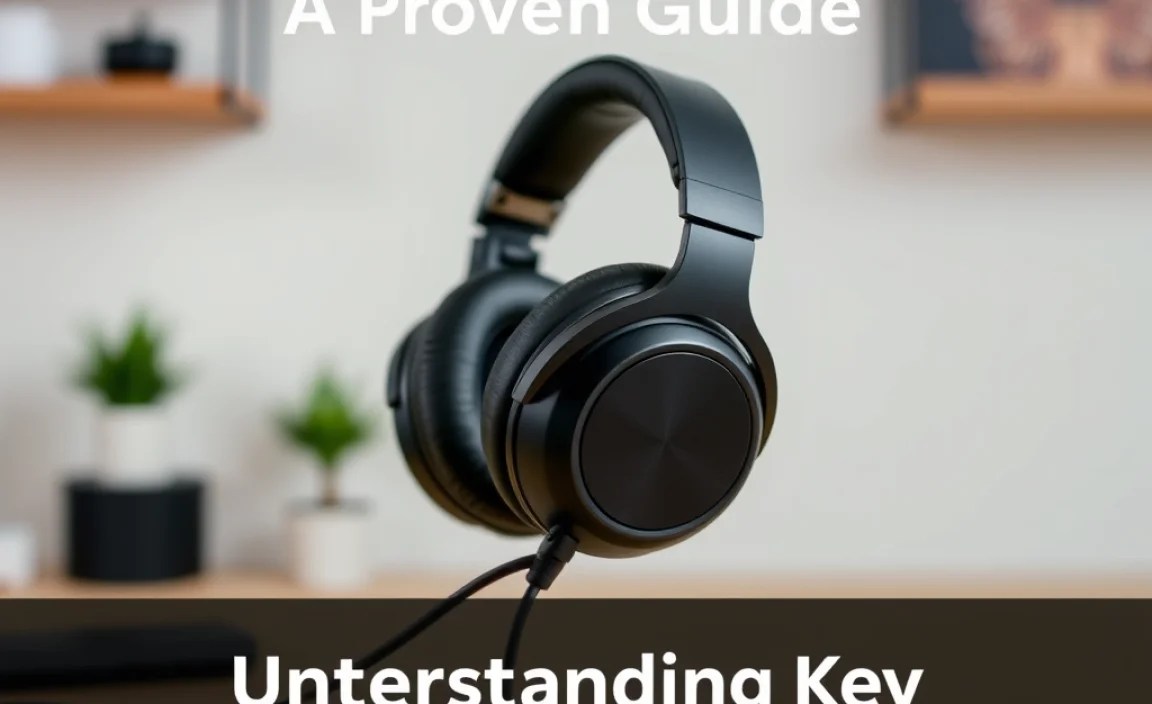
Navigating the world of headphones can seem daunting with all the technical terms. Let’s break down some of the most important features you’ll encounter. Knowing these will empower you to make informed decisions.
Types of Headphones
The first step is understanding the basic physical designs, as they significantly impact sound and comfort:
- In-Ear Monitors (IEMs): These small earbuds sit directly in your ear canal. They offer excellent isolation and portability. Many audiophiles prefer high-end IEMs for their detailed sound reproduction.
- On-Ear Headphones: These rest on top of your ears. They are generally more compact than over-ear models but can sometimes cause discomfort with prolonged use due to pressure.
- Over-Ear (Circumaural) Headphones: These fully enclose your ears. They typically provide the most comfortable fit for long listening sessions and can offer the best passive noise isolation and soundstage.
Connectivity Options
How you connect your headphones to your devices is crucial:
- Wired: The classic connection using a 3.5mm audio jack, USB-C, or Lightning connector. Wired headphones generally offer the best potential for uncompressed audio quality and don’t require charging.
- Wireless (Bluetooth): Offers freedom of movement. Look for the latest Bluetooth versions (e.g., 5.0 and above) for better stability, range, and power efficiency. Consider codecs like aptX or LDAC for higher-fidelity wireless audio.
Driver Technology
The “driver” is the speaker unit inside your headphones that produces sound. Different types offer different sonic characteristics:
- Dynamic Drivers: The most common type. They are versatile and capable of producing a wide range of frequencies, often with good bass response.
- Balanced Armature (BA) Drivers: Smaller and more energy-efficient than dynamic drivers, BAs are known for their precision and clarity, especially in mid and high frequencies. Many IEMs use multiple BA drivers for different frequency ranges.
- Planar Magnetic Drivers: These use a thin, flat diaphragm suspended in a magnetic field. They are known for exceptional detail, accuracy, and fast transient response, often found in higher-end headphones.
- Electrostatic Drivers: Require a special amplifier (often built-in or external) as they operate at high voltages. They offer unparalleled detail, speed, and clarity but come at a premium price point.
Noise Management
How headphones handle ambient noise is vital for different listening environments:
- Passive Noise Isolation: Achieved through the physical design of the headphones, like a snug fit (IEMs) or thick earcups (over-ear). It’s about physically blocking sound.
- Active Noise Cancellation (ANC): Uses microphones to detect external noise and generate an opposite soundwave to cancel it out. Ideal for noisy environments like airplanes or busy offices.
Other Important Factors
- Impedance: Measured in ohms (Ω), it indicates the headphone’s resistance to electrical current. Lower impedance (e.g., 32Ω) is easier to drive and suitable for portable devices. Higher impedance (e.g., 250Ω+) often requires a dedicated amplifier to reach optimal volume and sound quality.
- Sensitivity: Measured in decibels (dB), it indicates how loud the headphones can get with a given amount of power. Higher sensitivity means they are easier to drive.
- Frequency Response: This describes the range of sound frequencies (from lowest bass to highest treble) that the headphones can produce. A wider range (e.g., 20Hz – 20kHz) is considered standard, but how the headphones emphasize certain frequencies is what truly matters for sound signature.
Check out resources like RTINGS.com’s guide on impedance and sensitivity for more in-depth explanations.
Brands to Consider: A Quick Overview

The aftermarket headphone market is filled with reputable brands, each with its own strengths and specializations. Here’s a brief look at some popular choices to get you started:
| Brand | Specialty/Reputation | Typical Price Range (USD) | Best For |
|---|---|---|---|
| Sennheiser | Renowned for balanced sound, build quality, and a wide range from audiophile to consumer-grade. | $80 – $600+ | Audiophiles, casual listeners, professionals seeking accurate sound. |
| Sony | Exceptional for ANC technology, consumer-friendly sound, and a vast range of wireless products. | $50 – $400+ | Travelers, commuters, tech enthusiasts, general consumers. |
| Bose | Often considered the king of comfort and noise cancellation, with a smooth, easy-listening sound profile. | $200 – $400+ | Frequent flyers, office workers, those prioritizing comfort and ANC. |
| Audio-Technica | Offers great value and specific sound signatures, popular for both studio monitoring and casual listening. | $50 – $300+ | Beginners, budget-conscious audiophiles, aspiring producers. |
| Beyerdynamic | Known for robust build quality and a more engaging, sometimes analytical, sound signature, popular in studio settings. | $100 – $500+ | Studio professionals, critical listeners, those who appreciate durability. |
| Shure | Famous for professional audio gear, especially IEMs, offering excellent clarity and durability. | $100 – $500+ | Musicians, performers, IEM enthusiasts, those seeking vocal clarity. |
| AKG | Praised for open, airy soundstages, often favored for classical music and extended listening. | $70 – $300+ | Classical music lovers, critical listeners, those who enjoy a wide soundstage. |
This is by no means an exhaustive list, but it covers many of the most respected names in the aftermarket headphone space. Remember, the “best” brand often depends on your personal preferences and budget.
Finding Your Perfect Pair: A Step-by-Step Guide
Choosing the right aftermarket headphones involves more than just picking a popular brand. It’s about matching the product to your needs. Follow these steps to make a confident decision:
Step 1: Define Your Primary Use Case
Where and how will you use your headphones most often? Be honest about your listening habits:
- Commuting/Travel: Prioritize portability, durability, and active noise cancellation (ANC). Wireless options are highly convenient.
- At Home (Casual Listening): Comfort for long sessions is key. Over-ear headphones often excel here, offering a wide soundstage and immersive experience.
- Work/Study: Focus on comfort and noise isolation (passive or ANC). Wireless with multi-device pairing can be a huge plus.
- Exercise: Look for sweat resistance (IPX rating), a secure fit, and possibly ambient sound modes to stay aware of your surroundings. Wireless is almost a must.
- Gaming: Virtual surround sound, low latency (especially for wireless), clear microphone quality, and comfort are paramount.
- Critical Listening/Audiophile Use: This is where sound accuracy, detail, and an open soundstage take priority. High-impedance headphones might require an amplifier.
Step 2: Set Your Budget
Aftermarket headphones can range from under $50 to over $1000. Determine a realistic budget. While expensive doesn’t always mean better for you, investing a bit more often yields significant improvements in sound quality, comfort, and durability. Consider used or refurbished options from reputable sellers to get more value.
Step 3: Choose the Right Type
Based on your use case, decide on the form factor:
- For maximum isolation in noisy environments or a premium listening experience at home, over-ear headphones are often ideal.
- For portability and good isolation without the bulk, in-ear monitors (IEMs) are excellent.
- For a balance of portability and comfort, on-ear headphones can be a good compromise, though some find them less comfortable for long periods.
Step 4: Consider Wired vs. Wireless
- Wired: Best for guaranteed audio quality (no compression), no battery concerns, and often lower cost for equivalent sound performance. Requires a headphone jack or adapter.
- Wireless (Bluetooth): Offers ultimate freedom. Look for stable Bluetooth connections and support for higher-quality audio codecs (like aptX HD, LDAC) if your devices support them. Requires charging.
Step 5: Read Reviews and Watch Comparisons
Once you have a few models in mind, dive into reviews. Look for reviewers whose preferences and tested scenarios align with yours. Websites like HeadphoneCheck.com and YouTube channels dedicated to audio can offer valuable insights. Pay attention to descriptions of sound signature (e.g., “warm,” “neutral,” “bright,” “V-shaped”) and comfort.
Step 6: Try Before You Buy (If Possible)
This isn’t always feasible, especially when shopping online. However, if you have electronics stores nearby, try to audition different models. Pay attention to how they feel on your head and ears, and listen to music you know well.
Step 7: Check Return Policies
When buying online, always check the seller’s return policy. This gives you peace of mind in case the headphones don’t fit as expected or the sound isn’t to your liking.
Headphone Maintenance: Keeping Your Gear in Top Shape
Your headphones are an investment in your auditory pleasure. A little bit of care goes a long way in ensuring they perform their best and last for years. Regular maintenance is simple and incredibly effective.
Daily/Weekly Checks & Cleaning
Earpads & Headband:
- Material: Most earpads are made of leatherette (PU leather), genuine leather, velour, or fabric.
- Cleaning Method:
- For leatherette/leather: Gently wipe with a slightly damp microfiber cloth. Avoid harsh chemicals or excessive moisture. You can use headphones-specific cleaning solutions very sparingly.
- For velour/fabric: Use a soft brush (like a toothbrush or makeup brush) to remove dust and debris. For deeper cleaning, a lightly damp cloth or a specialized fabric cleaner can be used, but ensure they dry completely before use.
- Frequency: Wipe down after each use if you sweat, or at least weekly. Deep clean as needed.
Earcups & Housing:
- Use a dry or very lightly damp microfiber cloth to wipe away fingerprints and dust.
- For hard-to-reach areas or grime, a cotton swab lightly dampened with water can be effective.
Grilles/Vents:
- Use a dry, soft brush or a can of compressed air (held at a distance) to gently remove any dust or debris that might obstruct sound.
Cables (for wired headphones):
- Wipe down with a dry microfiber cloth. Avoid sharp bends or kinks, which can damage the internal wiring over time.
Monthly/As Needed Maintenance
Deep Cleaning Earpads (if removable):
- If your earpads are detachable, consider removing them for a more thorough cleaning.
- Follow the instructions for your pad material (see above). Ensure they are completely dry before reattaching. This can take 24-48 hours in a well-ventilated area. Never use heat to speed drying.
Checking Connections:
- For wired headphones, gently inspect the 3.5mm jack, USB connector, or other plugs for dirt or damage. Clean with a dry cloth or a cotton swab.
- For wireless headphones, ensure charging ports are clean and free of lint.
Storing Your Headphones
- Use the Case: Whenever possible, store your headphones in their original case or a dedicated protective case. This shields them from dust, physical damage, and accidental impacts.
- Avoid Extreme Temperatures: Don’t leave your headphones in direct sunlight, a hot car, or freezing conditions, as extreme temperatures can damage drivers, batteries, and materials.
- Manage Cables: If using a case, loosely wrap cables without tight bends. Avoid wrapping them around the headphones themselves too tightly.
Troubleshooting Common Issues
Even with the best care, minor issues can arise. Here are some common problems and their fixes:
Issue 1: No Sound or Intermittent Sound
Possible Causes: Loose connection, volume turned down, mute enabled, incorrect audio output selected, debris in the jack, internal cable damage.
Fixes:
- Check that the cable is fully plugged into both the headphones and the audio source.
- Ensure the volume on your device and headphones (if applicable) is turned up and not muted.
- Verify that the headphones are selected as the audio output device in your device’s settings.
- For wired headphones, try a different audio source or cable if possible to isolate the issue. Clean the headphone jack and the source’s jack gently with a dry cloth or cotton swab.
- For wireless headphones, check the Bluetooth connection. Turn Bluetooth off and on again, or “forget” the device in your settings and re-pair. Ensure the headphones are charged.
Issue 2: One Side Not Working
Possible Causes: Internal cable damage, debris in the headphone connector, faulty driver.
Fixes:
- Check the cable connection at both ends. Jiggle it slightly to see if the sound returns, indicating a loose connection.
- If detachable, try reseating the
