
Quick Summary: Discover how to choose the best audio headphones for your needs, understand key features, and learn simple maintenance tips to keep your sound pristine. This guide breaks down headphone jargon, offers practical advice for buying, and provides easy fixes, ensuring you enjoy your audio experience to the fullest.
Best Audio Headphones: Essential Sound for Everyone
Welcome to the wonderful world of sound! For many of us, music, podcasts, and audiobooks aren’t just background noise; they’re companions that enrich our daily lives. But are you truly hearing your favorite audio in its best form? Choosing the “best” headphones can feel a bit overwhelming with all the technical terms and options out there. That’s where I come in! At Headphone Horizon, my goal is to make understanding and enjoying audio gear simple and accessible. This comprehensive guide will walk you through everything you need to know, from picking the perfect pair to keeping them in top shape, so you can experience essential sound like never before.
Understanding Headphones: More Than Just Ear Candy

When we talk about headphones, we’re discussing devices designed to deliver audio directly to your ears, offering a private listening experience. But not all headphones are created equal. They come in various designs, use different technologies, and are built for specific purposes. Understanding these basic differences is the first step to finding a pair that fits your lifestyle and preferences.
Types of Headphones
The physical design of a headphone significantly impacts its sound, comfort, and how it isolates you from the outside world. Here are the main types you’ll encounter:
- On-Ear Headphones: These rest on your ears. They offer a balance between portability and sound quality but may not provide the best noise isolation.
- Over-Ear Headphones: These surround your ears completely. They are often praised for comfort and superior sound isolation, making them great for immersive listening at home or in noisy environments.
- In-Ear Headphones (Earbuds): These fit inside your ear canal. They are highly portable and offer excellent noise isolation, especially when they form a good seal within your ear.
- True Wireless Earbuds: A subset of in-ear headphones, these have no connecting wires at all. They offer maximum freedom of movement and convenience.
Key Features to Consider
Beyond the type, several features influence your listening experience. Knowing what to look for will help you make an informed decision.
| Feature | Description | Why It Matters |
|---|---|---|
| Active Noise Cancellation (ANC) | Uses microphones to detect and cancel out ambient sound electronically. | Ideal for blocking out distractions in busy environments like airplanes, trains, or offices. |
| Connectivity (Wired vs. Wireless) | Wired headphones connect via an audio jack or USB. Wireless headphones (like Bluetooth) connect without cables. | Wired often offers superior audio fidelity and no battery concerns. Wireless provides convenience and freedom of movement. |
| Driver Size & Type | The component that produces sound. Larger drivers generally suggest deeper bass and wider soundstage, though quality varies greatly. | Influences the overall sound profile – bass response, clarity, and detail. |
| Impedance (Ohms) | Measures electrical resistance. Lower impedance (e.g., 16-32 Ohms) usually means louder volume from portable devices. Higher impedance (e.g., 250+ Ohms) requires an amplifier for optimal performance. | Crucial for pairing headphones with the right audio source. Most portable devices handle low-impedance headphones well. |
| Frequency Response | The range of frequencies (bass, mids, treble) a headphone can reproduce, measured in Hertz (Hz). A common range is 20Hz to 20,000Hz, the typical range of human hearing. | Indicates how detailed the sound across the spectrum will be. Look for a broad, well-balanced response. |
| Comfort & Fit | Earcup material, headband padding, clamping force, and weight. | Essential for long listening sessions without discomfort or fatigue. |
Choosing the Best Audio Headphones for You

The “best” headphones are subjective – they depend entirely on your intended use, personal preferences, and budget. Let’s break down how to navigate the options.
Step 1: Define Your Needs
Before you even start looking, ask yourself these questions:
- Where will you use them most? (e.g., commuting, at home, in the gym, at the office)
- What kind of audio will you listen to? (e.g., music genres, podcasts, audiobooks, gaming, calls)
- What’s your budget? Headphones range from $20 to over $1,000.
- Do you prioritize portability or sound quality?
- Is noise cancellation important?
- Do you prefer wired or wireless convenience?
Step 2: Explore Popular Brands & Their Strengths
While quality can vary within any brand, some are known for specific strengths or target audiences. Here’s a quick overview of some reputable brands:
- Sony: Excellent overall, especially for noise cancellation (WH-1000XM series) and true wireless earbuds (WF-1000XM series). Known for a balanced, engaging sound.
- Bose: A leader in comfort and active noise cancellation (QuietComfort series). Often favored for their smooth, natural sound that’s great for long listening sessions.
- Sennheiser: Renowned for audiophile-grade sound with a focus on clarity and detail, particularly in their open-back models. Also offer great wireless options.
- Audio-Technica: Offers a wide range from budget-friendly options to professional studio monitors. Known for balanced and accurate sound.
- Apple: Dominates the wireless earbud market with AirPods and AirPods Pro, offering seamless integration with their ecosystem and good ANC on Pro models.
- Jabra: Focuses on a blend of sound quality, durability, and features for both work and fitness, especially in their true wireless offerings.
- Beyerdynamic: Another brand favored by audiophiles and professionals for their durable build and natural, detailed sound reproduction.
Step 3: Dive into Features That Matter for Your Use Case
Let’s match features to common scenarios:
For Commuters & Travelers:
- Active Noise Cancellation (ANC): Essential for blocking out engine noise, chatter, and general ambient din.
- Comfort: Over-ear or well-fitting in-ear designs are good for long journeys.
- Battery Life: Crucial for wireless options during extended travel.
- Portability: Foldable designs or compact carrying cases are a plus.
For Home Listening & Audiophiles:
- Sound Quality: Focus on driver type, frequency response, and impedance. Open-back over-ear headphones are often preferred for a wider soundstage and more natural sound, though they leak sound.
- Comfort: Over-ear designs with plush earcups are paramount for extended sessions.
- Wired Connection: Often preferred for the purest audio signal, though high-quality wireless (like aptX HD or LDAC codecs) is also excellent.
- Amplification: May need a dedicated headphone amplifier if opting for high-impedance models.
For Fitness & Active Lifestyles:
- Secure Fit: Ear hooks, wingtips, or tight-sealing in-ear tips are vital so they don’t fall out during exercise.
- Water/Sweat Resistance: Look for IPX ratings (e.g., IPX4 or higher).
- Durability: Materials that can withstand some wear and tear.
- True Wireless: Offers the ultimate freedom of movement.
For Office & Work-From-Home:
- Microphone Quality: Important for video calls and clear communication.
- Comfort: You’ll be wearing them for hours.
- Noise Isolation/ANC: To minimize distractions from your surroundings.
- Connectivity: Seamless Bluetooth or multi-point pairing to switch between devices (laptop and phone).
Maintaining Your Headphones: Keep the Sound Alive

Even the best audio headphones need a little care to perform optimally and last longer. Regular maintenance is simple and can prevent common issues.
Step 1: Cleaning Your Headphones
Dirt, earwax, and skin oils can accumulate, not only affecting hygiene but also sound quality and the physical condition of your headphones.
How to Clean Different Parts:
- Earcups (Over-Ear & On-Ear):
- Material Type: Leather/pleather, velour, or cloth.
- Cleaning Method: For pleather, use a slightly damp cloth with mild soap and water. For velour or cloth, use a dry brush or a cloth lightly dampened with water. Always ensure they are completely dry before use.
- Tip: Some earcups are removable! Check your manual. This makes deep cleaning much easier.
- Ear Tips (In-Ear & Earbuds):
- Material Type: Silicone, foam, or hybrid.
- Cleaning Method: For silicone tips, detach them and wash them with mild soap and warm water. Rinse thoroughly and let them air dry completely. Foam tips are trickier; usually, a gentle wipe with a dry or very slightly damp cloth is best, as excessive moisture can damage the foam. Replace foam tips if they become heavily soiled or worn out.
- Headband: Wipe with a slightly damp cloth. For fabric headbands, gentle spot cleaning with mild soap may be necessary.
- Grilles/Speaker Mesh: This is where earwax can accumulate. Use a dry, soft-bristled brush (like a clean toothbrush) or a toothpick very gently to dislodge debris. Avoid pushing anything deep into the mesh. For stubborn debris, a cotton swab lightly dampened with water (not wet!) can be used carefully.
- Cables & Ports: Gently wipe down cables with a dry cloth. For any connection ports (like 3.5mm jacks or USB-C), use a can of compressed air to blow out dust and debris. Avoid sticking anything metallic into ports.
Important Cleaning Don’ts:
- Never submerge any part of your headphones in water unless explicitly stated as waterproof.
- Avoid harsh chemicals, alcohol-based cleaners, or abrasive materials.
- Don’t use excessive moisture, as it can damage internal components or speaker drivers.
- Be gentle! Aggressive cleaning can cause damage.
Step 2: Proper Storage
How you store your headphones when not in use can protect them from physical damage and environmental factors.
- Use Provided Cases: Most good headphones come with a carrying case. Use it! It protects against dust, scratches, and impact.
- Avoid Extreme Temperatures: Don’t leave your headphones in direct sunlight, a hot car, or freezing conditions. Heat can warp plastic and damage batteries, while extreme cold can make materials brittle.
- Detangle Cables: If using wired headphones, loosely loop the cable instead of wrapping it tightly around the headphones or your hand. Sharp bends can damage internal wires over time.
- Avoid Pressure: Don’t stack heavy items on top of your headphones or store them in a way where they’re constantly being compressed.
Step 3: Battery Care for Wireless Headphones
To maximize the lifespan of your wireless headphones’ battery:
- Avoid Full Drains: Try not to let the battery hit 0% regularly. Lithium-ion batteries (common in modern devices) are happier when not constantly fully discharged.
- Don’t Overcharge (mostly): Modern devices have charge management to prevent overcharging. However, leaving them plugged in at 100% for days on end isn’t ideal. Many headphones will stop charging once full.
- Store at Partial Charge: If you plan to store wireless headphones for a long period (months), aim for around 50% charge.
- Use Recommended Chargers: Stick to the charger that came with your headphones or a reputable equivalent. Over-voltage can damage the battery and charging circuitry.
Troubleshooting Common Headphone Issues & Simple Fixes
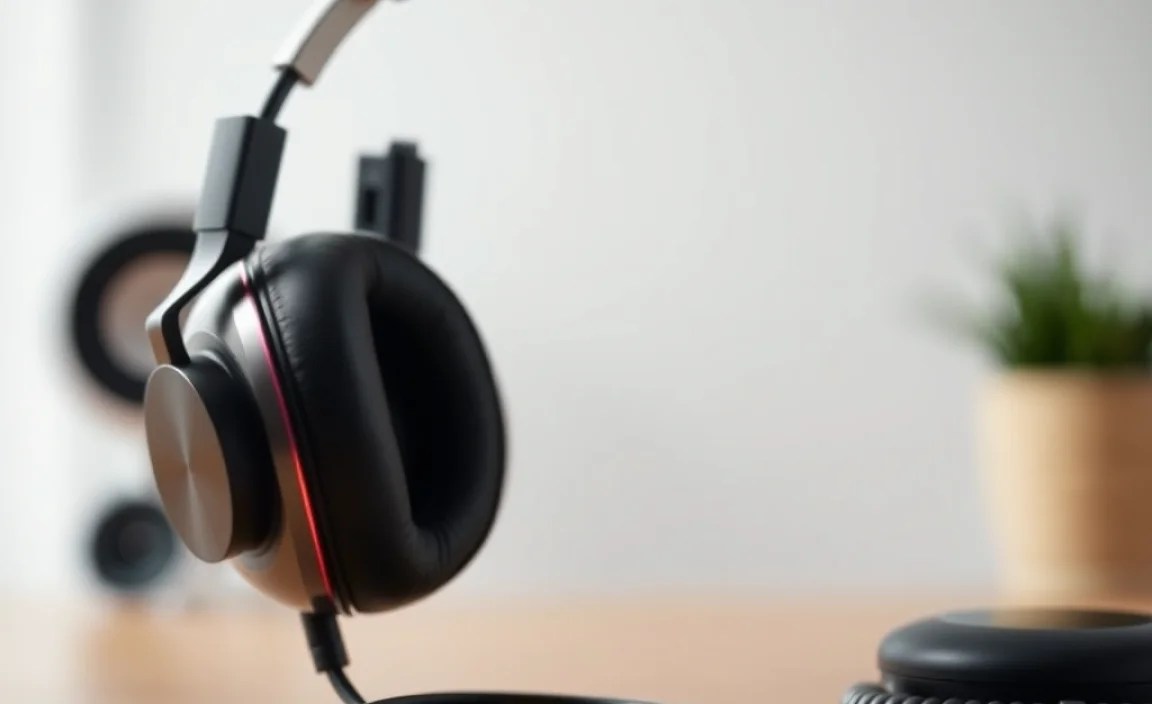
Even the best gear can sometimes act up. Here are some common problems and how to solve them without needing to be a tech wizard.
Problem 1: No Sound / Only One Side Working
This is frustrating, but often has a simple fix.
- Check Connections: Ensure the audio cable is fully plugged into both the headphones and your device. Try a different port on your device if available. For wireless, make sure they are paired and connected.
- Check Volume: Sounds obvious, but verify the volume is up on both your device and the headphones themselves (if they have inline controls).
- Test with Another Device: Plug your headphones into a different phone, computer, or audio source. If they work there, the issue is with your original device.
- Reset Bluetooth: For wireless headphones, turn off Bluetooth on your device, then turn it back on. Forget the headphones from your device’s Bluetooth list and re-pair them.
- Inspect Cables/Jacks: Look for any visible damage, kinks, or bent pins on the cable or the headphone jack.
- Clean Ports: As mentioned in the maintenance section, dust in the audio jack or charging port can cause issues. Use compressed air.
Problem 2: Sound is Distorted, Crackly, or Muffled
This can stem from several sources.
- Clean the Earcups/Tips: Earwax or debris on the speaker mesh is a common culprit for muffled sound.
- Check Audio Source Quality: Low-quality audio files or streaming settings can sound bad on any headphones. Try a higher bitrate file or a different music service.
- Test Different Audio: Does it happen with all audio, or just one specific song/podcast speaker?
- Reduce Volume: Playing audio too loud can cause distortion, especially on lower-quality drivers.
- Update Software/Drivers: If using headphones with a computer, ensure your audio drivers are up to date. For some wireless headphones, check for companion app updates.
- Check for Interference (Wireless): Other wireless devices, thick walls, or being too far from your audio source can cause crackling. Move closer to the source and minimize potential interference.
Problem 3: Active Noise Cancellation (ANC) Not Working Effectively
ANC requires a good seal and proper function.
- Check Fit: Over-ear headphones need to create a good seal around your ears. In-ear headphones need a proper seal within your ear canal. If there are gaps, ANC won’t work well. Try adjusting the earcups or using a different size of ear tips.
- Clean the Earcups/Tips: Debris on the earcup seal or ear tip can break the seal.
- Ensure ANC is On: Double-check that the ANC feature is actually activated in your headphone’s settings or via its buttons.
- Check for Mic Blockage: ANC microphones are usually on the outside of the earcups. Ensure they aren’t blocked by dirt or your hair.
- Test in Different Environments: ANC is best for constant, low-frequency noise (like airplane hum). It’s less effective against sudden, sharp noises or speech.
Problem 4: Bluetooth Connectivity Issues
Wireless frustrations are common but usually solvable.
- Restart Both Devices: Turn off your headphones and your audio source device (phone, tablet, computer). Turn them back on.
- Forget and Re-pair: In your device’s Bluetooth settings, “Forget” or “Unpair” your headphones. Then, put your headphones back into pairing mode and reconnect them.
- Check Battery Level: Some headphones have reduced functionality or connection stability when the battery is critically low.
- Update Firmware: Many wireless headphones have companion apps that allow you to update their firmware. This can fix known bugs and improve connectivity.
- Distance and Obstructions: Ensure your audio source is relatively close to your headphones (within 30 feet / 10 meters is typical) and that there are no major physical obstructions.
If you’ve tried these steps and are still experiencing significant issues, it might be time to consult the manufacturer’s support or warranty information. For
