
Quick Summary: Discover why Beats wireless headphones are a top choice for everyday listeners. This guide breaks down the essential features, helps you choose the perfect pair, and offers tips for a great audio experience, all in a beginner-friendly way.
Beats Wireless Headphones: Your Essential Guide to the Sound You Love
Hey audiophiles and casual listeners alike! Edward Cavitt here, your guide to all things sound. Today, we’re diving headfirst into the world of Beats wireless headphones. You’ve seen them everywhere, from gym bags to commutes, and for good reason! Beats has built a reputation for vibrant sound, stylish designs, and, crucially, wireless freedom. But with so many models out there, how do you know which pair is the “essential buy” for you? Don’t worry, that’s where I come in. This guide is designed to cut through the noise, simplify the choices, and help you confidently pick the Beats wireless headphones that will bring your music, podcasts, and calls to life. Let’s get started on finding your perfect audio companion!
Why Choose Beats Wireless Headphones? More Than Just a Pretty Face

Beats by Dr. Dre has become synonymous with a certain kind of audio experience. While “bass-heavy” might be the first thing that comes to mind, it’s important to understand what makes these headphones a compelling choice, especially in their wireless iterations. The convenience of not being tethered by cords is, of course, a huge draw. But beyond that, Beats headphones often offer:
- Signature Sound Profile: While some audiophiles might prefer a flatter, more neutral sound, many users love the energetic and impactful bass that Beats are known for. This makes them great for genres like hip-hop, EDM, and pop, but also adds a fun punch to movies and games.
- Stylish Aesthetics: Beats headphones aren’t shy about their looks. They come in a range of eye-catching colors and have a distinctive design that stands out. If you like your tech to make a statement, Beats delivers.
- Ease of Use: For beginners, the user experience is paramount. Beats wireless headphones are generally very intuitive. Pairing is usually straightforward, and controls are often placed conveniently on the earcups or in-line.
- Active Noise Cancellation (ANC): Many of the newer and higher-end Beats models feature ANC, which is a game-changer for noisy environments like airplanes, busy offices, or bustling city streets. It actively listens to ambient noise and produces an opposite soundwave to cancel it out, letting you focus on your audio. You can learn more about Active Noise Cancellation on the official ITU website, which discusses its impact on audio quality in various scenarios.
- Comfort and Durability: Beats headphones are typically built to be comfortable for extended wear and robust enough for daily use.
Navigating the Beats Wireless Family: Which Pair is Right for You?

The Beats lineup can seem a bit crowded, but understanding the main players will help you pinpoint the best fit. While models evolve, the core offerings generally fall into a few categories:
On-Ear vs. Over-Ear vs. In-Ear: The Forms Factor Explained
Before we get into specific models, let’s clarify the different styles:
- Over-Ear Headphones: These cups completely enclose your ears. They often provide the best passive noise isolation (blocking sound without electronics) and are generally considered the most comfortable for long listening sessions. They can also offer the largest drivers, potentially leading to richer sound.
- On-Ear Headphones: The earcups rest directly on your ears. They are usually more compact than over-ear models and can feel less isolating, allowing some ambient sound in, which some users prefer for awareness. They can sometimes put pressure directly on the ears.
- In-Ear Earbuds: These fit directly into your ear canal. They are the most portable, discreet, and often the best for workouts due to their secure fit and sweat resistance.
Key Beats Wireless Models to Consider:
Here’s a look at some popular and consistently recommended Beats wireless headphone options. Keep in mind that new versions and special editions are frequently released by Apple (who owns Beats).
1. Beats Studio Pro
Often considered the flagship model, the Studio Pro aims to combine premium features with the signature Beats sound. These are typically over-ear headphones designed for immersive listening.
Key Features:
- Advanced Active Noise Cancellation (ANC) with transparency mode.
- High-resolution audio support.
- Extended battery life.
- Comfortable, ergonomic design.
- Integrated Apple ecosystem features (if using Apple devices).
2. Beats Solo 4
The Solo line is known for being more portable and often more budget-friendly than the Studio line, while still delivering a good audio experience. The Solo 4 are likely to be on-ear or supra-aural headphones.
Key Features:
- Compact and foldable design for easy portability.
- Improved sound quality over previous generations.
- Good battery life.
- May offer a balance of ANC and affordability.
3. Beats Fit Pro
These are true wireless earbuds designed with fitness and an active lifestyle in mind. They offer a secure fit and robust features suitable for workouts and daily use.
Key Features:
- Secure wingtip design for a locked-in fit during exercise.
- Active Noise Cancellation and Transparency mode.
- Spatial Audio with dynamic head tracking for immersive sound (especially with Apple devices).
- Excellent battery life in a compact case.
- Sweat and water resistance.
4. Beats Powerbeats Pro
Another strong contender in the true wireless earbud space, the Powerbeats Pro are also geared towards athletes but offer a slightly different design with ear hooks for extra security.
Key Features:
- Class 1 Bluetooth for extended range and fewer dropouts.
- Secure-fit ear hooks to stay in place during intense workouts.
- Individual earbud use for mono listening.
- Sweat and water resistant.
- Longer total playback time with the charging case compared to some competitors.
Comparing Top Over-Ear Beats Models
For those seeking an immersive over-ear experience, understanding the nuances between models is key. Here’s a simplified comparison:
| Feature | Beats Studio Pro | Previous Studio Model (e.g., Studio3) |
|---|---|---|
| ANC Effectiveness | Generally more advanced and adaptive. | Good, but may not be as nuanced. |
| Sound Quality | Often enhanced for clarity and fidelity, alongside strong bass. | Signature bass-forward sound. |
| Connectivity | Latest Bluetooth standards, possibly USB-C audio. | Reliable Bluetooth, may use Lightning. |
| Battery Life | Typically 20+ hours with ANC, more without. | Similar, often around 20 hours with ANC. |
| Design & Comfort | Refined materials, improved ergonomics. | Iconic, comfortable for many. |
Note: Specific features and battery life can vary slightly with firmware updates and usage patterns. Always check the latest manufacturer specifications for the most current details.
Setting Up Your Beats Wireless Headphones: A Breeze

One of the best things about Beats wireless headphones is how simple they are to get up and running, especially if you’re in the Apple ecosystem. Here’s a general guide:
Step-by-Step Pairing Guide
For Apple Devices (iPhone, iPad, Mac):
- Turn on your Beats. Ensure they are charged.
- Unlock your Apple device.
- Bring your Beats close to your unlocked device. A setup animation should appear on your screen.
- Tap “Connect.” Your Beats will instantly pair with your device and any other iCloud-connected devices you own.
- Follow any on-screen prompts for setting up features like “Find My” or voice commands.
For Android and Other Bluetooth Devices:
- Turn on your Beats.
- Activate Pairing Mode:
- For most over-ear and on-ear Beats: Press and hold the power button for about 5 seconds until the LED indicator light flashes white.
- For Beats earbuds (like Fit Pro or Powerbeats Pro): Open the charging case with the earbuds inside, and press and hold the system button on the case until the LED indicator light flashes white.
- On your Android or other device: Go to Settings > Bluetooth.
- Scan for devices. Your Beats should appear in the list of available devices (e.g., “Beats Studio Pro” or “Beats Fit Pro”).
- Tap on your Beats in the list to pair.
- Confirm pairing if prompted.
Once paired, your Beats should automatically connect to that device whenever you turn them on and they are within range. For more detailed instructions specific to your model, the Apple Support site for Beats is an excellent official resource.
Maximizing Your Audio Experience: Tips and Tricks
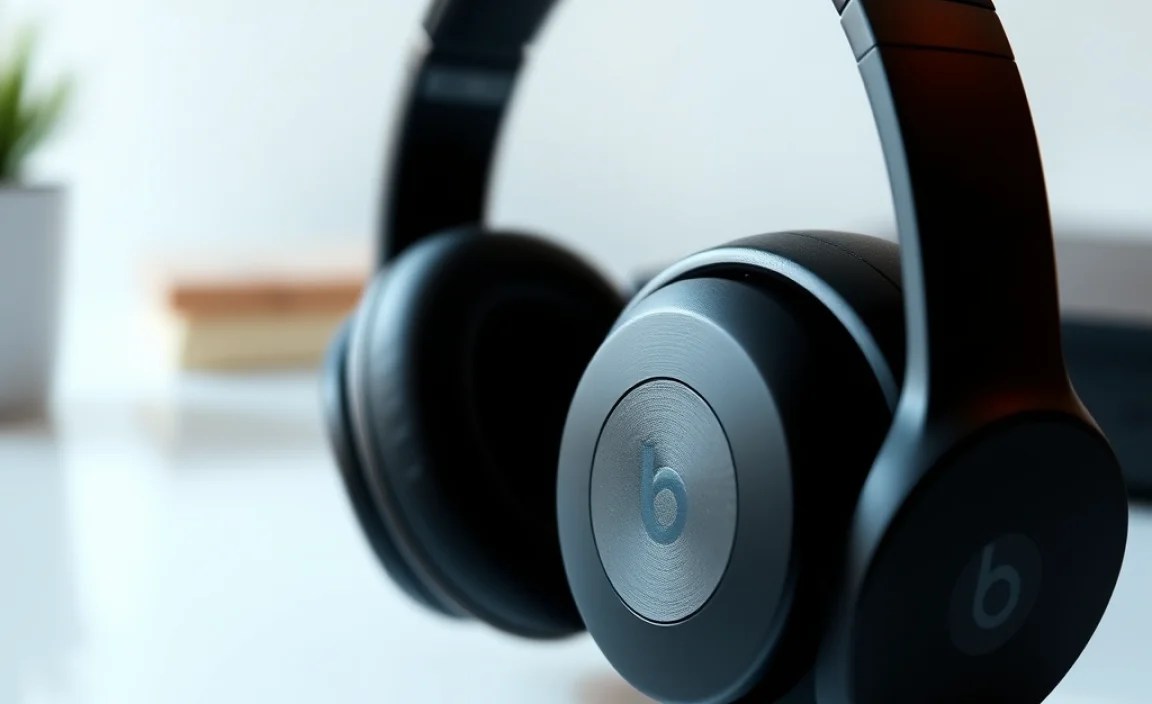
Getting your Beats connected is just the first step. Here’s how to make sure you’re enjoying them to their fullest:
- Charge Them Fully: Like all wireless devices, battery life is key. Get in the habit of charging your Beats when you’re not using them, especially before long trips or workdays.
- Experiment with ANC: If your model has Active Noise Cancellation, play around with turning it on and off in different environments. Notice how it affects your listening experience. Use transparency mode when you need to be aware of your surroundings.
- Fit is King: For earbuds, ensure you’re using the right size ear tips. A good seal is crucial for both sound quality (especially bass) and ANC performance. For over-ear models, adjust the headband for a comfortable, secure fit that doesn’t cause pain.
- Explore EQ Settings (if available): Some Beats models might offer sound customization through the Beats app or relevant operating system settings. While Beats are known for their bass, you might find settings that adjust the sound profile slightly to your preference.
- Keep Firmware Updated: Manufacturers often release updates to improve performance, fix bugs, and even add new features. Make sure your Beats are connected to your phone or tablet so they can receive these updates.
- Clean Your Headphones Regularly: Hygiene matters! Gently wipe down the earcups, headband, and earbuds with a soft, dry cloth. For ear tips, you can use a slightly damp cloth or specialized electronic wipes. Avoid harsh chemicals. For more in-depth cleaning advice, resources like CNET’s guide offer practical tips.
Understanding Battery Life
Battery life can be a dealbreaker for wireless headphones. Beats generally offer good performance, but it’s important to manage expectations:
- Over-Ear/On-Ear: Expect anywhere from 12-40 hours of playback depending on the model, ANC usage, and volume levels.
- True Wireless Earbuds: Typically offer around 5-9 hours of playback per charge, with the charging case providing multiple additional charges for a total of 15-30+ hours.
Remember, using ANC, playing music at high volumes, and using features like Spatial Audio can drain the battery faster.
Troubleshooting Common Beats Wireless Issues
Even the best tech can sometimes have a hiccup. Here are a few common issues and simple fixes:
- Won’t Turn On: Ensure they are charged. Try plugging them in for at least 30 minutes. If they still don’t power on, try a reset (check your model’s specific reset procedure, usually involving holding a button or combination of buttons).
- Bluetooth Connection Problems:
- Make sure Bluetooth is enabled on your device.
- Forget the Beats in your device’s Bluetooth settings and try pairing them again.
- Ensure the Beats are in pairing mode if connecting for the first time.
- Check for interference from other wireless devices.
- Try restarting both your device and your Beats.
- One Earbud Not Working (for true wireless):
- Ensure both earbuds are charged.
- Place both earbuds back in the charging case, close the lid for a few seconds, then open it again.
- Reset the earbuds (consult your manual for the specific process).
- Clean the charging contacts on the earbuds and inside the case.
- Sound Quality Issues (e.g., static, low volume):
- Check for dirt or debris in the speaker grilles.
- Ensure the fit is correct, especially for earbuds.
- Try pairing with a different device to see if the issue persists.
- Check your device’s volume and EQ settings.
If you continue to experience problems, don’t hesitate to consult the official Apple/Beats support pages for your specific model. They often have detailed diagnostic steps and warranty information.
Frequently Asked Questions
Q1: Are Beats worth the money for someone who just wants good sound for everyday listening?
A1: For many, absolutely! Beats offer a compelling blend of strong, energetic sound, a stylish design, and the convenience of wireless. If you enjoy music with impact and appreciate ease of use and a recognizable brand, they can be an excellent, essential buy. They are particularly good value when on sale.
Q2: What’s the main difference between Beats Studio Pro and Beats Solo?
A2: The biggest difference is the form factor. Beats Studio Pro are typically over-ear headphones designed for the most immersive sound experience and often feature the most advanced ANC. Beats Solo models are usually on-ear, making them more compact and portable, often at a more accessible price point.
Q3: How do I connect my Beats to my laptop?
A3: For laptops with Bluetooth, follow the same steps as connecting to an Android device: put your Beats into pairing mode and then find and select them from your laptop’s Bluetooth settings. For Apple Macs, the process is as simple as with iPhones and iPads, often just requiring you to bring them close.
Q4: Can I use Beats headphones for calls?
A4: Yes, all Beats wireless headphones are equipped with microphones and can be used for phone calls and voice chats. Most models offer decent call quality, with microphones designed to pick up your voice clearly.
Q5: Are Beats genuinely good for working out?
A5: Models like the Beats Fit Pro and Powerbeats Pro are specifically designed for workouts, featuring secure fits and sweat resistance. For the over-ear or on-ear models, they might be less ideal for very intense physical activity due to potential sweat buildup and less secure fit, but are fine for less strenuous exercise.
Q6: Do I need an Apple device to use Beats headphones?
A6: No, you do not need an Apple device. While Beats headphones offer seamless integration with Apple products, they work with any Bluetooth-enabled device, including Android phones, tablets, and Windows computers, using standard Bluetooth pairing.
Conclusion: Your Next Favorite Pair of Beats Awaits
Choosing the “best” Beats wireless headphones ultimately comes down to your personal preferences, lifestyle, and budget. Whether you crave the immersive comfort of over-ear cans, the portability of on-ear designs, or the athletic tenacity of true wireless earbuds, there’s a Beats model crafted to elevate your listening experience. They offer a fantastic gateway into the world of wireless audio, combining iconic style with robust performance that caters to everyday users and music lovers alike. By considering the form factor, key features like ANC, and how you plan to use them, you’re well on your way to finding that essential pair. So, go ahead, explore the lineup, and get ready to enjoy your favorite tunes, podcasts, and calls with the freedom and flair that Beats wireless headphones provide. Happy listening!
