
Quick Summary: Unlock wireless freedom for any headphones with the right Bluetooth adapter. This guide simplifies choosing the best adapter by covering key features like Bluetooth version, codecs, battery life, and connectivity options. Get ready to enjoy your favorite audio, wire-free, with confidence and clarity.
Best Bluetooth Adapter For Headphones: Your Essential Guide
Hey everyone, Edward Cavitt here from headphonehorizon! Are you tired of tangled cords holding your music, podcasts, or calls hostage? Or perhaps you have a beloved pair of high-quality wired headphones that you dream of making wireless? You’re in the right place! The world of Bluetooth adapters can seem a little daunting at first, with all sorts of specs and jargon. But don’t worry, I’m here to break it all down. Think of this as your friendly, no-nonsense guide to finding the absolute best Bluetooth adapter for your headphones. We’ll cover everything you need to know to make a smart choice, so you can finally experience the joy of truly wireless audio without any fuss. Let’s dive in!
Why You Need a Bluetooth Adapter for Your Headphones

In a world increasingly dominated by wireless technology, it’s easy to feel left behind if your favorite headphones aren’t Bluetooth-enabled. That’s where a Bluetooth adapter comes to the rescue! These nifty little devices act as a bridge, transforming your trusty wired headphones into wireless wonders. Whether you’re looking to cut the cord for greater freedom of movement or want to maintain the superior sound quality of your existing headphones without the inconvenience of wires, a Bluetooth adapter is your solution.
Imagine this: you’re on the go, commuting, exercising, or even just tidying up around the house, and your headphone cable gets snagged on something. With wired headphones, this can be anything from a minor annoyance to a potential hazard for your headphones or device. A Bluetooth adapter liberates you from this by establishing a stable wireless connection. It’s about convenience, yes, but it’s also about preserving your audio experience and your gear.
Furthermore, many modern devices, like some smartphones and laptops, are phasing out the traditional headphone jack. If you’re not ready to give up your favorite wired headphones but need to connect to these newer devices, a Bluetooth adapter is essential. It ensures compatibility and extends the life and usability of your existing audio equipment. It’s an investment in continued enjoyment of your audio, rather than a forced upgrade.
Understanding Key Features: What to Look For
Choosing the “best” Bluetooth adapter isn’t a one-size-fits-all situation. It depends entirely on your needs and priorities. To make an informed decision, let’s break down the most important features to consider. Understanding these will empower you to pick an adapter that perfectly matches your listening habits.
Bluetooth Version: The Foundation of Connectivity
This is perhaps the most crucial spec. Bluetooth technology has evolved significantly over the years, with each version bringing improvements in speed, range, efficiency, and audio quality support. The version of Bluetooth on both the adapter and your source device (like your phone or laptop) matters.
- Bluetooth 4.0/4.1: While older, these versions are still very common and functional for basic audio streaming. They offer decent range and battery efficiency.
- Bluetooth 4.2: A slight upgrade over 4.0/4.1, offering improved security and data transfer speeds.
- Bluetooth 5.0: This is a significant leap forward. Bluetooth 5.0 offers dramatically increased speed (up to 2x), longer range (up to 4x), and greater broadcast message capacity. It also boasts improved power efficiency, meaning your adapter and paired device will drain less battery.
- Bluetooth 5.1/5.2/5.3: These newer iterations build upon Bluetooth 5.0, bringing further enhancements in connection stability, direction finding capabilities (useful for location services), and Low Energy (LE) audio support. For the best overall experience, aim for Bluetooth 5.0 or newer.
When possible, match the Bluetooth version of your adapter with your source device for the best performance. However, higher versions are backward compatible, meaning a Bluetooth 5.0 adapter will work with older Bluetooth devices, though it won’t unlock all the advanced features.
Codecs: The Language of Your Audio
Bluetooth audio doesn’t transmit raw audio data. Instead, it uses codecs to compress and decompress audio signals. The codec used significantly impacts sound quality and latency (the delay between when sound is produced and when you hear it).
- SBC (Subband Coding): This is the mandatory, universal codec supported by all Bluetooth devices. It’s the fallback option if no other codec is supported by both devices. Its audio quality can be mediocre.
- AAC (Advanced Audio Coding): Popularized by Apple, AAC offers better sound quality than SBC, especially noticeable on Apple devices and many popular streaming services. If you’re an iPhone user, AAC support is a big plus.
- aptX (Audio Compression Technology): Developed by Qualcomm, aptX offers a significant improvement over SBC, providing near CD-quality audio with lower latency. It’s widely supported on Android devices and many other Bluetooth products.
- aptX HD: An enhanced version of aptX, providing even higher fidelity audio and better noise cancellation. It’s designed for high-resolution audio support.
- LDAC (Low Delay Audio Codec): Developed by Sony, LDAC is a high-resolution audio codec that can transmit data at up to 990 kbps, allowing for near-lossless audio quality. It’s currently one of the best codecs for wireless audio, but it’s primarily found on Sony devices and some other high-end Android phones and audio equipment.
- LHDC (Low Latency High-Definition Audio Codec) / HWA (Hi-Res Wireless Audio): Another high-resolution codec, offering excellent audio quality and low latency. It’s gaining traction but is less common than LDAC or aptX.
For the best possible sound quality, look for adapters that support codecs like aptX HD or LDAC, and ensure your source device also supports them. If you prioritize minimal delay, especially for watching videos or gaming, codecs like aptX Low Latency are ideal.
Battery Life and Charging: Staying Powered Up
If you’re buying a portable Bluetooth adapter (one that plugs into your headphone jack), battery life is crucial. You don’t want your adapter dying mid-playlist. Look at the manufacturer’s stated battery life in hours for continuous playback.
- Playback Time: Most adapters offer anywhere from 5 to 20+ hours of playback. Consider how long you typically listen between charges.
- Standby Time: This indicates how long the adapter can last when not actively playing music but still powered on.
- Charging Method: Is it charged via USB-C, Micro-USB, or does it have a proprietary charger? USB-C is the modern standard, offering faster charging and reversible connectors.
- Fast Charging: Some adapters support fast charging, giving you several hours of playback from just a few minutes of charging – a lifesaver when you’re in a hurry.
- Pass-through Charging: Some larger adapters might allow you to charge the adapter itself while still using it, effectively providing unlimited playback if plugged in.
For stationary use (e.g., connecting your TVs or home stereo to Bluetooth speakers or headphones), you might opt for a non-battery-powered adapter that plugs directly into a wall outlet or your device’s USB port for continuous power.
Connectivity and Range: Where and How You Connect
Beyond just Bluetooth, consider how the adapter physically connects and how far it can reach.
- Physical Connection: Most adapters use a 3.5mm audio jack, which is the standard for most headphones. Some might offer USB-C or Lightning adapters for specific devices.
- Range: Manufacturer-specified ranges (often around 10-30 meters or 33-100 feet) can be optimistic. Real-world performance depends on obstacles like walls and interference. Aim for adapters with a good reputation for stable connections within your typical usage environment.
- Multiple Device Connectivity (Multi-point): Some adapters can connect to two devices simultaneously. This is incredibly useful if you want to switch seamlessly between your laptop for a video call and your phone for music.
- Transmitter vs. Receiver Mode: Some adapters can work in two modes:
- Receiver (RX): This is the most common mode for headphones. It receives a Bluetooth signal from your phone/laptop and sends it to your wired headphones.
- Transmitter (TX): This mode sends audio via Bluetooth from a non-Bluetooth source (like a TV or an older stereo) to Bluetooth headphones or speakers. Some advanced adapters can do both!
- Input/Output Options: For home use, consider adapters with multiple input/output options like RCA or optical audio for greater flexibility with your existing audio equipment.
Form Factor and Portability: Size Matters
The physical design of an adapter can make a big difference in usability.
- Compact and Lightweight: Ideal for travel and for keeping your headphone cable tidy.
- Clip-on Design: Some adapters come with a clip to attach to your clothing, keeping them secure and close to your headphones.
- Built-in Microphone: If you plan to take calls, ensure the adapter has a built-in microphone. Check reviews for mic quality.
- Physical Controls: Look for buttons for play/pause, volume control, and track skipping for convenient operation without needing to pull out your phone.
Types of Bluetooth Adapters for Headphones

Bluetooth adapters come in various forms, each suited for different scenarios. Let’s explore the main types:
1. Portable Bluetooth Audio Receivers
These are the most common type. They are small, lightweight devices that plug into your headphone jack. You pair them with your audio source (phone, tablet, computer), and they then transmit the audio wirelessly to your wired headphones, which are also plugged into the adapter.
Best For::
- Making any pair of wired headphones wireless.
- Students, commuters, and travelers.
- Users who already own high-quality wired headphones and don’t want to buy wireless ones.
Example Scenario: You have a favorite pair of comfortable, noise-canceling wired headphones. You plug them into a small portable Bluetooth receiver, pair the receiver with your smartphone (which lacks a headphone jack), and enjoy your music wirelessly while your phone is in your pocket.
2. Bluetooth Transmitters/Receivers for Home Use
These are often larger, designed to be plugged into your home entertainment system, TV, or stereo. They typically have more robust power options (wall outlet or USB) and might offer more advanced connectivity like optical audio (Toslink) or RCA inputs/outputs.
Best For::
- Connecting non-Bluetooth TVs or audio sources to wireless headphones or speakers.
- Upgrading older stereo systems to Bluetooth capability.
- Users who need high-quality audio transmission over potentially longer distances within a home.
Example Scenario: Your new smart TV doesn’t have a headphone jack, but you prefer using your high-fidelity wired headphones. You connect a Bluetooth transmitter/receiver to your TV’s optical audio output, pair it with your headphones, and can now watch TV wirelessly with excellent sound quality.
3. Bluetooth Adapters with Built-in Headphones
While not strictly an “adapter” in the sense of modifying existing headphones, these devices essentially combine a Bluetooth receiver and headphones into one unit. They often have a small neckband or clip-on design with earbuds or connect via a short cable to small earbud units.
Best For::
- Users looking for a convenient all-in-one wireless solution without being tied to a specific headphone model.
- Lightweight, on-the-go listening.
Example Scenario: You want a super simple wireless experience for your daily commute, without having to plug anything into your phone or manage separate components. You wear a small neckband receiver and its attached earbuds.
4. USB Bluetooth Dongles (for PCs/Laptops)
These small USB devices are plugged into your computer to add or upgrade Bluetooth functionality. While they can connect to Bluetooth headphones, they are more general-purpose Bluetooth adapters for your computer.
Best For::
- Computers that lack built-in Bluetooth.
- Upgrading an older computer’s Bluetooth capabilities to newer standards for better headphone support.
Example Scenario: Your laptop has Bluetooth, but it’s an older version that doesn’t support your high-quality Bluetooth headphones well. You plug in a new USB Bluetooth 5.0 dongle and suddenly get better range, stability, and audio codecs.
Recommended Bluetooth Adapters (Examples & Considerations)
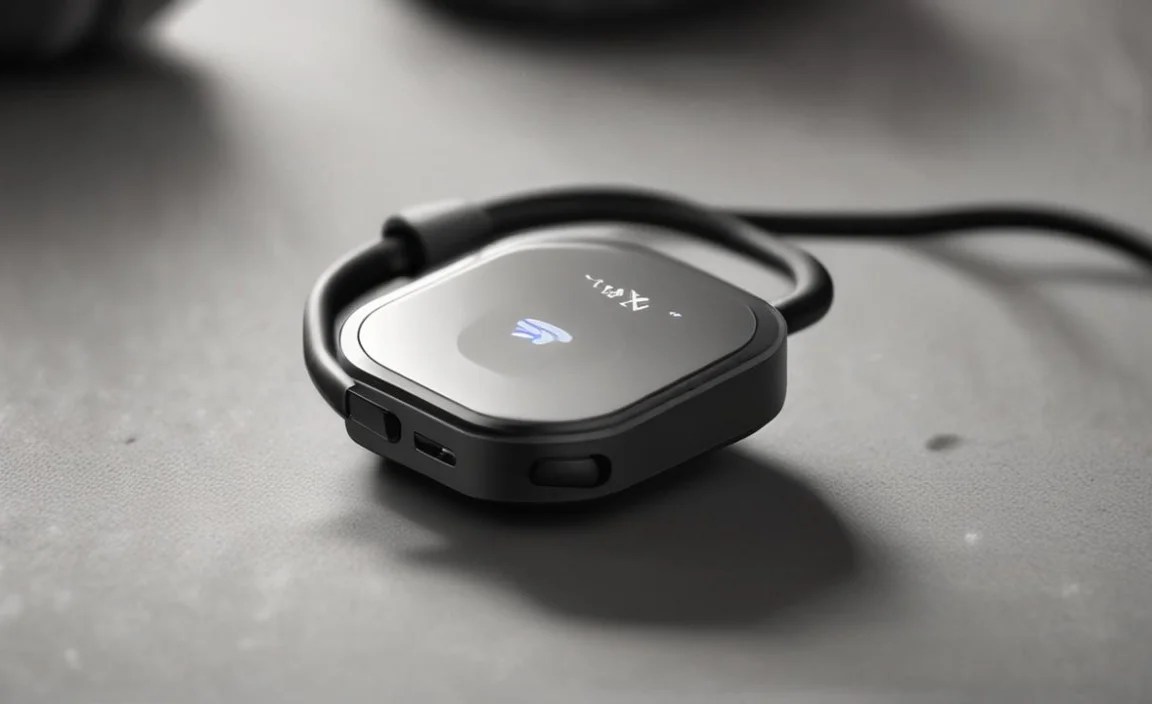
While “best” is subjective, here are a few categories and popular examples that highlight what to look for. Always check the latest reviews and specifications before purchasing.
Best for Portability and Overall Performance
Products like the FiiO BTR series (e.g., BTR3K, BTR5) are often lauded. They are compact, support a wide range of premium codecs (LDAC, aptX HD), have excellent build quality, use modern USB-C charging, and often feature OLED displays for status information. They also typically support multi-point connectivity and have good battery life.
| Feature | FiiO BTR Series (Example) | What it Means for You |
|---|---|---|
| Bluetooth Version | 5.0/5.1 | Great range, speed, and power efficiency. Compatible with most modern devices. |
| Supported Codecs | SBC, AAC, aptX, aptX HD, LDAC | Near-lossless audio quality is possible if your phone supports LDAC or aptX HD. |
| Battery Life | 9-11 hours playback | Sufficient for most daily listening sessions and commutes. |
| Connectivity | 3.5mm headphone jack, USB-C charging, often supports multi-point | Works with most headphones, easy to charge, can connect to phone and laptop. |
| Other Features | Built-in mic, OLED display, app control | Take calls, see connection status, fine-tune settings. |
Best Budget-Friendly Option
Brands like Anker often offer reliable Bluetooth adapters at a more accessible price point. While they might sacrifice some advanced codec support, they usually provide stable connections, decent battery life, and good core functionality.
| Feature | Anker Soundsync (Example) | What it Means for You |
|---|---|---|
| Bluetooth Version | 5.0 | Good, modern connectivity. |
| Supported Codecs | SBC, AAC (check specific model) | Acceptable audio quality for everyday listening. May not be lossless. |
| Battery Life | Up to 10-15 hours | Solid for daily use. |
| Connectivity | 3.5mm headphone jack, Micro-USB charging | Compatible with most headphones. Micro-USB is older but functional. |
| Other Features | Built-in mic, compact design | Convenient for calls and portability. |
Best for Home Entertainment (Transmitter/Receiver)
For connecting TVs to headphones, look for models like the Avantree Oasis Plus. These often feature support for aptX Low Latency, which is crucial for minimizing audio delay when watching videos. They also frequently include optical audio input and support for connecting two pairs of headphones simultaneously.
| Feature | Avantree Oasis Plus (Example) | What it Means for You |
|---|---|---|
| Bluetooth Version | 5.0 | Stable long-range connection, good for larger homes. |
| Supported Codecs | SBC, aptX, aptX HD, aptX Low Latency | Excellent for movies (aptX LL) and music (aptX HD). |
| Connectivity | 3.5mm, RCA, Optical (Toslink) input/output, USB-C power | Connects to virtually any TV, stereo, or computer. Always powered when plugged in. |
| Other Features | Dual-link (connect 2 headphones), long range (Class 1 Bluetooth) |
