
Unlock amazing audio on your Android device! This guide helps beginners find the best Bluetooth headphones for crystal-clear sound, comfortable fit, and reliable connections, making your music and calls sound brilliant.
Best Bluetooth Android Headphones: Genius Sound for Everyone
Hey everyone, Edward Cavitt here from headphonehorizon! If you’re anything like me, your smartphone is your portable concert hall, your on-the-go office, and your connection to the world. And what makes that experience truly shine? Great audio accessories! Today, we’re diving into the fantastic world of Bluetooth headphones specifically for Android users. Whether you’re a seasoned audiophile or just want to upgrade from those tiny earbuds that came with your phone, finding the “best” can feel a little overwhelming. Don’t worry, that’s where I come in. We’ll break down what to look for, highlight some top contenders, and make sure you get a pair that delivers “genius sound” without any headaches. Get ready to elevate your listening experience!
Why Bluetooth Headphones for Android? The Wireless Advantage

Let’s start with the basics. Why go wireless with Bluetooth headphones for your trusty Android device? It’s all about freedom and convenience. No more tangled wires getting caught on door handles or restricting your movement while you’re exercising or commuting. Bluetooth technology has advanced significantly, offering stable connections and impressive sound quality that rivals even wired options for most everyday listeners. For Android users, Bluetooth is a native, seamless way to connect to your phone, making setup a breeze. You can easily pair your headphones and enjoy your music, podcasts, or take calls without any fuss.
Think about it:
- Untethered Freedom: Move around freely without being physically connected to your phone.
- Simplified Connectivity: Modern Bluetooth is easy to pair and maintains a reliable link.
- Universal Compatibility: Almost all Android phones and tablets support Bluetooth audio.
- Versatile Use: Perfect for commuting, working out, gaming, and hands-free calls.
What Makes for “Genius Sound”? Key Features to Consider
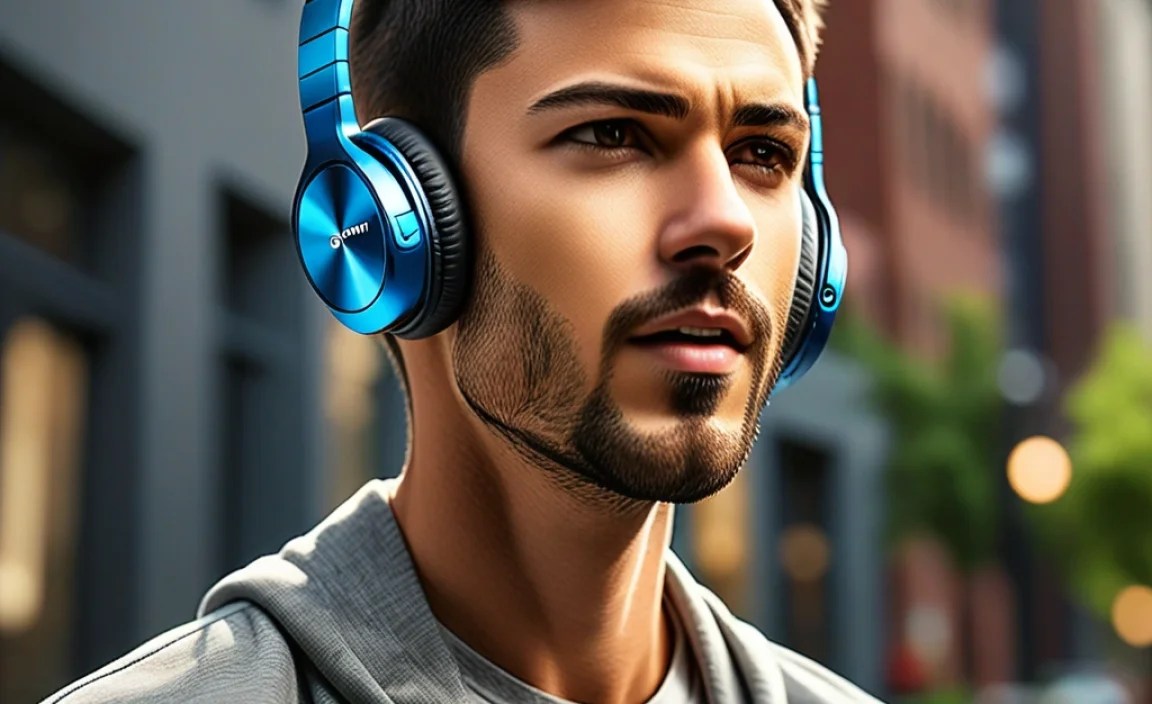
When we talk about “genius sound,” it’s not just about loudness. It’s about clarity, richness, and a balanced audio profile that makes your music come alive. Here are the key features to look out for when choosing the best Bluetooth Android headphones:
Sound Quality: Beyond Just Loud
This is the heart of the matter. Look for headphones that offer:
- Balanced Audio: You want clear highs, present mids, and a satisfying bass that doesn’t overpower everything else.
- Good Bass Response: For many music genres, a solid, well-defined bass is crucial.
- Clear Mids and Highs: Vocals should be distinct, and instruments should have detail.
- Low Distortion: Even at higher volumes, the sound should remain clean.
Comfort and Fit: For Extended Listening
You’re going to be wearing these, so comfort is paramount. Consider:
- Earcup/Earbud Material: SoftPadding for over-ear headphones, and comfortable, secure-fitting ear tips for in-ear models.
- Weight and Design: Lighter is generally better, especially for over-ear designs.
- Adjustable Headband: For over-ear headphones, ensure it fits snugly but comfortably.
- Secure Fit: Especially important for earbuds if you plan to use them during exercise.
Battery Life: Power Through Your Day
Nothing kills the mood faster than dead headphones. Aim for:
- High Playback Time: Most good Bluetooth headphones offer 20-40 hours on a single charge.
- Fast Charging Capabilities: A quick 10-15 minute charge can give you hours of playback.
- Charging Case (for earbuds): Offers multiple recharges on the go.
Connectivity and Codecs: The Tech Behind the Sound
This is where things can get a little technical, but we’ll keep it simple. Bluetooth uses codecs to transmit audio. For Android, you’ll commonly see:
- SBC (Subband Coding): The standard, universally compatible codec. It’s reliable but not the highest quality.
- AAC (Advanced Audio Coding): Common on Apple devices, but many Android phones support it too. Offers better quality than SBC.
- aptX/aptX HD/aptX Adaptive: Qualcomm codecs that offer significantly better sound quality and lower latency, especially for Android devices that support them. These are often a hallmark of premium Bluetooth headphones.
- LDAC: Sony’s high-resolution audio codec, capable of transmitting more data for superior sound quality, particularly on higher-end Android phones.
Tip: Check your phone’s developer options (you might need to enable them by tapping the build number in “About phone” multiple times) to see which codecs your device supports. For the best sound, look for headphones that support aptX HD or LDAC if your phone does too.
Noise Cancellation (ANC): Your Personal Cone of Silence
Active Noise Cancellation (ANC) uses microphones to detect and cancel out ambient noise. This is fantastic for noisy environments like planes, trains, or busy offices. Look for adjustable ANC levels if you like more control.
Microphone Quality: For Clear Calls
If you plan to take calls, a good built-in microphone is essential. Read reviews that specifically mention call quality. Features like beamforming microphones can help isolate your voice.
Durability and Water Resistance: For Life’s Adventures
If you’re active or prone to the occasional splash, look for an IP rating (e.g., IPX4, IPX5). This indicates resistance to sweat and water. A more robust build quality is also a plus.
Top Bluetooth Android Headphone Categories & Recommendations

Now that we know what to look for, let’s explore some of the best types of Bluetooth headphones that deliver a “genius sound” experience for Android users.
1. True Wireless Earbuds: Ultimate Portability
These are small, completely wireless earbuds that fit snugly in your ears. They usually come with a charging case that holds multiple recharges. Ideal for everyday use, commuting, and workouts.
Pros:
- Extremely portable and pocket-friendly.
- No wires whatsoever for maximum freedom.
- Many offer good sweat and water resistance.
Cons:
- Battery life per charge is typically shorter than over-ear models (though the case makes up for it).
- Easier to lose due to their small size.
- Some people find the fit less secure than other styles.
Key Features to Seek: Secure fit with multiple ear tip sizes, good battery life (with case), decent ANC, and reliable Bluetooth connectivity (aptX support is a bonus).
2. Over-Ear Headphones: Immersive Sound and Comfort
These headphones cover your entire ears, offering excellent passive noise isolation and often superior sound quality and comfort for long listening sessions. They usually boast longer battery life.
Pros:
- Often deliver the best sound quality and deepest bass.
- Very comfortable for extended wear.
- Excellent passive noise isolation.
- Tend to have longer battery life per charge.
Cons:
- Bulkier and less portable than earbuds.
- Can get warm on the ears during long sessions or in hot weather.
- May not be ideal for intense workouts due to size and potential for sweat build-up.
Key Features to Seek: High-quality drivers, strong ANC, comfortable padding, long battery life, and support for advanced codecs like aptX HD or LDAC are highly desirable here.
3. On-Ear Headphones: A Balance of Size and Sound
These rest directly on your ears, offering a compromise between the portability of earbuds and the immersion of over-ear headphones. They are often lighter than over-ear models.
Pros:
- More compact than over-ear headphones.
- Can offer good sound quality.
- Often lighter and can be more comfortable for some users than over-ear.
Cons:
- Can sometimes become uncomfortable after long periods as they press on the ears.
- Less passive noise isolation than over-ear models.
- May leak sound at higher volumes.
Key Features to Seek: Comfortable clamping force and earcups, good sound balance, and decent battery life.
Example Comparison: Popular Picks for Android
To give you a concrete idea, here’s a look at a couple of popular choices that consistently get praise for their performance with Android devices. I’ve kept the technical details simple so you can focus on the benefits.
| Headphone Type | Example Model (as of my last update) | Key Strengths for Android | Consider if… |
|---|---|---|---|
| True Wireless Earbuds | Sony WF-1000XM4/XM5 | Excellent ANC, impressive sound quality with LDAC support (check phone compatibility), comfortable fit with foam tips. | …you want top-tier noise cancellation and audiophile-grade sound in an earbud. |
| Over-Ear Headphones | Sennheiser Momentum 4 Wireless | Exceptional battery life (over 60 hours!), superb sound with aptX Adaptive support, great comfort for long flights or work sessions. | …long listening sessions, battery longevity, and premium sound are your top priorities. |
| True Wireless Earbuds (Value) | Anker Soundcore Liberty 4 NC | Great ANC for the price, good sound with AAC/SBC support, strong battery life, and a companion app for EQ customization. | …you want excellent features and sound without breaking the bank. |
| Over-Ear Headphones (Gaming/Versatile) | Sony WH-CH720N | Lightweight, comfortable, good ANC, long battery life, and decent sound for general listening and casual gaming. | …you need a solid all-rounder that’s comfortable for hours and won’t blow your budget. |
Disclaimer: Model availability and features can change. Always check the latest specifications and reviews before purchasing.
Step-by-Step Guide: Connecting Your New Headphones to Android
Getting new headphones is exciting! Here’s how to connect them to your Android phone or tablet smoothly:
Step 1: Prepare Your Headphones
First, make sure your Bluetooth headphones are charged. If it’s a new pair, you might need to remove any plastic tabs on the charging contacts or earbuds. Then, put them into pairing mode. This usually involves:
- Holding down the power button for a few seconds until an indicator light flashes (often blue or white).
- Pressing and holding a dedicated Bluetooth button.
- Opening the charging case (for true wireless earbuds) and waiting for them to enter pairing mode automatically.
Check your headphone’s manual if you’re unsure how to activate pairing mode.
Step 2: Enable Bluetooth on Your Android Device
On your Android phone or tablet:
- Open the Settings app.
- Tap on Connected devices or Connections.
- Tap on Bluetooth.
- Make sure the Bluetooth toggle is switched to the On position.
Step 3: Scan for Devices and Pair
Once Bluetooth is on, your Android device will start scanning for available devices nearby. Your headphones should appear in the list under “Available devices” or “Paired devices” (if you’ve used them before). This might take a moment.
- Tap on the name of your headphones when they appear in the list.
- You might see a confirmation prompt asking you to “Pair” or “Allow access.” Tap Pair or Allow.
- Some headphones might require a PIN (often 0000 or 1234), but this is less common now.
Once successfully paired, your headphones will usually move to the “Paired devices” list and show “Connected” or “Connected for calls and audio.”
Step 4: Test Your Sound
Play some music or a video on your Android device. You should now hear the audio through your Bluetooth headphones! Make sure the volume is at a comfortable level on both your phone and your headphones.
Step 5: Explore Headphone App Features (Optional)
Many higher-end Bluetooth headphones come with companion apps (e.g., Sony Headphones Connect, Bose Music, Sennheiser Smart Control). Download the app from the Google Play Store for your specific headphone model. These apps often allow you to:
- Customize EQ settings to tailor the sound.
- Adjust active noise cancellation levels.
- Update headphone firmware.
- Remap control buttons.
- Check battery status.
Maintaining Your Headphones for Longevity
Just like any good gear, a little care goes a long way in keeping your Bluetooth headphones sounding great and lasting for years. Here are some simple maintenance tips:
Cleaning Your Headphones
Regular cleaning prevents debris buildup and ensures optimal performance and hygiene.
For Earbuds:
- Ear Tips: Gently pull off the silicone or foam ear tips. Wash them with mild soap and water, then rinse thoroughly and let them air dry completely before reattaching.
- Earbud Body: Use a dry, soft-bristled brush (like an old, clean toothbrush) or a cotton swab to gently remove wax and dirt from around the speaker grilles and charging contacts. For stubborn residue, a slightly damp (not wet!) cloth can be used, but avoid getting moisture into any openings.
- Charging Case: Wipe the inside and outside with a dry microfiber cloth. Ensure charging pins are clean – a dry cotton swab can help here too.
For Over-Ear/On-Ear Headphones:
- Earcups: If they are removable, follow the instructions for earbud tips. If not, use a slightly damp cloth to wipe the exterior. For plush earpads, use a damp cloth and mild soap, then wipe with a clean, damp cloth and let them air dry thoroughly. Avoid over-saturating.
- Headband: Wipe with a dry or slightly damp cloth.
- Headphone Body: Use a dry microfiber cloth to clean the plastic or metal surfaces.
Important: Never submerge headphones or earcups in water (unless specifically stated as waterproof). Avoid harsh chemicals or abrasive materials.
Proper Storage
When you’re not using your headphones, store them safely to protect them from damage, dust, and extreme temperatures.
- Use the original case: Most headphones, especially true wireless earbuds and premium over-ear models, come with a protective case. Use it!
- Avoid extreme temperatures: Don’t leave them in a hot car or a freezing garage.
- Keep them untangled: For wired headphones (or if you’re storing Bluetooth ones with a detachable audio cable), avoid wrapping the cable too tightly.
Battery Care
Lithium-ion batteries in Bluetooth headphones are pretty robust, but a few best practices can help maintain their lifespan:
- Avoid deep discharges: Try not to let the battery completely drain to 0% regularly.
- Don’t overcharge constantly: While modern devices have protection, keeping them plugged in for days on end isn’t ideal. The charging cases for true wireless earbuds have built-in overcharge protection.
- Charge in moderate temperatures: Very high or low temperatures can stress the battery during charging.
For more in-depth battery care information, resources like those from the U.S. Department of Energy offer insights into battery technology and best practices.
Firmware Updates
Many modern Bluetooth headphones receive firmware updates that can improve sound quality, connectivity, ANC performance, and fix bugs. Keep an eye on the manufacturer’s app or website for these updates and install them when available.
Troubleshooting Common Bluetooth Issues
Even the best tech can sometimes act up. Here are some quick fixes for common Bluetooth problems with your Android headphones:
1. Headphones Won’t Connect
- Are they charged? Low battery can prevent pairing.
- Are they in pairing mode? Make sure they are discoverable.
- Is Bluetooth on on your phone? Double-check your Android
