
Quick Summary: Discover the top Bluetooth over-ear noise-cancelling headphones for undisturbed listening. This guide breaks down key features, helps you choose the perfect pair for your needs, and offers simple tips for making the most of your audio sanctuary.
The Best Bluetooth Over-Ear Noise-Cancelling Headphones: Your Essential Guide
Hello, audio adventurers! Edward Cavitt here from Headphone Horizon. Are you tired of the world’s distractions ruining your favorite tunes, podcasts, or that crucial work call? You’ve come to the right place! We’re diving deep into the wonderful world of Bluetooth over-ear noise-cancelling headphones. Forget the chatter, the rumble of the train, or the hum of the office; these headphones are your personal oasis of sound. Whether you’re a seasoned audiophile or just starting to explore better audio, this guide will help you cut through the noise and find the perfect pair that fits your lifestyle and budget. Let’s get started on your journey to sonic bliss!
Why Over-Ear Noise-Cancelling Headphones? Understanding the Magic

So, what makes over-ear noise-cancelling headphones such a game-changer? It’s a powerful combination of comfort and quiet. Over-ear headphones, also known as circumaural headphones, completely enclose your ears. This passive isolation is the first layer of defense against outside noise. They create a seal around your ears, naturally blocking out a good chunk of ambient sound. This alone can make a noticeable difference in noisy environments.
But the real magic happens with Active Noise Cancellation (ANC). ANC technology uses microphones to detect ambient sounds. Then, it produces an opposite sound wave, effectively canceling out the noise before it reaches your ears. Think of it like noise-cancelling waves in the ocean perfectly meeting and neutralizing each other. This creates a serene listening environment, allowing you to enjoy your audio at lower, safer volumes, which is also better for your hearing health. According to the National Institute on Deafness and Other Communication Disorders (NIDCD), listening to loud sounds can cause damage, so ANC is a fantastic tool for preserving your hearing.
Key Features to Look For: What to Consider Before You Buy

Navigating the world of headphones can feel a bit overwhelming with all the specs and buzzwords. But don’t worry, we’ll break down the most important features for Bluetooth over-ear noise-cancelling headphones. Focusing on these will help you make an informed decision.
1. Active Noise Cancellation (ANC) Performance
This is where the “noise-cancelling” part comes in! Not all ANC is created equal. Some headphones offer more aggressive noise cancellation than others. Consider where you’ll be using them most:
- Frequent travelers: Look for headphones that excel at cancelling low-frequency, consistent noises like airplane engines or train rumble.
- Office workers or students: Mid-frequency sounds like chatter and keyboard clicks are essential to block.
- Commuters: A good balance of both low and mid-frequency cancellation is usually ideal.
Many brands offer adjustable ANC levels, allowing you to tailor the cancellation to your environment. Some even have an “Awareness” or “Transparency” mode, which uses the microphones to let in ambient sound when you need to hear your surroundings without taking off your headphones – perfect for announcements or quick conversations.
2. Sound Quality
Even with the best ANC, you want your music to sound fantastic. Here’s what to listen for:
- Audio Balance: Do the bass, mids, and treble sound clear and distinct, or is one overpowering the others?
- Clarity: Can you easily pick out individual instruments or vocals?
- Soundstage: This refers to how “wide” or “immersive” the audio sounds, giving you a sense of space.
While an audiophile might get deep into driver sizes and frequency response graphs, for most beginners, think about what you like. Do you prefer a powerful bass for your workout playlist, or a more neutral, balanced sound for critical listening?
3. Comfort and Fit
You’ll be wearing these for hours, so comfort is paramount. Over-ear headphones should:
- Have plush earcups: Look for memory foam or soft leatherette materials.
- Provide a secure yet gentle clamping force: They should stay put without squeezing your head too tightly.
- Be relatively lightweight: Especially important for long listening sessions.
- Feature an adjustable headband: To fit various head sizes.
Also, consider the materials. Some earcups can get warm with extended use. Breathable materials or those that wick away moisture can be fantastic for comfort.
4. Battery Life
This is crucial for wireless headphones. How long do they last on a single charge, especially with ANC activated? Most premium models offer anywhere from 20 to 40 hours of playback. Consider your usage: if you’re a frequent flyer, you’ll want a higher number than someone using them for a daily commute.
Also, check for:
- Fast Charging: A quick 10-15 minute charge can often provide several hours of playback, a lifesaver when you’re in a hurry.
- USB-C Charging: It’s the modern standard, making compatibility easier.
5. Bluetooth Connectivity and Codecs
Bluetooth version matters. Newer versions (like Bluetooth 5.0 and above) offer better stability, longer range, and improved power efficiency. Look for support for codecs like:
- SBC (Sub-band Coding): The most basic and widely compatible codec.
- AAC (Advanced Audio Coding): Common for Apple devices, offering better quality than SBC.
- aptX (and its variants like aptX HD, aptX Adaptive): Found on many Android devices and PCs, offering higher fidelity audio.
If you’re a smartphone user, check which codecs your phone supports for the best possible wireless audio quality.
6. Microphone Quality
If you plan to use your headphones for calls, the built-in microphones are important. Good headphones will have multiple microphones that help isolate your voice from background noise. Look for reviews that specifically mention call quality in different environments.
7. Durability and Build Quality
Headphones can be an investment, so you want them to last. Check for:
- Sturdy materials: Metal components in the headband or hinges are a good sign.
- Hinges and folding mechanisms: Ensure they feel robust and not flimsy.
- Quality earcups and padding: These are often replaceable, a good sign of a manufacturer thinking about longevity.
Top Picks: Best Bluetooth Over-Ear Noise-Cancelling Headphones (as of [Month, Year] – Note: Prices and availability can change)
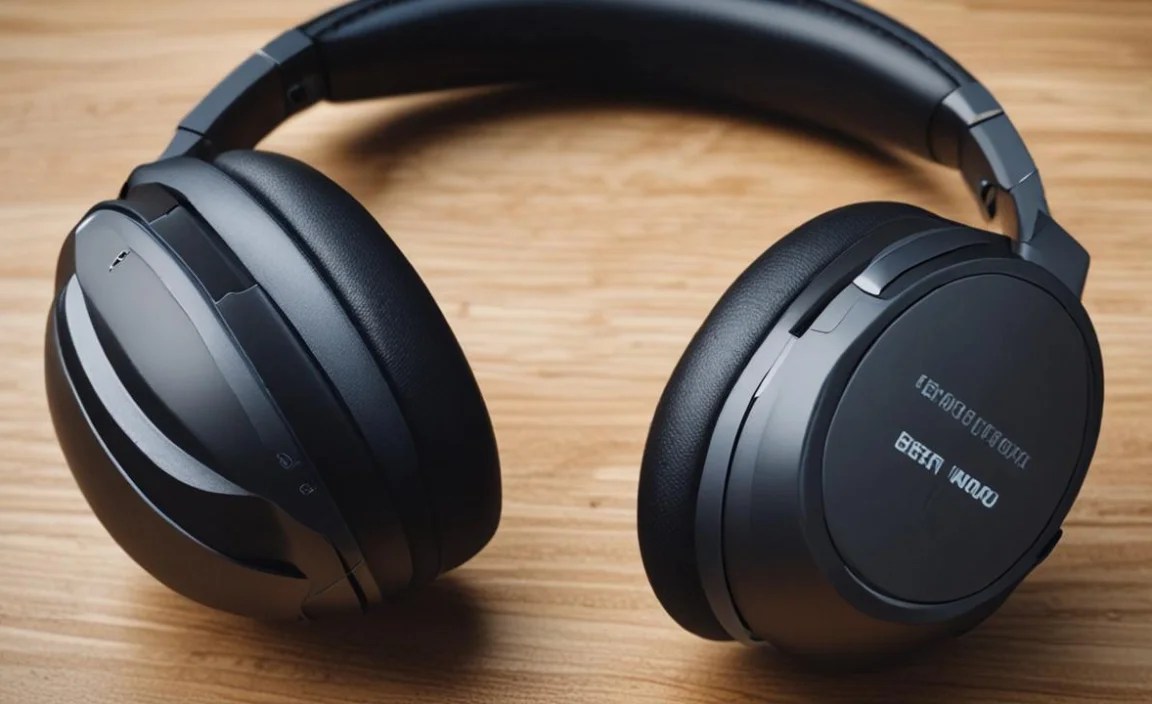
![Top Picks: Best Bluetooth Over-Ear Noise-Cancelling Headphones (as of [Month, Year] – Note: Prices and availability can change)](https://i2.wp.com/headphonehorizon.com/wp-content/uploads/2026/04/top-picks-best-bluetooth-over-ear-noise-cancelling-headphones-as-of-month-year-note-prices-and-availability-can-change.webp)
Choosing from the vast array of options can be tough. Here are some of the consistently highly-rated and beginner-friendly Bluetooth over-ear noise-cancelling headphones that offer excellent value and performance. Remember, the “best” is subjective and depends on your personal priorities!
For the Ultimate Noise-Cancelling Experience:
| Headphones | Key Strengths | Considerations | Price Range (Approx.) |
|---|---|---|---|
| Sony WH-1000XM5 / XM4 | Industry-leading ANC, superb sound quality, comfortable for long flights, excellent app for customization. | Premium price point, XM4 is still a great value if available. | $$$ – $$$$ |
| Bose QuietComfort Ultra / QC45 | Exceptional comfort, very effective and natural-sounding ANC, simple to use. | ANC might be slightly less aggressive than Sony in some scenarios, sound profile very smooth. | $$$ – $$$$ |
For Great All-Around Performance and Value:
| Headphones | Key Strengths | Considerations | Price Range (Approx.) |
|---|---|---|---|
| Sennheiser Momentum 4 Wireless | Impressive battery life (up to 60 hours), rich and detailed sound, good ANC. | ANC is good but not quite class-leading compared to Sony/Bose. | $$$ |
| Soundcore Space Q45 | Excellent ANC for the price, long battery life, customizable EQ via app. | Build quality and materials feel good but not as premium as top-tier options. | $$ – $$$ |
For Budget-Conscious Buyers:
| Headphones | Key Strengths | Considerations | Price Range (Approx.) |
|---|---|---|---|
| Anker Soundcore Life Q30/Q35 | Very affordable, surprisingly good ANC for the price, decent sound, long battery life. | ANC can struggle with very specific frequencies, sound is good but less refined. | $ – $$ |
| JBL Tune 760NC | Lightweight, good bass response, decent ANC for everyday use. | May lack some of the advanced features and polish of more expensive models. | $$ |
Price ranges are approximate indicators: $ = Under $100, $$ = $100-$200, $$$ = $200-$300, $$$$ = Over $300. These are subject to change based on sales and retailers.
Living With Your Headphones: Essential Tips for Beginners

You’ve picked out your perfect pair – congratulations! Now, let’s make sure you get the most out of them. Here are some straightforward tips:
1. Getting the Best Bluetooth Connection
For a stable and clear connection:
- Keep your devices close: Bluetooth has a range, typically around 30 feet (10 meters). For the best performance, keep your headphones within a few feet of your phone or laptop.
- Minimize interference: Other Wi-Fi devices, microwaves, and even some Bluetooth peripherals can sometimes interfere. If you experience dropouts, try moving away from potential sources of interference.
- Update your device’s software: Ensure your smartphone, tablet, or computer has the latest operating system and Bluetooth drivers.
- Pairing correctly: Always follow the headphone manufacturer’s instructions for initial pairing. Usually, it involves putting the headphones in pairing mode (often by holding the power button) and then selecting them from your device’s Bluetooth settings.
2. Mastering Active Noise Cancellation (ANC)
Don’t be afraid to experiment! Most headphones allow you to adjust ANC levels. Try these settings:
- Full ANC: For maximum quiet on planes, trains, or in a busy cafe.
- Partial ANC / Ambient Mode: Great for walking outdoors or if you need to be aware of traffic or announcements.
- ANC Off: Saves battery and is fine for very quiet environments.
Some headphones have an “adaptive ANC” that automatically adjusts to your surroundings. Explore the companion app if your headphones have one – often, you can fine-tune ANC and EQ settings there.
3. Caring for Your Headphones for Longevity
A little care goes a long way:
- Clean earcups regularly: Use a slightly damp, soft, lint-free cloth to wipe down the earcups. Avoid harsh chemicals. For leatherette, a gentle leather cleaner can work wonders.
- Store them properly: Use the carrying case provided to protect them from dust, scratches, and accidental damage when not in use.
- Be gentle with the headband and hinges: Avoid over-stretching or forcing them.
- Charge the battery appropriately: Avoid leaving them plugged in constantly for weeks on end; follow manufacturer guidelines for optimal battery health. Most modern batteries handle this well, but it’s good practice.
You can find more detailed cleaning and maintenance guides on manufacturer websites or YouTube, often with visual demonstrations. For example, searching for “[Your Headphone Model] cleaning guide” will likely yield helpful results.
4. Extending Battery Life
Want every charge to last longer?
- Lower the volume: Loud music drains the battery faster.
- Use ANC judiciously: Turning ANC off when not needed can significantly extend playback time.
- Disable unused features: Some headphones have features like “multipoint” (connecting to two devices at once) or voice assistants that can consume a small amount of extra power when active.
5. Firmware Updates
Manufacturers often release firmware updates that can improve ANC performance, sound quality, Bluetooth stability, or add new features. Keep your Bluetooth headphones updated through their dedicated app to ensure you have the latest optimizations. This is a simple step that can make a big difference!
Troubleshooting Common Issues
Even the best gear can sometimes have a hiccup. Here are a few common issues and simple fixes:
- Issue: Headphones won’t pair or connect.
- Solution: Ensure Bluetooth is on your device. Restart both your headphones and your device. Try forgetting the headphones from your device’s Bluetooth list and re-pairing them from scratch. Make sure the headphones are charged.
- Issue: Sound is distorted or cutting out.
- Solution: Check for interference. Move closer to your device. Update your device’s Bluetooth drivers/software. If the issue persists, try a wired connection if your headphones support it to see if the problem is with the Bluetooth connection or the headphones themselves.
- Issue: ANC doesn’t seem to be working effectively.
- Solution: Ensure ANC is turned on and set to the desired level (check the app if applicable). Make sure the earcups are creating a good seal around your ears. Clean any microphones on the headphones, as blockages can impair ANC performance.
- Issue: Low battery life.
- Solution: Ensure you’re charging them fully. Use a reliable charger and cable. If the battery life has drastically decreased over time, it might be time to consider battery replacement services or new headphones, especially if they are several years old. Battery degradation is a natural process.
- Issue: One side is not producing sound.
- Solution: Check your device’s audio balance settings. Try pairing with a different device. If the problem persists across devices, it indicates a potential hardware issue with the headphones. Some headphones have removable ear pads; ensure the internal connection for the speaker is secure if you’re feeling adventurous and comfortable with DIY fixes.
Frequently Asked Questions (FAQ)
Q1: Are over-ear Bluetooth noise-cancelling headphones good for gaming?
While many are excellent for the immersive experience, latency (the delay between on-screen action and sound) can be an issue with some Bluetooth connections. For highly competitive gaming where split-second reactions are critical, wired headphones or those with very low-latency wireless audio (like gaming-specific wireless solutions) are often preferred. However, for casual gaming, story-driven games, or watching game streams, they can be fantastic.
Q2: Can I use my Bluetooth headphones while they are charging?
Most Bluetooth headphones can be used while charging, especially if they have a corded option (a detachable audio cable). When using them wirelessly while charging, ensure you are using a reputable charger and cable to avoid any safety hazards.
Q3: How do I know if my headphones are actively doing noise cancellation?
You’ll typically notice a subtle hiss or a feeling of “pressure” in your ears when ANC is on, especially in a quiet environment. The most obvious sign is the significant reduction of ambient noise when you turn ANC on, even without any audio playing.
Q4: Are expensive noise-cancelling headphones worth the cost?
For many, yes. The high price usually reflects superior ANC technology, better sound fidelity, build quality, comfort, and advanced features. If you travel frequently, commute in loud environments, or work in a noisy office, the peace and quiet these headphones provide can be invaluable and worth the investment for improved focus and audio enjoyment.
Q5: What’s the difference between noise cancelling and noise isolating?
Noise isolating is achieved by the physical design of the headphones – like the seal of over-ear cups or the snug fit of in-ear earbuds – blocking out sound passively. Noise cancelling (ANC) actively counteracts ambient soundwaves using microphones and opposing soundwaves. Good over
