
Quick Summary: Discover the best over-ear Bluetooth headphones for your needs. This beginner-friendly guide explains key features like comfort, battery life, and sound quality, helping you choose the perfect wireless audio companion for immersive listening.
Welcome to headphonehorizon! If you’re diving into the wonderful world of wireless audio, you’ve come to the right place. Over-ear Bluetooth headphones offer a fantastic blend of comfort, immersive sound, and the freedom to move without getting tangled.
But with so many options out there, picking the right pair can feel a little overwhelming. Don’t worry, I’m here to help you navigate through all the tech talk and find a set that will make your music, podcasts, and calls sound absolutely amazing. Let’s explore what makes a great pair of over-ear Bluetooth headphones and how to find your perfect match!
Why Choose Over-Ear Bluetooth Headphones?

Over-ear headphones, also known as circumaural headphones, fully enclose your ears. This design offers several advantages, especially when combined with Bluetooth technology:
- Superior Comfort: Plush earcups and a padded headband distribute weight evenly, making them ideal for long listening sessions.
- Enhanced Sound Isolation: The seal around your ears helps block out external noise passively, allowing you to focus on your audio.
- Rich, Immersive Audio: The larger drivers typically found in over-ear designs often produce a fuller, more detailed soundstage.
- Wireless Freedom: Bluetooth connectivity means no more cords to trip over or limit your movement.
- Long Battery Life: Many modern wireless over-ear models boast impressive battery performance, often lasting days on a single charge.
Key Features to Consider When Buying

When you’re looking for the “best bluetooth headphones over ear” for you, it’s not just about brand names. It’s about finding features that fit your lifestyle and listening habits. Here’s a breakdown of what truly matters:
1. Sound Quality
This is arguably the most important factor. While “best” is subjective, look for:
- Balanced Audio Profile: Do you prefer deep bass, clear mids, or crisp highs? Some headphones emphasize certain frequencies. Reading reviews can help you understand a headphone’s sound signature.
- Driver Size: Larger drivers (measured in millimeters) generally have the potential to produce a wider range of frequencies and more powerful sound, though design and tuning are equally important.
- Codec Support: Bluetooth relies on codecs to transmit audio. Common ones like SBC are standard. Higher-quality codecs like aptX, LDAC (often found on headphones with Android compatibility), or AAC (popular with Apple devices) can offer better sound fidelity.
2. Comfort and Fit
You’ll be wearing these, so comfort is paramount. Pay attention to:
- Earcup Material: Look for soft, breathable materials like memory foam covered in protein leather or velour for long-wearing comfort.
- Clamping Force: The headphones shouldn’t feel too tight or too loose. A good fit provides a seal without causing headaches.
- Weight: Lighter headphones are generally more comfortable for extended use.
- Adjustability: Ensure the headband can be adjusted to fit your head shape securely.
3. Battery Life & Charging
For Bluetooth headphones, battery life is crucial. Nobody wants their music to cut out mid-commute!
- Playback Time: Aim for at least 20-30 hours of playback on a single charge. Many premium models offer 50+ hours.
- Fast Charging: A quick 10-15 minute charge can sometimes provide a few hours of playback, which is incredibly useful.
- USB-C: This is the modern standard for charging, offering faster speeds and reversibility.
- Wired Option: Many Bluetooth headphones also come with a detachable audio cable, allowing you to use them passively if the battery dies or with devices that don’t have Bluetooth.
4. Active Noise Cancellation (ANC)
ANC uses microphones to detect ambient noise and generate an opposing soundwave to cancel it out. It’s a game-changer for travelers and commuters.
- Effectiveness: ANC varies in quality. Premium headphones often have superior ANC that can significantly reduce constant noises like airplane engines or office hum.
- Transparency Mode: This feature lets in external sounds so you can hear announcements or have conversations without removing your headphones.
5. Connectivity and Controls
Seamless connectivity and intuitive controls make for a frustration-free experience.
- Bluetooth Version: Newer versions (like Bluetooth 5.0 and above) offer better stability, range, and power efficiency.
- Multipoint Pairing: This allows your headphones to connect to two devices simultaneously, so you can switch between your laptop and phone easily.
- On-Ear Controls: Buttons or touch controls for play/pause, volume, track skipping, and handling calls are essential.
- Companion App: Some headphones come with apps that allow you to customize EQ settings, update firmware, and adjust ANC levels.
6. Microphone Quality
If you plan on making frequent calls or using voice commands, the built-in microphone is important.
- Clarity: Look for headphones with multiple microphones designed to isolate your voice from background noise.
- Call Quality Reviews: Check reviews specifically mentioning how clear the microphone is during calls in various environments.
Top Features in Popular Over-Ear Bluetooth Headphones

To give you a clearer picture, let’s look at how these features stack up in commonly sought-after categories. While specific models change, these represent typical strengths.
| Feature Category | What to Look For in the “Best” | Why It Matters for Everyday Use |
|---|---|---|
| Sound Quality | Balanced audio, support for high-fidelity codecs (aptX HD, LDAC, AAC), clear and detailed sound reproduction across frequencies. | Your music sounds richer and more lifelike, whether it’s a bass-heavy track or a vocal-focused podcast. |
| Comfort & Design | Plush memory foam earcups, adjustable headband with ample padding, lightweight construction, breathable materials. | You can wear them for hours without discomfort, perfect for long flights, study sessions, or workdays. |
| Battery Life | 30+ hours of continuous playback, fast charging capabilities (e.g., 10 mins for 3 hours), USB-C charging port. | Fewer charging interruptions mean more uninterrupted listening. Great for travel and busy schedules. |
| Active Noise Cancellation (ANC) | Effective ANC that can be adjusted or turned off, transparency mode for ambient awareness. | Blocks out distractions in noisy environments – ideal for commutes, busy offices, or focusing at home. |
| Connectivity & Controls | Bluetooth 5.0+, multipoint pairing, intuitive on-ear controls (physical or touch), stable connection. | Effortlessly switch between devices, manage music and calls without hassle, and enjoy a reliable wireless experience. |
| Call Quality | Multiple beamforming microphones, good noise reduction for voice during calls. | Clear conversations for important calls and easy interaction with voice assistants. |
How to Connect Your Bluetooth Headphones
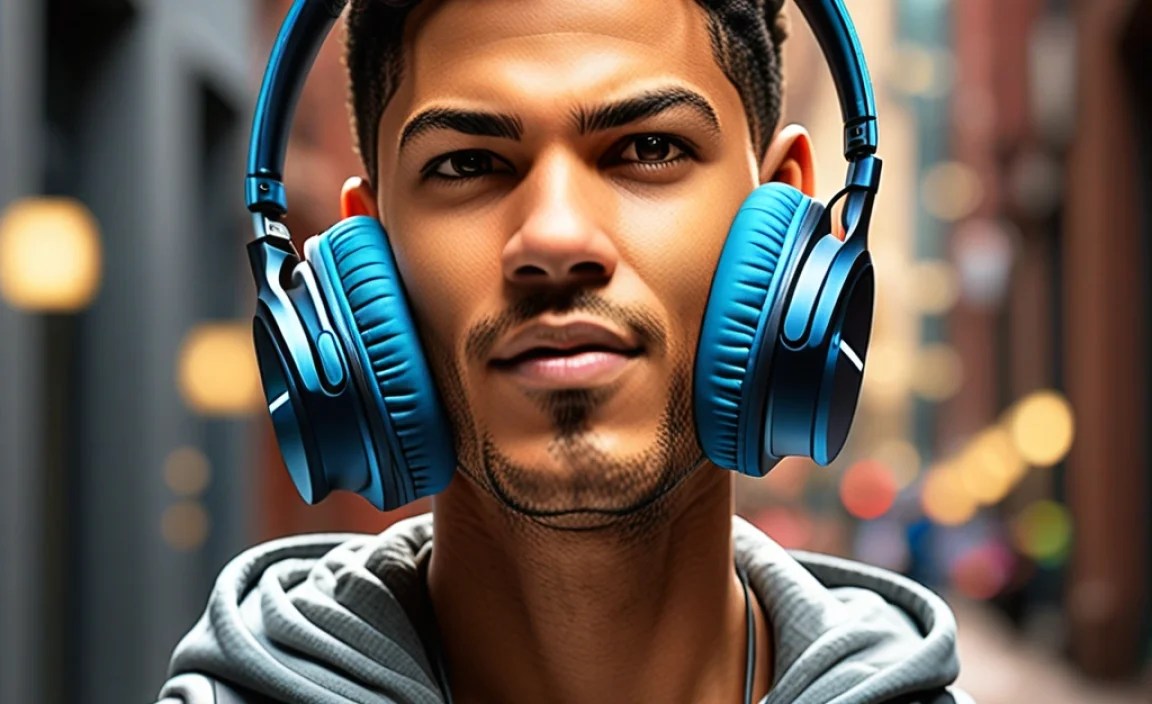
Connecting your new over-ear Bluetooth headphones is usually a straightforward process. Here’s a general guide:
- Charge Your Headphones: Before first use, ensure your headphones are sufficiently charged. Refer to your headphone’s manual for specific charging times.
- Put Headphones in Pairing Mode: This is the most crucial step and varies by model.
- Look for a dedicated Bluetooth button. You might need to press and hold it for a few seconds until an indicator light flashes (often blue or red/blue), and you might hear an audible cue like “pairing.”
- Some headphones enter pairing mode automatically on first power-up.
- Always consult your headphone’s user manual if you’re unsure. You can usually find these online on the manufacturer’s website by searching for your model name.
- Enable Bluetooth on Your Device:
- On Smartphones/Tablets (iOS/Android): Go to Settings > Bluetooth. Make sure the Bluetooth toggle is on.
- On Computers (Windows/macOS):
- Windows: Settings > Devices > Bluetooth & other devices. Ensure Bluetooth is turned “On.”
- macOS: System Preferences > Bluetooth. Make sure Bluetooth is enabled.
- Scan for Devices: On your device, initiate a scan for nearby Bluetooth devices. Your headphones should appear in the list of available devices, often by their model name (e.g., “Sony WH-1000XM5” or “Bose QuietComfort 45”).
- Select and Connect: Tap or click on your headphone’s name in the list. Your device will attempt to pair. You might be prompted to confirm a pairing code, but it’s often automatic.
- Confirmation: Once paired, your device will typically show the headphones as “Connected.” Your headphones might also give an audible cue like “connected” or the indicator light might change (e.g., to a solid blue).
For subsequent uses, your headphones should automatically reconnect to the last paired device when turned on and within range, provided Bluetooth is enabled on that device.
Tips for Maximizing Your Headphone Experience
Beyond just buying a great pair, a few simple tips can elevate your listening:
- Equalizer (EQ) Settings: Many headphones, especially those with companion apps, offer EQ adjustments. Experiment to find a sound profile that matches your preferences for different music genres or content. A good starting point is often a balanced, neutral setting.
- Firmware Updates: Keep your headphones updated. Manufacturers often release firmware updates (usually via a smartphone app) that can improve performance, fix bugs, or even add new features.
- Proper Storage: When not in use, store your headphones in their case or a safe place where they won’t get crushed or damaged. This helps preserve the earpads and headband.
- Regular Cleaning: Gently wipe down the earcups and headband with a damp (not wet!) cloth periodically. Avoid harsh chemicals. For detachable earcups, follow manufacturer instructions for deeper cleaning. This helps maintain hygiene and longevity.
- Battery Care: While modern lithium-ion batteries are robust, avoid fully draining them every time. Charging them when they’re around 20-30% and unplugging when full (or using smart charging features if available) can help maintain battery health over the long term.
Understanding Common Audio Terms
Don’t let audio jargon intimidate you! Here are a few terms you might encounter:
- Driver: The speaker unit within the headphone that produces sound.
- Frequency Response: The range of sound frequencies a headphone can reproduce, often measured in Hertz (Hz). A wider, flatter response is generally considered more accurate.
- Impedance: Measures electrical resistance (ohms). Lower impedance is generally easier for devices to power, which is typical for Bluetooth headphones.
- Sensitivity: How loud a headphone can get for a given power input. Higher sensitivity generally means louder sound.
- Soundstage: Refers to how “wide” or “spacious” the audio sounds, creating a sense of listening to live instruments or an orchestra rather than just sounds from within your head.
Troubleshooting Common Bluetooth Issues
Even the best tech can sometimes have a hiccup. Here are common fixes:
| Problem | Likely Cause | Solution |
|---|---|---|
| Headphones won’t pair | Not in pairing mode, already connected to another device, Bluetooth on device is off. | Ensure headphones are in pairing mode (check manual). Turn off Bluetooth on other nearby devices. Restart headphones and device, then try pairing again. |
| Intermittent connection/Choppy audio | Distance from device, interference from other devices (microwaves, Wi-Fi routers), low battery. | Move closer to your paired device. Reduce interference by moving away from other wireless devices. Charge your headphones. Forget and re-pair the headphones on your device. |
| No sound from one ear cup | Connection issue, driver malfunction, debris. | Check if the audio cable (if using wired mode) is fully plugged in. Restart headphones. Try pairing with a different device. If the problem persists, it might be a hardware issue requiring a professional repair or replacement. Gently check for any visible obstructions in the earcups. |
| Battery draining too quickly | High volume, heavy ANC usage, older battery, background processes. | Reduce volume. Turn off ANC when not needed. Check battery health status if your app provides it. Ensure no apps are actively draining the battery on your source device. |
| Calls sound muffled or distant | Microphone blocked, incorrect Bluetooth profile selected, software glitch. | Ensure the microphone isn’t covered. On your device’s Bluetooth settings, check that the correct “Headset” or “Hands-Free” profile is active. Restart both devices. |
For more in-depth troubleshooting, resources like the Federal Communications Commission (FCC) offer insights into wireless device interference, which can sometimes impact Bluetooth connections.
Frequently Asked Questions (FAQ)
Q1: How often should I charge my Bluetooth headphones?
You should charge your Bluetooth headphones when the battery is low, typically around 20-30%. Most modern headphones have enough battery to last many hours, so you don’t need to charge them after every single use. Overcharging isn’t usually an issue with modern lithium-ion batteries, but it’s good practice to avoid leaving them plugged in for days on end unnecessarily.
Q2: Can I use my Bluetooth headphones while they are charging?
Yes, most Bluetooth headphones can be used while charging, especially if they have a wired audio option. This is a great feature if your battery dies unexpectedly and you still need to listen. However, some users prefer not to use them while charging to potentially prolong battery lifespan, though it’s rarely an issue with contemporary devices.
Q3: What does Active Noise Cancellation (ANC) do exactly?
ANC is a technology that uses microphones to detect external ambient noise and then generates an inverse sound wave to cancel it out. This is particularly effective at reducing low-frequency, constant noises like airplane hum, train rumbles, or office air conditioning. It helps create a quieter environment for your audio.
Q4: Is Bluetooth audio quality really that different from wired?
Historically, yes, there was a noticeable difference. However, with advancements in Bluetooth codecs (like aptX, LDAC, and AAC) and the technology itself, the gap has significantly narrowed. For most everyday listeners, modern Bluetooth audio can sound virtually indistinguishable from wired audio. Audiophiles seeking the absolute highest fidelity might still prefer high-quality wired connections, but for general use, Bluetooth is excellent.
Q5: My headphones feel uncomfortable after a while. What can I do?
Comfort is subjective but crucial. Ensure your headphones’ headband is adjusted correctly and not clamped too tightly. If the earcups feel hot or stiff, consider models with memory foam and breathable materials like velour or perforated synthetic leather. Sometimes, even a slight misalignment can cause pressure points.
Q6: How do I ensure my headphones are safe for my hearing?
It’s important to listen at safe volume levels. The World Health Organization (WHO) recommends no more than 60% of maximum volume for extended periods (up to 60 minutes) to protect your hearing long-term. Many modern headphones also have companion apps that allow you to monitor or even limit your listening volume. Remember, prolonged exposure to any loud noise can cause damage.
Finding Your Perfect Pair
Choosing the best over-ear Bluetooth headphones is an exciting journey that opens up a world of convenient, high-quality listening. By considering sound quality, comfort, battery life, noise cancellation, and connectivity features, you’re well-equipped to make an informed decision. Don’t be afraid to read reviews, compare specs, and think about how you’ll use them most.
