
Discover the best Bluetooth headphones and earbuds for crystal-clear, wire-free audio. This guide helps beginners choose based on sound quality, comfort, battery life, and features like noise cancellation. Make informed decisions and enjoy your essential audio experience with confidence.
Finding Your Perfect Sound: A Beginner’s Guide to the Best Bluetooth Headphones & Earbuds

In today’s world, the freedom of wireless sound is a game-changer. Whether you’re commuting, working out, or just relaxing, the right Bluetooth headphones or earbuds can elevate your listening experience from ordinary to extraordinary. But with so many options out there, how do you pick the perfect pair? Don’t worry, this guide is here to help! We’ll break down what makes a great pair of Bluetooth headphones and earbuds, exploring key features, helping you understand the jargon, and ultimately guiding you to a purchase you’ll love.
Why Go Wireless? The Magic of Bluetooth Audio

Bluetooth technology has revolutionized how we enjoy audio. Gone are the days of tangled wires and limitations on movement. Bluetooth connects your audio device (like your phone or laptop) to your headphones or earbuds wirelessly, offering unparalleled convenience. This means you can:
- Move Freely: Exercise, dance, or simply get up and walk around without being tethered.
- Declutter Your Life: Say goodbye to the knotty mess of headphone cords.
- Enjoy Simplicity: Pairing is usually a straightforward process, getting you to your music faster.
- Stay Connected: Many earbuds can be used one at a time, allowing you to stay aware of your surroundings or take calls while still plugged into your audio.
Headphones vs. Earbuds: What’s the Difference for You?

The first big decision is whether you prefer over-ear headphones or in-ear earbuds. Both offer distinct advantages, and the “best” choice really depends on your lifestyle and personal preferences.
Over-Ear Headphones
These cover your entire ear. They often provide excellent comfort for long listening sessions and can deliver a rich, immersive sound experience. The earcups also naturally offer some level of passive noise isolation.
Pros
- Superior comfort for extended wear
- Often better sound quality and bass response
- Good passive noise isolation
- Can be more durable for home or office use
Cons
- Bulkier and less portable
- Can cause ears to feel warm after prolonged use
- Not ideal for intense sports or very hot weather
Earbuds (In-Ear Headphones)
These fit directly into your ear canal. They are incredibly portable and often come with various ear tip sizes to ensure a secure and comfortable fit. They are a favorite for workouts and on-the-go listening.
Pros
- Highly portable and discreet
- Excellent for exercise and active lifestyles
- Good passive noise isolation due to the seal in the ear canal
- Less likely to cause ear fatigue from heat
Cons
- Can be less comfortable for some users with prolonged wear
- Sound quality can vary more widely depending on fit
- Easier to lose if not stored properly
Key Features to Consider for the Best Bluetooth Headphones & Earbuds
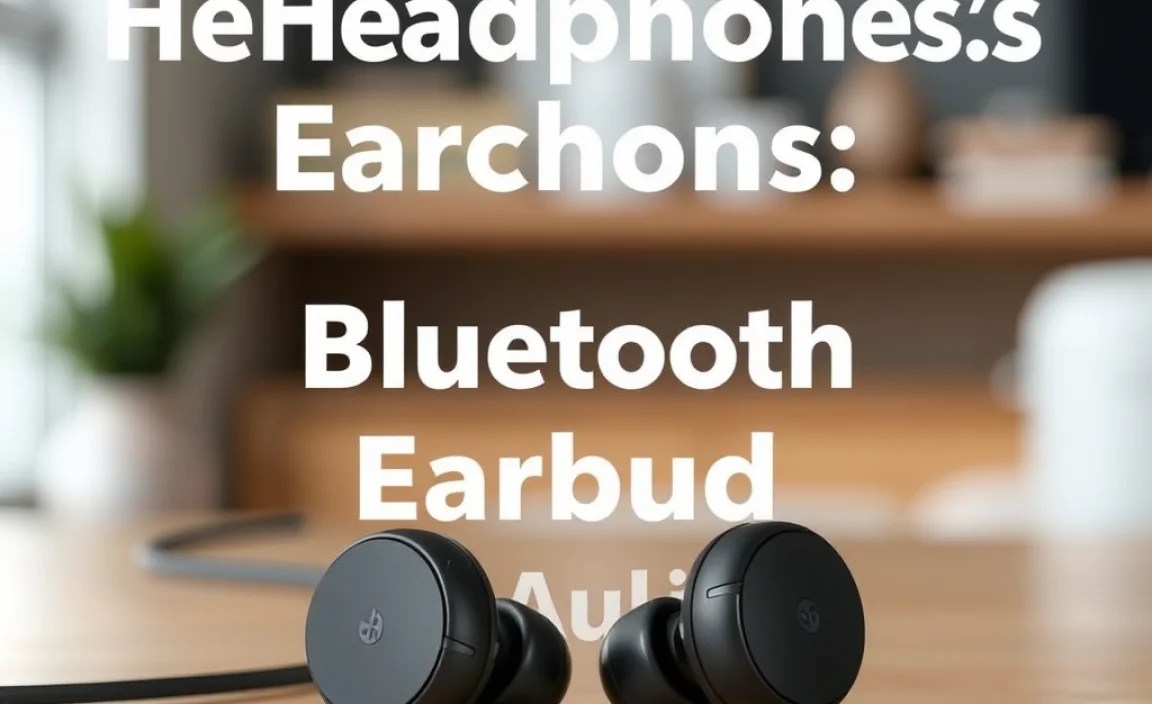
Now that you’ve thought about the form factor, let’s dive into the features that make a difference. Understanding these will help you navigate the crowded market and find audio gear that truly suits your needs.
Sound Quality
This is, of course, paramount. While “best” sound is subjective, there are objective qualities to look for. We’re talking about clarity, balance, and detail. A good pair of headphones will reproduce your music faithfully, with clear highs, well-defined mids, and satisfying bass that isn’t overpowering. Different brands and models tend to have their own sound signatures – some might emphasize bass for a more energetic feel, while others aim for a neutral response favored by audiophiles.
Battery Life
Wireless means you’re reliant on battery power. Check the specs for playback time on a single charge. For earbuds, also consider the total playtime provided by the charging case. Frequent travelers or those who often forget to charge will want devices with longer battery life. Many modern Bluetooth headphones and earbuds also support fast charging, giving you hours of playback from just a few minutes of charging – a lifesaver when you’re in a pinch.
Comfort and Fit
Whether over-ear or in-ear, comfort is crucial for enjoyable listening. Headphones should have plush earcups and an adjustable headband that doesn’t pinch. Earbuds should come with multiple sizes of ear tips (silicone or foam) and wingtips, allowing you to find a secure, comfortable fit that stays put without causing irritation. A good seal is also important for both sound quality and noise isolation.
Durability and Build Quality
You want your investment to last. Look for sturdy materials, a solid construction, and a design that can withstand daily wear and tear. For earbuds, especially if you plan to use them for sports, consider water and sweat resistance ratings (e.g., IPX ratings). An IPX4 rating, for instance, means they can handle splashes and sweat. You can find more information on IP ratings from official sources like the International Electrotechnical Commission (IEC) here.
Connectivity & Codecs
Bluetooth versions matter. Newer versions (like Bluetooth 5.0 and above) offer better stability, range, and power efficiency. Bluetooth codecs are also important. These are like translators between your device and your headphones, affecting sound quality and latency (the delay between audio and video). Common codecs include SBC (standard, widely compatible), AAC (better for Apple devices), and aptX (often found on Android devices, offering higher quality and lower latency). For the best audio quality and minimal delay, look for support for AAC or aptX, especially if your source device also supports them.
Noise Cancellation
This feature actively blocks out ambient noise, allowing you to focus on your audio. There are two main types:
- Active Noise Cancellation (ANC): Uses microphones to detect external noise and generate an opposing sound wave to cancel it out. This is great for noisy environments like planes, trains, or busy offices.
- Passive Noise Isolation: Achieved physically by the tight seal of the earbuds in your ear or the earcups of headphones around your ears. All headphones and earbuds provide this to some extent.
ANC is a premium feature and can significantly enhance your listening experience, especially if you value silence or clarity in noisy places.
Microphone Quality
If you plan to take calls or use voice commands, the quality of the built-in microphone is essential. Look for reviews that mention call clarity. Some headphones and earbuds have multiple microphones to help isolate your voice from background noise.
Understanding Bluetooth Earbud Styles
Within the earbud category, you’ll encounter a few distinct styles, each with its own advantages:
True Wireless Stereo (TWS) Earbuds
These are completely wire-free, with each earbud operating independently and connecting wirelessly to your device. They typically come with a charging case that also holds a reserve charge. This is the most popular type of earbud currently, offering maximum freedom of movement.
Wireless Neckband Earbuds
These have earbuds connected by a wire that rests around your neck. The cable often houses controls and the battery. They offer a good balance of convenience and security, as there’s less risk of losing an earbud, and they often boast longer battery life than TWS earbuds.
Sport/Fitness Earbuds
These are designed with active users in mind. They typically feature a secure fit (ear hooks, wingtips), water/sweat resistance, and sometimes, safety features like transparency modes. They prioritize stability and durability for rigorous activities.
Top Features to Look For in Different Scenarios
To help you narrow down your search, here’s a quick breakdown of why certain features are more important depending on how you’ll use your Bluetooth audio gear.
| Scenario | Key Features to Prioritize | Why It Matters |
|---|---|---|
| Commuting/Travel | Active Noise Cancellation (ANC), long battery life, comfortable fit, good call quality | ANC blocks out engine noise for a peaceful journey. Long battery ensures you won’t run out of juice. Comfort is key for long trips. |
| Workout/Sports | Secure fit (ear hooks/wingtips), water/sweat resistance (IPX rating), stable Bluetooth connection | Prevents earbuds from falling out during movement. Protects against damage from sweat and rain. Ensures uninterrupted audio during exercise. |
| Work/Study | Comfortable fit for long sessions, good microphone quality, ANC or passive isolation, stable connectivity | Avoids discomfort during extended use. Ensures clear communication for calls and virtual meetings. Minimizes distractions from your environment. |
| Casual Listening at Home | Excellent sound quality, comfortable design, good battery life | Enjoy your music with rich detail. Relax without physical strain. Less frequent charging means more uninterrupted listening. |
Getting Started: Pairing Your Bluetooth Headphones or Earbuds
Pairing your new wireless audio gear is usually a simple process. While specific steps can vary slightly between devices and manufacturers, here’s a general rundown:
Step 1: Charge Your Device
Before you begin, ensure your headphones or earbuds are sufficiently charged. Most devices will have an indicator light to show their charging status.
Step 2: Put Your Headphones/Earbuds into Pairing Mode
This is the crucial step where your headphones or earbuds become discoverable. For most devices, this involves pressing and holding a specific button (often the power button) for a few seconds until an LED indicator starts flashing, or you hear an audio cue like “pairing.” Consult your device’s manual if you’re unsure.
Step 3: Enable Bluetooth on Your Source Device
On your smartphone, tablet, or computer, go to your Bluetooth settings. Typically, you can find this in the main settings menu. Toggle Bluetooth on.
Step 4: Scan for Devices
Once Bluetooth is enabled, your device will search for available Bluetooth signals. Your headphones or earbuds should appear in the list of available devices, usually identified by their brand or model name.
Step 5: Select and Connect
Tap on the name of your headphones or earbuds from the list. Your devices should now connect. You might hear a confirmation sound or see a message indicating a successful connection.
Step 6: Confirm Pairing
For added security, some devices might prompt you to confirm a pairing code or PIN (often “0000” or “1234” if required). Once confirmed, you’re ready to go!
Maintaining your Bluetooth Headphones & Earbuds for Longevity
Keeping your Bluetooth audio gear in good condition ensures they perform well and last longer. Here are some simple maintenance tips:
- Keep them clean: Regularly wipe down the earcups or earbuds with a soft, dry cloth. For earbud tips, gently remove them and clean them with a slightly damp cloth or an alcohol swab, ensuring they are completely dry before reattaching. This prevents earwax buildup, which can affect sound quality and hygiene.
- Proper storage: When not in use, store your headphones or earbuds in their protective case. This shields them from dust, scratches, and potential damage.
