
Finding the best Bluetooth headphones for your iPhone or iPad is easy with this guide. We cut through the jargon to help you choose models offering seamless Apple integration, great sound, and long battery life. Learn about key features and get recommendations to elevate your listening experience.
Hey there, fellow music lovers and tech explorers! Edward Cavitt here from headphonehorizon. If you’re rocking an iPhone or iPad, you’re probably looking for that perfect set of wireless headphones that just works with your Apple gear. It can feel a bit overwhelming with all the options out there, right?
But don’t worry, I’m here to make it simple. We’ll dive into what makes a Bluetooth headphone great for iOS, explore some top contenders, and help you find a pair that will bring your favorite tunes, podcasts, and calls to life without any fuss. Let’s get listening!
Why Bluetooth Headphones Are a Game-Changer for iOS

The move to wireless audio has been a massive shift, and for iOS users, Bluetooth headphones offer an unparalleled level of convenience and integration. Gone are the days of tangled wires, and with Bluetooth, you get the freedom to move, work out, or just relax without being tethered to your device. For Apple products specifically, Bluetooth headphones can offer features that go beyond simple audio streaming, making them feel like a natural extension of your iPhone or iPad.
Seamless Pairing and Connectivity
One of the biggest advantages for iOS users is how easily most Bluetooth headphones pair with Apple devices. This is largely thanks to technologies that Apple has integrated into its ecosystem. You’ll often find that connecting a new pair of headphones is as simple as opening the case or holding the headphones near your iPhone. Many headphones also support Bluetooth 5.0 or newer, which provides a more stable connection, better range, and improved power efficiency. This means fewer dropouts and a more reliable listening experience overall.
Enhanced Audio Features
Beyond just basic sound, many Bluetooth headphones designed with iOS in mind offer advanced features. This can include:
- Active Noise Cancellation (ANC): Block out distracting background noise so you can focus on your audio.
- Transparency Mode: Hear your surroundings without taking your headphones off – perfect for conversations or staying aware of traffic.
- Spatial Audio: Experience immersive, theater-like sound with dynamic head tracking on supported content. This feature is particularly well-integrated with Apple’s own AirPods Pro and AirPods Max.
- High-Quality Audio Codecs: While Apple devices primarily use the AAC codec, many headphones also support other high-fidelity codecs, ensuring your music sounds as good as possible.
Voice Assistant Integration
Interacting with Siri becomes incredibly simple with many Bluetooth headphones. Dedicated buttons or touch controls on the headphones can usually be programmed to activate Siri, allowing you to play music, make calls, send messages, or get directions all with your voice, without ever needing to pull out your iPhone.
Key Features to Look For in Bluetooth Headphones for iOS

When you’re shopping for the best Bluetooth headphones for your iOS device, it’s important to know what features will give you the best experience. Don’t get bogged down by technical specs you don’t need; focus on what matters for your daily use.
Sound Quality
This is arguably the most important aspect. You want headphones that deliver clear highs, rich mids, and satisfying bass. Your personal preference matters here – some people like a more balanced sound, while others prefer a bass-heavy profile. Look for descriptions that talk about the driver size (larger often means richer sound) and the overall sound signature.
Comfort and Fit
You’ll be wearing these for hours! Whether you choose in-ear earbuds or over-ear cans, comfort is paramount. For earbuds, check for different ear tip sizes to ensure a snug, secure fit that also creates a good seal for better sound isolation. For over-ear headphones, consider the clamping force, ear cup material, and weight. A good fit also prevents sound leakage and improves bass response.
Battery Life
Nobody likes a dead battery. Check the manufacturer’s claims for both the headphone’s playtime on a single charge and the number of additional charges your charging case provides (if applicable). Many modern headphones offer quick charging features, giving you hours of playback from just a few minutes of charging.
Durability and Water Resistance
If you plan on using your headphones for workouts or in various weather conditions, look for an IP rating (Ingress Protection). An IPX4 rating, for example, means the headphones are protected against splashing water, which is great for sweat resistance. Higher ratings offer more protection.
Connectivity and Codecs
While most headphones support the standard SBC Bluetooth codec, look for support for AAC. Apple devices have excellent support for AAC, which offers better audio quality than SBC. Some higher-end headphones might also support aptX or LDAC, but these are less critical for iOS users unless you have specific needs.
Controls and Features
Consider how you’ll interact with your headphones. Do you want physical buttons, touch controls, or a combination? Think about controls for playback, volume, calls, and voice assistants. Features like multipoint pairing (connecting to two devices at once) can be incredibly useful for switching between your iPhone and iPad or laptop.
Top Bluetooth Headphone Categories for iOS Users

The world of Bluetooth headphones can be broken down into a few main types. Each offers a different experience, and the best choice for you depends on your lifestyle and preferences.
True Wireless Earbuds
These are the small, completely wire-free earbuds. They are incredibly popular for their portability and discreet design. They usually come with a charging case that keeps them powered up.
- Pros: Ultra-portable, discreet, no wires, great for exercise.
- Cons: Can be easy to lose, battery life per charge might be shorter than other types, fit can be finicky for some.
Wireless Neckband Earbuds
These earbuds have a wire connecting them, which rests around your neck. This wire often houses the battery and controls, which can make them less prone to being lost than true wireless options.
- Pros: Less likely to lose, battery often lasts longer than true wireless, controls are easily accessible.
- Cons: The neckband can be noticeable, not as discreet as true wireless.
On-Ear Headphones
These headphones rest on top of your ears. They are generally more compact than over-ear models but might not offer the same level of noise isolation or comfort for extended listening sessions.
- Pros: More portable than over-ear, can still offer good sound, lets in some ambient sound (which some prefer).
- Cons: Can press on ears for some, less effective noise isolation than over-ear.
Over-Ear Headphones
These completely enclose your ears. They often provide the most comfortable fit for long listening sessions, excellent noise isolation, and the richest sound experience, especially with larger drivers.
- Pros: Supreme comfort, excellent sound quality, best passive noise isolation.
- Cons: Bulky, less portable, can get warm during long use.
Recommended Bluetooth Headphones for iOS
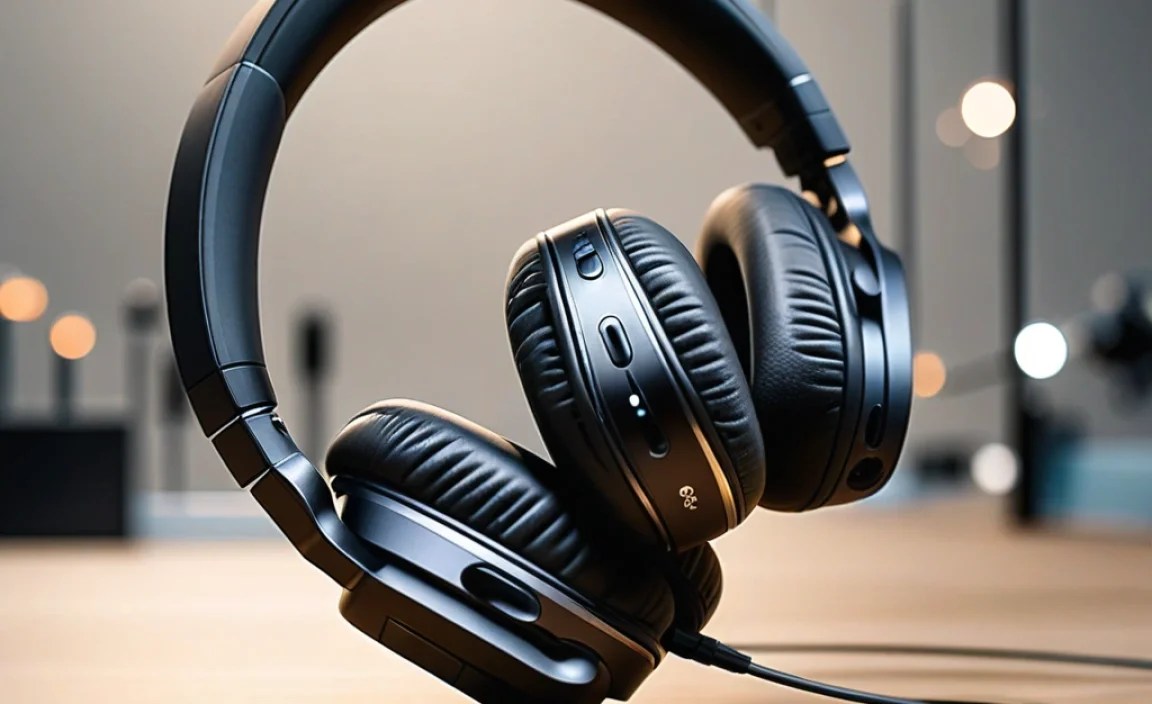
While the “best” is subjective, certain headphones consistently receive high marks, especially when paired with Apple devices. Here are a few categories and popular choices that work wonderfully with iOS.
Best Overall Integration & Features (Apple’s Own)
If you want the most seamless experience possible, Apple’s own offerings are hard to beat.
Apple AirPods Pro (2nd Generation)
These are the gold standard for many iPhone users. They offer fantastic Active Noise Cancellation, Transparency Mode, impressive sound quality with Spatial Audio support, and effortless pairing with all your Apple devices via iCloud. The H2 chip ensures robust connectivity.
Key Features: Adaptive Transparency, Personalized Volume, Find My integration, sweat and water resistance (IPX4).
Great for: Everyday use, commuting, workouts, users deeply invested in the Apple ecosystem.
Apple AirPods Max
For those who prefer over-ear styling and the ultimate in Apple’s audio tech, the AirPods Max are a premium choice. They boast exceptional sound, industry-leading Active Noise Cancellation, and a Transparency Mode that sounds incredibly natural. Their computational audio is designed to deliver a rich, detailed listening experience.
Key Features: High-fidelity audio, Dynamic Head Tracking for Spatial Audio, Digital Crown for volume and playback, premium build materials.
Great for: Audiophiles, long listening sessions at home or in quiet environments, those seeking the best Apple has to offer in over-ear.
Best Third-Party Options with Excellent iOS Compatibility
Many non-Apple brands make headphones that integrate beautifully with iOS, often at a more competitive price point or with specific features that might appeal more to certain users.
Sony WH-1000XM5 (Over-Ear)
Sony’s flagship noise-canceling headphones are legendary for a reason. While they don’t have the same deep hardware integration as AirPods, they offer some of the best ANC on the market, superb sound quality, and excellent battery life. They are also comfortable for long wear.
Key Features: Industry-leading ANC, excellent sound customizable via app, multipoint Bluetooth connection, comfortable design.
Great for: Frequent travelers, commuters, anyone prioritizing top-tier noise cancellation and audio fidelity.
Bose QuietComfort Ultra Headphones (Over-Ear) / Earbuds (True Wireless)
Bose is another giant in the noise-canceling space. Their QuietComfort line consistently delivers excellent ANC and a balanced, pleasing sound profile. The Ultra models push innovation further with immersive audio features that rival even Apple’s offerings for some listeners.
Key Features: World-class noise cancellation, Immersive Audio for a wider soundstage, comfortable fit, reliable Bluetooth connectivity.
Great for: Those seeking premium ANC and comfort, users who appreciate Bose’s signature sound.
Sennheiser Momentum True Wireless 3 (True Wireless)
If pristine audio quality is your top priority, Sennheiser is a name to trust. The Momentum True Wireless 3 earbuds offer audiophile-grade sound with their custom drivers and support for the aptX Adaptive codec, which works well for high-quality streaming. They also feature decent ANC and a comfortable, secure fit.
Key Features: Exceptional sound reproduction, aptX Adaptive support, good ANC, customizable EQ via app.
Great for: Music enthusiasts who value sound fidelity above all else, those who enjoy detailed audio.
Budget-Friendly Picks
You don’t always need to spend a fortune to get great sound and functionality.
Anker Soundcore Liberty 4 NC (True Wireless)
Anker’s Soundcore line has become a go-to for excellent value. The Liberty 4 NC offers impressive Active Noise Cancellation at a budget-friendly price, good sound quality with app-based EQ customization, and long battery life. They support LDAC for higher-resolution audio if your iPhone or iPad were to ever support it, and AAC for Apple compatibility.
Key Features: Strong ANC for the price, app customization, long battery life, comfortable fit.
Great for: Budget-conscious buyers, students, anyone wanting good ANC without breaking the bank.
Jabra Elite 4 Active (True Wireless)
Jabra is known for making robust earbuds that are great for active lifestyles. The Elite 4 Active offer a secure, comfortable fit, good sound, ANC, and excellent durability with water and sweat resistance. They are a solid all-rounder that performs well with iOS devices.
Key Features: Secure fit for activity, good sound, ANC, IP57 rating for water and dust resistance.
Great for: Fitness enthusiasts, people who need durable earbuds for active use.
Making the Connection: Pairing Your Headphones with iOS

Pairing your new Bluetooth headphones with your iPhone or iPad is usually a straightforward process. Here’s how it typically works:
Step-by-Step Pairing Guide
- Charge Your Headphones: Ensure your headphones are adequately charged. This is especially important for first-time use.
- Enable Bluetooth on Your iOS Device:
- Go to Settings on your iPhone or iPad.
- Tap on Bluetooth.
- Make sure the Bluetooth toggle is switched to On (it will turn green).
- Put Your Headphones in Pairing Mode: This is the most crucial step and varies by manufacturer.
- For Apple AirPods/Beats: Simply open the charging case with the AirPods inside and hold it near your unlocked iPhone or iPad. A setup animation should appear on your screen. Follow the on-screen prompts.
- For Other Bluetooth Headphones: Look for a dedicated pairing button on the headphones or the charging case. You might need to press and hold it for a few seconds until an indicator light flashes (often blue or white), signaling it’s in pairing mode. Consult your headphone’s manual if you’re unsure.
- Select Your Headphones on Your iOS Device:
- Once your headphones are in pairing mode, they should appear in the list of available Bluetooth devices under the “Other Devices” section in your iOS Bluetooth settings.
- Tap on the name of your headphones to initiate the pairing process.
- Confirm Pairing: Your iOS device and headphones will confirm the connection. You might hear an audio cue from the headphones, or see a “Connected” status next to their name in your Bluetooth settings.
Troubleshooting Common Pairing Issues
Sometimes, things just don’t work as expected. Here are a few tips if you encounter problems:
- Restart Both Devices: Turn off Bluetooth on your iOS device, then turn it back on. Restarting your headphones (by placing them in their case and closing the lid for a moment) can also help.
- Forget the Device: If your headphones have been paired before and are now having issues, go to Settings > Bluetooth, tap the ‘i’ icon next to your headphones, and select “Forget This Device.” Then, try pairing them again from scratch.
- Check for Interference: Too many Bluetooth devices or strong Wi-Fi signals can sometimes cause interference. Try pairing in a less crowded area.
- Update iOS: Ensure your iPhone or iPad is running the latest version of iOS. Software updates often include improvements to Bluetooth connectivity. You can check for updates in Settings > General > Software Update.
- Consult the Manual: Always a good idea to refer to your headphone manufacturer’s troubleshooting guide or support website.
Essential Features for Enhanced iOS Experience
Beyond basic connectivity, certain features can significantly enhance your experience with Bluetooth headphones on your iOS devices.
Active Noise Cancellation (ANC) vs. Passive Noise Isolation
Understanding the difference is key to choosing headphones that fit your environment.
- Passive Noise Isolation (PNI): This is achieved through the physical design of the headphones. A good seal from ear tips (for earbuds) or snug ear cups (for over-ear headphones) blocks out ambient sound. It’s like putting earplugs in.
- Active Noise Cancellation (ANC): This technology uses microphones to detect external noise and then generates opposing sound waves to cancel it out. It’s particularly effective at reducing consistent low-frequency noises like airplane engines or office hum.
For commuters and travelers, ANC is a must-have. For those who prefer to stay aware of their surroundings, PNI or headphones with a good Transparency Mode are better choices.
Transparency Mode / Ambient Sound
This feature is the opposite of ANC. It uses the headphone’s microphones to pick up external sounds and play them through the headphones. This allows you to:
- Hear important announcements on public transport.
- Hold a quick conversation without removing your headphones.
- Stay aware of traffic and your surroundings when walking or cycling (though it’s always recommended to prioritize safety and avoid distractions).
Apple’s AirPods Pro and AirPods Max excel at making Transparency Mode sound very natural and clear.
Spatial Audio and Dynamic Head Tracking
This is a standout feature for Apple-compatible headphones like AirPods Pro and AirPods Max. Spatial Audio aims to create a three-dimensional soundstage, making it feel like sound is coming from all around you, similar to a surround-sound system in a cinema.
Dynamic Head Tracking ensures that as you turn your head, the sound remains anchored to your iPhone or iPad’s screen, enhancing the immersive effect. It’s particularly impressive when watching movies or listening to specially mixed music tracks on Apple Music.
You can learn more about Spatial Audio directly from Apple’s support pages, which provide detailed explanations of how it works with compatible devices: Apple Support: About Spatial Audio.
