
Quick Summary: Discover the best Bluetooth headphones for your PS4 with this easy-to-follow guide. We simplify the process of picking wireless audio gear, explain your connection options, and highlight top picks that deliver immersive sound and clear communication for an enhanced gaming experience.
Best Bluetooth Headphones For PS4: Essential Guide

Hey everyone, Edward Cavitt here from headphonehorizon! Diving into the world of gaming audio can feel a bit overwhelming, especially when you’re looking to ditch those wires. If you’re a PlayStation 4 owner eager to upgrade your auditory experience with the freedom of Bluetooth, you’re in the right spot!
Many of us love the immersive sound of gaming, and wireless headphones offer a fantastic way to get lost in the action without the tangle. But connecting Bluetooth headphones to a PS4 isn’t as straightforward as it is with your phone. Don’t worry, though! This guide is designed to make it super simple. We’ll break down exactly what you need to know, from understanding PS4 compatibility to choosing the perfect set of headphones that will elevate your gameplay without breaking the bank or your sanity.
Why Go Wireless with Your PS4? The Benefits of Bluetooth Headphones

Let’s face it, wires can be a nuisance. They get tangled, they limit your movement, and sometimes they just get in the way when you’re in the heat of a crucial gaming moment. Wireless Bluetooth headphones offer a liberating alternative, bringing a host of benefits to your PS4 experience:
- Freedom of Movement: No more being tethered to your console. Move around, lean back, or even grab a drink without yanking your headset off.
- Enhanced Immersion: Experience game audio without distractions. Hear every subtle footstep, explosive blast, and atmospheric whisper with clarity.
- Convenience: Easily transition from gaming to watching a movie or listening to music without switching headphones.
- Reduced Clutter: A cleaner gaming setup means less mess and a more enjoyable environment.
- Clearer Communication: For multiplayer games, a good headset with a clear microphone is essential for coordinating with your team. Wireless options add comfort to those long gaming sessions.
Understanding PS4 Bluetooth Connectivity: What You Need to Know

This is where things can get a little tricky, and it’s important to get this right from the start. Unlike many modern devices, the PlayStation 4 doesn’t natively support direct connection to most standard Bluetooth audio devices (like typical Bluetooth headphones you’d use with your phone). The PS4’s Bluetooth radio is primarily designed for controllers and specific gaming accessories, not general audio streaming.
So, how do you get your favorite Bluetooth headphones to work with your PS4? The most common and reliable solution is by using a Bluetooth audio transmitter adapter. This small device plugs into your PS4’s USB port or optical audio port and bridges the gap, allowing your Bluetooth headphones to connect to your console.
Types of Bluetooth Adapters for PS4
There are a couple of main types of adapters you’ll encounter:
- USB Bluetooth Dongles/Transmitters: These are the most popular and easiest to use. You simply plug them into a free USB port on your PS4. They handle both audio transmission and sometimes microphone input. Some also come with their own audio cable for an optical connection if you want the best possible audio quality.
- Optical Audio Adapters: Some more advanced transmitters utilize the PS4’s optical audio (S/PDIF) port. This connection typically offers higher fidelity audio compared to a standard USB connection for audio.
When choosing an adapter, look for one that explicitly states “PS4 compatible” and supports the Bluetooth version you need (e.g., Bluetooth 5.0 or higher for better range and stability). It’s also a good idea to check reviews for ease of pairing and any reported latency issues, as audio delay can be a deal-breaker for gaming.
How to Connect Bluetooth Headphones to Your PS4 (Step-by-Step)

Connecting your Bluetooth headphones to your PS4, with the help of an adapter, is simpler than it sounds. Just follow these steps:
Step 1: Prepare Your Bluetooth Headphones
Make sure your Bluetooth headphones are fully charged and in their pairing mode. How you put them into pairing mode varies by brand and model, but it usually involves pressing and holding a specific button (often the power button or a dedicated Bluetooth button) until an LED indicator starts flashing, often blue and red, or a voice prompt announces they are ready to pair.
Step 2: Connect the Bluetooth Transmitter to Your PS4
Plug your chosen Bluetooth transmitter adapter into one of your PS4’s USB ports. If your adapter has an optical audio cable, connect one end to the adapter and the other to the PS4’s optical out port. Many USB adapters will automatically be recognized by the PS4.
Step 3: Pair the Headphones with the Transmitter
Once the transmitter is connected and powered on, put it into pairing mode. This is usually done by pressing a button on the adapter itself. Your headphones should then detect the transmitter, and they will pair automatically. Some adapters might have a specific button to press to initiate the pairing process between the adapter and your headphones. Refer to the manuals for both your headphones and the transmitter for specific instructions.
Step 4: Configure PS4 Audio Settings
Now, you need to tell your PS4 to send audio through the adapter.
- Go to Settings on your PS4 home screen.
- Select Devices.
- Select Audio Devices.
- Under Output Device, select your Bluetooth transmitter. It might be listed as “USB Headset (Your Adapter’s Name)” or something similar. If you are using an optical connection, ensure that option is selected in your PS4’s Sound settings as well.
- For Output to Headphones, choose All Audio to hear game sound and chat.
- Adjust the Volume Control (Headphones) to your desired level.
Important Note on Microphone Input: Many standard Bluetooth headphones are designed to stream audio from devices, but not necessarily to send microphone input to them efficiently over a standard Bluetooth profile. Some adapters will include a small detachable microphone or support the headset’s built-in mic if it uses certain Bluetooth profiles (like HFP). If microphone input is crucial for your gaming, look for adapters that specifically support microphone passthrough or come with their own mic. Alternatively, you might need a separate USB microphone or a headset designed with PS4 compatibility in mind.
Choosing the Best Bluetooth Headphones for PS4: Key Features to Consider

When selecting headphones to pair with your PS4, whether they are directly compatible or will be used with an adapter, a few key features can make a big difference:
1. Connectivity & Compatibility
As we’ve discussed, direct Bluetooth connection is limited. Ensure your chosen headphones are compatible with the Bluetooth adapter you plan to use. Look for headphones that support newer Bluetooth versions (5.0 or higher) as they generally offer better range, stability, and lower latency. For those who prefer not to use an adapter, gaming headsets that come with their own USB wireless dongle are often the most seamless plug-and-play option, though they might not be “true” Bluetooth.
2. Audio Quality
This is paramount for immersion. Look for headphones that offer:
- Balanced Sound Profile: You want clear highs, defined mids, and punchy but not overpowering bass.
- Good Soundstage: This refers to how well the headphones can reproduce the sense of space and direction in game audio. A wider soundstage helps you pinpoint enemy locations.
- Low Latency: This is critical for gaming. Latency is the delay between an in-game event and when you hear it. High latency can throw off your timing and ruin the experience. Bluetooth 5.0 and higher generally helps, but specific headphones or adapters might have proprietary low-latency codecs (like aptX Low Latency, though PS4 support for such codecs via adapters is rare).
3. Comfort and Design
You’ll be wearing these for potentially long gaming sessions, so comfort is key.
- Earcups: Over-ear headphones generally offer better comfort and sound isolation. Look for plush padding and a good seal.
- Headband: Padded and adjustable headbands ensure a comfortable fit.
- Weight: Lighter headphones are usually more comfortable for extended wear.
4. Microphone Quality
If you play multiplayer games, a clear microphone is essential for communication. Check if the headset has a noise-canceling microphone, a boom mic that can be positioned optimally, and if it works well with your chosen PS4 connection method (adapter or dongle).
5. Battery Life
For wireless headphones, battery life is crucial. Aim for headphones that offer at least 15-20 hours of playtime on a single charge. Many also offer USB charging, so you can top them up quickly.
6. Durability
Gaming can be intense, and your gear should be able to handle it. Look for headphones made with sturdy materials that feel well-built.
Top Picks: Recommended Bluetooth Headphones (and Pairs with Adapters) for PS4

Because direct Bluetooth audio isn’t natively supported by the PS4, the “best Bluetooth headphones for PS4” often involves a great pair of headphones combined with a reliable Bluetooth transmitter adapter. Here are some excellent options that, when paired with a good adapter, will serve you well:
Option 1: Great All-Around Bluetooth Headphones + Adapter Combo
For a versatile setup that works beautifully with your PS4, consider pairing high-quality, general-purpose Bluetooth headphones with a dedicated PS4 audio transmitter.
Headphones: Sony WH-1000XM4 or Bose QuietComfort 45
These headphones are renowned for their superb sound quality, comfort, and excellent active noise cancellation (ANC). While not specifically designed for gaming, their audio fidelity, balanced sound, and comfort make them a joy for immersive gaming and general listening. They support Bluetooth 5.0, ensuring a stable connection.
Recommended Adapter: Avantree Oasis Plus (or similar high-quality USB/Optical Bluetooth 5.0 Transmitter)
The Avantree Oasis Plus is a highly-rated adapter that supports both USB and optical audio input. It’s known for its long range, low latency (especially when paired with compatible headphones or using aptX Low Latency), and easy pairing. This combination provides excellent audio quality with minimal delay.
Pros:
- Exceptional audio quality for both gaming and music.
- Top-tier comfort for long sessions.
- Versatile headphones that can be used for many other devices.
- Reliable, low-latency connection with a good adapter.
Cons:
- Higher overall cost due to purchasing headphones and adapter separately.
- Microphone quality for gaming chat might be an issue depending on the headphone. (Some adapters have a separate mic input, or you’d rely on the headphone’s built-in mic if it’s decent).
Option 2: Gaming-Focused Wireless Headsets with Low-Latency Dongles
While not strictly Bluetooth in the common smartphone sense, many gaming headsets use proprietary 2.4GHz wireless dongles that offer superior low-latency performance and plug-and-play ease of use with PS4. These are often the most straightforward “wireless” solution for PS4 gaming.
Examples: SteelSeries Arctis 7P/7X, Razer BlackShark Pro V2+ (with USB transmitter)
These headsets are specifically designed for gaming consoles like the PS4. They typically come with a USB dongle that plugs directly into the PS4, providing an instant, lag-free wireless connection for both game audio and chat. They often feature comfortable designs, excellent microphones, and game-focused audio profiles.
Pros:
- Easiest setup: Plug-and-play with the included USB dongle.
- Excellent low-latency performance crucial for gaming.
- Integrated, high-quality microphones designed for communication.
- Often feature comfortable designs built for long gaming marathons.
Cons:
- Not true Bluetooth – less versatile for connecting to other devices like smartphones directly without their own Bluetooth capabilities.
- Can be more expensive than standard Bluetooth headphones.
This category represents a pragmatic approach for PS4 gamers who prioritize a seamless, lag-free audio experience without the complexities of Bluetooth adapters.
Table: Comparing Connection Methods for PS4 Wireless Audio
To help visualize your options, here’s a comparison of the primary ways to get wireless audio to your PS4:
| Method | Type of Device | Ease of Setup | Latency | Audio Quality | Microphone Support | Versatility |
|---|---|---|---|---|---|---|
| Direct Bluetooth | Standard Bluetooth Headphones | Not Supported Natively | Can be high (variable) | Variable | Often problematic/limited | High (works with phones, PCs) |
| Bluetooth Adapter + Headphones | Bluetooth Headphones + USB/Optical Transmitter Adapter | Moderate (requires pairing) | Low to Moderate (depends on adapter/headphones) | Good to Excellent | Varies by adapter/headphone | High (headphones versatile) |
| Gaming Dongle + Headset | Wireless Gaming Headset with 2.4GHz USB Dongle | Very Easy (plug-and-play) | Very Low (optimized for gaming) | Good to Excellent (game-focused) | Excellent (integrated mics) | Moderate (primarily gaming consoles/PCs) |
Maintaining Your Wireless PS4 Setup
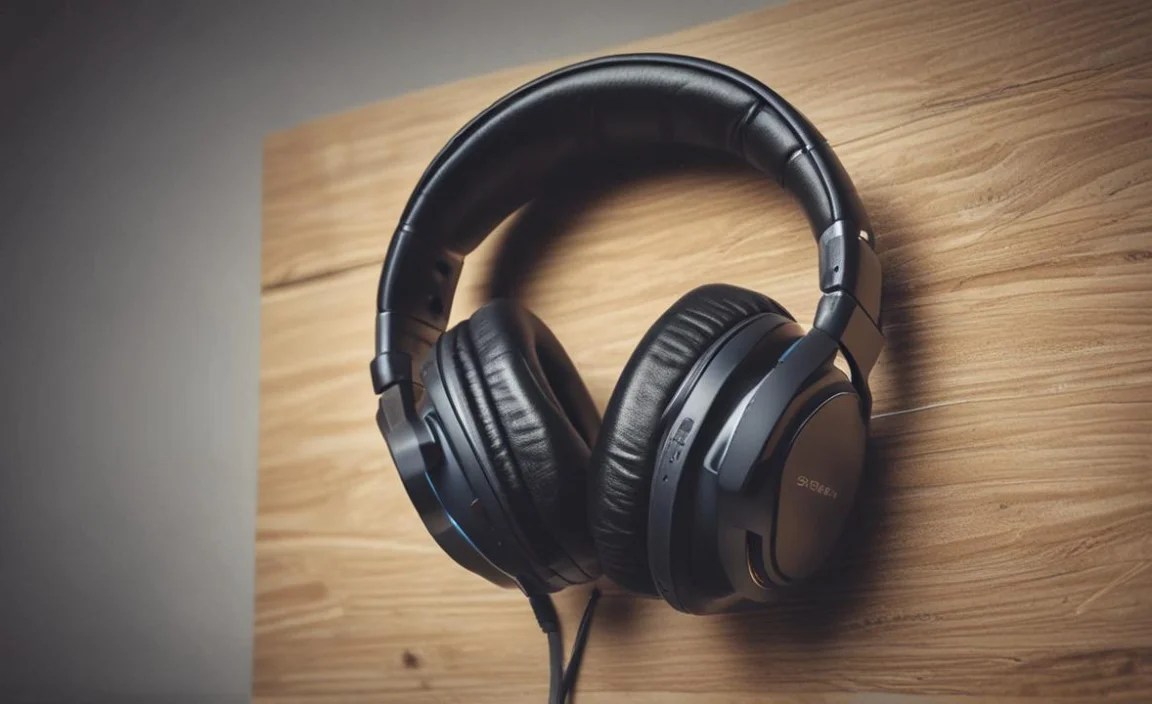
Keeping your wireless gear in top shape ensures a consistent and enjoyable experience. Here are a few simple maintenance tips:
- Keep them Clean: Regularly wipe down your headphones and transmitter with a slightly damp, soft cloth. Pay attention to earcups, as sweat and oils can accumulate. For detachable earpads, check if they can be washed according to the manufacturer’s instructions.
- Proper Storage: When not in use, store your headphones in a protective case or in a safe place where they won’t get crushed or tangled. This is especially true for delicate headphones or smaller adapters.
- Charge Wisely: Avoid draining the battery completely too often, as this can degrade its long-term health. For devices you use daily, plugging them in for a top-up while you’re not using them is a good practice.
- Update Firmware: Some higher-end Bluetooth transmitters or wireless gaming headsets might have firmware updates available. Check the manufacturer’s website periodically and install any updates, as they can improve performance or fix bugs.
- Handle with Care: Avoid dropping your headphones or transmitter, and be mindful of the cables and connection ports.
For more in-depth care advice, you can often find manufacturer-specific guides on their support pages. For instance, the PlayStation Support website offers general troubleshooting for the console itself.
Frequently Asked Questions (FAQ)
Q1: Can I connect any Bluetooth headphones directly to my PS4?
No, unfortunately, the PlayStation 4 does not natively support direct connection to most general-purpose Bluetooth audio devices. You will typically need a separate Bluetooth audio transmitter adapter to connect standard Bluetooth headphones.
Q2: What is latency, and why is it important for gaming headphones?
Latency is the delay between when a sound is produced in the game and when you actually hear it through your headphones. For gaming, especially fast-paced ones, high latency can make it difficult to react to in-game events, leading to a frustrating experience. Low latency is crucial for accurate timing.
Q3: Do I need a transmitter if I buy a wireless gaming headset for PS4?
Most wireless gaming headsets designed for PS4 come with their own proprietary USB wireless dongle. This dongle acts as the transmitter and receiver, providing a plug-and-play, low-latency connection. You generally do not need an additional transmitter for these types of headsets.
Q4: How can I get chat audio if I use a Bluetooth transmitter with my headphones?
This depends on your setup. Some Bluetooth adapters support transmitting microphone input from your headphones, or they might have a separate microphone you can plug in. If your adapter doesn’t support mic input, you may need to use the PS4’s separate USB headphone jack or a dedicated USB microphone for chat, while your Bluetooth headphones handle game audio.
