
Quick Summary: Finding the best Bluetooth headphones for your workouts means looking for a secure fit, sweat resistance, and long battery life. This guide breaks down key features and top picks to help you move to the beat without interruption.
Best Bluetooth Headphones For Working Out: Your Genius Choice
Hey there, workout warriors and rhythm runners! Edward Cavitt here, your friendly guide to all things audio. Hitting the gym, pounding the pavement, or mastering that yoga pose? Your music is your fuel, your motivation, your personal hype crew. But fumbling with wires or dealing with headphones that just won’t stay put can quickly turn your flow into a frustration fest. You need headphones that can keep up. That’s where finding the right Bluetooth headphones for working out becomes a truly genius move. We’re diving deep to help you discover the perfect pair, ensuring your tunes keep pumping and your focus stays razor-sharp, no matter how hard you push yourself. Let’s get your sweat session soundtrack sorted!
Why Bluetooth Headphones Are a Workout Essential

Let’s face it, wires and workouts are a classic mismatch. They snag on machines, fly off during dynamic movements, and generally get in the way. Bluetooth headphones ditch the cords, giving you the freedom to move as you please. This wireless connection is a game-changer for anyone who sweats it out regularly. Think about it: no more tangled messes, no more stopping to untangle a wire when you’re mid-burpee. This freedom alone is worth the upgrade for active individuals. Beyond just convenience, modern Bluetooth headphones offer impressive sound quality, robust designs built to withstand sweat, and secure fits that stay put through your most intense sessions.
Key Features to Look For in Workout Headphones

Not all Bluetooth headphones are created equal, especially when they’re going to be your gym buddies. Here are the must-have features to guide your decision:
1. Secure and Comfortable Fit
This is arguably the most critical factor. You don’t want your headphones falling out mid-stride or during a crucial lift. Look for:
- Ear Hooks: These wrap around your ears for maximum security, ideal for high-impact activities.
- Wingtips/Fins: Small, flexible tips that engage with the natural contours of your ear to prevent slippage.
- Multiple Ear Tip Sizes: Crucial for achieving a snug, comfortable seal that also helps with passive noise isolation.
- Lightweight Design: Heavy headphones can become uncomfortable during long wear and might shift more easily.
2. Sweat and Water Resistance
Sweat is a given during a workout, and sometimes you might get caught in the rain. You need headphones that can handle moisture without breaking. Look for an IP (Ingress Protection) rating. For workouts, an IPX4 rating is the minimum, meaning they are protected against splashing water from any direction. Higher ratings like IPX5, IPX6, or even IPX7 offer even greater protection against sweat and water jets.
Understanding IP Ratings: The first digit in an IP rating typically refers to dust resistance (which isn’t as critical for headphones), and the second digit refers to water resistance. For example, IPX4 means it’s resistant to splashes, while IPX7 means it can be submerged in water up to 1 meter for 30 minutes. For workout headphones, focus on the second digit.
3. Battery Life
There’s nothing worse than your music cutting out mid-workout because your headphones died. Consider how long your typical workout sessions are and how often you want to charge. Many true wireless earbuds offer around 5-8 hours of playback on a single charge, with charging cases extending this to 20-30 hours or more. Over-ear or neckband styles might offer even longer single-charge times, sometimes up to 30-40 hours.
4. Sound Quality
While durability and fit are paramount, you still want your music to sound great! Look for headphones that offer clear mids and highs for vocals and instruments, and a satisfying but not overpowering bass response to keep you energized. Many workout-focused headphones will offer a slightly more energetic sound profile.
5. Noise Isolation and Awareness
This is a balancing act. You want some level of noise isolation to immerse yourself in your music and block out gym chatter. However, for outdoor activities like running or cycling, it’s crucial to remain aware of your surroundings for safety. Some headphones offer:
- Passive Noise Isolation: Achieved through a good seal with ear tips.
- Active Noise Cancellation (ANC): electronically reduces ambient sound. While great for commutes, it can be dangerous outdoors and might not be necessary for all workouts.
- Awareness Mode/Transparency Mode: Allows external sounds to pass through, so you can hear traffic, people, or announcements. This is a fantastic feature for outdoor exercisers.
For outdoor runs, consider headphones with excellent awareness modes or even bone conduction headphones, which leave your ears open.
6. Durability and Build Quality
Beyond sweat resistance, the headphones should feel robust. Check reviews for comments on how well they hold up to regular use, being tossed in a gym bag, or accidental drops. Materials like reinforced plastic and good joint construction contribute to longevity.
7. Controls and Features
Easy-to-use controls are essential when you’re in motion. Look for intuitive physical buttons or responsive touch controls that allow you to play/pause, skip tracks, adjust volume, and manage calls without fumbling. Built-in microphones for calls are also a standard, but check for clarity if you plan to take calls during your workouts.
Top Picks: Best Bluetooth Headphones for Working Out

Based on the criteria above, here are some of the top contenders that consistently impress for workout use. Remember, the “best” is subjective and depends on your specific needs, but these are excellent starting points.
True Wireless Earbuds for Maximum Freedom
True wireless earbuds offer the ultimate in freedom, with no wires at all. They are compact and generally offer good sound, but fit is paramount as mentioned earlier.
1. Jabra Elite Active Series (e.g., Elite 7 Active, previous Elite Active 65t)
Jabra has a stellar reputation for workout earbuds. Their Elite Active line is specifically designed for this purpose. They boast excellent durability, a secure fit with a special coating for grip, and good sweat resistance.
- Pros: Superb secure fit, excellent durability, good sound, good ANC and HearThrough (awareness mode), reliable connection.
- Cons: Can be a bit pricier, touch controls can be sensitive for some.
2. Beats Fit Pro
Designed with athletes in mind, the Beats Fit Pro offer a secure wingtip design that stays put during intense activity. They also offer active noise cancellation and a transparency mode, making them versatile.
- Pros: Secure and comfortable wingtip design, good ANC, solid sound with decent bass, Apple H1 chip for seamless Apple device integration.
- Cons: Touch controls can take some getting used to, less customizable EQ than some competitors.
3. Jaybird Vista 2
Jaybird has long been a favorite among athletes. The Vista 2 earbuds are rugged, sweatproof, and designed for a secure, comfortable fit during dynamic movements. They also offer good sound customization through their app.
- Pros: Extremely durable and sweatproof, comfortable secure fit, good customizable sound via app, decent awareness mode.
- Cons: Battery life is good but not class-leading, ANC is present but not as strong as some premium rivals.
Neckband Headphones for Security and Convenience
For those who prefer not to worry about losing tiny earbuds, neckband headphones offer a great compromise. The band rests around your neck, with earbuds connected by a wire, and the battery and controls are housed in the neckband.
1. Bose SoundSport Wireless (discontinued, but still excellent if found) or similar models
Bose is known for its comfort and sound. While the SoundSport Wireless are older, they set a standard for comfortable, secure-fit earbuds with a durable, sweat-resistant cord and neckband.
- Pros: Very comfortable and secure fit, good sound, excellent durability and sweat resistance.
- Cons: Older Bluetooth technology, not true wireless.
2. Anker Soundcore Spirit X2
Anker’s Soundcore line offers great value. The Spirit X2 features ear hooks for a secure fit and good waterproofing, making them a strong contender for active use without breaking the bank.
- Pros: Excellent value for money, very secure ear hook design, good waterproofing features.
- Cons: Sound quality is good but not audiophile-grade, app customization is basic.
Bone Conduction Headphones for Ultimate Awareness
If you run or cycle in traffic, bone conduction headphones are a game-changer. They sit on your cheekbones, transmitting sound vibrations to your inner ear without blocking your ear canal, allowing you to hear your surroundings perfectly.
1. Shokz (formerly AfterShokz) OpenRun / OpenRun Pro
Shokz are the leaders in bone conduction technology. The OpenRun series is lightweight, comfortable, and provides ample awareness for outdoor activities. They are also surprisingly durable and sweat-resistant.
- Pros: Unparalleled situational awareness, very comfortable for long wear, good battery life, IP55/IP56 water resistance.
- Cons: Sound quality is different from traditional headphones (less bass, can vibrate at high volumes), not ideal for noisy environments or for pure music enjoyment.
For more information on how to choose headphones that are right for you, the Federal Trade Commission (FTC) offers some helpful guidelines.
Essential Maintenance for Your Workout Headphones

To keep your workout headphones performing at their best and lasting as long as possible, a little regular maintenance goes a long way. Sweat, dirt, and ear wax can build up and affect sound quality and even the electronics.
Step-by-Step Cleaning Guide
Here’s how to clean your headphones safely and effectively:
1. Gather Your Supplies
- Microfiber cloths (lint-free)
- Cotton swabs (Q-tips)
- Rubbing alcohol (isopropyl alcohol, 70% concentration is ideal)
- Mild soap and water (for ear tips and detachable parts only)
- A soft brush (like an old, clean toothbrush)
- A clean, dry cloth
- A toothpick or small, non-metallic pick for getting into crevices.
2. Cleaning the Earbuds/Headphones Body
- Disconnect: If using over-ear or neckband headphones, turn them off and disconnect any audio cables. For true wireless earbuds, remove them from their charging case.
- Wipe Down: Lightly dampen a microfiber cloth with water and wipe down the exterior of the headphone body. For tougher grime or to sanitize, you can lightly dampen the cloth with rubbing alcohol. Do NOT spray liquid directly onto the headphones.
- Crevices and Ports: Use a dry cotton swab or the soft brush to gently clean around buttons, speaker grilles, and charging ports. For stubborn debris, a toothpick can be used very carefully. Then, go over these areas again with a lightly alcohol-dampened swab.
- Drying: Ensure all parts are completely dry before use or storage. Use a clean, dry microfiber cloth.
3. Cleaning Ear Tips (for earbuds)
Ear tips are crucial for both sound and fit, and they get the dirtiest. Most silicone or foam ear tips can be removed.
- Silicone Tips: Rinse them under cool water with a tiny bit of mild soap. Gently rub them clean. Rinse thoroughly and pat dry with a clean cloth. You can also wipe them with a lightly alcohol-dampened cloth to sanitize. Ensure they are completely dry before reattaching.
- Foam Tips: These are more delicate. Avoid soaking them. Gently wipe them with a slightly damp cloth (water or alcohol). Let them air dry completely before use. Some foam tips are not designed to be deeply cleaned and may need replacement over time for hygiene.
4. Cleaning the Charging Case
The charging case can accumulate lint and grime, especially around the charging contacts.
- Empty and Wipe: Turn the case upside down to free any loose debris. Use a dry cotton swab or microfiber cloth to wipe the interior and exterior.
- Charging Contacts: Use a dry cotton swab to gently clean the metal charging pins inside the case and on the earbuds themselves. If there’s any stubborn residue, a very lightly alcohol-dampened swab can be used on the contacts, followed by a dry swab. Ensure contacts are clean and dry for proper charging.
5. Special Considerations for Bone Conduction Headphones
Bone conduction headphones typically have fewer nooks and crannies. The headphone band and transducers (the parts that touch your skin) can be wiped down with a microfiber cloth dampened with water or rubbing alcohol as described above. Ensure the charging port is kept free of debris.
Frequency of Cleaning
- After every workout: A quick wipe-down of the headphone body and ear tips with a dry or slightly damp cloth is recommended to remove sweat residue immediately.
- Weekly: A more thorough cleaning of ear tips, body, and charging case is advisable.
- Monthly: Check charging contacts and ports for any build-up.
Important Safety Note: Always ensure headphones are powered off and disconnected before cleaning. Never immerse headphones or charging cases in water unless their IP rating specifically allows for it (and even then, proceed with caution). Refer to your specific headphone’s manual for any brand-specific cleaning instructions.
Troubleshooting Common Workout Headphone Issues
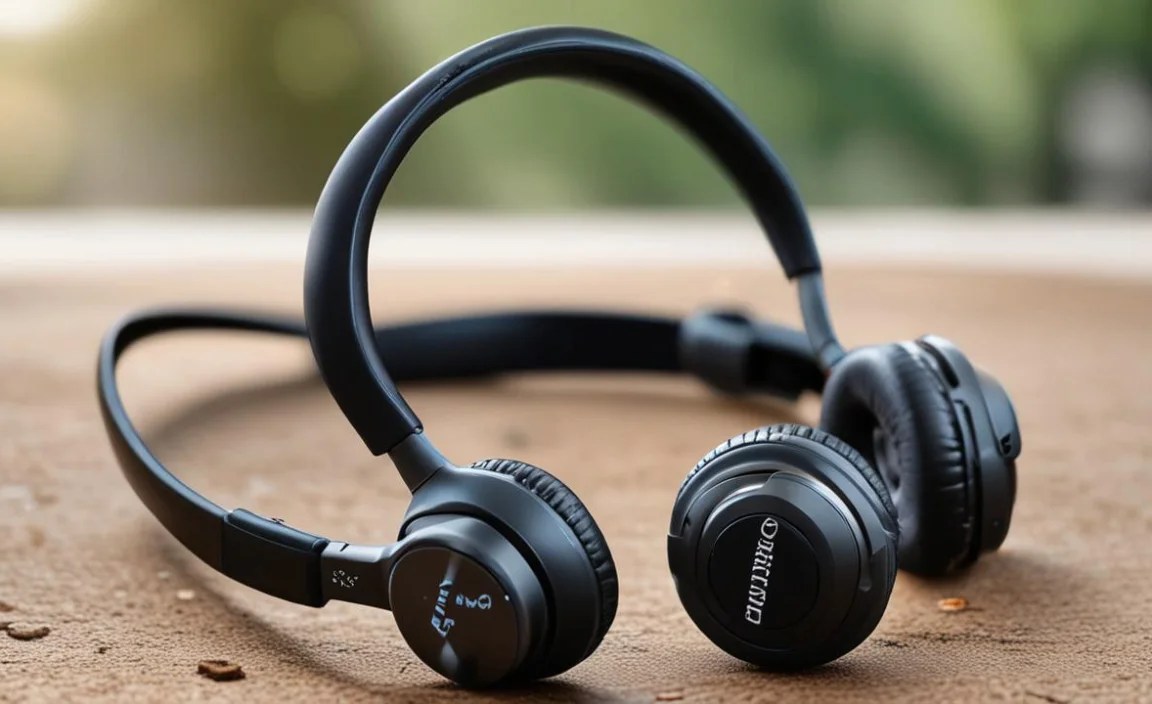
Even the best headphones can have occasional hiccups. Here are some common problems and how to fix them:
Issue 1: One Earbud Not Working (True Wireless)
- Fix:
- Ensure both earbuds are charged. Place them back in the charging case for a few minutes, then try again.
- Clean the charging contacts on both the earbuds and inside the case with a dry cotton swab.
- Forget the headphones in your Bluetooth settings on your device and re-pair them.
- Reset the earbuds. Most brands have a specific reset procedure (check your manual – often involves holding down a button for an extended period).
Issue 2: Poor Bluetooth Connection / Frequent Dropouts
- Fix:
- Check Distance: Ensure your device is within the Bluetooth range (usually around 30 feet/10 meters).
- Minimize Interference: Other wireless devices (like Wi-Fi routers or other Bluetooth devices) can interfere. Try moving away from them. Your own body can also sometimes block the signal, especially with true wireless earbuds – try keeping your device on the same side as the primary earbud.
- Update Device Software: Ensure your phone or player has the latest operating system updates.
- Restart Devices: Turn off Bluetooth on your device, then turn it back on. Restart your headphones and your playback device.
- Unpair and Re-pair: Remove the headphones from your device’s Bluetooth list and re-pair them.
Issue 3: Low Volume or Muffled Sound
- Fix:
- Check Volume Levels: Ensure the volume is turned up on both your device and the headphones themselves.
- Clean Ear Tips and Grilles: Earwax and debris are the most common culprits. Follow the cleaning guide above to thoroughly clean the ear tips and speaker grilles.
- Check Fit: If the seal isn’t good, sound quality and volume will suffer. Try different-sized ear tips.
- Disable EQ Settings: If you’re using an equalizer app, try disabling it to see if it’s causing the issue.
Issue 4: Headphones Won’t Charge
- Fix:
- Check Power Source: Ensure the charging cable and power adapter are working correctly and plugged into a working outlet or USB port.
- Clean Charging Contacts: As detailed in the maintenance section, clean the contacts on the earbuds/headphones and inside the case with a dry cotton swab.
- Inspect Case and Cable: Look for any damage to the charging cable or the case.
- Try a Different Cable/Adapter: Rule out a faulty charger.
Issue 5: Uncomfortable Fit / Falling Out
- Fix:
- Try Different Ear Tips: This is the most crucial step for earbuds. Experiment with all the provided sizes to find the best seal
