
Quick Summary: Want to make your favorite wired headphones wireless? A Bluetooth receiver is your answer. This ultimate guide simplifies choosing the best Bluetooth receiver for headphones, covering what to look for, top features, and easy setup steps. Enjoy your music cable-free, with great sound quality, and without the tech headaches.
Best Bluetooth Receiver For Headphones: Your Essential Guide to Wireless Freedom
Hey everyone, Edward Cavitt here from headphonehorizon! If you’re like me, you’ve got a beloved pair of wired headphones that sound absolutely fantastic. But let’s face it, cables can be a hassle. Tangles, limited reach, snagging on things – they can really break the immersion of your favorite tunes or podcasts. What if I told you there’s a simple, affordable way to untether those headphones and enjoy the convenience of Bluetooth without sacrificing audio quality? Enter the Bluetooth receiver for headphones. This nifty little gadget is your ticket to wireless freedom, transforming your existing headphones into a cutting-edge wireless audio experience. Don’t worry if tech intimidating; we’re going to break down everything you need to know to find the perfect one for you. Get ready to experience your audio in a whole new way!
What Exactly is a Bluetooth Receiver for Headphones?

Think of a Bluetooth receiver as a translator. Your smartphone, tablet, or computer speaks the language of Bluetooth wirelessly. Your wired headphones, on the other hand, speak the language of analog audio signals through a cable. A Bluetooth receiver acts as the bridge. It picks up the wireless Bluetooth signal, decodes it, and then converts it into an audio signal that your headphones can understand and play. It essentially adds Bluetooth capability to any device with a standard headphone jack, or sometimes even wirelessly to non-Bluetooth speakers or car stereos.
Why You Might Need a Bluetooth Receiver
The reasons are plentiful, and often very practical! Let’s dive into some of the most common scenarios where a Bluetooth receiver becomes a lifesaver:
- Modern Smartphones: Many new smartphones have ditched the 3.5mm headphone jack. If you love your current wired headphones, a receiver lets you keep using them without needing an adapter or switching to expensive wireless earbuds.
- Older Audio Equipment: Have a great home stereo system, vintage receiver, or car stereo that lacks Bluetooth? A receiver can easily stream music from your phone to these devices wirelessly.
- Improving Existing Headphones: Your favorite headphones might be wired, but perhaps not the most luxurious sounding. A good Bluetooth receiver can support higher quality Bluetooth codecs, potentially making your wired headphones sound even better wirelessly.
- Convenience and Freedom: Simply put, no more untangling cables! Move around freely while listening to music, taking calls, or watching videos, without being tethered to your device.
- Multiple Devices: Some receivers can connect to two devices simultaneously, allowing you to switch between your phone and laptop without re-pairing.
Key Features to Consider When Buying
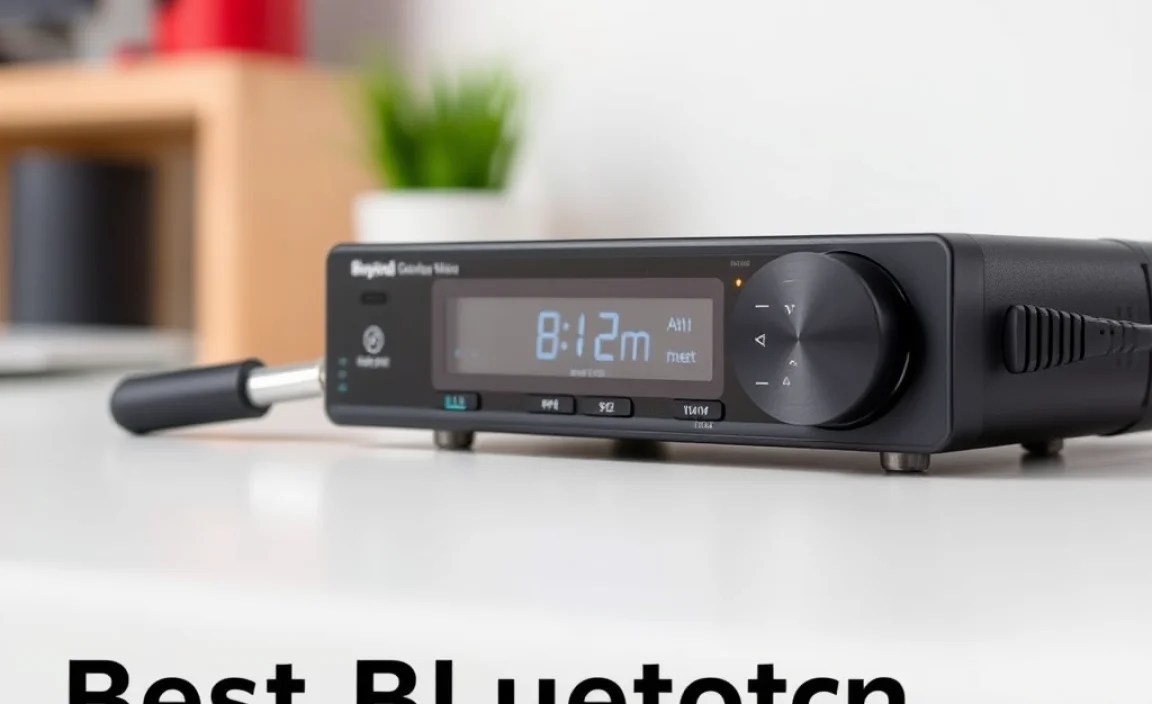
Navigating the world of Bluetooth receivers can feel a bit overwhelming with all the technical terms. But don’t sweat it! We’ll focus on the features that truly impact your listening experience. Here’s what to look for:
1. Bluetooth Version and Codecs
This is crucial for sound quality and connection stability. Bluetooth technology has evolved significantly.
- Bluetooth Version: You’ll commonly see versions like 4.2, 5.0, 5.1, 5.2, and the latest 5.3. Higher numbers generally mean better efficiency, longer range, and more stable connections. For a good experience, aim for Bluetooth 5.0 or newer.
- Bluetooth Codecs: These are essentially the “languages” that transmit audio over Bluetooth. The better the codec, the less data is lost, and the better your music will sound.
- SBC (Subband Coding): This is the mandatory, basic codec supported by all Bluetooth devices. It’s okay, but often results in noticeable compression and lower audio fidelity.
- AAC (Advanced Audio Coding): Commonly used by Apple devices, AAC offers better sound quality than SBC and is widely supported. Great for iPhone users.
- aptX (Audio Compression Technology): Developed by Qualcomm, aptX offers significantly better audio quality than SBC and AAC, with lower latency. Most Android phones support it.
- aptX HD: An enhanced version of aptX, offering near-CD quality audio. If you’re an audiophile seeking the best wireless sound from compatible devices, this is a great choice.
- LDAC (Low-power Audio Data Compression): Developed by Sony, LDAC is arguably the highest quality Bluetooth audio codec, capable of transmitting high-resolution audio. It requires compatible (often Sony) devices on both ends.
Beginner Tip: Don’t get too caught up in the highest-end codecs unless your music source (phone, computer) also supports them. For most people, a receiver supporting AAC and aptX is a sweet spot for excellent wireless sound.
2. Battery Life
If you’re going wireless, you want it to last. Check the advertised playtime on a full charge. Many receivers offer anywhere from 8 to 30+ hours of playback. Consider how often you’ll need to recharge. Some devices also support charging while in use, which is a huge plus for long listening sessions.
3. Connectivity Options
How does the receiver connect to your headphones or audio source? Most will have a 3.5mm audio output jack, allowing you to plug in any standard headphones. Some might also offer RCA outputs for connecting to speakers or stereos, or even USB-C for charging and audio.
4. Design and Portability
Receivers come in various sizes and shapes. Some are tiny dongles that clip onto your shirt collar, while others might be small boxes. Consider where you’ll be using it most. Will it live in your car, your living room, or will you carry it around? Look for a design that fits your lifestyle, with easy-to-access buttons for playback control and volume.
5. Microphone Quality (for calls)
If you plan on using your receiver for phone calls, check reviews on microphone quality. Some receivers have built-in microphones, while others may rely on your phone’s microphone if used as an intermediary. Clear call quality is important for busy professionals and students.
6. Multipoint Connectivity
This feature allows the receiver to be connected to two devices simultaneously. For example, you could be connected to your laptop for a video call and your phone for music. You can listen to audio from one device, and when a call comes in on the other, the receiver will seamlessly switch. This is incredibly convenient for multitasking.
Top Bluetooth Receiver Models for Headphones (2024)

Choosing the “best” is subjective and depends on your needs. However, here are some highly-regarded models that consistently get good reviews for performance, features, and value. This isn’t an exhaustive list, but a great starting point:
| Model Name | Key Features | Best For | Approx. Price Range |
|---|---|---|---|
| Anker Soundsync A3341 | Bluetooth 5.0, aptX HD support, 12-hour battery, 3.5mm output, microphone | Everyday use, excellent balance of features and price | $30 – $40 |
| Taotronics BH072 | Bluetooth 5.0, aptX LL (Low Latency), 30-hour battery, 3.5mm output | Watching videos, gaming, prolonged use without frequent charging | $30 – $40 |
| Mpow MB-BH057 (often rebranded) | Bluetooth 5.0, aptX, 18-hour battery, clip-on design, microphone | Portability, hands-free calls, good for car audio | $25 – $35 |
| Avantree Audikast Plus (or similar) | Bluetooth 5.0, aptX HD & aptX LL, can be a TX/RX, 20-hour battery | Audiophiles, pairing with non-Bluetooth devices, dual-functionality | $50 – $70 |
| FiiO BTR3K | Bluetooth 5.0, aptX HD, LDAC support, DAC/Amp built-in, 11-hour battery, USB-C | Advanced users, serious audio quality seekers with compatible sources | $70 – $90 |
Prices are approximate and can vary based on retailer and region. It’s always a good idea to check current reviews and specifications before purchasing.
How to Set Up and Use Your Bluetooth Receiver

Setting up is usually straightforward. Here’s a general guide. Always refer to your specific model’s manual for detailed instructions.
Step 1: Charge Your Receiver
Before you do anything, ensure your Bluetooth receiver is fully charged. Most come with a USB charging cable. Connect it to a USB port on your computer, a wall adapter, or a power bank.
Step 2: Pair the Receiver with Your Audio Source
This means connecting your phone, tablet, or computer to the receiver.
- Turn on the Receiver: Press and hold the power button until an indicator light starts flashing (often blue and red, or just blue) – this usually signifies it’s in pairing mode.
- Enable Bluetooth on Your Source Device: Go to your phone or tablet’s Bluetooth settings and turn it on.
- Scan for Devices: Your device will search for available Bluetooth signals.
- Select the Receiver: Look for the receiver’s name in the list (e.g., “Anker Soundsync,” “Avantree Audikast”) and select it.
- Confirm Pairing: If prompted, confirm the pairing. You should see a solid light on the receiver, indicating a successful connection.
Step 3: Connect Your Headphones to the Receiver
Now, connect your wired headphones to the receiver.
- Plug in: Insert the 3.5mm plug from your headphones into the designated audio output jack on the Bluetooth receiver.
- Adjust Volume: It’s a good practice to set the volume on both your source device and the receiver to a low level initially.
Step 4: Play and Enjoy!
Start playing music, a podcast, or a video on your source device. The audio should now be streaming wirelessly to your headphones through the receiver. You can then adjust the volume on your source device and/or the receiver to your preferred listening level.
Pro Tip: Many receivers have integrated volume and playback controls. Get familiar with these buttons for a more seamless experience without needing to touch your phone.
Troubleshooting Common Issues
Even the best tech can sometimes be a bit quirky. Here are a few common issues and how to fix them:
- No Sound:
- Check that the receiver is charged and turned on.
- Ensure your headphones are securely plugged into the receiver.
- Verify that your source device’s audio output is set to the receiver (check your Bluetooth settings).
- Make sure the volume is turned up on both the source device and the receiver.
- Try unpairing and re-pairing the devices.
- Choppy or Intermittent Audio:
- This can often be caused by distance or interference. Move your source device closer to the receiver.
- Minimize physical obstructions between your source device and the receiver.
- Turn off other nearby Bluetooth devices that might be causing interference.
- Some devices, like Wi-Fi routers operating on the 2.4GHz band, can sometimes interfere. Try to reposition if possible.
- Cannot Pair:
- Ensure the receiver is in pairing mode (flashing light).
- Turn off Bluetooth on other nearby devices; they might be trying to automatically connect.
- Restart both your source device and the receiver and try pairing again.
- Check your source device’s manual to see if there’s a limit on the number of paired devices. You might need to ‘forget’ an old device to pair a new one.
- Poor Sound Quality:
- Confirm the Bluetooth codecs being used. If your receiver and source device support higher-quality codecs like aptX HD or LDAC, ensure they are selected. Some devices automatically choose the best available codec.
- Check that your audio source file is of good quality (avoid heavily compressed files).
The Importance of Understanding Bluetooth Stability
When we talk about Bluetooth connectivity, especially for audio, stability is paramount. A stable connection means a continuous, uninterrupted audio stream without dropouts or skips. Factors that influence stability include:
- Distance: Bluetooth has a limited range, typically around 30 feet (10 meters) in open space. Walls, furniture, and even your own body can reduce this range.
- Interference: Other wireless devices, especially those operating on the 2.4GHz frequency band (like Wi-Fi routers, microwaves, and other Bluetooth devices), can interfere with the signal.
- Bluetooth Version: Newer Bluetooth versions (5.0+) are inherently more robust and better at managing interference and maintaining a stable link than older versions.
- Antenna Design: The quality and design of the internal antennas in both the transmitter (your phone) and the receiver play a significant role in signal strength and stability.
For a reliable experience especially when moving around, prioritize receivers with Bluetooth 5.0 or higher, and consider their advertised range and stability in reviews. For more in-depth information on Bluetooth standards, you can check out resources from the Bluetooth Special Interest Group, the official governing body.
FAQ: Your Bluetooth Receiver Questions Answered
Got more questions? We’ve got answers!
Q1: Can I use any Bluetooth receiver with any headphones?
A1: Yes, as long as your headphones have a standard 3.5mm audio jack, they will work with almost any Bluetooth receiver designed for headphones. The receiver simply adds wireless capability to your existing wired headphones.
Q2: Do Bluetooth receivers affect sound quality?
A2: They can. The sound quality depends heavily on the codecs supported by both the receiver and your audio source device (phone, tablet). Higher-quality codecs like aptX HD and LDAC will provide better sound than basic SBC. However, even with basic codecs, a good receiver will sound far better than many cheap wireless earbuds.
Q3: How far away can my phone be from the receiver?
A3: The effective range for Bluetooth is typically about 30 feet (10 meters) in ideal conditions with a clear line of sight. Walls, furniture, and other electronic devices can reduce this range. Newer Bluetooth versions (5.0+) generally offer improved range and stability.
Q4: Can I use a Bluetooth receiver to make my car stereo wireless?
A4: Absolutely! If your car stereo has an auxiliary (AUX) input jack and doesn’t have built-in Bluetooth, a Bluetooth receiver is a fantastic solution. Just plug the receiver into the AUX port, pair it with your phone, and you can stream music and take calls wirelessly through your car speakers.
Q5: What is “low latency” and why is it important?
A5: Latency refers to the delay between when the audio is sent and when it’s heard. “Low latency” (often abbreviated as aptX LL) is crucial for activities like watching videos or playing games, where you need the audio to be perfectly in sync with the visuals. Without low latency, you’ll notice an annoying delay.
Q6: Can I use a Bluetooth receiver for more than just headphones?
A6: Many Bluetooth receivers are versatile. While designed for headphones, they can also be plugged into powered speakers or home stereo systems via their 3.5mm output (or sometimes RCA outputs) to make those devices wireless as well.
Making the Switch to Wireless Audio
Choosing the best Bluetooth receiver for your headphones doesn’t have to be a complex decision. By understanding the key features like Bluetooth version, supported codecs, battery life, and connectivity, you can confidently select a device that enhances your listening experience. Whether you’re looking to salvage those amazing wired headphones from the age of the headphone jack, bring modern streaming to your older audio gear, or simply enjoy the freedom of no wires, a Bluetooth receiver is an incredibly useful and affordable solution. Take your time, read reviews for models that catch your eye, and get ready to untangle your sound!
I hope this guide has demystified Bluetooth receivers and empowered you to make a smart choice. The
