
QDiscover the best wireless earbuds for your needs. This guide breaks down essential features, helps you choose based on sound quality, comfort, battery life, and budget, and offers simple tips for making a confident purchase. Get ready for your perfect audio companion.
Best Bud Headphones: Proven Essential Gear for Every Listener

Hey there, audio explorers! Edward Cavitt here from Headphone Horizon. Ever feel a little lost in the sea of tiny earbuds? You’re not alone! Choosing the “best bud headphones” – that’s what many of us affectionately call wireless earbuds – can feel surprisingly complicated. But what if I told you it doesn’t have to be? My goal is to make understanding and appreciating great sound accessible to everyone.
Whether you’re a music aficionado craving every subtle note, a busy bee needing hands-free convenience, or just looking for a reliable pair to get you through your day, this guide is your friendly roadmap. We’ll demystify the jargon, highlight what truly matters, and help you find the perfect pair that will make your audio experience shine. Let’s dive in and find your sonic soulmates!
Why “Bud Headphones” Are So Popular

Wireless earbuds, or “bud headphones,” have exploded in popularity, and it’s easy to see why. They offer unparalleled freedom and convenience, ditching tangled wires for a truly seamless listening experience. Imagine stepping out for a run, commuting on a packed train, or working at your desk without a cable snagging or restricting your movement.
But it’s not just about freedom; modern bud headphones pack impressive audio technology into incredibly small packages. From deep bass to crystal-clear highs, they can deliver surprisingly rich sound. Plus, with features like active noise cancellation (ANC) and long battery life, they’ve become indispensable tools for music lovers, podcast addicts, and professionals alike.
Decoding Key Features: What to Look For
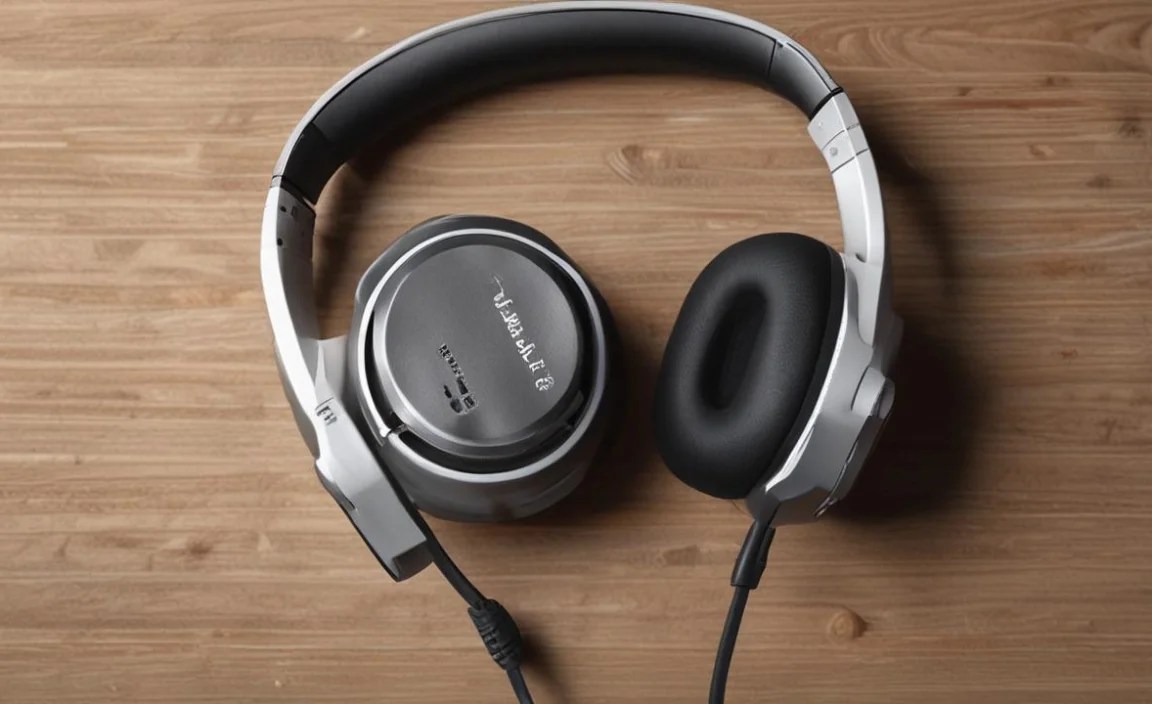
When you’re on the hunt for the best bud headphones, a few core features will make the biggest difference in your listening experience. Don’t let the tech talk intimidate you; understanding these basics will empower you to make a fantastic choice.
Sound Quality: The Heart of the Matter
This is arguably the most crucial aspect. What makes earbuds sound good? It’s a blend of driver size, design, and the audio codecs they support. Larger drivers (the small speakers inside the earbuds) generally produce fuller sound, but design and tuning play a massive role.
Look for earbuds that offer a balanced sound profile, meaning they don’t overemphasize bass at the expense of mids and highs. If you’re an audiophile, you might want to check for support for high-fidelity Bluetooth codecs like LDAC or aptX HD, which can transmit more detailed audio over Bluetooth. However, for most everyday listeners, well-tuned standard codecs will sound excellent.
Comfort and Fit: Essential for Long Listening Sessions
You can have the best sound in the world, but if your earbuds hurt your ears after twenty minutes, they’re no good. This is highly personal! Most bud headphones come with several sizes of silicone ear tips. It’s vital to experiment to find the tips that create a snug, comfortable seal in your ear canal.
A good seal not only enhances comfort but also significantly improves bass response and passive noise isolation. Some earbuds also feature different wingtip designs for a more secure fit during active use. Consider trying on different styles if possible, or read reviews focusing on long-term comfort.
Battery Life: Powering Your Day
This breaks down into two parts: the battery life of the earbuds themselves and the extra charges provided by the carrying case. Most modern wireless earbuds offer anywhere from 4 to 8 hours of playback on a single charge. The charging case typically holds 3-5 additional charges, giving you 20-30 hours or more of total listening time. Pay attention to reviews regarding real-world battery performance, as manufacturers’ claims can sometimes be optimistic. Many cases now support fast charging, meaning a quick 10-15 minute charge can give you an extra hour or two of listening time – a lifesaver for those moments you forget to charge!
Connectivity: Staying Paired
Bluetooth version is a key indicator of stable connectivity. Bluetooth 5.0 and later offer improved range, faster pairing, and better power efficiency. Features like multipoint pairing allow you to connect your earbuds to two devices simultaneously (e.g., your phone and laptop), which is incredibly convenient for switching between calls and media.
For gamers or those sensitive to delay, look for earbuds with low-latency modes, which minimize the delay between audio and video. Also, consider the range of Bluetooth you need – if you often wander away from your device, stronger connectivity is a plus.
Durability and Water Resistance: Ready for Anything
Life happens, and your earbuds should be able to handle it. Look for an IP (Ingress Protection) rating. The first digit refers to dust protection, and the second to water resistance. For general use and sweat resistance, an IPX4 rating is often sufficient. If you plan to use them for intense workouts or in rainy conditions, look for higher ratings like IPX7.
While most earbuds are not designed for submersion, a higher rating offers peace of mind against splashes and sweat. Build quality is also important; sturdy materials will ensure your buds last longer.
Top Features for Enhanced Listening

Beyond the core features, several advanced technologies can elevate your bud headphone experience. These can be game-changers depending on your lifestyle.
Active Noise Cancellation (ANC): Your Personal Quiet Zone
ANC uses microphones to detect ambient noise and then generates opposing sound waves to cancel it out. This is incredibly effective for reducing the drone of airplane engines, office chatter, or public transport noise.
The effectiveness of ANC can vary significantly between models, so if this is a priority, research reviews that specifically test ANC performance in different environments. Some earbuds offer customizable ANC levels or “transparency modes” that allow you to hear your surroundings without removing the buds.
Transparency Mode: Staying Aware
The opposite of ANC, transparency mode (also called ambient sound or hear-through) uses external microphones to feed outside sounds into your ears. This is fantastic for situational awareness – you can hear traffic while walking, listen to announcements at an airport, or have a quick conversation without taking your earbuds out. Many earbuds with ANC also include a transparency mode, often activated by a tap or a button press.
Voice Assistant Integration: Hands-Free Control
Most modern bud headphones offer seamless integration with voice assistants like Siri, Google Assistant, or Alexa. With a simple tap or voice command, you can make calls, send texts, get directions, play music, and control your device without ever pulling out your phone. This is a huge convenience for people on the go.
Companion Apps: Customization at Your Fingertips
Many manufacturers offer dedicated apps for their wireless earbuds. These apps often unlock a wealth of customization options, including equalizing sound profiles, adjusting ANC levels, remapping controls, updating firmware, and checking battery status. If you enjoy tweaking settings to get precisely the audio experience you want, a good companion app can be a significant bonus.
Choosing the Right Bud Headphones for You: A Step-by-Step Guide

Now that you know what to look for, let’s walk through how to pick the best bud headphones that fit your specific needs and budget.
Step 1: Define Your Primary Use Case
Think about when and where you’ll use your earbuds most often. This will help prioritize features.
- Commuting/Travel: Prioritize Active Noise Cancellation (ANC) and good battery life.
- Workouts/Exercise: Focus on secure fit, water resistance (IPX4 or higher), and sweat resistance.
- Casual Listening (Music/Podcasts): Sound quality and comfort are key. Consider battery life for extended sessions.
- Work/Calls: Microphone quality and stable connectivity are paramount.
- Audiophile/Critical Listening: Look for support of high-fidelity codecs and detailed sound profiles.
Step 2: Set Your Budget
Bud headphones range from budget-friendly options under $50 to premium models exceeding $300.
- Budget (< $75): You can find decent sound and basic features. Battery life and ANC might be limited.
- Mid-Range ($75 – $150): This is often the sweet spot, offering a great balance of sound quality, features like ANC, and reliable connectivity.
- Premium (> $150): Expect top-tier sound, advanced ANC, premium build materials, and often the latest technology.
Remember, you don’t always need the most expensive option to get an excellent listening experience. Often, mid-range models offer tremendous value.
Step 3: Consider Your Device Ecosystem
While Bluetooth is universal, some earbuds offer enhanced features or seamless integration with specific operating systems.
- Apple Users (iPhone/iPad/Mac): Apple’s AirPods offer excellent integration with the Apple ecosystem, including easy pairing, automatic device switching, and Spatial Audio.
- Android/Windows Users: Many brands offer excellent Android compatibility, with some even having dedicated apps for Android. Look for earbuds supporting the aptX codec for improved sound on compatible Android devices.
- Cross-Platform Compatibility: Most earbuds work well across different platforms, but check for multipoint pairing if you switch between devices frequently.
Step 4: Read Reviews and Compare Models
Once you have a narrowed-down list, dive into professional reviews and user feedback. Look for specific comparisons that address your priorities. Resources like Rtings.com provide in-depth, objective testing and comparisons, which can be incredibly useful for making informed decisions. Pay attention to:
- Real-world battery life figures.
- Comfort over extended wear.
- Effectiveness of ANC and transparency modes.
- Call quality in noisy environments.
- Durability and build quality.
Step 5: Try Them On (If Possible)
The best way to know if earbuds are comfortable is to try them. Many electronics stores allow you to briefly try on display models (ensure they are clean and sanitized!). Even if you can’t try them on, understanding the general shape and size can help. Earbuds that are too large or have an aggressively angled design might not fit well for everyone.
Popular Bud Headphone Categories and Examples
To give you a head start, here are a few popular categories and examples of well-regarded bud headphones that continue to impress users:
| Category | Key Features | Who They’re Best For | Example Models (Prices vary) |
|---|---|---|---|
| Premium All-Rounders | Top-tier ANC, excellent sound, premium build, great battery, advanced features. | Users wanting the best possible experience across all categories. | Sony WF-1000XM5, Bose QuietComfort Ultra Earbuds, Apple AirPods Pro (2nd Gen) |
| Best for Workouts | Secure fit, high water/sweat resistance (IPX5+), good battery, decent sound. | Athletes and fitness enthusiasts. | Beats Fit Pro, Jabra Elite 7 Active, Shokz OpenRun |
| Budget-Friendly Options | Good value, essential features, decent sound, acceptable battery. | Students, casual listeners, or those on a tight budget. | Anker Soundcore Liberty 4 NC, JLab Go Air POP, EarFun Free Pro 3 |
| Best for Calls | Superior microphone quality, excellent voice isolation, stable connectivity. | Frequent callers, remote workers, or those who rely on voice commands. | Bose QuietComfort Ultra Earbuds, Google Pixel Buds Pro, Jabra Elite 8 Active |
Maintaining Your Bud Headphones for Longevity
Once you’ve invested in your perfect pair, a little care goes a long way in keeping them sounding great and working reliably. Keeping your gear in good shape not only extends its life but also ensures consistent audio performance.
Cleaning Your Earbuds and Ear Tips
Earbuds, especially those that sit inside the ear canal, can accumulate earwax and debris. This can affect sound quality and hygiene.
- Ear Tips: Gently detach the ear tips. Wash them with mild soap and water, then rinse thoroughly and let them air dry completely before reattaching.
- Earbud Grilles: Use a soft, dry brush (like a toothbrush or a dedicated cleaning brush) to gently brush away any visible debris from the speaker grilles. For stubborn earwax, a cotton swab lightly dampened with rubbing alcohol can be used carefully, ensuring no liquid seeps into the earbud. Always ensure the alcohol evaporates fully.
- Charging Case: Use a dry, lint-free cloth to wipe down the exterior and interior of the charging case, paying attention to the charging contacts. A dry cotton swab can gently clean debris from the charging slots.
Storing Your Earbuds Properly
Always store your bud headphones in their charging case when not in use. This protects them from dust, damage, and accidental loss. Ensure the case is closed tightly. Avoid storing them in extreme temperatures, such as a hot car or a freezing environment, as this can degrade the battery performance and damage the internal components.
Maintaining Battery Health
Like all rechargeable batteries, those in your earbuds and case have a finite lifespan.
- Avoid Complete Discharges: It’s generally better for battery health to avoid letting them drain to 0% frequently. Top them up when you have the chance.
- Don’t Overcharge Constantly: Modern devices have built-in circuitry to prevent overcharging, but it’s still a good practice to unplug the case once fully charged.
- Check Manufacturer Guidelines: Some manufacturers may offer specific battery care tips in their user manuals.
Firmware Updates
Manufacturers often release firmware updates that can improve sound performance, fix bugs, enhance connectivity, or add new features. Keep your earbuds connected to their companion app (if available) and check for available updates periodically. Following the instructions in the app will ensure the update process is smooth and successful.
Frequently Asked Questions (FAQ)
Q1: What does “IPX4” mean for my earbuds?
An IPX4 rating means your earbuds are resistant to splashing water from any direction. This is great for sweat during workouts or light rain, but they are not submersible.
Q2: Can I use my bud headphones with my phone and laptop at the same time?
Yes, if your earbuds support “multipoint pairing” or “multi-device connection.” This feature allows them to be actively connected to two devices simultaneously, making it easy to switch between listening to music on your laptop and taking a call on your phone.
Q3: My earbuds don’t sound as loud as they used to. What can I do?
First, check the volume level on both your earbuds (if they have physical controls) and your connected device. Ensure no volume-limiting settings are enabled in your phone’s accessibility options. Also, clean the
