
Quick Summary: Finding the best budget headphones with a microphone is achievable! This guide breaks down what to look for, offers top recommendations under $50, and provides simple tips for making a smart choice for calls, gaming, or everyday use. Get great sound and clear communication without breaking the bank.
Hey there, audio explorers! Edward Cavitt here from Headphone Horizon. Navigating the world of headphones can sometimes feel like deciphering a secret code, especially when your budget is a key consideration. But what if you need a reliable pair that also has a great microphone for calls or online chats? Don’t worry, it’s totally doable! You don’t need to spend a fortune to get clear audio for your music and crystal-clear voice pickup for your conversations. We’re diving deep into finding the “best budget headphones with microphone,” arming you with the knowledge to pick a fantastic pair that fits your needs and your wallet. Let’s make your next headphone purchase a confident one!
Why a Microphone Matters (Even on a Budget)

In today’s connected world, headphones are more than just for listening; they’re for communicating. Whether you’re a student attending online classes, a professional on endless video calls, or a gamer coordinating with your team, a built-in microphone is essential. Even on a budget, you shouldn’t have to sacrifice voice clarity. These “essential choice” budget headphones with microphones are designed to offer a balanced experience, ensuring you sound as good as you hear, all without a hefty price tag. We’re talking about finding that sweet spot where affordability meets functionality.
What to Look For in Budget Headphones with a Microphone

When you’re on the hunt for the best budget headphones with a microphone, a few key features will steer you right. Don’t get lost in technical specs; focus on what truly impacts your daily experience. Here’s a straightforward checklist:
1. Microphone Quality: The Star of the Show
This is the most crucial factor. Look for headphones that explicitly mention good microphone performance. Reviews often highlight how clear the microphone is, if it picks up background noise, and if it’s adjustable. For budget options, many will feature an integrated mic on the cable or an attached boom mic.
2. Comfort and Fit: Your Ears Will Thank You
You’ll be wearing these for extended periods, so comfort is non-negotiable. Consider the type of headphone:
- On-ear: Rest on your ears. Can be comfortable but might not isolate sound as well.
- Over-ear: Enclose your ears. Often the most comfortable for long sessions and offer better passive noise isolation.
- In-ear (earbuds): Small and portable; ensure they come with multiple ear tip sizes for a secure fit.
Check for padded earcups, adjustable headbands, and lightweight designs.
3. Sound Quality: Essential for Both Music and Calls
While “budget” might conjure images of tinny sound, many affordable options now offer surprisingly good audio. Look for balanced sound profiles – not too bass-heavy, not too muddy. Clear mids are important for vocals and speech, ensuring you can understand calls and enjoy your music.
4. Durability: Built to Last
Budget doesn’t have to mean flimsy. Look for headphones made with decent materials. Sturdy hinges, flexible headbands, and well-protected cables indicate better longevity. Reading user reviews about build quality can be incredibly helpful here.
5. Connectivity Options: Wired vs. Wireless
Wired Headphones:
- Generally cheaper.
- No battery to worry about.
- Universal compatibility with 3.5mm jacks (though some newer devices require adapters).
Wireless Headphones:
- Offer freedom of movement.
- Bluetooth connectivity is standard.
- Look for good battery life and stable connections.
- May be slightly more expensive in the budget category.
6. Extra Features: Nice-to-Haves
Some budget options might include:
- Inline controls for volume and playback.
- Detachable microphones for versatility.
- Carrying pouches.
- Extra ear tips for earbuds.
These are bonuses, but prioritize the core features like mic and sound quality first.
Top Picks for Best Budget Headphones with Microphone (Under $50)
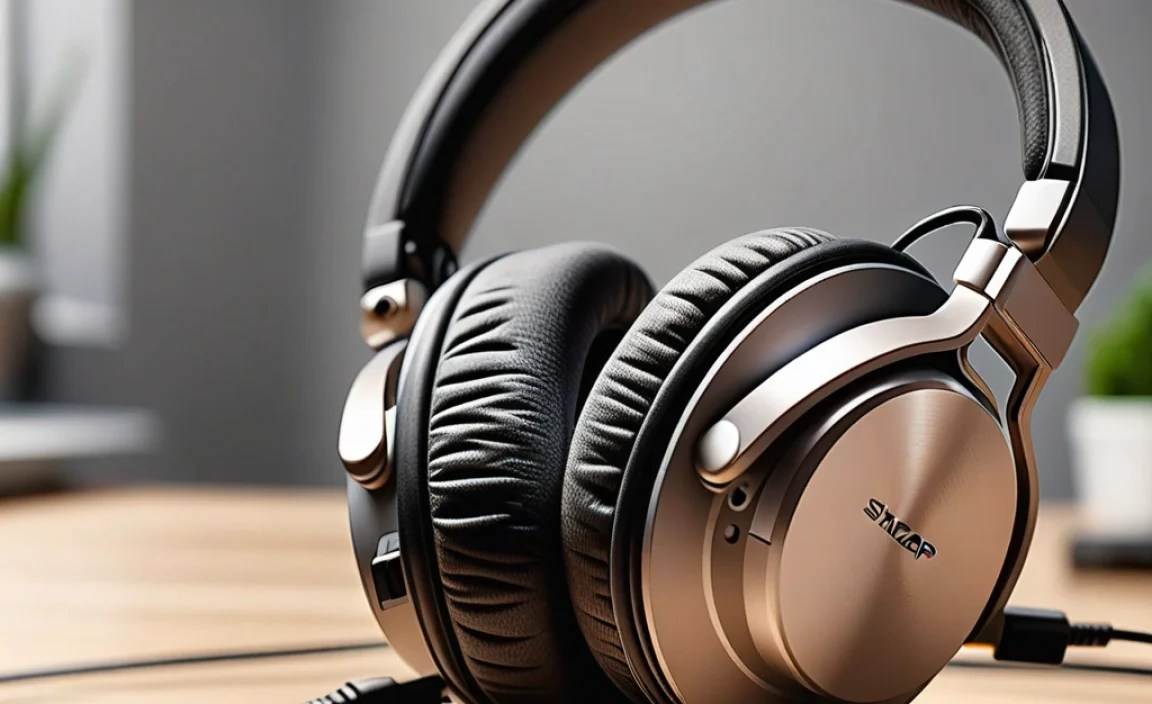
Finding the absolute “best” is subjective, but based on common recommendations, user reviews, and overall value, here are some excellent choices that consistently deliver for their price point. Remember, prices can fluctuate, but these are generally found well within the budget category.
1. JLab Go Air Pop (True Wireless Earbuds)
While technically earbuds and not traditional headphones, these are a phenomenal value for their price. They often come in under $50 and offer surprisingly decent sound and a usable microphone for casual calls. Their compact size and long battery life are major selling points.
2. COWIN E7 Pro (Active Noise Cancelling Over-Ear)
Often dips below $50 during sales, the COWIN E7 Pro is legendary for its active noise cancellation (ANC) at an incredibly low price. While ANC isn’t the primary focus for microphone quality, the overall package, including a decent microphone for general chat and good sound for music, makes it a steal.
3. Fifine K669B (USB Microphone – Often Paired with Affordable Headphones)
This isn’t a headphone itself, but it’s a highly recommended budget USB microphone used by many streamers and students. If you already have comfortable headphones but a poor built-in mic, pairing them with a Fifine K669B can elevate your audio dramatically without buying an entirely new headphone set. This is more of a “hack” for improving existing gear.
4. Logitech H151 Stereo Headset (Wired, Over-Ear)
This is a classic for a reason. Logitech is known for its reliable computer peripherals, and the H151 is a straightforward, comfortable stereo headset with a noise-canceling microphone. It’s plug-and-play (via a single 3.5mm jack), making it ideal for PCs, laptops, and consoles. It’s consistently praised for its clear microphone performance in its price bracket.
5. HyperX Cloud Stinger (Gaming Headset – Often on Sale)
While gaming headsets can be pricey, the HyperX Cloud Stinger frequently goes on sale for under $50. It offers exceptional comfort for long sessions, good durable build quality, and a surprisingly good microphone for its price, making it a strong contender for general use as well as gaming. The microphone also flips up to mute, which is a convenient feature.
Comparing Budget Headphone Options

To help you visualize the differences, here’s a quick comparison of some of our top contenders. This table focuses on aspects critical for users needing a microphone.
| Headphone Model | Type | Microphone Type | Primary Use Case | Average Price (USD) | Key Microphone Feature |
|---|---|---|---|---|---|
| Logitech H151 Stereo Headset | Wired Over-Ear | Noise-Canceling Boom Mic | General Office Calls, Online Learning | $20 – $30 | Clear voice pickup with background noise reduction. |
| HyperX Cloud Stinger | Wired Over-Ear (Gaming) | Noise-Canceling Swivel Mic | Gaming, Video Calls, Media | $30 – $50 (on sale) | Flip-to-mute feature, clear voice for team chat. |
| JLab Go Air Pop | True Wireless Earbuds | Integrated Mic | On-the-Go Calls, Casual Listening | $20 – $30 | Convenient for quick calls, generally clear in quiet environments. |
| COWIN E7 Pro | Wireless Over-Ear (ANC) | Integrated Mic | Commuting, Listening, Occasional Calls | $40 – $60 (on sale) | Decent for general conversation, enhanced by ANC for focus. |
Setting Up Your Budget Headphones with a Microphone
Once you’ve chosen your perfect pair, setting them up is usually a breeze. Here’s how to get started:
For Wired Headphones (3.5mm Jack)
- Locate the Jack: Find the 3.5mm audio port on your device. It usually has a headphone icon.
- Plug In: Insert the headphone’s audio jack firmly into the port.
- Configure (if needed): On most modern operating systems and devices, the headphones will be automatically recognized. If not, you might need to go into your sound settings:
- Windows: Right-click the speaker icon in the system tray, select “Sound settings,” and ensure your headphones and microphone are selected as default input and output devices.
- macOS: Go to System Preferences > Sound. Select your headset under “Output” and “Input.”
- Smartphones/Tablets: Usually plug-and-play. If the mic isn’t working, check app-specific permissions for microphone access.
For Wireless (Bluetooth) Headphones
- Charge Up: Ensure your headphones have enough battery charge.
- Enter Pairing Mode: Turn on your headphones. They usually have a specific button combination or process to enter pairing mode (check your manual). Often, the power button is held down longer.
- Enable Bluetooth on Device: On your smartphone, tablet, or computer, go to your Bluetooth settings.
- Scan for Devices: Your device will search for nearby Bluetooth signals.
- Select Your Headphones: Your headphones should appear in the list of available devices. Select them to pair. You might need to confirm a pairing code.
- Set as Default (if needed): Like wired headphones, ensure they are selected as the default audio input and output in your device’s sound settings if automatic selection doesn’t occur.
For USB Headphones/Microphones
- Plug and Play: Simply insert the USB cable into an available USB port on your computer.
- Automatic Driver Installation: Most USB audio devices install their drivers automatically.
- Select in Settings: As with other types, ensure the USB headset or microphone is selected as the default input and output device in your computer’s sound settings.
Maximizing Microphone Performance on a Budget
Even with budget headphones, you can take steps to ensure your microphone sounds its best:
- Positioning is Key: For boom mics, try to position it close to your mouth, but not so close that it creates popping sounds (plosives). Around an inch or two away, slightly off to the side of your mouth, is often optimal.
- Minimize Background Noise: Find a quiet place to take calls. Mute your microphone when you’re not speaking if background noise is unavoidable.
- Speaking Clearly: Speak at a normal, confident volume. Shouting can distort the audio, and mumbling will make you hard to understand.
- Check Software Settings: Some applications (like Zoom, Discord, or Skype) have their own audio settings where you can adjust microphone sensitivity or enable noise suppression. Experiment with these to find what works best.
- Keep it Clean: Dust and debris can affect microphone performance. Gently clean any visible mic grilles with a soft, dry brush.
When to Consider an Upgrade (and When Not To)
The “best budget headphones with microphone” are fantastic for many, but sometimes you might outgrow them or have specific needs. Generally, if:
- Your budget headphones’ microphone consistently sounds muffled, picks up too much background noise, or causes audio echoes for listeners, it might be time to look at a slightly higher-tier option or even a dedicated USB microphone.
- You need professional-grade audio quality for voiceovers, podcasting, or frequent client-facing presentations, investing in dedicated audio equipment (like a higher-end USB mic or a condenser microphone) will be beneficial.
- Audio fidelity for your music or gaming has become paramount, and you’re noticing limitations in the sound quality of your budget headphones.
However, for everyday calls, online classes, casual gaming, and general listening, a well-chosen budget pair with a good microphone can serve you exceptionally well for years. Don’t feel pressured to upgrade unless you genuinely need to!
Frequently Asked Questions (FAQ) About Budget Headphones with Microphones
Here are some common questions beginner users often ask:
Q1: What does “noise-canceling microphone” mean on budget headphones?
A: A noise-canceling microphone is designed to pick up your voice clearly while attempting to reduce distracting background sounds (like keyboard typing or ambient room noise) from being transmitted to the person you’re talking to. It’s a valuable feature for clearer communication.
Q2: Can I use gaming headsets for regular phone calls or Zoom meetings?
A: Absolutely! Many gaming headsets, like the HyperX Cloud Stinger, have excellent microphones that work perfectly for general calls and video conferencing. They often offer great comfort for long wear, which is a bonus.
Q3: How do I know if the microphone on my new headphones is working?
A: After plugging them in or pairing them, check your device’s sound settings to ensure the headset microphone is selected as the default input. You can often test it by going to a voice memo app or a video call application and looking for audio feedback when you speak.
Q4: Are wired or wireless budget headphones better for microphone quality?
A: Generally, wired headphones tend to offer slightly more consistent microphone performance and often have a more straightforward connection. However, many budget wireless options have improved significantly, and the convenience might outweigh a minor difference for casual use.
For more information on audio standards and microphone technology, resources like the Dolby Audio technologies page can offer insights into sound processing, though their high-end applications differ from budget gear.
Q5: My microphone sounds crackly. What can I do?
A: First, check the physical connection by unplugging and replugging the jack or re-pairing the Bluetooth. Ensure the microphone isn’t obstructed by clothing or debris. If it’s a wired headset, try plugging it into a different port or device to see if the issue persists. Sometimes, it can be a sign that the microphone element itself is reaching the end of its life, especially on very inexpensive models.
Q6: What is the best way to choose a budget headset with a microphone if I can’t try it first?
A: Rely on detailed reviews from reputable tech websites and user feedback on retail sites. Look for specific comments about microphone clarity, background noise rejection, and comfort. Pay attention to established brands known for sound and peripherals.
Conclusion: Your Smart Sound and Communication Solution
Finding the best budget headphones with a microphone is a journey towards smart audio choices that enhance your daily life without straining your wallet. As we’ve explored, the key is to identify your priorities – whether it’s vocal clarity for work, seamless gaming chat, or just reliable everyday communication. The options available today at budget-friendly price points are truly impressive, offering a fantastic blend of features, comfort, and performance.
Don’t let the word “budget” limit your expectations. By focusing on microphone quality, comfort, and a balanced sound profile, you can confidently select a pair that will serve you exceptionally well. The Logitech H151, HyperX Cloud Stinger, or even wireless earbuds like the JLab Go Air Pop can be game-changers for students, professionals, and casual users alike. Remember those setup tips and microphone optimization strategies we discussed – they’ll help you get the most out of your purchase.
So go ahead, explore the options, read the reviews, and make an informed decision. Investing in a good budget headset with a microphone is an investment in clearer communication, enjoyable music, and a smoother digital experience overall. Happy listening, and happy talking!
