
Quick Summary: Discover the best and cheapest Bluetooth headphones without breaking the bank! This beginner-friendly guide breaks down what to look for, offers easy comparison tips, and recommends budget-friendly options that deliver great sound and reliability for everyday listening.
Hey there, audio adventurers! Edward Cavitt here from Headphone Horizon. So, you’re on the hunt for some awesome Bluetooth headphones but don’t want your wallet to cry uncle? You’ve come to the right place! Cutting the cords feels fantastic, opening up a world of freedom for your music, podcasts, and calls. The good news is, you don’t need to spend a fortune to get a great listening experience. Whether you’re a student rushing to class, a professional on the go, or simply someone who loves to jam out, this guide is your friendly compass to finding the best and cheapest Bluetooth headphones – an absolute essential buy for your daily life.
Why Go Wireless? The Magic of Bluetooth Headphones

Let’s face it, tangled headphone cords are a frustration we can all do without. Bluetooth technology has revolutionized how we enjoy audio, offering unparalleled convenience and freedom. No more fumbling with wires when you’re trying to jog, cook, or simply relax without being tethered to your device. This wireless liberation means you can keep your phone in your pocket, bag, or even across the room while still enjoying crisp, clear sound.
For beginners, the transition to Bluetooth can seem a little daunting with talks of codecs and pairing. But honestly, it’s simpler than you might think! Most modern devices, from smartphones and tablets to laptops, come equipped with Bluetooth. Pairing your headphones is usually a straightforward process that involves a few simple button presses. The real adventure begins in choosing the right pair that fits your budget and your ears!
Decoding Bluetooth Headphone Features: What Really Matters?
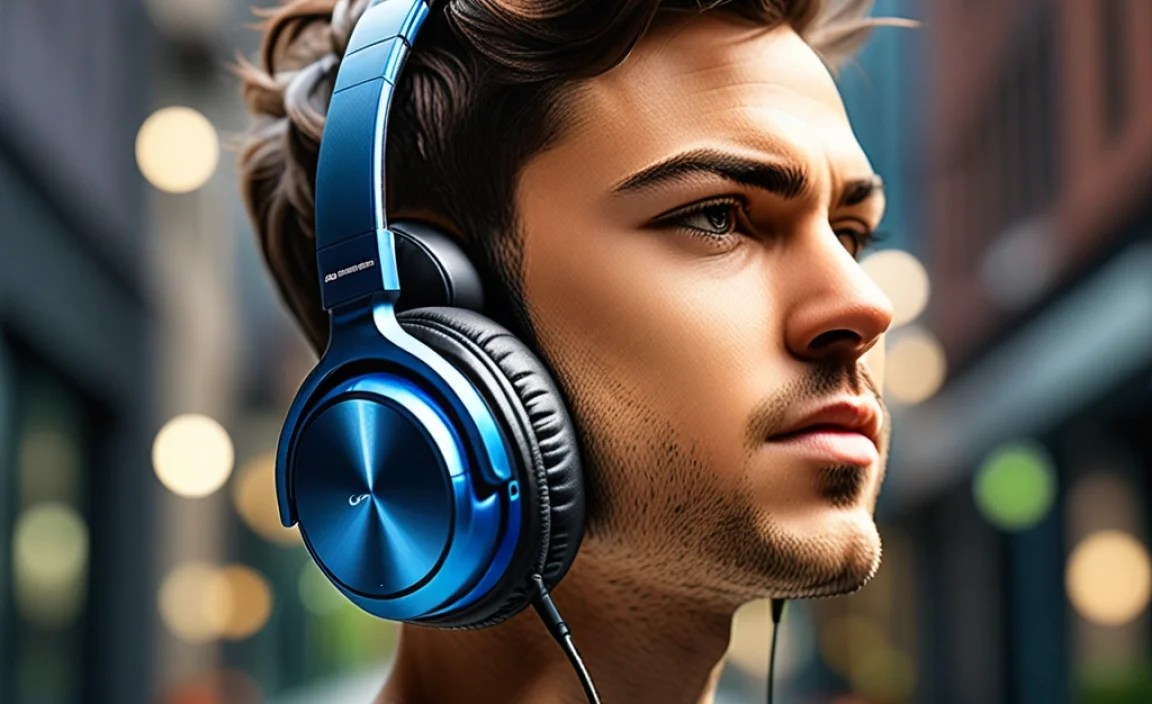
When you start browsing for Bluetooth headphones, you’ll encounter a lot of buzzwords. Don’t let them overwhelm you! Here’s a breakdown of the key features to focus on, especially when you’re aiming for the “best and cheapest” sweet spot:
1. Sound Quality: More Than Just Loud
This is subjective, of course, but generally, you’re looking for balanced sound. This means no single frequency (bass, mids, or treble) overpowers the others. For budget headphones, aim for clarity and a pleasant listening experience rather than expecting audiophile-grade perfection. Read reviews that specifically mention sound signature – do they describe it as “muddy,” “tinny,” or “balanced”?
2. Battery Life: Power Through Your Day
This is crucial for wireless freedom. Look for headphones that offer at least 6-8 hours of playtime on a single charge as a minimum for everyday use. For longer commutes or travel, you might want to aim for 10+ hours. Battery life is often listed in the product specifications, so keep an eye out for that number!
3. Comfort and Fit: Essential for Long Listening
If your headphones aren’t comfortable, you won’t wear them for long, no matter how cheap they are! Consider the type of headphones:
- In-ear (Earbuds): These sit inside your ear canal. Look for models that come with multiple ear tip sizes (silicone or foam) to ensure a snug and comfortable fit. A good seal also helps with passive noise isolation.
- On-ear: These rest on your ears. Check for well-padded earcups and an adjustable headband to prevent pressure points.
- Over-ear: These completely cover your ears. For these, prioritize plush earcups and a lightweight design for maximum comfort during extended listening sessions.
4. Build Quality and Durability: Built to Last
Even the cheapest headphones should feel reasonably solid. For budget options, you might be looking at plastic construction, but check reviews for mentions of flimsy materials or parts that feel like they could break easily. Water and sweat resistance (look for an IPX rating) can be a huge plus if you plan to use them for workouts or in light rain.
5. Connectivity and Bluetooth Version: Stable Links
Most modern headphones use Bluetooth 5.0 or higher, which offers better range, faster pairing, and more stable connections than older versions. While older versions will still work, aim for at least Bluetooth 4.2 if you can. The ability to connect to multiple devices simultaneously (multipoint) is a bonus but not always standard on the cheapest models.
6. Controls and Microphone: Easy Management
How easy is it to play/pause music, adjust volume, skip tracks, or answer calls? Look for intuitive button placement or touch controls. A decent built-in microphone is also important if you plan to use your headphones for calls. Reviews often comment on mic quality, so it’s worth checking.
Finding the Best and Cheapest Bluetooth Headphones: Your Step-by-Step Guide

Ready to dive in and find your perfect pair? Follow these steps for a stress-free search.
Step 1: Define Your Needs and Budget
Before you even start looking, ask yourself:
- What will I primarily use them for? (e.g., music, podcasts, calls, workouts, gaming)
- What type of headphone do I prefer? (in-ear, on-ear, over-ear)
- What’s my absolute maximum budget? (Aiming for “cheapest” might mean setting a ceiling of $50, $30, or even less.)
Knowing your priorities will help you narrow down the vast marketplace significantly.
Step 2: Research Reputable Budget Brands
Certain brands have built a reputation for offering good value for money. While you might not find premium features, they often deliver solid performance for the price. Some brands to keep an eye on include:
- Anker (Soundcore series)
- JLab
- Skullcandy (especially their entry-level models)
- Taotronics
- Mpow (though availability might vary)
- AmazonBasics
These brands consistently produce well-reviewed, affordable headphones that are excellent for everyday use.
Step 3: Read User Reviews Critically
Online reviews are your best friend when shopping on a budget. Don’t just look at the star rating; read what people are saying. Pay attention to comments about:
- Sound quality (“clear,” “muddy,” “bass-heavy”)
- Comfort (“painful after an hour,” “fit well,” “lightweight”)
- Battery life (“lasts all day,” “barely gets 4 hours”)
- Durability (“felt cheap,” “held up well for a year”)
- Connectivity issues (“drops connection often,” “paired easily”)
Look for patterns in the reviews. If multiple people mention the same issue, it’s likely a real problem.
Step 4: Compare Specifications Across Models
Once you have a few contenders, compare their key specifications side-by-side. A simple table can be very helpful here.
Comparison Table: Budget Bluetooth Headphone Features to Watch
| Feature | What to Look For (Beginner-Friendly) | Why It Matters |
|---|---|---|
| Battery Life | 6+ hours playback; quick charging if possible | Ensures they last throughout your day. |
| Comfort/Fit | Multiple ear tip sizes (earbuds); well-padded earcups (over/on-ear) | Prevents discomfort and ensures they stay put. |
| Bluetooth Version | 4.2 or higher (5.0+ is ideal) | For stable, reliable connection with better range. |
| IPX Rating | IPX4 or higher (for workouts/light rain) | Protection against splashes and sweat. |
| Controls | Intuitive buttons or touch controls | Easy management of music and calls. |
| Microphone Quality | Reviews mention clarity for calls | For clear conversations when needed. |
Step 5: Check for Deals and Discounts
The “cheapest” aspect often comes into play during sales events. Keep an eye on major online retailers like Amazon, Best Buy, Walmart, and others, especially during:
- Prime Day
- Black Friday/Cyber Monday
- Holiday sales
- Seasonal promotions
Many budget brands frequently run sales, so a headphone that’s normally $40 might dip to $25-$30 during a promotion.
Step 6: Consider Refurbished or Open-Box Options (with caution)
Sometimes, you can find excellent deals on refurbished or open-box items from reputable sellers on sites like Amazon Warehouse or directly from the manufacturer’s outlet. These items have been returned, inspected, and restored to working order. Just ensure they come with a warranty and are from a trusted source.
Recommended Budget Bluetooth Headphone Types for Beginners

While specific models change rapidly, certain categories of budget Bluetooth headphones consistently offer great bang for your buck. Here are a few types that are often excellent and cheap:
1. True Wireless Earbuds (TWS) Under $50
These have become incredibly popular. Look for models that offer a decent battery life (4-6 hours per charge, with a charging case that provides multiple recharges), a comfortable fit with different ear tip options, and a stable Bluetooth connection. They are perfect for portability and everyday use.
2. Neckband Bluetooth Earbuds Under $40
These have earbuds connected by a band that rests around your neck. This design has some advantages: less chance of losing them if they fall out, a longer potential battery life due to the larger band, and often more intuitive physical controls. They’re a great choice if you’re worried about losing tiny earbuds.
3. On-Ear/Over-Ear Bluetooth Headphones Under $60
If you prefer the comfort of headphones that don’t go inside your ear, many budget-friendly over-ear or on-ear options exist. Focus on comfort with well-padded earcups and an adjustable headband. Battery life is usually quite good on these, often exceeding 20-30 hours. These are great for longer listening sessions at home or in quieter environments.
Real-World Considerations for Cheaper Headphones

When you’re aiming for the “cheapest,” it’s important to manage expectations. Here’s a realistic look:
What You Might Sacrifice (and What You Still Get):
- Premium Materials: Most budget headphones will be made of plastic. This is fine, but they might feel less robust than their pricier counterparts.
- Top-Tier Noise Cancellation: Active Noise Cancellation (ANC) is a premium feature. Cheap headphones might offer some passive noise isolation thanks to a good seal, but don’t expect world-class ANC.
- Advanced Features: Things like customizable EQ apps, high-fidelity audio codecs (like aptX or LDAC), or multipoint connectivity might be rare or absent.
- Long-Term Durability: While many are well-built, some ultra-cheap options might not withstand heavy daily abuse for years on end.
However, what you still get is the core benefit: wireless freedom, decent sound for everyday listening, and the ability to enjoy your audio without being tethered. For many, this is more than enough!
The Importance of a Good Seal (Especially for Earbuds)
For in-ear headphones, the seal you get with the ear tips is critical. A good seal not only provides comfort and keeps the earbuds in place but also significantly improves bass response and passive noise isolation. If the included tips don’t fit well, consider purchasing a pack of third-party foam or silicone tips – they are inexpensive and can dramatically enhance your listening experience. You can learn more about ear tip fitting on resources like the National Institute on Deafness and Other Communication Disorders (NIDCD), which highlights the importance of proper ear protection and fit.
Maintaining Your Budget Bluetooth Headphones
Even inexpensive headphones can last a long time with a little care. Here’s how to keep them in top shape:
Basic Cleaning Routine
- Earbuds: Gently wipe the earbuds and charging case with a dry, soft cloth. Use a dry cotton swab to clean any debris from the charging ports and speaker grilles. For ear tips, remove them and wash them gently with mild soap and water, ensuring they are completely dry before reattaching.
- On-ear/Over-ear Headphones: Wipe the earcups and headband with a slightly damp cloth. For fabric earpads, mild soap and water can be used sparingly, followed by air drying. Avoid harsh chemicals.
Proper Storage
When not in use, store your headphones in a cool, dry place. If they came with a protective case or pouch, use it! This prevents them from getting scratched, dusty, or damaged in your bag or drawer.
Battery Care
Avoid fully draining the battery too often, as this can degrade it over time. While modern lithium-ion batteries are quite resilient, keeping them charged between 20% and 80% for daily use is generally a good practice if it’s easy for you to do. Don’t leave them charging indefinitely after they’re full, especially very cheap models where battery management systems might be less sophisticated.
Troubleshooting Common Bluetooth Issues
Occasionally, you might run into minor hiccups. Here are solutions for common problems:
1. Headphones Won’t Pair
- Ensure both your headphones and your device are charged.
- Turn off Bluetooth on your device, then turn it back on.
- Put your headphones into pairing mode (check your manual – usually involves holding a button for a few seconds until an indicator light flashes).
- “Forget” the headphones in your device’s Bluetooth settings and try pairing again.
- Try pairing with a different device to see if the issue is with the headphones or your original device.
2. Sound Drops Out or Audio is Choppy
- Move your device closer to the headphones to reduce interference.
- Clear obstructions between your device and the headphones (e.g., your body, thick walls).
- Close unnecessary apps on your device that might be consuming resources.
- Restart both your headphones and your device.
3. One Earbud Not Working (for TWS)
- Ensure both earbuds are charged and properly seated in the charging case.
- Clean the charging contacts on both the earbuds and the case with a dry cotton swab.
- Try resetting the earbuds (refer to your manual for specific instructions, often involves holding buttons on both earbuds simultaneously).
4. Poor Microphone Quality
- Make sure the microphone port isn’t blocked by debris or your finger.
- Test in a quieter environment to rule out background noise.
- Ensure the correct audio input source is selected on your device.
For more in-depth troubleshooting, resources like TechRadar often have detailed guides on Bluetooth connectivity.
Frequently Asked Questions (FAQ)
Q1: Are the absolute cheapest Bluetooth headphones worth buying?
Sometimes, yes! Brands like Anker or JLab offer excellent value. However, be wary of unknown brands with suspiciously low prices compared to established budget options. Reading reviews is key to distinguishing a good deal from a poor product.
Q2: What does “pairing mode” mean?
Pairing mode is a special state your Bluetooth headphones enter when they are ready to connect to a new device. You usually activate it by pressing and holding a power or multi-function button until an LED light flashes, often blue or red, indicating it’s discoverable.
Q3: How long should Bluetooth headphones last on a charge?
For basic earbuds, aim for at least 4-6 hours per charge. For neckband or over-ear headphones, you can often expect 10-30+ hours. Always check the product’s specifications for the most accurate battery life claims.
Q4: Can I use cheap Bluetooth headphones for exercise?
Many budget headphones, especially TWS earbuds, come with some level of water or sweat resistance (look for an IPX rating of 4 or higher). They’re often fine for moderate workouts, but for intense, sweaty sessions, you might want dedicated sport earbuds if possible.
Q5: What’s the best way to charge my Bluetooth headphones?
Use the charging cable and adapter that came with your headphones or a compatible USB port. Avoid fast-charging adapters unless specified by the manufacturer, as they can sometimes degrade battery health faster on less sophisticated charging circuits.
