
Quick Summary: Discover how to find excellent wireless headphones without breaking the bank. This guide covers essential features to look for, budget-friendly brands, and tips to ensure you get great sound, comfort, and durability for your money. Make informed choices and enjoy hassle-free audio experiences.
Best & Cheapest Wireless Headphones: Your Essential Guide

Hey everyone, Edward Cavitt here from headphonehorizon! Are you tired of tangled wires holding you back? Or maybe you’re just looking for a fantastic audio upgrade without emptying your wallet. Wireless headphones are amazing for freedom of movement, whether you’re commuting, working out, or just relaxing.
But with so many options out there, finding the “best and cheapest” can feel a bit overwhelming. Don’t worry! I’m here to demystify the process. We’ll walk through the key features that matter most, explore some brilliant budget-friendly brands, and share insider tips for snagging a great deal. Let’s get your ears ready for some awesome, wire-free sound!
Why Go Wireless? The Freedom of Sound

The biggest draw of wireless headphones is, of course, the freedom they offer. No more struggling with cords that get caught on door handles, snagged in your gym equipment, or magically tie themselves into knots in your bag. This liberation allows for a more natural and immersive listening experience. Whether you’re moving around the house, enjoying your commute, hitting the gym, or simply lounging on the couch, the absence of wires makes everything smoother and more enjoyable.
Beyond just convenience, wireless technology has advanced significantly. Battery life is better than ever, and sound quality can rival that of even some wired counterparts, especially in the mid-range and budget segments. Connecting is usually a breeze, typically involving simple Bluetooth pairing. For students, busy professionals, athletes, or anyone who values a clutter-free lifestyle, wireless headphones are not just a luxury; they’re a practical upgrade that enhances daily life.
Key Features to Consider (Even on a Budget)

When you’re on the hunt for the best and cheapest wireless headphones, it’s easy to get lost in the sea of specifications. But fear not! Focusing on a few key areas will help you make a smart choice:
1. Sound Quality: Your Ears Will Thank You
This is paramount. While top-tier audiophile sound might be out of reach for the cheapest options, decent audio is absolutely achievable. Look for headphones that offer a balanced sound profile. This means you don’t want overly boomy bass that drowns out the mids and highs, nor do you want a tinny, harsh sound. Many budget headphones can offer clear vocals and enjoyable music reproduction for everyday listening.
- Bass: Should be present and impactful, but not muddy or overwhelming.
- Mids: Crucial for vocals and instruments. Clear mids make voices sound natural.
- Highs: Should be crisp and detailed without being sibilant (hissy) or painfully sharp.
Reading reviews from reputable tech sites and listening to them yourself (if possible) are the best ways to gauge sound quality. Some headphones in the budget category might offer support for higher-quality Bluetooth codecs like aptX, which can provide a noticeable improvement in sound detail if your playback device also supports it. You can learn more about Bluetooth audio codecs and their impact on sound quality from resources like RTINGS.com.
2. Comfort and Fit: Wear Them for Hours
If headphones aren’t comfortable, you won’t want to wear them, no matter how cheap they are or how good they sound. For over-ear headphones, consider the padding on the earcups and headband. For in-ear models (earbuds), the material and shape of the ear tips are crucial. Most good budget earbuds come with multiple sizes of silicone ear tips to help you find a secure and comfortable seal.
- Over-Ear: Look for plush earcups that completely surround your ears without excessive pressure.
- On-Ear: Ensure the padding isn’t too stiff and doesn’t press uncomfortably on your ears.
- In-Ear: Multiple ear tip sizes are a must. A secure fit is vital for both comfort and passive noise isolation.
Weight also plays a role; lighter headphones generally mean more comfort during extended listening sessions.
3. Battery Life: Power Through Your Day
One of the main advantages of wireless headphones is battery power. For most users, aiming for at least 15-20 hours of playback time on a single charge is a good starting point for over-ear and some in-ear models. True wireless earbuds might offer less on their own (4-8 hours), but their charging cases can extend the total listening time significantly, sometimes up to 24 hours or more.
Look for quick charging features. A quick 10-15 minute charge can often add an hour or two of playback, which is a lifesaver when you’re in a hurry.
4. Durability and Build Quality: Built to Last
Even the cheapest headphones should feel reasonably well-built. Avoid models that feel flimsy or use overly cheap plastic. For headphones that will be used during workouts or travel, consider sweat and water resistance ratings (IPX ratings). An IPX4 rating, for instance, means they can handle splashes of water, which is great for sweat or light rain.
Check reviews for comments on longevity and how well the headphones hold up to daily use.
5. Connectivity: Seamless Pairing is Key
Bluetooth version matters. Newer versions (like Bluetooth 5.0 and above) offer more stable connections, better power efficiency, and longer range. Most budget headphones will use Bluetooth 4.2 or 5.0, which are perfectly adequate for most daily use cases. Look for easy pairing processes; good headphones should connect to your device quickly and reliably.
6. Microphones: For Calls and Voice Assistants
If you plan to use your headphones for calls or interacting with voice assistants, check the microphone quality. Budget headphones can sometimes have mediocre microphones, so if this is important, look for reviews that specifically mention call clarity.
Navigating the Budget Market: Brands to Watch

The “best and cheapest” often lie in the sweet spot of value. While premium brands like Sony, Bose, and Apple offer excellent headphones, they come with a premium price tag. Fortunately, several brands consistently deliver great performance at affordable prices.
Top Budget-Friendly Brands
- Anker Soundcore: This brand is a powerhouse in the budget audio space. They offer a wide range of headphones and earbuds with impressive sound quality, good battery life, and solid build for their prices.
- Jabra: While some Jabra models are pricier, they often have older models or specific lines that offer excellent value, known for their durability and reliable performance, especially for calls.
- Skullcandy: Known for their distinctive styling and aggressive bass, Skullcandy offers a variety of affordable wireless options that are popular with younger users and those who love a powerful low-end.
- Edifier: A brand that often punches above its weight class, Edifier provides well-designed and good-sounding headphones and earbuds at very competitive prices.
- Haylou/Xiaomi (Redmi): These brands, often linked to Xiaomi, offer incredibly affordable true wireless earbuds that provide surprising sound quality and features for the price.
When looking for these brands, check out their entry-level or mid-tier wireless models. You can often find deals on Amazon, Best Buy, and directly from the manufacturers’ websites.
Step-by-Step Guide: Finding Your Perfect Pair
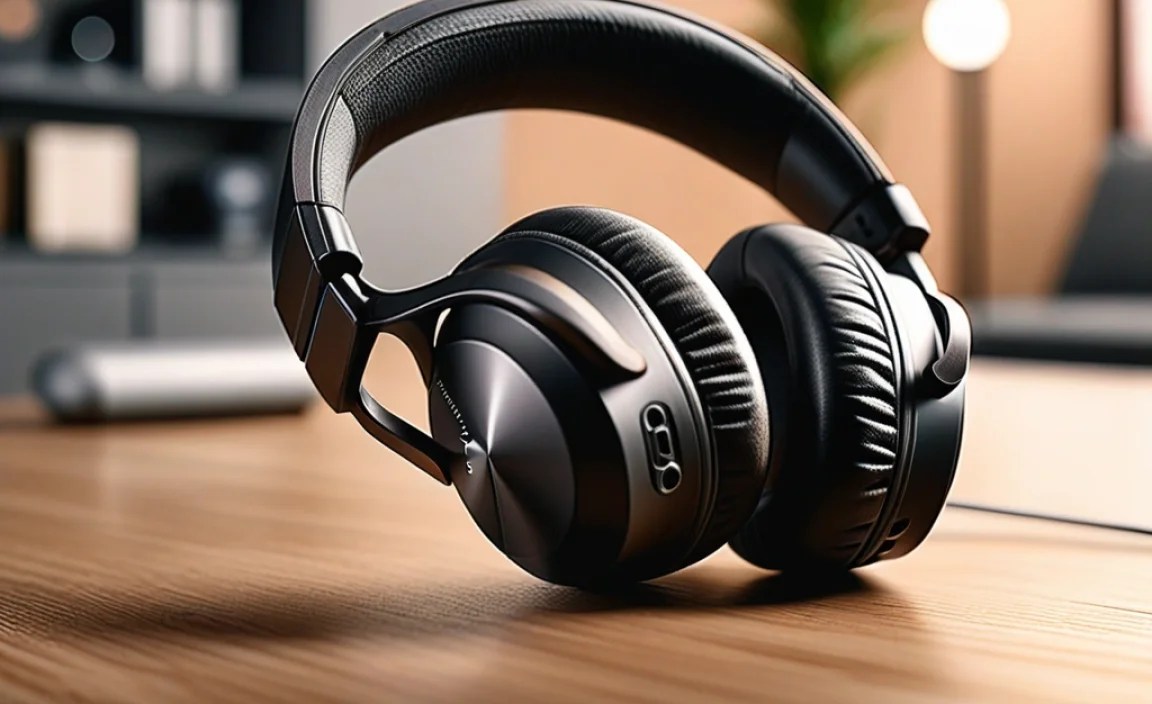
Let’s break down the process of finding your ideal budget wireless headphones.
Step 1: Define Your Needs
Before you even start looking, ask yourself:
- What type of headphone do you prefer? (Over-ear, on-ear, true wireless earbuds, neckband earbuds)
- What will you primarily use them for? (Commuting, gym, work, gaming, casual listening)
- What features are non-negotiable? (e.g., long battery life, water resistance, good microphone)
- What is your absolute maximum budget? (Be realistic!)
Answering these questions will narrow down your search significantly.
Step 2: Research and Read Reviews
Once you have a clear idea of what you’re looking for, it’s time to research. Focus on reputable tech review sites that test headphones thoroughly. Look for reviews that specifically mention budget models.
Key things to look for in reviews:
- Sound quality comparisons
- Comfort and fit over long periods
- Real-world battery life
- Connectivity stability
- Durability and build quality
- Microphone performance
- Value for money
Don’t just rely on professional reviews. Check user reviews on retail sites, but take them with a grain of salt. Look for recurring themes – if many people praise the sound, that’s a good sign. If many complain about a specific issue, stay away.
Step 3: Compare Prices and Look for Deals
Once you’ve shortlisted a few potential models, compare prices across different retailers. Don’t forget to check:
- Amazon
- Best Buy
- Walmart
- Manufacturer’s official websites
- Other online electronics retailers
Keep an eye out for sales events like Prime Day, Black Friday, or holiday sales. Often, you can find excellent headphones at a significant discount during these periods.
Step 4: Consider Refurbished or Open-Box Options
If you’re really aiming for the cheapest options, consider buying refurbished or open-box items from trusted sellers. Many retailers offer these at substantially reduced prices. Ensure there’s a warranty or return policy in place to protect your purchase.
Step 5: Make Your Purchase and Test
After you’ve made your decision, buy your headphones! As soon as they arrive, test them out. Play music, make a call, see how they feel when you move around. Trust your own ears and experience. If they don’t meet your expectations and the return window is still open, don’t hesitate to send them back.
Budget Wireless Headphones: Key Features Comparison
To give you a better idea of what to expect, here’s a look at common features across different budget levels. Remember, prices can fluctuate, and “budget” can mean different things to different people, but this provides a general overview.
| Feature | Ultra-Budget (<$30) | Mid-Budget ($30-$70) | Value Premium ($70-$120) |
|---|---|---|---|
| Sound Quality | Basic, sometimes muddy bass, clear for podcasts. | Balanced, decent clarity, enjoyable for music. | Good detail, strong bass, well-rounded. |
| Comfort & Fit | Can be hit or miss, basic materials. | Generally comfortable, multiple ear tips common. | Premium materials, ergonomic design. |
| Battery Life | 10-15 hours total (with case for earbuds). | 15-25 hours total (with case for earbuds). | 20-30+ hours total (with case for earbuds). |
| Build Quality | Lightweight, can feel fragile. | Decent plastic, some may have IPX ratings. | More robust, better materials, good IPX ratings. |
| Connectivity | Bluetooth 4.2/5.0, often standard range. | Bluetooth 5.0+, stable connection, good range. | Bluetooth 5.2+, advanced codecs possible, multipoint. |
| Microphone | Basic, can struggle in noisy environments. | Acceptable for quiet calls. | Clearer, noise reduction often present. |
| Extra Features | Minimal, maybe a simple touch control. | Touch controls, basic app support, voice assistant access. | ANC (basic), transparency mode, advanced app features. |
True Wireless vs. Other Wireless Formats
The “wireless” umbrella covers a few different styles, each with its own pros and cons:
True Wireless Earbuds (TWS)
These are fully untethered earbuds, with each earbud being completely independent. They come with a charging case.
- Pros: Ultimate portability and freedom, discreet, charging case extends battery life significantly.
- Cons: Easy to lose, can be fiddly to fit, microphone quality can vary widely, battery life per charge can be shorter.
Wireless Neckband Earbuds
These have two earbuds connected by a flexible band that rests around your neck. The battery and controls are usually housed in the neckband.
- Pros: Harder to lose, generally better battery life than TWS, easy to pause and put on.
- Cons: The neckband can be felt or seen, not as “wire-free” as TWS.
Wireless On-Ear/Over-Ear Headphones
These are the traditional headphone styles, but with Bluetooth connectivity.
- Pros: Often more comfortable for long sessions, potentially better sound isolation and bass response, usually longer battery life per charge.
- Cons: Bulkier to carry, can get warm on ears, less discreet.
For the “best and cheapest” criteria, true wireless earbuds often offer the most compelling value in the ultra-budget to mid-budget range, thanks to the competitive market.
Common Pitfalls to Avoid
Even when looking for budget options, there are traps to sidestep:
- Over-hyped reviews: Be wary of reviews that seem too good to be true, especially if they are from unknown sites or heavily sponsored.
- Ignoring comfort: The cheapest headphones can sometimes make serious compromises on ear materials or design, leading to discomfort.
- Assuming all Bluetooth is the same: While most basic connections are fine, older Bluetooth versions can be less stable.
- Buying from sketchy sellers: Stick to reputable retailers to avoid counterfeit products or scams.
- Not checking for a warranty: Cheap electronics can sometimes fail. A good return policy or warranty is your safety net.
A great resource for understanding audio technology and making informed decisions is the Federal Communications Commission (FCC), which offers information on various wireless technologies.
Tips for Getting the Best Sound for Your Buck
Once you’ve bought your affordable wireless headphones, here’s how to maximize their performance:
- Ensure a Good Fit: For earbuds, try all the included ear tip sizes. A proper seal is crucial for bass response and noise isolation. For over-ear, make sure the earcups sit correctly.
- Clean Them Regularly: Earwax and debris can muffle sound. Gently clean earbuds and earcup grilles according to the manufacturer’s instructions. According to the NHS, keeping them clean is essential for hygiene too.
- Keep Firmware Updated: Many headphones, especially from brands like Anker Soundcore, have companion apps that allow firmware updates. These can sometimes improve sound, stability, or battery life.
- Experiment with EQ (if available): Some headphones come with an app that offers EQ settings. If the default sound isn’t to your liking, try adjusting the EQ to suit your preferences or the music genre.
- Protect Them: Store them in their case when not in use, especially true wireless earbuds, to prevent damage and loss.
Frequently Asked Questions (FAQ)
Q1: Can I really get good sound quality from cheap wireless headphones?
Absolutely! While they might not compete with thousand-dollar audiophile sets, many budget-friendly headphones, especially those in the $30-$70 range from reputable brands like Anker Soundcore or Edifier, offer surprisingly clear and balanced sound that’s more than adequate for everyday listening, podcasts, and casual music enjoyment.
Q2: What does “Bluetooth codec” mean, and why should I care?
A Bluetooth codec is like a translator for audio data sent wirelessly. Basic codecs (like SBC) are universally compatible but might compress audio a lot
