
Quick Summary: Discover top over-ear headphones with microphones for clear calls and immersive audio. This guide simplifies features, helps you choose the perfect fit for work or play, and offers tips for maximizing your listening and communication experience.
Best Over-Ear Headphones with Microphone: Your Essential Guide

Hello audio adventurers and welcome back to Headphone Horizon! Today, we’re diving headfirst into a topic that’s become increasingly essential for all of us: finding the best over-ear headphones with a microphone.
Whether you’re a remote worker juggling Zoom calls, a student attending online lectures, or a gamer wanting to chat with your squad, the right pair of headphones can make all the difference.
We’ll demystify what to look for, explore some fantastic options, and ensure you make a choice that leaves you sounding and feeling great. Let’s get started on this journey to superior sound and crystal-clear communication!
Why Over-Ear Headphones with a Microphone?

Over-ear headphones, also known as circumaural headphones, envelop your ears entirely. This design offers several key advantages, especially when a microphone is integrated:
- Superior Comfort: Plush earcups designed to sit around your ears, rather than on them, generally provide a more comfortable fit for extended listening sessions.
- Excellent Sound Isolation: The close seal created by over-ear earcups helps block out ambient noise, allowing you to focus on your audio or calls without distractions. This is crucial for noisy environments.
- Immersive Audio Experience: The larger drivers commonly found in over-ear designs can produce richer, more detailed soundscapes, enhancing music listening and movie watching.
- Integrated Microphone: When paired with a quality microphone, these headphones become a versatile tool for communication, ensuring your voice is heard clearly.
What to Look for in a Great Over-Ear Headphone with Microphone

Choosing the right pair can feel overwhelming with so many options. Here’s a breakdown of key features to consider:
Microphone Quality
This is paramount for communication. Look for:
- Directionality: Most headphones have either omnidirectional (picks up sound from all directions) or unidirectional (picks up sound from a specific direction, usually in front of the mic) microphones. Unidirectional mics are generally better for noisy environments as they can focus on your voice.
- Noise Cancellation: Some microphones have built-in noise cancellation to filter out background sounds like keyboard clicks or fan noise.
- Articulation: A boom microphone that can be positioned close to your mouth will typically offer clearer audio than a small, fixed mic.
Comfort and Fit
You’ll be wearing these for potentially long periods, so comfort is non-negotiable.
- Earcup Material: Look for plush, breathable materials like memory foam, leatherette, or velour.
- Headband Padding: A well-padded headband distributes weight evenly to prevent pressure points on your head.
- Adjustability: Ensure the headband and earcups are adjustable to fit your head size and shape securely but comfortably.
- Weight: Lighter headphones are generally more comfortable for extended wear.
Sound Quality
While the microphone is key for calls, you’ll also want great audio for music, podcasts, and gaming.
- Frequency Response: This indicates the range of sounds the headphones can reproduce. A wider range offers fuller sound.
- Driver Size: Larger drivers (the speaker components) often produce more powerful and refined sound.
- Sound Profile: Some headphones are tuned for a neutral, balanced sound, while others emphasize bass or treble. Consider what you’ll be using them for most.
Connectivity
How will you connect your headphones?
- Wired (3.5mm or USB): Offers a stable connection and often the best audio quality and lowest latency, crucial for gaming. USB connections can offer digital audio processing.
- Wireless (Bluetooth): Provides freedom of movement. Look for Bluetooth 5.0 or higher for better range, stability, and battery efficiency. Consider codecs like aptX for improved wireless audio quality.
Durability and Build Quality
A well-built pair will last longer and feel more premium.
- Materials: Metal components in the headband or hinges often indicate greater durability than all-plastic construction.
- Cable Quality (for wired): Braided cables are generally more resistant to tangles and wear.
Additional Features
These can enhance your experience:
- Active Noise Cancellation (ANC): Great for blocking out ambient noise, especially in airports or busy offices.
- Volume Controls and Mute Button: Convenient on-ear controls make it easy to adjust settings without fumbling for your device.
- Detachable Microphone: If you want to use the headphones for music listening without the mic getting in the way.
- Software/App Support: Some brands offer companion apps for EQ customization, firmware updates, and mic settings.
Top Picks: Best Over-Ear Headphones with Microphone

Based on our criteria, here are some standout options that consistently impress reviewers and users alike. These are categorized to help you find the best fit for your needs.
Best Overall
When you want a fantastic all-rounder that excels in both communication and audio for everyday use.
Logitech G PRO X Gaming Headset
While marketed for gaming, the G PRO X is an absolute powerhouse for general use due to its exceptional microphone and comfortable design. The detachable, unidirectional boom mic features Blue VO!CE software, allowing for real-time voice filters and enhancements. This means your voice will sound clear and professional on calls, even in less-than-ideal environments.
- Microphone: Detachable, cardioid boom mic with Blue VO!CE technology for voice customization and noise reduction.
- Comfort: Plush memory foam earcups, steel and aluminum construction, and a comfortable headband.
- Sound: PRO-G 50mm drivers deliver clear and precise sound, great for both voice and music.
- Connectivity: 3.5mm analog cable with inline audio controls, plus a USB sound card for PC features.
- Build: Durable metal construction.
Best for Professional Calls and Home Office
For those who prioritize clear voice communication and comfort during long workdays.
Jabra Evolve 80 UC Stereo
The Jabra Evolve 80 is an enterprise-grade headset designed for professionals. Its advanced ANC and superior microphone with active noise cancellation ensure that your voice is always the focus. It’s built for comfort during long wear and integrates seamlessly with unified communication platforms.
- Microphone: Advanced noise-canceling microphone with an ambient noise reducer, ensuring crystal-clear calls.
- Comfort: Over-ear design with soft leatherette earcups and an adjustable headband for all-day wear.
- Sound: Hi-Fi audio that’s excellent for music and calls.
- Connectivity: Wired USB or 3.5mm jack options.
- Features: Integrated busy light, strong ANC.
Best Budget-Friendly Option
Great performance without breaking the bank.
HyperX Cloud II
The HyperX Cloud II has long been a favorite for its incredible value. It offers excellent comfort, solid build quality, and a surprisingly good microphone for its price point. The included USB sound card enables virtual 7.1 surround sound on PC and enhances mic quality.
- Microphone: Detachable, noise-canceling microphone.
- Comfort: Soft memory foam earcups and a durable aluminum frame.
- Sound: 53mm drivers provide a rich sound experience.
- Connectivity: USB sound card with 7.1 surround sound (PC) or a 3.5mm jack for console/mobile.
- Durability: Solid construction.
Best Wireless Option
Freedom of movement with excellent audio and mic performance.
Sony WH-1000XM5 Wireless Noise Canceling Headphones
While primarily known for its industry-leading noise cancellation and audiophile-grade sound, the WH-1000XM5 also boasts a significantly improved microphone system over its predecessors. Using multiple beamforming microphones and AI-driven noise reduction, it excels at picking up your voice clearly, making it a fantastic choice if you want premium features for both music and calls from a single pair.
- Microphone: Four beamforming microphones, AI noise reduction for clear voice calls.
- Comfort: Lightweight, soft-fit leather, and refined design for excellent comfort.
- Sound: Exceptional sound quality with DSEE Extreme and LDAC support.
- Connectivity: Bluetooth 5.2 with multi-point connection.
- Features: Industry-leading ANC, Speak-to-Chat, long battery life.
Best for Creators and Podcasters
When microphone clarity is paramount for content creation.
Rode NTH-100 Professional Over-Ear Headphones
Rode is renowned for its audio equipment, and the NTH-100 headphones are no exception. While they don’t have a built-in microphone for calls, they are designed with podcasting, voiceover work, and content creation in mind, offering an incredibly accurate and detailed sound that’s vital for production.
For a setup that demands top-tier mic quality for recording, you’d integrate a separate, high-quality microphone, but for monitoring your own voice and others with pristine clarity, these are unmatched. If you need a headset with a mic for this purpose, consider the G Pro X or Evolve 80 but for pure monitoring accuracy, the NTH-100s are superb.
- Sound: Extremely accurate and detailed sound reproduction for critical listening.
- Comfort: Revolutionary CoolTech™ earcups and a contoured design for superior long-term comfort.
- Build: Designed for durability and longevity.
- Connectivity: Wired, with a choice of cable lengths and locking connectors.
- Microphone: Not built-in but excellent for monitoring voice during recording sessions.
Understanding Microphone Technologies
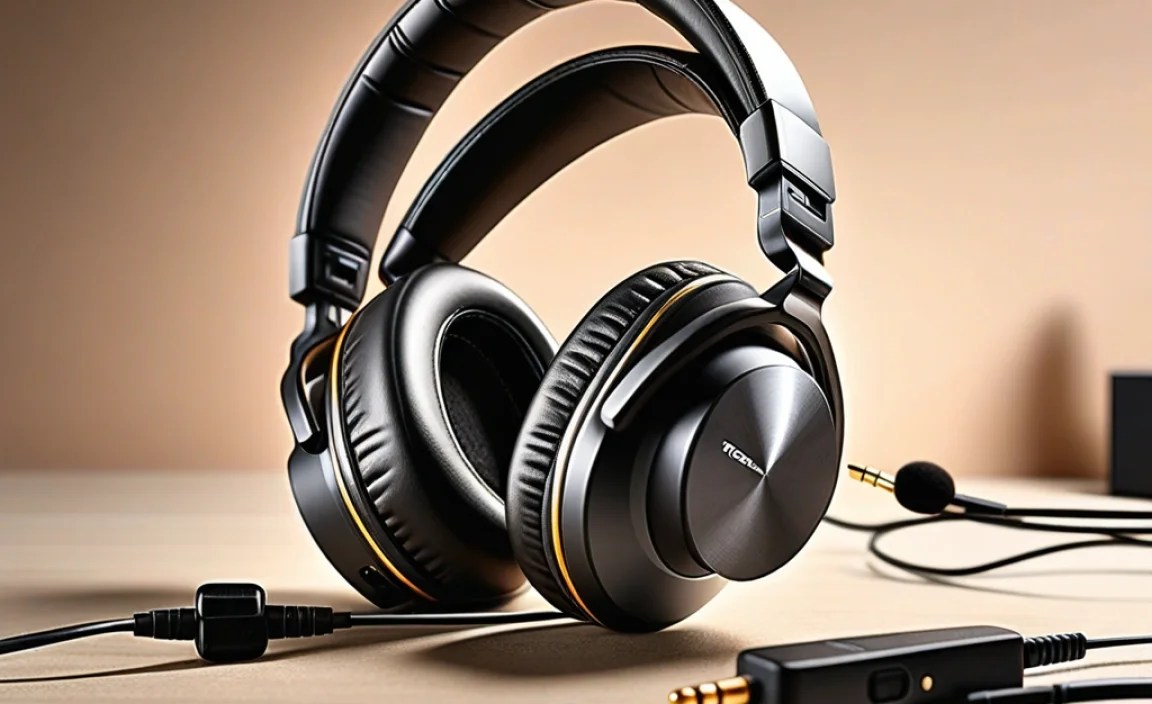
Let’s take a moment to understand the tech behind clear communication:
- Noise Cancellation: This isn’t just for ANC on the speakers. Microphone noise cancellation works by detecting ambient sounds and subtracting them from your voice signal, so only your voice comes through clearly.
- Voice Pickup Patterns (Polar Patterns):
- Cardioid: Picks up sound mostly from the front, rejecting sound from the sides and rear. Ideal for reducing background noise.
- Omnidirectional: Picks up sound equally from all directions. Useful in quiet environments but can pick up more background noise.
- Bidirectional: Picks up sound from the front and back, rejecting sides. Less common in headphones.
- Digital Signal Processing (DSP): Many modern headsets use DSP to enhance both audio playback and microphone input, reducing distortion, echo, and background noise.
How to Test Your Headphone Microphone
Once you’ve got your new headphones, it’s essential to ensure the microphone is working optimally. Here’s how:
- Check Your System Settings:
- Windows: Go to Settings > System > Sound > Input. Select your headphone’s microphone and click “Device properties.” Use the “Test your microphone” slider.
- macOS: Go to System Preferences > Sound > Input. Select your microphone and speak into it. The input level meter will show your voice activity.
- Smartphone: Navigate to your phone’s sound settings or use a voice recording app.
- Use a Voice Recorder App: Record a short message using a built-in or downloaded voice recorder app. Play it back to gauge the clarity, volume, and any background noise.
- Test in Communication Apps: Launch your preferred communication app (Zoom, Teams, Discord, Skype, etc.). Most have an audio settings menu where you can test your microphone. Call a friend or colleague to get direct feedback.
- Listen for Background Noise: Speak normally, then try speaking softly. Try typing on your keyboard or making other common noises to see if the microphone picks them up excessively.
If you’re experiencing issues, consult the troubleshooting section or your product manual. For instance, the U.S. Department of Commerce’s National Telecommunications and Information Administration (NTIA) has resources on audio testing that, while technical, can underpin fundamental understanding of audio quality.
Connecting Your Headphones: Wired vs. Wireless
Choosing between wired and wireless often comes down to your priorities.
Wired Headphones
Pros:
- Generally offers superior audio quality and lower latency (delay), crucial for gaming and professional audio work.
- No battery to worry about.
- Often more affordable.
Cons:
- Limited by cable length.
- Can get tangled.
- May require specific ports (e.g., 3.5mm jack, USB-C) that some modern devices lack.
Wireless Headphones (Bluetooth)
Pros:
- Freedom of movement.
- Clean aesthetic, no wires to manage.
- Often include features like ANC and multi-point pairing.
Cons:
- Require charging.
- Potential for latency, though modern Bluetooth codecs are improving this.
- Audio quality can be a step below wired, depending on the codecs supported.
- Can be more expensive.
For a dedicated work setup, a high-quality wired USB headset might be best for reliability and clarity. For everyday commuting or moving around the house, wireless offers unmatched convenience.
Maintenance and Care for Longevity
To keep your headphones sounding and performing their best, a little care goes a long way:
- Cleaning Earcups:
- For leatherette or pleather, wipe with a slightly damp cloth (water or mild soap solution). Avoid harsh chemicals.
- For velour, use a soft brush or a slightly damp cloth and let them air dry completely before wearing.
- Cleaning the Microphone: Gently wipe the mic grille with a dry, soft brush to remove dust. Never use liquids directly on the microphone.
- Cable Care (Wired): Avoid tightly wrapping cables. Instead, use a loose coil. Store them away from areas where they can be stepped on.
- Storage: When not in use, store your headphones in a cool, dry place, ideally in their original case or a protective pouch to prevent dust and damage.
- Avoid Extreme Temperatures and Moisture: Don’t leave them in a hot car or expose them to excessive humidity.
Frequently Asked Questions (FAQ)
Q1: How do I know if my headset microphone is the problem?
A1: If others can’t hear you, or your voice sounds muffled, distorted, or too quiet, the microphone might be the issue. First, check that it’s properly connected and not muted. Then, test it in different applications and on different devices. Refer to our “How to Test Your Headphone Microphone” section for detailed steps.
Q2: Can I use a gaming headset for work calls?
A2: Absolutely! Many gaming headsets have excellent microphones with noise-canceling features that are perfect for work calls. Brands like Logitech and HyperX produce gaming headsets with microphones that rival dedicated communication headsets.
Q3: What is the difference between a boom microphone and an in-line microphone?
A3: A boom microphone extends from the earcup on an adjustable arm, allowing you to position it close to your mouth for optimal voice pickup and noise rejection. An in-line microphone is typically small and integrated into the headphone cable or attached to the earcup, offering less precise positioning but a sleeker look.
Q4: Will Bluetooth headphones have too much lag for video calls?
A4: Modern Bluetooth versions (5.0 and above) and codecs like aptX Low Latency have significantly reduced lag. For most standard video calls, the delay is imperceptible. However, for critical audio work or competitive gaming where split-second timing is crucial, a wired connection is still preferred.
Q5: How important is ANC (Active Noise Cancellation) for a microphone?
A5: ANC on headphones is primarily for the listener, to block out external noise. For the microphone, the crucial feature is noise cancellation (often passive
