
Quick Summary: Discover the top over-ear headphones for your Android device. This guide simplifies features like sound quality, comfort, and connectivity, helping you find the perfect pair for music, calls, and everyday listening without the tech overwhelm. Make your next headphone purchase confidently.
Best Over-Ear Headphones for Android: Your Essential Guide
Hey headphone explorers! Edward Cavitt here from headphonehorizon, your friendly guide to all things audio. Are you diving into the wonderful world of over-ear headphones and want them to play nicely with your Android phone? It can feel like navigating a maze with all the jargon and options, right? Don’t sweat it! This guide is designed to make choosing the best over-ear headphones for your Android a breeze. We’ll break down what really matters, from amazing sound to cozy earcups and seamless connections, so you can enjoy your music, podcasts, or calls without any fuss. Let’s find your perfect audio match!
Why Over-Ear Headphones for Your Android?

Over-ear headphones, also known as circumaural headphones, offer a fantastic listening experience, especially when paired with your Android device. Unlike smaller earbuds, they completely surround your ears. This design does wonders for sound quality by creating a better seal, which in turn enhances bass response and immerses you in your audio. Plus, they’re often designed with comfort in mind, making them ideal for long listening sessions – whether you’re a student cramming for exams, a remote worker taking calls, or just someone who loves to get lost in their favorite playlists for hours.
For Android users, the appeal is amplified by the versatility of modern headphones. Bluetooth connectivity is almost standard, meaning you can cut the cords and enjoy freedom of movement. Many models also offer fantastic features like active noise cancellation (ANC) to block out distractions, excellent microphones for crystal-clear calls, and companion apps that let you customize your sound profiles directly from your Android phone. It’s about upgrading your everyday listening to something truly special.
Key Features to Look For in Android-Compatible Over-Ear Headphones
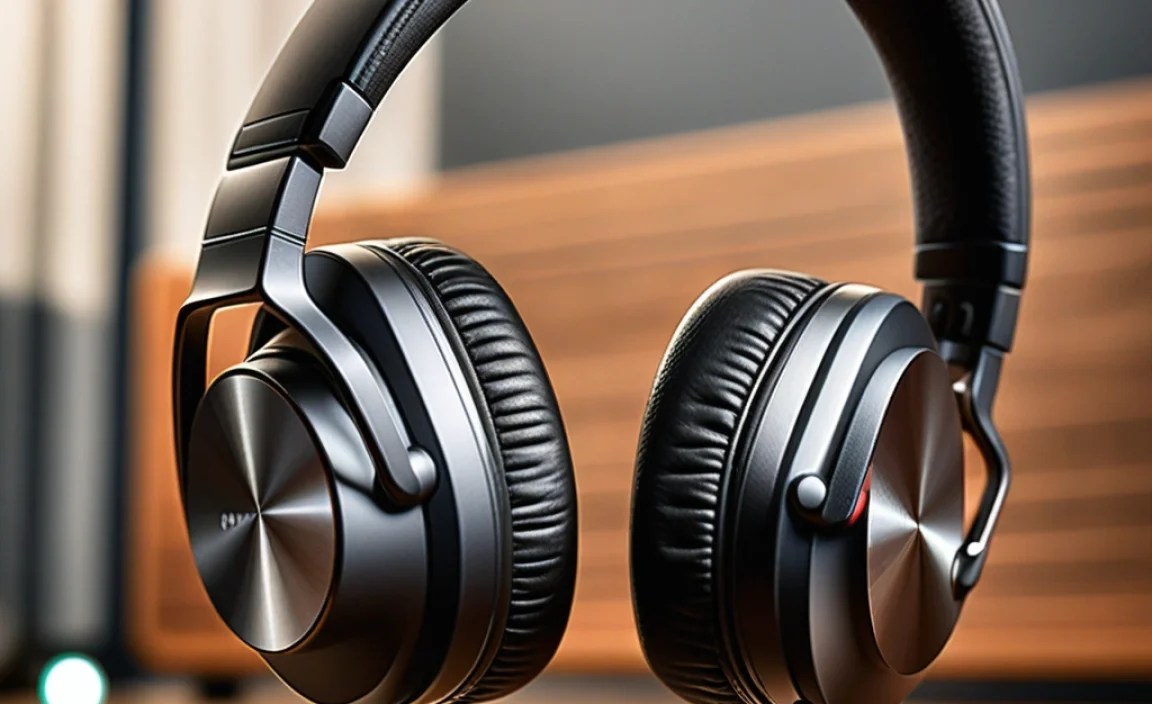
When you’re on the hunt for the best over-ear headphones compatible with your Android phone, a few features stand out as game-changers. Let’s break them down in simple terms:
1. Sound Quality: What You’ll Actually Hear
This is the heart of it all, isn’t it? For over-ear headphones, sound quality usually refers to how balanced and detailed the audio is. You’ll often see terms like “soundstage,” “bass,” “mids,” and “treble.”
- Bass: The lower frequencies – think the thump of a kick drum or the rumble of a bass guitar. Good bass adds impact and warmth to music.
- Mids: These are your vocals and most instruments. Clear mids mean you can easily understand lyrics or hear the nuance in a guitar solo.
- Treble: The higher frequencies – cymbals, sibilance (like ‘s’ sounds), and airiness. Well-balanced treble adds sparkle without being harsh.
- Soundstage: This is like the “width” of the sound. A wide soundstage makes it feel like the music is happening all around you, not just inside your head.
For Android users, many headphones offer custom EQ (Equalizer) settings via companion apps, allowing you to tweak the sound to your liking. This is a fantastic perk!
2. Connectivity: Staying Linked to Your Phone
This is crucial for Android compatibility. Most modern over-ear headphones use Bluetooth. Here’s what to know:
- Bluetooth Version: Newer versions (like Bluetooth 5.0, 5.1, 5.2, and 5.3) offer better stability, range, and power efficiency. Your Android phone’s Bluetooth version will influence this.
- Codecs: These are like languages for Bluetooth audio. Common ones include SBC (basic, almost universal), AAC (good for Apple devices, works well on Android), and aptX variations (often preferred for higher quality audio transmission on Android). Look for headphones that support aptX or aptX HD if your Android phone also supports them for a noticeable quality boost. You can check your Android phone’s supported codecs in its developer options. For more on Bluetooth codecs, the Bluetooth Technical Briefs offer a great overview.
- Multipoint Pairing: The ability to connect to two devices at once (e.g., your phone and laptop). Super handy for switching between music on your computer and a call on your phone.
3. Comfort and Fit: For Those Marathon Listening Sessions
Over-ear headphones should feel good, even after hours of wear. Key comfort factors include:
- Earpads: Are they plush? Made of memory foam or soft leatherette? They should gently cushion your ears without pressing too hard.
- Headband: Is it padded and adjustable? It should distribute weight evenly across your head.
- Weight: Lighter headphones are generally more comfortable for extended use.
- Clamping Force: How tightly do they grip your head? Too tight and they’re uncomfortable; too loose and they might slip off.
4. Active Noise Cancellation (ANC): Your Peacekeeper
ANC is a lifesaver when you want to focus or escape noisy environments. It uses microphones to detect ambient sound and then generates an “anti-noise” to cancel it out. For commuters, travelers, or students in noisy dorms, ANC is often a top priority. Check how effective the ANC is and if it has different modes (e.g., awareness mode to hear your surroundings).
5. Microphone Quality: Clearer Conversations
If you plan on making calls or using voice commands with your Android, a good microphone is essential. Look for headphones that specifically mention clear voice pickup or noise reduction for calls. This prevents the person on the other end from hearing every background noise you do.
6. Battery Life: Powering Your Day
For wireless headphones, battery life is non-negotiable. Most good over-ear models offer 20-40 hours of playback on a single charge, especially with ANC enabled. Fast charging is also a great feature, giving you several hours of listening time from just a few minutes of charging.
7. Durability and Build Quality: Built to Last
You want headphones that will stand the test of time. Look for sturdy materials like metal in the headband and strong plastics for the earcups. Hinges and adjustment mechanisms should feel robust.
Top Over-Ear Headphones for Android Users: Recommendations

Finding the “best” is subjective, as it depends on your priorities and budget. However, here are some consistently excellent choices that pair wonderfully with Android devices, covering different needs and price points.
Our Top Picks at a Glance
Here’s a quick look at some of our favorites. We’ll dive deeper into each one:
| Headphone Model | Key Strengths | Ideal For | Approx. Price Range |
|---|---|---|---|
| Sony WH-1000XM5 | Industry-leading ANC, superb sound, comfort, long battery | Travelers, commuters, audiophiles seeking quiet | $$$ |
| Bose QuietComfort Ultra Headphones | Exceptional comfort, effective ANC, balanced sound | Long listening sessions, office work, frequent flyers | $$$ |
| Sennheiser Momentum 4 Wireless | Rich, detailed audio, excellent battery life, good ANC | Music lovers, those prioritizing sound fidelity | $$$ |
| Anker Soundcore Space Q45 | Great value, good ANC for the price, aptX HD support | Budget-conscious users needing solid performance | $$ |
| JBL Live 660NC | Punchy bass, comfortable design, decent ANC, ambient aware | Bass lovers, casual listeners, urban commuters | $$ |
*Price ranges are approximate: $ = Under $100, $$ = $100-$200, $$$ = $200+
1. Sony WH-1000XM5: The Noise-Cancelling King
Sony’s WH-1000XM series has consistently set the bar for active noise cancellation, and the XM5 is no exception. They use two processors and eight microphones to deliver truly remarkable silence.
- Sound: Rich, detailed, and well-balanced with impressive clarity. Supports LDAC (Sony’s high-resolution codec, works well with many Android phones) and AAC. The Sony Headphones Connect app allows extensive EQ customization.
- ANC: Simply outstanding. It adapts to your environment and even your mood.
- Comfort: Lighter and more refined than previous models, with soft earpads.
- Connectivity: Bluetooth 5.2 with multipoint pairing.
- Battery: Up to 30 hours with ANC on, 40 hours off. Quick charge gets you 3 hours in 3 minutes.
- Microphone: Improved call quality thanks to AI noise reduction.
- Android Perks: Excellent app support, LDAC codec for higher quality audio streaming.
Who are they for? If you prioritize class-leading noise cancellation and premium sound quality for travel, commuting, or focused work, these are hard to beat.
2. Bose QuietComfort Ultra Headphones: Unrivaled Comfort and Immersion
Bose is synonymous with comfort and effective noise cancellation, and the QuietComfort Ultra Headphones continue that legacy with a touch of modern flair, including immersive audio features.
- Sound: Balanced and clear with a pleasant, slightly warm signature. They also feature Bose’s “Immersive Audio” which can create a virtual surround sound effect, though its effectiveness can vary and uses more battery. Supports AAC and SBC.
- ANC: Extremely effective, providing that signature Bose quiet. Offers multiple ANC levels and “Aware Mode” to hear your surroundings.
- Comfort: Arguably the most comfortable for long wear. Plush earpads and a well-designed headband make you forget you’re wearing them.
- Connectivity: Bluetooth 5.3 with multipoint pairing.
- Battery: Up to 24 hours with ANC on.
- Microphone: Good for calls, clear voice pickup.
- Android Perks: Simple to use, and the Bose Music app offers EQ adjustments and control over immersive audio.
Who are they for? Those who value supreme comfort for extended listening sessions and excellent, reliable noise cancellation. Great for travel and office environments.
3. Sennheiser Momentum 4 Wireless: Audiophile-Grade Sound with Great Battery
Sennheiser is known for its audio fidelity, and the Momentum 4 Wireless delivers. They offer a more refined sound profile that will please music enthusiasts, alongside impressive battery life.
- Sound: Detailed, natural, and engaging. Excellent clarity across the spectrum. Supports AAC, aptX, and aptX Adaptive, which are fantastic for Android users seeking high-quality wireless audio.
- ANC: Very good, effectively reducing ambient noise, though perhaps a slight step behind Sony and Bose.
- Comfort: Lightweight design with comfortable earcups and headband.
- Connectivity: Bluetooth 5.2 with multipoint pairing. The aptX Adaptive codec is particularly beneficial for dynamic audio quality.
- Battery: An astonishing 60 hours of playtime with ANC on. This is class-leading and means you might only charge them once a month!
- Microphone: Uses multiple microphones for clear voice capture during calls.
- Android Perks: Support for aptX codecs is a major plus for Android users. The Sennheiser Smart Control app allows EQ tuning.
Who are they for? Music lovers who prioritize sonic accuracy and detail, and who value incredibly long battery life for travel or daily use.
4. Anker Soundcore Space Q45: The Budget Champion
Anker’s Soundcore line has consistently delivered exceptional value, and the Space Q45 is a prime example. It punches well above its weight in terms of features and performance, especially at its price point.
- Sound: Well-balanced with a slight bass boost that many enjoy. Crucially, it supports LDAC and aptX HD, offering high-resolution audio capabilities that are rare in this price range.
- ANC: Effective for its class, significantly reducing common background noises like traffic or airplane cabin hum. It uses adaptive ANC that adjusts to your surroundings.
- Comfort: Reasonably comfortable with plush earcups and a well-padded headband.
- Connectivity: Bluetooth 5.3 with multipoint pairing. LDAC and aptX HD support are key advantages for Android users.
- Battery: Up to 50 hours with ANC on, 65 hours off. Excellent longevity.
- Microphone: Decent for calls, usually clear enough for most conversations.
- Android Perks: Support for LDAC and aptX HD codecs is a huge win for Android users looking for high-fidelity Bluetooth audio without a premium price tag. The Soundcore app offers extensive EQ options.
Who are they for? Anyone seeking a feature-rich pair of ANC over-ear headphones on a budget. They offer incredible bang for your buck, with high-res codec support that makes them a standout for Android users.
5. JBL Live 660NC: Punchy Bass and All-Day Comfort
JBL is known for its energetic sound, and the Live 660NC delivers a fun listening experience with effective ANC and a comfortable build. They are a great all-round option for everyday use.
- Sound: Signature JBL sound – often leaning towards a more energetic bass, with clear mids and highs. For those who like their music to have a bit of punch, these are great. Supports AAC.
- ANC: Good adaptive noise cancellation that handles common disruptions well. Features “Ambient Aware” and “TalkThru” modes to let you hear your surroundings or have quick conversations without removing the headphones.
- Comfort: Lightweight and comfortable for extended wear, with soft earcups and an adjustable headband.
- Connectivity: Bluetooth 5.0 with multipoint pairing.
- Battery: Up to 50 hours with ANC off, 40 hours with ANC on.
- Microphone: Generally good for calls in quieter environments.
- Android Perks: The JBL Headphones app allows for EQ customization, and being a widely available brand means good third-party support.
Who are they for? Music lovers who enjoy a lively sound profile with strong bass, and who want good ANC and comfort for daily commutes and general listening.
How to Pair Your New Headphones with Your Android Phone
Getting your new headphones connected to your Android phone is usually straightforward. Here’s a simple step-by-step process:
- Charge Your Headphones: Ensure your new over-ear headphones have enough battery. Most come with some charge, but a full charge is best for initial setup.
- Enable Bluetooth on Your Android Phone:
- Open your Android phone’s ‘Settings’ app.
- Tap on ‘Connected devices’ or ‘Bluetooth’.
- Make sure the Bluetooth toggle is switched ON.
- Put Your Headphones in Pairing Mode: This is the most crucial step and varies by model.
- Check your headphone’s manual for specific instructions.
- Often, there’s a dedicated Bluetooth or power button. You might need to press and hold it for several seconds until a light flashes (usually blue or white) or you hear an audio cue like “pairing.”
- Some headphones automatically enter pairing mode on the first startup.
- Scan for Devices on Your Android Phone:
- While in the Bluetooth settings on your phone, tap ‘Pair new device’ or ‘Scan’.
- Your phone will search for nearby Bluetooth devices.
- Select Your Headphones from the List:
- You should see your headphone’s brand and model name appear in the list of available devices.
- Tap on the name of your headphones to initiate pairing.
- Confirm Pairing (If Prompted):
- Your phone might ask you to confirm a pairing code or simply ask if you want to pair. Tap ‘Pair’ or ‘Connect’.
- Once successfully paired, you’ll usually see your headphones listed under ‘Paired devices’ and often get an audio confirmation from the headphones (“connected”).
