
Quick Summary: Discover the top over-ear headphones with mics, perfect for calls, gaming, and everyday listening. This guide breaks down features, offers buying tips, and covers essential maintenance to ensure you get clear sound and reliable performance without the tech headaches.
Find Your Perfect Sound: The Ultimate Guide to Best Over Ear Headphones With Mic

Hey there, audio adventurers! Edward Cavitt here from Headphone Horizon. Are you tired of fumbling with earbuds that fall out or struggling to hear and be heard on calls? You’ve landed in the right spot! Over-ear headphones with a built-in microphone are like a magic wand for your ears, transforming your listening and communication experience. They offer plush comfort for long sessions and deliver immersive sound, whether you’re diving into your favorite playlist, conquering virtual worlds, or acing that important video conference. But with so many options out there, finding the “best” can feel overwhelming. Don’t sweat it! This guide is designed to cut through the noise, arming you with the knowledge to pick headphones that are not just essential, but perfectly suited to you.
Why Over Ear Headphones With a Mic Are a Game Changer

Let’s face it, in today’s world, headphones are more than just for listening to music. They’re our connection to colleagues, friends, and the vast digital universe. Over-ear headphones with a mic have become indispensable tools for modern life, offering a blend of superior audio quality, comfort, and communication clarity that smaller headphones often can’t match. They create a personal sound sanctuary, keeping external distractions at bay while immersing you in rich audio. And that microphone? It’s the gateway to seamless conversations, ensuring your voice comes through crisp and clear, making every interaction more effective and enjoyable.
Key Features to Look For: Beyond Just Sound

When you’re hunting for the best over ear headphones with mic, it’s about more than just the brand name. Understanding a few key features will go a long way in helping you make a choice you’ll be happy with. Think of these as your checklist for audio bliss and perfect communication!
Comfort is King (or Queen!)
You’ll be wearing these, maybe for hours at a time. If they’re not comfortable, nothing else matters! Look for:
- Earcup Material: Plush memory foam or soft protein leather often feels best against your skin and creates a good seal.
- Adjustable Headband: A well-padded and easily adjustable headband ensures a snug, but not tight, fit.
- Weight: Lighter headphones generally translate to less fatigue over long listening sessions.
- Clamping Force: The headphones should stay put without feeling like your head is in a vise.
Microphone Marvels: Clarity Matters
The mic is a crucial component, especially if you’ll be on a lot of calls or online gaming. Consider these aspects:
- Type of Microphone:
- Built-in (Omnidirectional/Cardioid): These are common and capture sound from all directions or a specific front-facing direction. Good for general use.
- Boom Microphone: Often found on gaming or professional headsets, these extend closer to your mouth, usually offering superior noise cancellation and clearer voice pickup. Look for ones that can be muted or detached if needed.
- Noise Cancellation/Suppression: Does the mic have technology to filter out background noise? This is a huge plus for busy environments.
- Mic Placement: Is it fixed, adjustable, or retractable? A flexible boom mic is often best for optimal positioning.
Sound Quality: More Than Just Loud
While “good sound” is subjective, here are some things to consider:
- Driver Size: Larger drivers (e.g., 40mm or 50mm) can often produce a wider range of frequencies and more impactful bass.
- Frequency Response: This tells you the range of sounds the headphones can reproduce. A broader range (e.g., 20Hz – 20kHz) is generally good. For critical listening, audio professionals might look for flatter response curves
- Impedance: Usually measured in ohms (Ω), lower impedance (e.g., 32Ω) headphones are easier to drive and work well with most devices like smartphones and laptops. Higher impedance headphones might require an amplifier for optimal performance.
- Connectivity: Wired (3.5mm jack, USB) or wireless (Bluetooth)? Wired offers lossless audio, while wireless provides freedom of movement.
Durability & Build Quality
You want headphones that will last. Look for robust materials like metal in the headband or hinges, and a sturdy construction overall. Check reviews specifically mentioning how well they hold up to regular use.
Extra Features
Some headphones offer:
- Active Noise Cancellation (ANC): Great for blocking out ambient noise.
- Ambient Sound Modes: Lets you hear your surroundings without taking off the headphones.
- Wireless Connectivity Options: Latest Bluetooth versions (like 5.0 or higher) ensure stable connections and good power efficiency.
- Companion Apps: For EQ customization and firmware updates.
Top Picks: Best Over Ear Headphones With Mic for Every Need

Choosing the “best” is a personal journey, depending on your primary use. Here are some outstanding options that consistently get rave reviews, covering different priorities.
For Crystal-Clear Communication: The Professional’s Choice
If your days are filled with Zoom calls, client meetings, and remote work, a microphone that excels at voice clarity and noise reduction is paramount. These models often feature advanced mic technology.
| Headphone Model | Key Strengths | Ideal For | Considerations |
|---|---|---|---|
| Logitech G Pro X (or similar gaming headset) | Detachable boom mic with Blue VO!CE technology for studio-quality voice transmission, excellent comfort. | Gaming, serious remote work, streaming. | Can be slightly bulky; primarily wired USB/3.5mm. |
| Sennheiser SC 165/SC 175 USB | Optimized for voice clarity, active-tech for call quality, comfortable for all-day wear. | Business professionals, dedicated remote workers. | May not offer the same audio fidelity for music as audiophile-grade headphones. |
| Sony WH-1000XM5 (with an external mic or if built-in is sufficient) | Industry-leading ANC, superb audio quality, good for music and calls. Uses beamforming mics for voice pickup. | Hybrid use: professionals needing ANC for focus, and excellent call quality. | Mic performance is good but might not beat dedicated boom mics for extreme noise environments. |
For Immersive Gaming & Entertainment: The Gamer’s Edge
Gamers need headphones that deliver detailed positional audio to pinpoint enemies, punchy bass for explosions, and a clear mic for team communication. Comfort for marathon sessions is also key.
| Headphone Model | Key Strengths | Ideal For | Considerations |
|---|---|---|---|
| HyperX Cloud Alpha | Dual-chamber drivers for clearer sound separation, durable metal frame, comfortable earcups, detachable mic. | Mid-range to hardcore PC and console gaming. | Wired connectivity only. |
| SteelSeries Arctis Nova Pro Wireless | Excellent sound profile for gaming, multi-system connect (PC, console, mobile), hot-swappable batteries, crystal-clear AI-powered mic. | Serious gamers, users with multiple gaming platforms. | Premium price point. |
| Razer BlackShark V2 Pro | FlowKnit™ memory foam, HyperClear Supercardioid mic for excellent voice capture and noise cancellation, THX Spatial Audio. | Competitive gaming, immersive single-player experiences. | Wireless primarily; battery life is good but requires charging. |
For All-Around Versatility: The Everyday Hero
These headphones balance great audio for music and media, comfortable fit for extended wear, and a reliable microphone for casual calls and online interactions. They’re the workhorses of the headphone world.
| Headphone Model | Key Strengths | Ideal For | Considerations |
|---|---|---|---|
| Bose QuietComfort 45 (QC45) | World-class ANC, legendary comfort, balanced sound, decent mic for calls. | Travelers, commuters, general listening and calls. | Mic is good, but not its primary focus compared to gaming headsets. |
| Sennheiser HD 450BT | Good sound quality, effective ANC, Bluetooth 5.0 with aptX support, 30-hour battery life. | Daily listening, commuting, casual calls. | Mic quality is functional but not exceptional. |
| Audio-Technica ATH-M50xBT2 | Professional-grade sound with a fun, energetic signature, long battery life, foldable design, and a clear-sounding built-in mic. | Music lovers, content creators, general use. | Can be a bit warm for very long wear for some; mic is good but not broadcast quality. |
Step-by-Step Guide: Pairing and Initial Setup
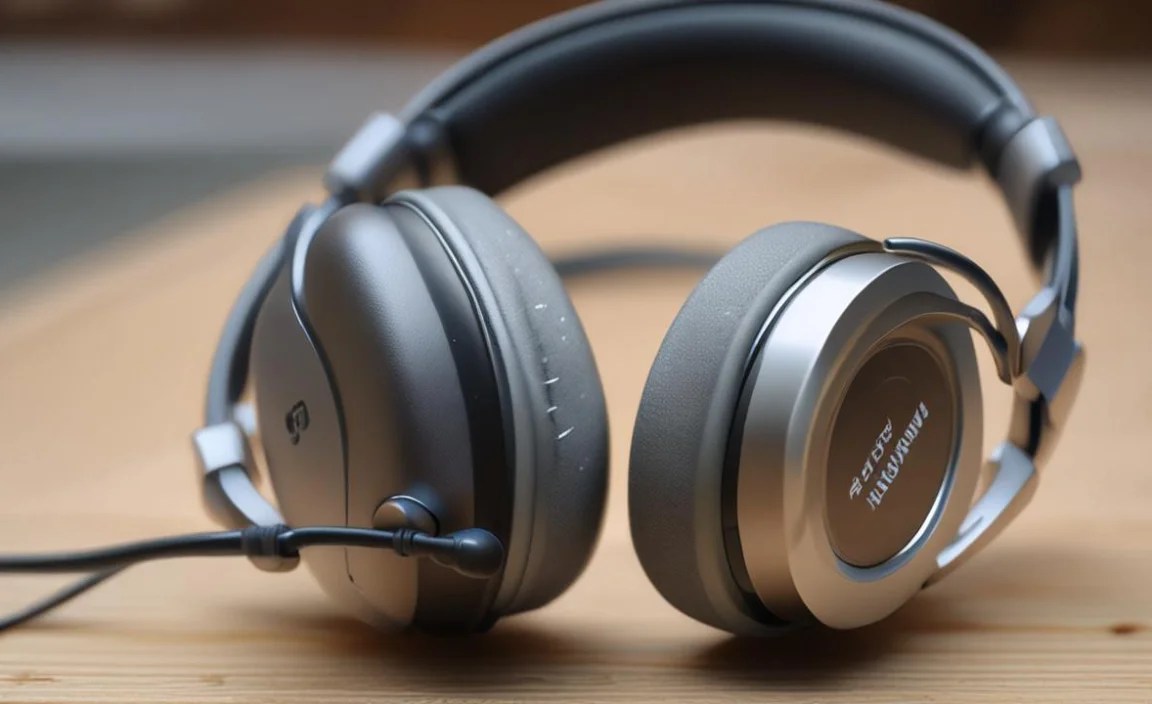
So you’ve picked out your perfect pair! Great! Now let’s get them set up smoothly. Whether you’re going wired or wireless, these steps will get you up and running.
1. For Wired Headphones: The Simple Plug-In
This is usually the most straightforward!
- Locate the Audio Jack: Find the 3.5mm audio jack on your computer, smartphone, tablet, or console. It’s often a small headphone icon.
- Connect the Cable: Plug one end of your headphone’s audio cable into the headphone jack.
- Connect to Computer/Device: Plug the other end into your headphones. If your headphones have a separate mic plug (often pink or marked with a mic icon, less common now), ensure it’s in the correct port on your PC.
- Select as Audio Device (if needed): On most modern devices, it will automatically switch. If not, go to your system’s sound settings and select the headphones as the default playback and recording device.
2. For Wireless (Bluetooth) Headphones: The Pairing Process
Getting Bluetooth headphones connected is easy with a little patience.
- Charge Your Headphones: Ensure your headphones have a good charge before you start. Low battery can sometimes cause pairing issues.
- Enter Pairing Mode: This is the most important step and varies by model. Usually, you’ll need to press and hold the power button or a dedicated Bluetooth button for several seconds until an indicator light flashes (often blue or red/blue alternating) and/or you hear an audio cue like “pairing.” Consult your headphone manual if unsure!
- Enable Bluetooth on Your Device:
- Windows: Settings > Devices > Bluetooth & other devices > Turn on Bluetooth.
- macOS: System Preferences > Bluetooth > Turn Bluetooth On.
- iOS: Settings > Bluetooth > Turn On.
- Android: Settings > Connected devices > Bluetooth > Pair new device.
- Select Your Headphones: Your headphones should appear in the list of available devices. Click or tap on their name (e.g., “Sony WH-1000XM5,” “HyperX Cloud II Wireless”).
- Confirm Pairing: You might be asked to confirm a PIN (usually 0000 or 1234, but check your manual) or simply click “Pair” or “Connect.”
- Test Audio & Mic: Once connected, play some audio to ensure sound is coming through the headphones. Then, open a voice recording app or try a test call to verify the microphone is working. You may need to select the headphones as the default recording device in your computer’s sound settings, just like with wired headphones.
3. Configuring Your Microphone
Even after pairing, you might want to fine-tune your mic settings.
On Computers (Windows Example):
- Right-click the speaker icon in your system tray (usually bottom right).
- Select “Sound settings.”
- Under “Input,” choose your headphones from the dropdown menu.
- You can click “Device properties” for more options, including setting the volume level.
On Computers (macOS Example):
- Go to System Preferences > Sound.
- Click the “Input” tab.
- Select your headphones from the list.
- Adjust the input volume slider as needed.
Tip: For truly critical applications, explore specialized audio software for more advanced EQ and mic adjustments. Many gaming headsets also come with dedicated software for sound profiles and mic tuning.
Essential Maintenance: Keep Your Headphones Sounding and Feeling Great

Your headphones are an investment. A little care goes a long way in extending their lifespan and ensuring they remain comfortable and perform at their best. Here’s how to keep them in tip-top shape:
1. Cleaning Your Headphones
Dirt and earwax can accumulate, affecting sound quality and hygiene. Always ensure your headphones are powered off and disconnected before cleaning.
What You’ll Need:
- Microfiber cloths (several are handy)
- Mild soap or electronic cleaning solution (optional, check manufacturer recommendations)
- Distilled water (for diluting soap, if used)
- Cotton swabs
- Soft brush (like a clean toothbrush or makeup brush)
Steps:
- Earcup Cleaning:
- For a quick clean, use a dry microfiber cloth to wipe down the earcups and headband.
- For tougher grime, slightly dampen a microfiber cloth with water. Wring out any excess moisture thoroughly – you don’t want water dripping into the drivers or electronics.
- If using a mild cleaning solution, dilute a tiny amount with distilled water on the cloth. Avoid spraying directly onto the headphones.
- Gently wipe all surfaces. Pay attention to seams and crevices.
- Ear Pad Cleaning (Removable):
- If your ear pads are removable (check your manual!), gently detach them.
- Wipe them with a slightly damp cloth. For fabric pads, you can use a little mild soap diluted in water. For leatherette/protein leather, use it sparingly and ensure it’s not soaked.
- Allow them to air dry completely before reattaching. Never use heat to dry them.
- Headphone Grilles/Mesh:
- Use a dry microfiber cloth or a soft brush to gently remove dust and debris. Be very careful not to push debris into the driver housing.
- Cable Care:
- Wipe down cables with a dry cloth. If there’s stubborn dirt, use a slightly damp cloth, ensuring it dries fully. Avoid kinking or tightly wrapping cables.
- Microphone Mesh:
- Gently use a dry, soft brush or a puff of compressed air (held at a distance!) to clear any dust from the microphone grille. Avoid poking anything into the grille.
2. Proper Storage
How you store your headphones when not in use significantly impacts their longevity.
- Use the Carrying Case: If your headphones came with a hardshell case or pouch, use it! This is the best protection against dust, scratches, and accidental bumps.
- Avoid Extreme Temperatures: Don’t leave your headphones in a hot car or freezing garage. Extreme heat can damage plastics and batteries, while extreme cold can make materials brittle.
- Hang or Fold Carefully: If you don’t have a case, hang them on a dedicated headphone stand to avoid stress on the headband and earcups. If you must fold them, ensure they aren’t crammed into a bag where they can be crushed.
- Manage Cables: Loosely loop cables rather than winding them tightly. Tight coiling can damage the internal wires over time, especially with wired headphones.
