
Quick Summary: Discover the best earbud Bluetooth headphones to match your lifestyle and budget. This guide offers straightforward advice on choosing, using, and maintaining wireless earbuds for clear sound, comfortable wear, and long-lasting enjoyment. Perfect for beginners seeking reliable audio solutions.
Best Earbud Bluetooth Headphones: Your Essential Guide from HeadphoneHorizon
Hey there, audio adventurers! Edward Cavitt here from HeadphoneHorizon. If you’re looking to cut the cord and dive into the world of wireless audio, you’ve come to the right place. Earbud Bluetooth headphones are everywhere, offering freedom, convenience, and great sound. But with so many options, choosing the “best” can feel a bit overwhelming. Don’t worry! I’m here to demystify it all, breaking down what really matters so you can make a choice that makes you happy. Let’s explore the fantastic world of wireless earbuds together!
Why Go Wireless? The Magic of Bluetooth Earbuds

The appeal of Bluetooth earbuds is undeniable. Think about it: no tangled wires to wrestle with when you pull them out of your pocket or bag. This means effortless transitions from listening to music on your commute, taking a work call at your desk, to hitting the gym without your earbuds getting in the way. They offer a sleek, minimalist look and incredible freedom of movement. For students, busy professionals, or anyone who just enjoys a clutter-free experience, wireless earbuds are a game-changer.
Beyond convenience, modern Bluetooth earbuds pack impressive audio technology. Many now offer:
- Rich, immersive sound quality: You don’t have to sacrifice audio fidelity for wireless freedom anymore.
- Active Noise Cancellation (ANC): Block out the world and focus on your audio.
- Long battery life: Many models now offer hours of playback, with charging cases extending that significantly.
- Comfortable and secure fit: Designed to stay put during activities and feel good for extended listening sessions.
Choosing Your Perfect Pair: Key Features to Consider
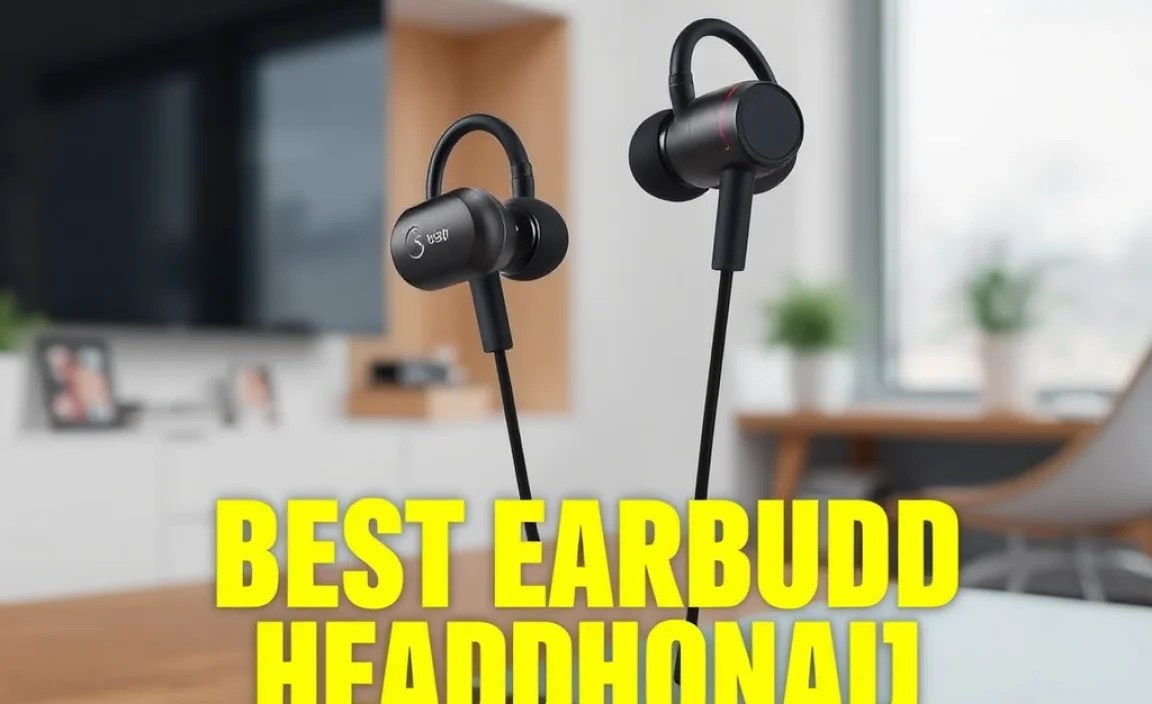
With so many earbuds on the market, how do you find the one that’s right for you? It’s all about understanding a few key features and how they align with your needs. Let’s break it down:
1. Sound Quality: What Do You Want to Hear?
This is often the most important factor. Are you an audiophile who craves every single note, or do you just want clear, balanced sound for podcasts and casual listening? Look for:
- Driver Size: Larger drivers generally produce richer bass and fuller sound.
- Frequency Response: This indicates the range of sound frequencies the earbuds can reproduce. A wider range (e.g., 20Hz – 20kHz) is ideal for capturing the full spectrum of sound.
- Codec Support: Bluetooth uses codecs to transmit audio. Common ones like SBC and AAC are standard. For higher quality, look for aptX, aptX HD, or LDAC if your device also supports them. Don’t stress too much about this if you’re a beginner; AAC is great for Apple users, and aptX is good for Android.
2. Comfort and Fit: They Need to Stay In!
If your earbuds hurt or constantly fall out, they aren’t serving you well. This is where personal preference really shines. Most Bluetooth earbuds come with a selection of silicone ear tips in different sizes (S, M, L). Experimenting with these is crucial. Some earbuds also feature wingtips or ear hooks for extra security, which are fantastic for active users.
Tip: A good seal with the ear tips is essential not just for comfort, but also for achieving the best bass response and passive noise isolation. If you’re not getting a good seal, try a different size tip!
3. Battery Life: Powering Your Day
This is a big one for wireless devices. You’ll want to consider two aspects:
- Earbud Battery Life: How long can you listen on a single charge? (Typically 4-8 hours for most earbuds).
- Charging Case Battery Life: How many extra charges does the case provide? A good case can give you 20-30 hours of total listening time.
Look at how you’ll use them. If you’re on long flights, you’ll need more juice than someone using them for short commutes. Many modern cases also support fast charging, giving you a couple of hours of playback from just a few minutes of charging.
4. Durability and Water Resistance: Ready for Anything?
Life happens! Whether it’s a sweaty workout or an unexpected drizzle, having some level of water resistance is a lifesaver. Look for an IP (Ingress Protection) rating. The first digit refers to solid particle protection (like dust), and the second refers to liquid protection. For earbuds, the second digit is key.
- IPX4: Splash-proof. Good for sweat and light rain.
- IPX5: Protected against water jets. Better for heavier sweat or rain.
- IPX7: Can be submerged in up to 1 meter of water for 30 minutes. Excellent for intense workouts or accidental drops in water.
You can learn more about IP ratings from the International Electrotechnical Commission (IEC), the body that sets these standards.
5. Noise Cancellation: Your Personal Quiet Zone
Active Noise Cancellation (ANC) uses microphones to detect external sounds and then generates opposing sound waves to cancel them out. This is amazing for noisy commutes, bustling cafes, or airplane cabins. Some earbuds also offer Ambient Sound or Transparency modes, which let you hear your surroundings without taking your earbuds out – great for safety and awareness.
6. Connectivity and Features: The Extras
- Bluetooth Version: Newer versions (like Bluetooth 5.0, 5.1, 5.2, 5.3) offer better stability, range, and power efficiency.
- Multipoint Pairing: Connect to two devices simultaneously (e.g., your phone and laptop) for seamless switching.
- Voice Assistant Support: Quick access to Siri, Google Assistant, or Alexa.
- Touch Controls: Play, pause, skip tracks, adjust volume, and answer calls with simple taps or swipes on the earbuds.
- Companion App: Many brands offer apps to customize EQ settings, control ANC levels, update firmware, and remap touch controls.
Top Earbud Bluetooth Headphone Categories for Different Needs
To make your search even easier, let’s look at some popular categories of Bluetooth earbuds and who they’re best suited for.
For the Fitness Fanatic:
These earbuds prioritize a secure fit, sweat and water resistance (look for IPX5 or higher), and often feature ear hooks or wings for stability. Battery life is also important for those long workouts.
For the Commuter/Traveler:
Active Noise Cancellation (ANC) is the star here. The ability to block out engine noise, chatter, and general city bustle makes for a much more peaceful journey. Comfort for extended wear is also key.
For the Everyday User (Budget-Friendly):
You don’t need to break the bank for good wireless audio. Many budget-friendly options offer solid sound, decent battery life, and reliable Bluetooth connectivity. Focus on core features like comfort and sound clarity.
For the Audiophile on the Go:
These earbuds aim to deliver premium sound quality with advanced features like high-resolution codec support, superior ANC, and customizable equalization through a companion app. Expect a higher price tag but exceptional audio performance.
Navigating Pairing and Basic Use
Getting your new Bluetooth earbuds connected is usually pretty straightforward. Here’s a general guide:
Step-by-Step Pairing:
- Charge Your Earbuds: Always start with a full charge. Place both earbuds in their charging case and close the lid. Wait for them to fully charge (indicator lights usually turn a solid color).
- Open the Charging Case: For most earbuds, simply opening the case with the earbuds inside will activate them and put them into pairing mode. Some might require you to press and hold a button on the case. Check your manual!
- Enable Bluetooth on Your Device: On your smartphone, tablet, or computer, go to your Bluetooth settings and turn it on.
- Scan for Devices: Your device will start searching for nearby Bluetooth devices.
- Select Your Earbuds: You should see your earbud model appear in the list of available devices. Tap on it to begin the pairing process. Some earbuds might show up with a generic name initially, so refer to your manual if unsure.
- Confirm Pairing: Your device may ask you to confirm the pairing request. Accept it. You’ll usually hear a confirmation tone in the earbuds or see a “Connected” status on your device.
Using Your Earbuds Daily:
- Automatic Reconnection: Once paired, your earbuds should automatically reconnect to your device whenever you open the charging case and the earbuds are nearby with Bluetooth enabled on your device.
- Controls: Familiarize yourself with the touch controls. A single tap might play/pause, a double tap might skip tracks, and a long press might activate your voice assistant. These can often be customized in a companion app.
- Managing Calls: A single tap usually answers or ends an incoming call.
- Charging: When the battery is low, place the earbuds back in their case. The case itself will need to be charged periodically, usually via a USB-C cable (or sometimes wireless charging).
Caring for Your Bluetooth Earbuds: Simple Maintenance Tips
A little care goes a long way in extending the life and performance of your earbuds. Here’s how to keep them in top shape:
Cleaning Your Earbuds
- Earbud Tips: These can accumulate earwax and debris. Gently remove them and wash them with mild soap and water. Ensure they are completely dry before reattaching.
- Earbud Body: Use a dry, lint-free cloth to wipe down the earbuds. For stubborn grime, lightly dampen the cloth with water (never spray liquid directly onto the earbuds). Avoid harsh chemicals.
- Charging Contacts: The small metal charging contacts on the earbuds and inside the case are crucial for charging. Use a dry cotton swab or a soft, dry toothbrush to gently clean these periodically. Grime here can prevent charging.
- Charging Case: Wipe the inside and outside of the case with a dry cloth. Be careful not to get debris into the charging port.
Storage Best Practices
- Always store your earbuds in their charging case when not in use. This protects them from damage and prevents them from getting lost.
- Keep the case in a cool, dry place, away from direct sunlight or extreme temperatures.
Battery Health
While modern lithium-ion batteries are quite robust, it’s good practice to avoid fully draining them regularly. Charging them when the battery level is moderate (e.g., 20-30%) can help preserve their long-term health.
Troubleshooting Common Issues
Even the best gear can sometimes have a hiccup. Here are some common problems and easy fixes:
Issue: Earbuds Won’t Pair
- Solution: Ensure Bluetooth is on your device. Turn Bluetooth off and then back on. Reset your earbuds (check your manual for instructions – often involves holding a button on the case for a specific time). Try pairing with a different device to see if the issue is with your earbuds or your primary device. Clear the Bluetooth cache on your phone if using Android.
Issue: Only One Earbud is Working
- Solution: Check battery levels for both earbuds; the one that isn’t working might be dead. Clean the charging contacts on both the earbud and in the case. Try re-pairing them. Some earbuds have a reset function that can resolve this.
Issue: Audio Cutting Out or Static
- Solution: Ensure your device is within range of the earbuds (typically around 30 feet or 10 meters). Reduce interference by moving away from Wi-Fi routers or other Bluetooth devices. Update the firmware on your earbuds via their companion app.
Issue: Poor Battery Life
- Solution: Ensure ANC is turned off if not needed, as it consumes more power. Check if the earbuds are fully sealing in the case when charging; a loose connection can prevent a full charge. Avoid extreme temperatures. If the battery life has significantly degraded over time, it might be time to consider newer models.
Making the Best Choice for You: A Quick Comparison
To help you visualize, here’s a simplified look at how different types of earbuds might stack up. Remember, the “best” is subjective!
| Feature | Everyday Wireless | Fitness-Focused | ANC-Enhanced | Premium Sound |
|---|---|---|---|---|
| Primary Strength | Value & Versatility | Secure Fit & Durability | Noise Isolation | Audio Fidelity |
| Key Feature(s) | Balanced performance, good battery | Sweatproof (IPX5+), secure fit | Active Noise Cancellation | High-res codecs, advanced drivers |
| Best For | Commuting, casual listening, general use | Running, gym workouts, active lifestyles | Travel, noisy environments, focused listening | Critical listening, music enthusiasts |
| Typical Price Range | $50 – $150 | $70 – $200 | $100 – $300+ | $150 – $350+ |
Frequently Asked Questions (FAQ)
Q1: Do I really need water-resistant earbuds?
If you plan to use your earbuds for workouts, or if you live in a climate with frequent rain, then yes, choosing earbuds with at least an IPX4 or IPX5 rating is highly recommended. It protects them from sweat and splashes, significantly increasing their lifespan.
Q2: How do I know if the earbuds will fit my ears comfortably?
Most wireless earbuds come with multiple sizes of silicone ear tips. The best approach is to try each size to find the one that creates a comfortable, secure seal. If an earbud model consistently falls out or feels uncomfortable after trying different tips, it might not be the right shape for your ear anatomy.
Q3: What’s the difference between Active Noise Cancellation (ANC) and passive noise isolation?
Passive noise isolation is achieved through the physical seal of the earbud in your ear, blocking out external noise like a good pair of earplugs. Active Noise Cancellation (ANC) uses microphones and electronics to actively cancel out ambient sound by producing an inverse sound wave. ANC is generally more effective against low-frequency, constant noises like airplane engines or air conditioners.
Q4: Can I use my Bluetooth earbuds with my computer?
Yes, most Bluetooth earbuds can be paired with computers that have Bluetooth capabilities. Just follow the standard Bluetooth pairing process on your computer. Some computers might require a Bluetooth adapter if they don’t have built-in Bluetooth.
Q5: How often should I clean my Bluetooth earbuds?
It’s a good practice to wipe them down after each significant use, especially if you sweat. A more thorough cleaning of the ear tips and charging contacts can be done weekly or bi-weekly, depending on your environment and how much you use them.
Q6: Are expensive Bluetooth earbuds always better?
Not necessarily. While premium earbuds often offer superior sound quality, advanced features like ANC, and better build materials, there are many excellent mid-range and even budget options that provide great value. It’s more about finding the features that are important to you and align with your budget.
Conclusion: Your Wireless Audio Journey Begins!
So there you have it! Navigating the world of the best earbud Bluetooth headphones doesn’t have to be a daunting task. We’ve covered the essentials – from understanding what makes them great, to picking the perfect pair based on sound, comfort, battery, and durability, and even keeping them in top shape. Whether you’re a student powering through lectures, a professional on endless calls, or a fitness enthusiast crushing your goals, there’s a wireless earbud out there ready to enhance your daily life.
Remember, the “best” is what works best for you. Take your time, consider your priorities, and don’t be afraid to experiment. With these tips from HeadphoneHorizon, you’re well-equipped to make a confident choice and enjoy the freedom and fantastic sound of your new wireless earbuds for years to come. Happy listening!
