
Looking for the best gaming headphones with a mic that offer excellent value? This guide breaks down what to look for, from sound quality to comfort and mic clarity, ensuring you get a fantastic audio experience without breaking the bank. Find proven picks that enhance your gameplay and communication.
Best Gaming Headphones with Mic: Proven Value for Every Gamer
Welcome to headphonehorizon, where we make understanding your audio gear simple and stress-free! If you’re diving into the exciting world of PC gaming, one piece of equipment can dramatically elevate your experience: a great pair of gaming headphones with a mic. It’s not just about hearing every footstep; it’s about clear communication with your teammates, immersing yourself in game worlds, and enjoying your victories (or commiserating your losses) with superior sound. But with so many options, how do you find the “best” ones that offer proven value? We’re here to cut through the noise and guide you to fantastic audio companions that won’t empty your wallet. Think of it as finding that perfect legendary item in a game – rewarding and essential!
Why Gaming Headphones with a Mic Are a Game Changer

Before we dive into specific recommendations, let’s quickly touch on why dedicated gaming headphones with a mic are such a crucial part of your setup. It’s more than just convenience; it’s about enhancing your entire gaming experience. Imagine being able to pinpoint the exact location of an enemy by the sound of their footsteps, coordinating complex team strategies with crystal-clear voice chat, or fully immersing yourself in the epic soundtrack and sound effects of your favorite RPG. A good gaming headset delivers on all these fronts, transforming a good game into an unforgettable experience. Plus, for streamers and content creators, a reliable microphone is non-negotiable for engaging with your audience.
Key Features to Look for in Value-Packed Gaming Headphones

When you’re on the hunt for quality without the premium price tag, it’s important to know what features truly matter. We’re not just looking for the cheapest option, but the ones that deliver the most bang for your buck. Here’s what to keep an eye on, explained in plain English:
1. Sound Quality: Hear Everything, Miss Nothing
This is arguably the most important aspect. You want headphones that can reproduce a wide range of sounds accurately, from the subtle rustle of leaves to the roar of an explosion. For gaming, this means good:
- Clarity: Can you distinguish different sounds easily? Are voices clear, or muffled?
- Soundstage: This refers to how “wide” or “spacious” the sound feels. A good soundstage helps you pinpoint where sounds are coming from in-game, a critical advantage.
- Bass Response: Punchy bass adds impact to explosions and action, but it shouldn’t overpower other sounds.
- Surround Sound (Virtual or True): Many gaming headsets offer virtual surround sound (like DTS Headphone:X or Dolby Atmos) which can digitally simulate a surround speaker setup, further boosting positional awareness. True surround sound with multiple drivers is rarer in this price range but offers a more authentic experience if found.
2. Microphone Quality: Be Heard Loud and Clear
Your teammates (and your audience, if you stream) need to understand you. A subpar mic can lead to frustration and miscommunication. Look for:
- Clarity and Noise Cancellation: Does it pick up your voice clearly without excessive background noise (keyboard clicks, room echo)?
- Detachable or Retractable Mics: These offer flexibility. You can remove it when you’re just listening to music or tuck it away neatly.
- Adjustability: Can you position the mic perfectly in front of your mouth?
3. Comfort & Build Quality: Designed for Long Sessions
Gaming sessions can last for hours. Uncomfortable headphones are a recipe for distraction and fatigue. Consider:
- Earcups: Are they plush and breathable (memory foam is great)? Do they fit comfortably over your ears (over-ear) or on them (on-ear)?
- Headband: Is it well-padded and adjustable?
- Weight: Lighter headphones are generally more comfortable for extended wear.
- Materials: Even at good value points, look for durable plastics and robust construction that won’t feel flimsy.
4. Connectivity: How Do They Hook Up?
For PC gaming, you’ll typically find:
- 3.5mm Jack: The most universal option, plugging into your PC’s audio/mic ports or a combo jack. Good for simplicity and broad compatibility.
- USB: Often provides better audio quality and allows for features like software equalization (EQ) or virtual surround sound processing.
- Wireless: Offers freedom of movement but usually comes at a higher price point and can sometimes introduce latency (a slight delay in sound). For proven value, wired options are often king.
5. Compatibility: Will It Work with Your Rig?
Ensure the headphones are compatible with your PC. Most headsets with a 3.5mm jack or USB connection will work with Windows PCs. If you play on multiple platforms, check if they support consoles like PlayStation, Xbox, or Switch, and how. Some headsets are multi-platform champions, while others are PC-specific.
Step-by-Step Guide: Finding Your Perfect Value Gaming Headset
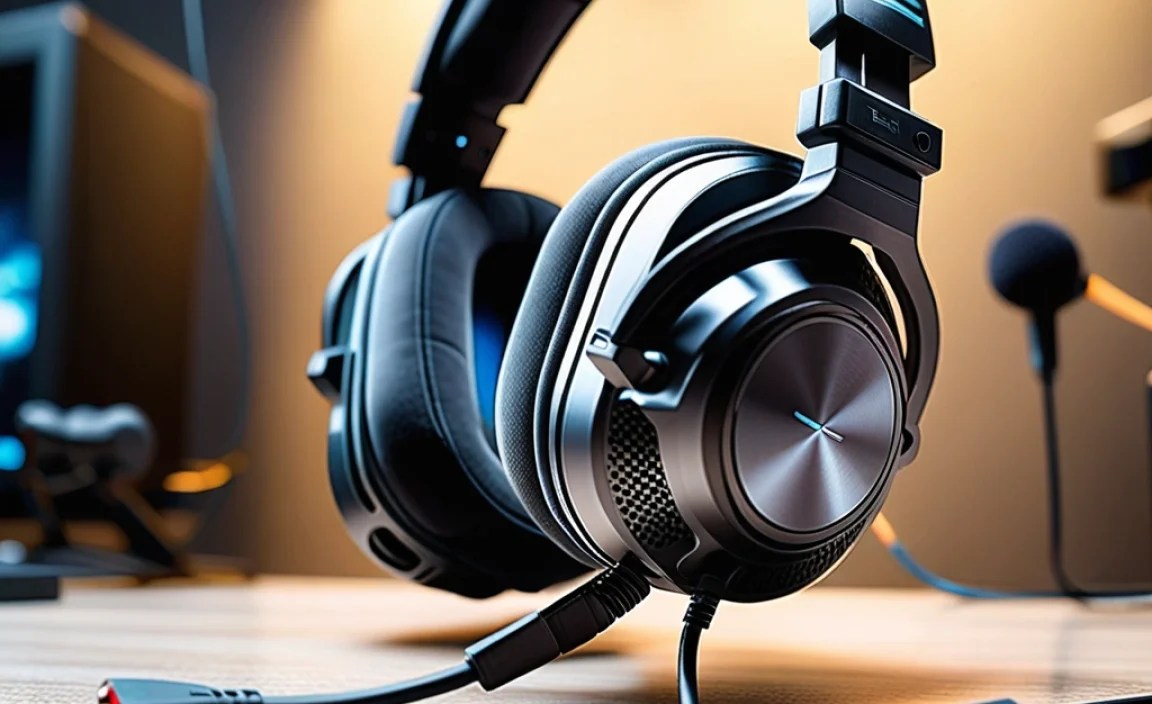
Let’s get down to finding those gems. Follow these steps to make an informed decision:
Step 1: Define Your Budget
“Proven value” doesn’t mean “free.” Decide how much you’re willing to spend. For excellent value gaming headphones with a mic, you can often find great options between $50 and $100. Of course, there are fantastic choices above $100, but for beginners seeking the best bang for their buck, this range is a sweet spot.
Step 2: Prioritize Your Needs
What’s most important to you?
- Is it crystal-clear team chat? Focus on mic quality reviews.
- Are positional cues crucial for competitive games? Look for strong soundstage and virtual surround sound features.
- Do you plan on marathon gaming sessions? Comfort and build quality become paramount.
- Do you want a headset that doubles as a music listener? Prioritize balanced sound reproduction.
Step 3: Research Reputable Brands Known for Value
Several brands consistently offer great performance without breaking the bank. While specific models change, keep an eye on:
- HyperX: Recently rebranded as HP HyperX, they have a long history of producing comfortable and well-performing gaming peripherals.
- Razer: Known for their gaming gear, Razer often has entry-level to mid-range options that punch above their weight.
- SteelSeries: Another staple in the esports and gaming community, offering solid performance across various price points.
- Logitech G: A well-established tech company with reliable gaming audio solutions.
- Corsair: Offers a wide range of gaming peripherals, including some very competitive headsets.
Step 4: Read Reviews and Watch/Listen to Comparisons
This is where the “proven value” truly shines. Don’t just look at star ratings. Dig into reviews from trusted tech sites and YouTube channels. Look for:
- Specific praise for sound clarity, mic quality, and comfort.
- Comparisons to more expensive models.
- Long-term use reviews if available.
- Consider expert audio reviews that might delve deeper into frequency response or sound imaging, even if they primarily discuss general headphones. For instance, resources like Rtings.com offer detailed, objective testing of headphones, which can be incredibly valuable for understanding audio performance.
Pay close attention to what reviewers say about the microphone. A common complaint is a mic that sounds “tinny” or picks up too much background noise. Conversely, praise for a mic that sounds “natural” or “clear” is a great sign.
Step 5: Check Specifications but Don’t Overthink Them
You’ll see specs like driver size (e.g., 50mm drivers), frequency response (e.g., 20Hz-20kHz), and impedance. For beginners, here’s a simplified view:
- Driver Size: Larger drivers (like 50mm) can offer better bass and volume, but it’s not the only factor.
- Frequency Response: Most gaming headsets cover the human audible range (20Hz-20kHz), which is standard. What matters more is how they reproduce those frequencies.
- Impedance: Lower impedance (below 50 ohms) usually means less power is needed to drive them, making them suitable for most PC sound cards. Higher impedance headphones might benefit from an external amplifier, which is usually not needed for value gaming headsets.
Focus more on what reviewers experience than just the numbers.
Step 6: Consider the Connection Type
For PC gaming, USB connections often offer the advantage of built-in sound cards that can power virtual surround sound or provide cleaner audio. A 3.5mm jack is more versatile and often found on more budget-friendly options, but ensure your PC has separate mic and headphone jacks, or a single combo jack.
Top Picks for Value: Best Gaming Headphones with Mic (Under $100)

While specific deals and stock fluctuate, these models (or their direct successors) are consistently praised for offering exceptional value. Always check the latest reviews for current-generation versions!
| Headphone Model | Connection | Key Strengths | Potential Drawbacks | Typical Price Range |
|---|---|---|---|---|
| HyperX Cloud II (or Cloud Alpha) | USB (dongle), 3.5mm | Exceptional comfort, great sound quality, durable build, clear mic. Often a benchmark for value. | Might lack some “gamer” aesthetics for some. USB dongle is a bit bulky. | $70 – $100 |
| Razer BlackShark V2 X | 3.5mm | Excellent positional audio for the price, lightweight and comfortable, good mic isolation. Great for competitive games. | Mic quality is good but not exceptional. Basic build materials compared to higher-end. | $50 – $70 |
| SteelSeries Arctis 1 (or Arctis 3) | 3.5mm (detachable USB-C/A adapter often included for consoles/PC) | Distinctive ski-goggle headband for great comfort, good all-around sound, clear detachable mic. Versatile across platforms. | Bass can be a little less punchy than some rivals. | $50 – $80 |
| Logitech G PRO X (if on sale) | 3.5mm (via splitter), USB Sound Card | Studio-quality Blue VO!CE microphone tech (requires Logitech G Hub software), excellent sound, premium feel. Often a bit over $100, but deals make it value. | Can be slightly over budget. Software reliance for mic features. | $90 – $120 (often on sale!) |
Note: Prices are approximate and can vary based on sales and retailers. Always check current pricing and reviews for the most up-to-date information.
What Makes These “Proven Value”?

- Consistent Positive Reviews: These headsets have a track record of satisfying users for years.
- Feature-Rich for the Price: They offer sound quality, comfort, and microphone performance that often rival more expensive headsets.
- Durability: Many of these models are built to last, meaning a lower long-term cost of ownership.
- Brand Reputation: The companies behind these headphones are known for their commitment to gaming audio.
Beyond the Headphones: Maintaining Your Gear for Longevity
To ensure your investment in those “best gaming headphones with mic” continues to provide value, a little care goes a long way. Think of it as preventative maintenance for your audio gear!
Simple Cleaning Tips:
- Earcups: Gently wipe down earcups with a slightly damp cloth (water is fine, avoid harsh chemicals). For leatherette, a mild soap and water mixture can be used sparingly if they get greasy. For fabric, a soft brush can remove dust.
- Headband: Similar to earcups, a damp cloth usually suffices.
- Microphone: Use a dry, soft brush or compressed air (from a safe distance) to clear any dust from the mic grille.
- Cable and Connectors: Ensure the cable is not kinked or frayed. Gently clean USB or 3.5mm jacks with a dry cotton swab if they appear dirty, but avoid sticking anything deep inside.
Regular cleaning prevents dust build-up and keeps materials from degrading prematurely. For more in-depth cleaning guides on headset materials, trusted sources like academic research databases can offer insights into material care, though for practical purposes, simple wiping is usually best.
Storage:
When you’re not using your headphones, store them away from direct sunlight, extreme temperatures, and moisture. A desk stand or placing them back in their original box can help protect them.
Frequently Asked Questions (FAQs)
Q1: Do I really need a dedicated gaming headset, or can I use my regular headphones with a mic?
While you can use regular headphones with a mic, dedicated gaming headsets are optimized for gaming. They typically feature better positional audio for in-game cues, more robust microphones designed for voice chat, and enhanced comfort for long sessions. If you’re serious about gaming and clear communication, a gaming headset offers a significant upgrade.
Q2: What’s the difference between virtual surround sound and true surround sound in headphones?
True surround sound headphones have multiple drivers in each earcup to simulate different speaker positions. Virtual surround sound uses software processing (often built into the headset’s USB dongle or PC software) to create a surround effect from stereo audio. For value-oriented headphones, virtual surround sound is far more common and can be very effective for gaming.
Q3: How important is a detachable microphone on a gaming headset?
A detachable or retractable microphone offers great flexibility. You can remove it when listening to music or watching movies, making the headset feel less obtrusive. It also protects the mic when stored. Many value-focused headsets include this feature, which is a definite plus.
Q4: Can I use PC gaming headphones with my PS5 or Xbox Series X/S?
Most modern gaming headphones with a 3.5mm jack are compatible with the controllers of PlayStation and Xbox consoles. USB headsets may work depending on the console port and whether it supports audio devices. Always check the headset’s specifications or reviews for console compatibility if you play on multiple platforms.
Q5: Are wireless gaming headsets worth the extra cost for value?
Generally, for proven value, wired gaming headphones often outperform wireless ones in terms of features-per-dollar. Wireless technology adds to the cost and introduces potential latency issues. While high-end wireless gaming headsets have improved significantly, entry-level to mid-range wireless options might compromise on mic quality or sound for the sake of wireless convenience. If budget is tight, stick to wired.
Q6: What does “latency” mean with wireless headphones, and why is it bad for gaming?
Latency is the delay between when a sound is produced by your PC and when you actually hear it through your headphones. In gaming, this delay can be noticeable and detrimental, especially in fast-paced games where split-second reactions are key. A noticeable lag can throw off your timing and immersion. Wired headphones have virtually no perceptible latency.
Conclusion: Your Next Audio Adventure Awaits!
Finding the “best gaming headphones with mic” that offer proven value is all about balancing essential features like clear sound, an articulate microphone, and long-lasting comfort with a price that makes sense. We’ve explored what to look for, highlighted brands and models that consistently deliver, and given you the tools to make your own informed decision. Remember, it’s not about chasing the most expensive gear, but finding the right fit for your needs and budget. With a little research and by focusing on these key aspects, you’ll equip yourself not just with a headset, but with a crucial advantage and a more enjoyable gaming experience. Happy gaming, and may your comms be clear and your soundscapes immersive!
