
Quick Summary: Discover top gaming headphones offering immersive sound, crystal-clear communication, and lasting comfort. This guide breaks down key features like audio drivers, surround sound, and microphone quality, helping you choose the perfect headset for an enhanced gaming experience without the tech jargon.
Unleash Your Inner Champion: Finding the Best Gaming Headphones with Incredible Sound
As a fellow audio enthusiast, I know the thrill of truly feeling the game. The subtle rustle of leaves, the distant rumble of an enemy’s approach, the epic orchestral swells – these aren’t just background noise; they’re the building blocks of an immersive gaming world. And at the heart of that immersion lies incredible sound. But navigating the world of gaming headphones can feel like stepping into a maze, especially with all the technical terms thrown around. That’s where I come in! At Headphone Horizon, my goal is to demystify audio gear, making it accessible and enjoyable for everyone. Today, we’re diving deep into what makes a gaming headset “incredible,” and I’ll guide you through finding the perfect pair to elevate your gameplay without overwhelming you.
Why Great Sound Matters in Gaming

It might seem obvious, but the importance of superior audio in gaming cannot be overstated. Beyond just enjoying the soundtrack or character dialogue, precise sound reproduction is a competitive edge. Imagine hearing the faint footsteps of an opponent before they see you, or pinpointing the exact direction of an artillery strike. This auditory awareness can be the difference between victory and defeat. Incredible sound transforms a game from a visual spectacle into a multi-sensory experience, drawing you deeper into the action and making every moment more impactful. It’s about more than just hearing; it’s about experiencing.
Key Features to Look For in Gaming Headphones

When you’re hunting for the best gaming headphones with a microphone that deliver incredible sound, a few key features stand out. Let’s break them down in simple terms:
1. Audio Drivers: The Heartbeat of Sound
Think of audio drivers as the tiny speakers inside your headphones. Their size and quality significantly impact the sound you hear. Larger drivers (measured in millimeters, or “mm”) generally produce a richer, more powerful sound with better bass response. For gaming, you’ll often see drivers ranging from 40mm to 50mm, with some premium models even going larger. A good driver will deliver clear highs, defined mids, and impactful lows, ensuring you don’t miss any crucial in-game cues.
2. Soundstage and Imaging: Your Virtual Battlefield
These two terms are crucial for spatial awareness in games:
- Soundstage: This refers to how “wide” or “spacious” the sound feels. A wide soundstage makes it feel like the audio is happening all around you, not just inside your head. This is vital for sensing the environment and the direction of sounds.
- Imaging: This is your ability to pinpoint the exact location of sounds within that soundstage. Can you tell if a gunshot came from directly in front, slightly to the left, or behind you? Excellent imaging is a gamer’s best friend for tactical advantage.
3. Surround Sound Technologies: Beyond Stereo
While stereo (two channels) is standard, many gaming headsets offer simulated surround sound. This aims to create a 3D audio environment, mimicking the effect of multiple speakers. Common technologies include:
- Virtual Surround Sound (VSS): This is software-based and can be found in many headsets, often activated through accompanying software. It creates the illusion of surround sound from stereo headphones.
- True Surround Sound (Surround Arrays): Less common in consumer headsets, these have multiple actual drivers per ear cup to create discrete sound channels (e.g., 5.1 or 7.1).
While not a replacement for good stereo imaging, effective virtual surround sound can significantly enhance your sense of direction and immersion. Sources like the Dolby Atmos technology demonstration often showcase the potential of immersive audio.
4. Microphone Quality: Be Heard Loud and Clear
For multiplayer gaming, a good microphone is non-negotiable. You want one that picks up your voice clearly without excessive background noise. Look for:
- Noise-Cancelling Microphones: These are designed to filter out ambient sounds like keyboard clicks or fan noise.
- Detachable/Movable Microphones: Flexibility is key! A boom mic you can position perfectly or remove when not needed is a big plus.
- Clear Voice Capture Technology: Some headsets use advanced tech to ensure your voice sounds natural and present to your teammates.
5. Comfort and Build Quality: For Those Marathon Sessions
You can have the best sound in the world, but if your headphones are uncomfortable, you won’t wear them for long. Consider:
- Earcup Material: Plush memory foam or breathable fabric can make a huge difference.
- Headband Padding: Ensure it’s adequately cushioned and distributes weight evenly.
- Adjustability: A good fit is essential for most head sizes.
- Weight: Lighter headsets are generally more comfortable for extended wear.
- Durability: Look for solid construction, often involving metal in the headband or hinges, to ensure they last.
6. Connectivity: Wired vs. Wireless
This is a personal preference, but each has pros and cons:
- Wired: Generally offer the best audio quality with no latency (delay) and no need for charging. However, they can be restrictive due to the cable.
- Wireless: Offer freedom of movement but can introduce slight latency (though modern wireless tech is very good) and require charging. Battery life is a key consideration here.
Top Picks for Gaming Headphones with Incredible Sound (Beginner Friendly Recommendations)

Choosing the “best” is subjective, but here are some highly regarded gaming headsets that consistently impress with their sound quality, microphone performance, and overall value. These are great starting points for anyone looking for an upgrade.
Entry-Level Excellence: Great Sound on a Budget
You don’t need to break the bank to get good gaming audio. These options offer fantastic bang for your buck:
HyperX Cloud II
A long-time favorite for a reason. The Cloud II delivers a balanced sound profile that’s excellent for both gaming and music, with a comfortable build and a very decent microphone. It uses 53mm drivers and offers virtual 7.1 surround sound via a detachable USB sound card.
Logitech G Pro X Gaming Headset
This headset is praised for its comfortable design and impressive audio fidelity. It features 50mm PRO-G drivers and includes advanced features like Blue VO!CE microphone technology for clearer comms. It comes with both leatherette and fabric ear pads for customization.
Mid-Range Marvels: Stepping Up Your Audio Game
If you have a bit more to spend, these headsets offer a noticeable bump in immersion and clarity:
SteelSeries Arctis Nova 7 (Wireless & Wired options)
SteelSeries has a knack for comfort and sound. The Arctis Nova 7 series offers a clean, modern look, excellent audio drivers for clear positional cues, and a retractable ClearCast microphone. The wireless version boasts long battery life and seamless connectivity.
Razer BlackShark V2 Pro (Wireless)
Razer’s BlackShark line is known for its aviation-inspired comfort and fantastic audio. The V2 Pro features advanced Triforce Titanium 50mm drivers for incredibly detailed sound, a hyper-clear cardioid mic, and strong active noise cancellation for wireless operation.
Premium Performance: For the Discerning Gamer
For those who demand the absolute best, these headsets push the boundaries of audio fidelity and immersion.
Astro A50 Wireless + Base Station
This is a premium wireless option often favored by esports professionals and serious gamers. It offers studio-grade sound with customizable EQ settings via ASTRO Command Center software, a flip-to-mute microphone, and a comfortable, robust build. The base station also handles charging and audio modes.
Sennheiser GSP 670 (Wireless)
Sennheiser is a titan in the audio world, and their gaming headsets reflect that. The GSP 670 delivers exceptionally clear and accurate sound, allowing you to pick out the finest details. It features low-latency wireless connectivity, a broadcast-quality microphone, and excellent build quality for durability and comfort.
Comparing Key Features: A Quick Glance
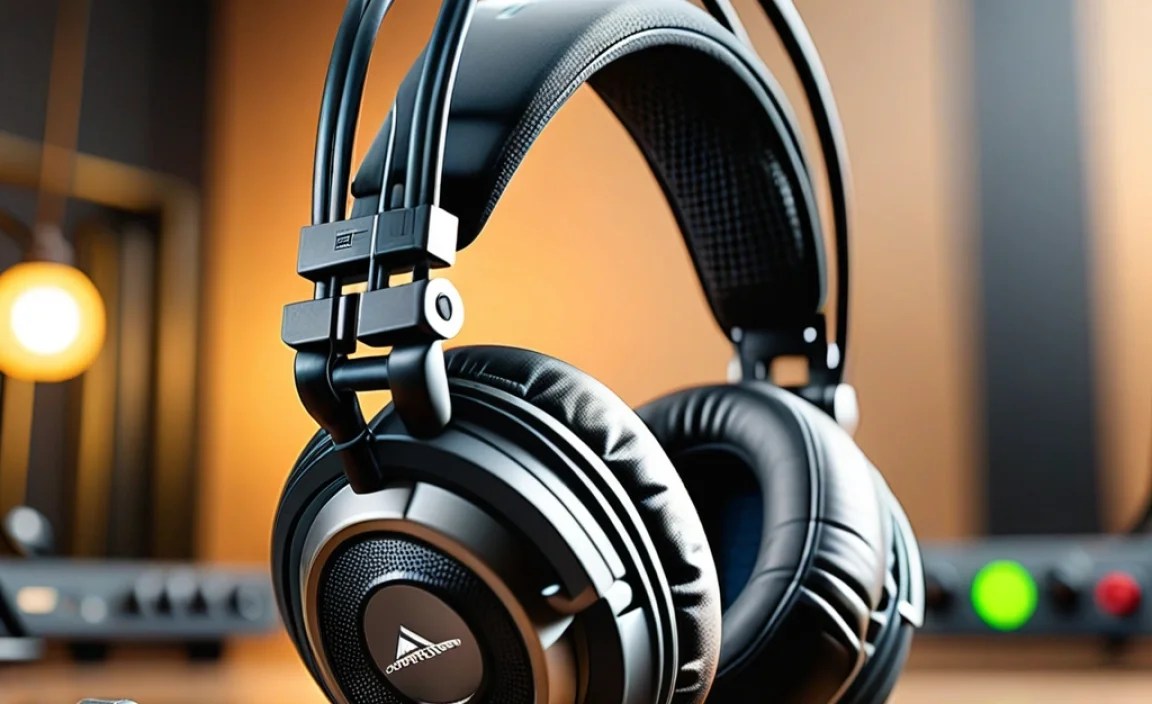
Here’s a simple table to help you compare some of the highlighted models. Remember, specifications are just part of the story; real-world performance is what truly matters!
| Headset Model | Driver Size | Surround Sound | Connectivity | Microphone Type | Notable Feature |
|---|---|---|---|---|---|
| HyperX Cloud II | 53mm | Virtual 7.1 | Wired (USB/3.5mm) | Noise-cancelling (detachable) | Excellent comfort & value |
| Logitech G Pro X | 50mm PRO-G | DTS Headphone:X v2.0 | Wired (USB/3.5mm) | Blue VO!CE mic tech (detachable) | Swappable earpads, great mic customization |
| SteelSeries Arctis Nova 7 | 40mm | (Software options) | Wireless (2.4GHz + Bluetooth) / Wired | Retractable ClearCast | All-day comfort, long battery life (wireless) |
| Razer BlackShark V2 Pro | 50mm Triforce Titanium | HyperSense (Haptic Feedback) | Wireless (2.4GHz) | Hyper-clear Cardioid | Superb audio detail, good ANC |
| Astro A50 Wireless | 40mm | Dolby® Headphone | Wireless (Proprietary 5GHz) | Flip-to-Mute | Premium build, highly customizable EQ |
| Sennheiser GSP 670 | 38mm (closed-back) | Stereo (with spatial audio presets) | Wireless (Low-latency 2.4GHz) | Broadcast-quality | Exceptional audio clarity and accuracy |
How to Choose the Right Gaming Headset for You

With all this information, how do you make the final call? Here’s a straightforward process:
- Set Your Budget: This is the most crucial first step. Knowing your price range will instantly narrow down your options.
- Prioritize Features: What’s most important to you?
- Pure Sound Quality: Look for larger drivers, good frequency response, and tech reviews that emphasize clarity and detail.
- Competitive Edge: Focus on excellent soundstage, imaging, and virtual surround sound capabilities.
- Communication: A top-tier noise-cancelling microphone is key.
- Comfort: Read reviews specifically mentioning long-term comfort, earcup materials, and weight.
- Wireless Freedom: Ensure good battery life and low latency.
- Consider Your Platform: Ensure the headset is compatible with your gaming PC, PlayStation, Xbox, Switch, or other devices. Some headsets use USB, while others rely on a 3.5mm audio jack.
- Read Reviews (From Reputable Sources): Look for reviews from sites known for in-depth audio testing. While my recommendations are solid, always check a few sources to get a broader perspective. Websites like Rtings.com provide detailed technical analysis and user experience feedback.
- Try Before You Buy (If Possible): This is the ideal scenario. If you can visit a store and try on a few headsets, you’ll get a feel for their comfort and basic sound.
Understanding Audio Jargon Made Simple
Let’s demystify a few more terms you might encounter:
- Frequency Response: This describes the range of sound frequencies a headset can produce, measured in Hertz (Hz). A wider range (e.g., 20Hz to 20,000Hz) means it can reproduce both deep bass and high trebles. Gaming headsets often emphasize the mid-range for footsteps and dialogue.
- Impedance: Measured in Ohms (Ω), this relates to how much power is needed to drive the headset. Higher impedance (e.g., over 60Ω) often means higher audio quality but may require a dedicated amplifier or a more powerful audio output from your device. Most gaming headsets are designed with lower impedance (around 32Ω) to work well with consoles and PCs directly.
- Sensitivity: This indicates how loud the headset can get with a given amount of power. Higher sensitivity (measured in dB) means a louder output, which can be good for gaming where you want to catch subtle sounds.
- Open-Back vs. Closed-Back:
- Closed-back: These have solid earcups that seal in sound, offering better noise isolation (keeping sound out and in) and often stronger bass. Most gaming headsets are closed-back for immersion and to prevent sound leakage.
- Open-back: These have perforated earcups that allow air and sound to pass through. They typically offer a wider, more natural soundstage but leak sound and offer little isolation. Less common for competitive gaming but great for a spacious listening experience.
Maintenance Tips for Your Gaming Headphones
Even the best gear needs a little love to keep performing at its peak. Here are some simple maintenance tips:
- Regular Cleaning:
- Earcups: Wipe down with a slightly damp cloth (water only, or a mild soap solution if very dirty). For fabric pads, you might be able to gently brush them.
- Headband: Wipe with a dry or slightly damp cloth.
- Drivers/Grills: Use a dry, soft brush (like a clean makeup brush or paintbrush) to gently remove dust. Avoid pushing anything into the drivers themselves.
- Microphone: Use a dry cotton swab to carefully clean the mic grille.
- Proper Storage: When not in use, store your headphones in a safe place away from direct sunlight, extreme temperatures, and potential physical damage. A stand or a dedicated case is ideal.
- Cable Care (for wired headsets): Avoid tightly wrapping the cable or letting it dangle where it can be stepped on. Store it loosely coiled.
- Wireless Charging and Battery: For wireless headsets, try not to leave them plugged in indefinitely after they’re fully charged, as this can sometimes degrade battery health over time. Follow manufacturer guidelines for optimal battery care.
Troubleshooting Common Gaming Headset Issues
Encountering a hiccup? Don’t worry, most common problems have simple fixes:
1. No Sound or One-Sided Audio
- Check Connections: Ensure plugs are fully inserted into the correct ports on your PC or console.
- Volume Levels: Verify that the headset volume isn’t turned down or muted, both on the headset itself and in your system’s audio settings. Check master volume and game-specific volume.
- Audio Output Device: In your computer’s sound settings or console’s audio settings, make sure the gaming headset is selected as the primary playback device.
- Test on Another Device: If possible, plug the headset into a different device (like a phone) to see if the issue persists. This helps determine if the problem is with the headset or your source device.
- Restart Your Device: A simple reboot can often resolve temporary software glitches.
2. Microphone Not Working
- Mute Switch: Double-check if there’s a physical mute button on the headset or cable that might be engaged.
- Mic Position: Ensure the microphone is properly positioned and, if detachable, securely connected.
- Privacy Settings (Windows): Go to Settings > Privacy > Microphone and ensure “Allow apps to access your microphone” is turned on, and specifically check that your gaming app or communication software has permission.
- Microphone Boost: In your audio settings, you might find a “Microphone Boost” option. While sometimes helpful, excessive boost can cause distortion.
- Driver Updates: For USB headsets, ensure you have the latest drivers installed from the manufacturer’s website.
