
Quick Summary: Discover the best headphone amplifier with a built-in DAC to elevate your audio experience. This guide simplifies choosing the right device, explaining what a DAC and amplifier do, and recommending top models for beginners seeking clearer, richer sound without the complexity. Unlock your headphones’ full potential with our expert insights.
Best Headphone Amplifier with DAC Revealed: Your Guide to Superior Sound
Welcome to Headphone Horizon! If you’ve ever felt like your music, podcasts, or even gaming audio is missing that extra sparkle, you’re in the right place. Many of us use our headphones daily, but to truly unlock their sonic capabilities, sometimes a little boost is needed. That’s where a headphone amplifier with a built-in DAC comes in. Think of it as a smart upgrade that makes your sound much clearer and more powerful. This guide is designed to demystify these devices, helping you find the perfect one to make your everyday listening truly exceptional. Let’s dive in and explore how to get the best sound out of your favorite headphones!
What Exactly Are a DAC and a Headphone Amplifier?

Before we get to the “best” of anything, it’s helpful to understand what we’re talking about. Your headphones connect to a source, like your phone, computer, or music player. This source has a Digital-to-Analog Converter (DAC) and an amplifier built into it. However, these built-in components are often designed for general use and may not be the highest quality.
The DAC: The Digital Translator
A DAC, or Digital-to-Analog Converter, is like a translator for your audio. When you play music on a digital device, the sound is stored as digital information (ones and zeros). Your headphones can’t play this directly; they need an analog electrical signal. The DAC’s job is to convert that digital data into an analog signal that your headphones can transform into the sound waves you hear. A better DAC means a more accurate and detailed conversion, leading to a richer, more nuanced listening experience. You can learn more about the importance of Digital-to-Analog Converters from resources like the International Telecommunication Union (ITU).
The Amplifier: The Volume and Power Provider
Once the digital signal is converted to analog, it’s still quite weak. This is where the amplifier steps in. Its role is to boost that weak analog signal, giving it enough power to drive your headphones properly. Some headphones, especially higher-end or “planar magnetic” models, require more power than your average phone or laptop can provide. A good amplifier ensures your headphones are powered correctly, leading to better bass response, clearer mids, and crisper highs, all without distortion.
Why Combine a DAC and Amplifier?
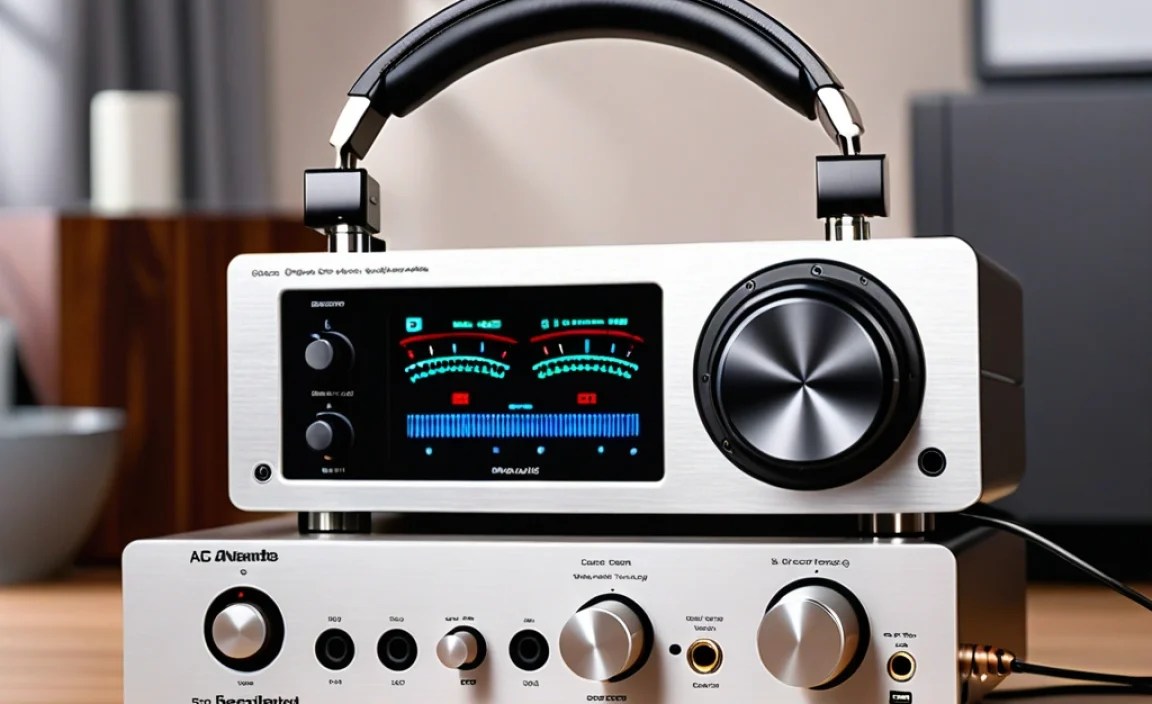
When you choose a device that combines both a DAC and a headphone amplifier, you get the best of both worlds in a single, convenient unit. This synergy is beneficial for several reasons:
- Improved Sound Quality: Dedicated, high-quality DACs and amplifiers in one unit will almost always outperform the integrated chips found in most source devices. This means your music will sound clearer, more detailed, and more dynamic.
- More Power for Headphones: It can drive demanding headphones that might sound quiet or lacking in impact when connected to a standard headphone jack.
- Reduced Interference: By housing both components together, manufacturers can often design them with better shielding and power regulation, minimizing electrical noise that can degrade sound quality.
- Convenience: It’s a single box that connects to your computer or source device, and then your headphones plug into it. This simplifies your setup considerably.
- Versatility: Many modern units also offer Bluetooth connectivity, allowing for wireless streaming with high-fidelity codecs.
Who Needs a Headphone Amplifier with DAC?

You might be surprised how many people can benefit from this kind of setup. If you fall into any of these categories, an amplifier with a DAC is likely a worthwhile investment:
- Audiophiles on a Budget: You want better sound but don’t have thousands to spend on a full component system.
- Users of High-Impedance or Low-Sensitivity Headphones: These headphones require more power to sound their best, and a dedicated amp provides it.
- Gamers and Content Creators: Clear, immersive audio is crucial for experiencing games and for precise audio work.
- Students and Professionals Who Listen Critically: Whether for studying, working, or commuting, enhanced audio can make long listening sessions more enjoyable and less fatiguing.
- Anyone Dissatisfied with Their Current Sound: If your music sounds flat, thin, or lacks impact, this could be the solution.
Key Features to Look For in a Headphone Amplifier with DAC

Navigating the options can seem daunting, but focusing on a few key features will help you narrow down your choices:
1. Connectivity Options
This is crucial for how you’ll use the device. Consider:
- USB: Most units will have USB input to connect to a computer or mobile device. Look for compatibility with both Android and iOS if you plan to use it with your phone. USB-C is becoming standard for modern devices.
- Optical/Coaxial: These digital inputs are useful if you want to connect to a CD player, AV receiver, or other digital audio sources.
- Bluetooth: For wireless convenience, especially if your source device lacks a headphone jack or you want to stream from a phone without a cable. Look for support for high-quality codecs like aptX HD or LDAC.
- Line-Out: This allows you to connect the DAC/amp to powered speakers or a separate integrated amplifier.
2. Power Output (Impedance and Sensitivity)
This is measured in milliwatts (mW) and is often presented at a specific impedance (Ohms, Ω). A higher mW output at a higher Ohm rating means more power.
- For portable, easy-to-drive headphones (16-32 Ohms): Most modern DAC/amps will handle these with ease.
- For demanding, high-impedance headphones (250-600 Ohms): You’ll need a device with more robust amplification power. Check the specifications for mW output at these higher impedance levels.
Important Note: Impedance measures how much electrical resistance your headphones offer. Higher impedance generally means they need more voltage (power) to reach the same volume. Sensitivity measures how loud headphones get for a given amount of power; lower sensitivity also means they need more power. Always check headphone specifications and compare them to the amplifier’s output capabilities.
3. Supported Audio Formats and Sampling Rates
A good DAC/amp should support high-resolution audio. Look for specs like:
- PCM: Up to 24-bit/192kHz is standard. Higher is better if you listen to studio-quality files.
- DSD: If you listen to DSD (Direct Stream Digital) files, check for DSD64, DSD128, or DSD256 support.
- MQA: If you use streaming services like Tidal Masters, ensure MQA decoding is supported.
For most everyday listeners, 24-bit/192kHz PCM support is more than sufficient to hear a significant difference from standard CD quality (16-bit/44.1kHz).
4. Portability and Build Quality
Consider where you’ll primarily use the device:
- Desktop: Units can be larger, have more ports, and require external power adapters.
- Portable: These are smaller, often USB-powered, and designed to fit in a pocket or bag. Battery life is also a factor here.
- Build: Aluminum casings are common and offer good durability.
5. Price and Brand Reputation
There’s a wide range of prices, from budget-friendly options to high-end audiophile gear. Stick to reputable brands known for quality audio components. Beginner-friendly options typically range from $50 to $250.
Top Picks for Best Headphone Amplifier with DAC (Beginner-Friendly)
Based on performance, ease of use, and value for money, here are some excellent choices for beginners looking to upgrade their listening experience. These options strike a great balance between price, features, and audio quality.
| Model | Key Features | Connectivity | Best For | Price Range (Approx.) |
|---|---|---|---|---|
| Topping DX3 Pro+ | High-performance DAC & amplifier, powerful output, DSD and MQA support, remote control. | USB, Optical, Coaxial, Bluetooth 5.0 (LDAC, aptX HD) | Desktop listening, driving moderately demanding headphones, versatile use. | $200 – $250 |
| Fiio K5 Pro ESS | ESS DAC chip, strong amplifier section, physical volume knob, clean sound. | USB, Optical, Coaxial | Desktop use, users who prefer physical controls, great value. | $150 – $200 |
| iFi Nano iDSD Black Label | Ultra-portable, rechargeable battery, excellent DAC and analog output stage, MQA support. | USB-A (digital input), 3.5mm headphone out, RCA line out. | On-the-go listening, users wanting a battery-powered solution. | $200 – $250 |
| Schiit Fulla 4 | Compact, plug-and-play simplicity, good DAC and headphone amp, microphone input. | USB (Type-C) | Budget desktop users, plug-and-play simplicity, gamers. | $100 – $120 |
| Shanling UA2 | Pocket-sized dongle DAC/amp, high-quality ESS DAC, can drive sensitive IEMs and some headphones. | USB-C (digital input), 3.5mm and 4.4mm balanced headphone outputs. | Mobile users, IEM enthusiasts, balanced audio connections. | $70 – $100 |
Price ranges are approximate and can vary based on retailer and region. Always check current pricing.
How to Set Up Your New Headphone Amplifier with DAC
Setting up your new audio gear is straightforward and rewarding. Here’s a step-by-step guide:
Step 1: Unboxing and Inspection
Carefully unbox your new DAC/amp and all its accessories. Check for any visible damage. Ensure you have the necessary cables (usually USB).
Step 2: Connect to Your Source Device
For Computer Use (Windows/macOS):
- Connect the USB cable from the DAC/amp to a USB port on your computer.
- Your computer should automatically detect the device. You may need to install drivers. Many devices are ‘class-compliant’ and don’t require drivers on macOS or recent Windows versions. Check the manufacturer’s website if prompted.
- Go to your computer’s sound settings (Sound Preferences on Mac, Sound Settings on Windows).
- Select the new DAC/amp as your default audio playback device.
For Mobile Device Use (iOS/Android):
- You might need a special adapter cable (e.g., Lightning to USB Camera Adapter for iOS, or a USB OTG cable for Android) to connect the DAC/amp to your phone or tablet.
- Connect the USB cable from the DAC/amp to the adapter, and the adapter to your mobile device.
- Many mobile devices will recognize USB audio devices automatically. Some Android apps might require specific settings or permissions.
For Other Sources (CD Player, Game Console):
- Use the appropriate digital cable (Optical or Coaxial) to connect the source device’s digital output to the DAC/amp’s corresponding digital input.
- Ensure the source device is set to output digital audio.
Step 3: Connect Your Headphones
Plug your headphones into the headphone output jack on the DAC/amp. Most units have a standard 3.5mm jack, while some offer both 3.5mm and a more robust 1/4-inch or balanced 4.4mm/XLR output for compatible headphones.
Step 4: Power On and Adjust Volume
- If your DAC/amp has a separate power supply or switch, turn it on.
- Crucially: Turn the volume knob on the DAC/amp all the way down.
- Play some audio from your source device.
- Slowly increase the volume on the DAC/amp until you reach a comfortable listening level. It’s always best to start low to avoid sudden loud noises that could damage your hearing or headphones.
Step 5: Fine-Tuning and Enjoyment
Listen to your favorite music! You should notice an immediate improvement in clarity, detail, and impact. Experiment with EQ settings on your computer or player if needed, but often, the improved hardware means less EQ is required.
Tips for Maximizing Your Listening Experience
Once your new DAC/amp is set up, here are a few more tips to get the absolute most out of it:
- Use High-Quality Audio Files: Lossless formats like FLAC or ALAC, or high-resolution streams from services like Tidal or Qobuz, will reveal the full potential of your DAC/amp. While it will improve compressed files too, the difference is most apparent with higher quality sources.
- Experiment with Different USB Ports: On computers, sometimes using a direct port on the motherboard (rear panel) can be quieter than using a USB hub or front panel port.
- Upgrade Your Headphones Eventually: While a DAC/amp will make your current headphones sound better, pairing it with more capable headphones later will unlock even greater sonic potential.
- Keep Firmware Updated: For some devices, checking the manufacturer’s website for firmware updates can bring new features or performance improvements.
- Understand Gain Settings: Some amplifiers have a “gain” switch. This increases the internal amplification. Use high gain for demanding headphones and low gain for sensitive headphones or earbuds to avoid distortion and excessive volume.
Common Beginner Questions (FAQ)
Q1: Will a headphone amplifier with DAC make my old headphones sound brand new?
It will make them sound the best they possibly can! While it won’t magically change the physical characteristics of your headphones, a good DAC/amp will reveal details and improve the overall clarity and power that your current source might be holding back. Think of it like a high-quality chef preparing your favorite meal – they can’t change the ingredients, but they can bring out their best flavors.
Q2: Do I need one if I only listen to music on Spotify or Apple Music?
Yes, you absolutely can! Even streaming services, when set to their highest quality (e.g., Spotify’s ‘Very High’ or Apple Music’s lossless tiers), provide audio data that can be significantly improved by a dedicated DAC and amplifier. You’ll notice more clarity, better separation of instruments, and a more immersive soundstage than your device’s built-in audio can typically provide.
Q3: Can I use a portable DAC/amp with my desktop computer?
Absolutely! Many portable DAC/amps are USB-powered and designed to work seamlessly with computers. They offer a great way to upgrade your computer’s audio without taking up much desk space or requiring a dedicated power outlet. They are often plug-and-play.
Q4: My new DAC/amp isn’t working, what should I do?
First, double-check all connections. Ensure the USB cable is securely plugged into both the DAC/amp and your computer/device, and make sure it’s selected as the default audio output in your system settings. If using Optical/Coaxial, ensure the source device is also set to output audio digitally. If the problem persists, consult the manufacturer’s manual or contact their support. Sometimes, a simple driver installation or a reboot of your computer can resolve the issue.
Q5: How much power do I really need? My headphones are only 32 Ohms.
For headphones with an impedance of 32 Ohms or less, most modern DAC/amp combos, including many portable dongles, will provide more than enough power. You won’t need to focus on extremely high mW output figures. The main benefit you’ll get is from the superior quality of the DAC and the cleaner amplification, leading to better detail and reduced noise.
