
Quick Summary: Choosing the best headphone mic for gaming ensures crystal-clear communication with your teammates. This guide breaks down essential features like microphone type, noise cancellation, and comfort, offering beginner-friendly advice and top picks to elevate your gaming experience without the tech overwhelm.
Hey there, fellow gamers and audio enthusiasts! Edward Cavitt here from Headphone Horizon. Ever found yourself yelling into your mic, hoping your teammates can actually hear your brilliant strategies over the in-game explosions? Or maybe you’ve been on the receiving end of some… less-than-clear comms. I get it! In the heat of battle, clear communication isn’t just a nice-to-have; it’s essential. That’s why picking the right headphone mic for gaming is a game-changer (see what I did there?). It doesn’t need to be complicated. We’re going to cut through the jargon and find you a microphone that makes you sound like the pro you are, making those crucial call-outs and epic cheers loud and proud. Ready to level up your audio game?
Why Your Gaming Headset Mic Matters More Than You Think

When we dive into gaming, our focus is often on visuals – the stunning graphics, the immersive worlds. But the audio experience, especially your voice chat, is equally vital. A poor microphone can lead to frustration for both you and your teammates. Imagine trying to warn someone about an approaching enemy, but your words are muffled or drowned out by background noise. It’s not just annoying; it can cost you the game! A good mic ensures your commands are understood, your witty banter lands perfectly, and your team feels connected, fostering better coordination and, let’s be honest, more fun. Think of it as the bridge connecting your brilliant mind to your team’s ears.
Understanding the Core Features: What to Look For

Before we jump into specific recommendations, let’s get a handle on what makes a gaming headset microphone great. It’s not just about how loud it is; it’s about clarity, the quality of your voice, and how well it handles the… let’s call them “ambient sounds” of your gaming setup. Here are the key things to keep an eye on:
Microphone Types: What’s the Difference?
There are a couple of primary types of microphones you’ll find on gaming headsets, and they each have their pros and cons:
- Condenser Microphones: These are generally more sensitive and can pick up finer details in your voice, offering a richer, more nuanced sound. They’re great for capturing clarity but can also pick up more background noise if not properly managed. Many professional voice-over artists use condenser mics for this reason.
- Dynamic Microphones: These are less sensitive and are excellent at isolating your voice while rejecting background noise. They are often more robust and less prone to picking up ambient sounds like keyboard clicks. For the average gamer needing clear comms without a soundproof room, dynamic mics can be a fantastic choice.
For gaming, you’ll most commonly find condenser mics on headsets, but many are engineered with technology to minimize background noise. Pay attention to how the microphone is described; some will explicitly mention noise-filtering capabilities.
Pickup Patterns: Where Does It Listen?
The pickup pattern of a microphone refers to the direction(s) from which it best captures sound. For gaming headsets, you’ll almost exclusively see one type:
- Cardioid: This is the most common pattern for headset microphones. A cardioid mic picks up sound primarily from the front (where your mouth is), while rejecting sound from the sides and rear. This is crucial for gamers as it helps to block out keyboard clatter, fan noise, and other environmental distractions.
When looking at specs, a “cardioid pickup pattern” is a big plus for gaming microphones.
Noise Cancellation & Reduction: The Silent Hero
This is where the magic happens for clear comms. Noise cancellation aims to eliminate unwanted background sounds, making your voice stand out. There are a few ways this is achieved:
- Passive Noise Isolation: This is built into the headset itself, using thick earcups and a snug fit to physically block out external noise. While it doesn’t affect the mic directly, it ensures you’re not distracted by what’s going on around you, allowing you to focus on your voice clarity.
- Active Noise Cancellation (ANC) for Microphones: This technology uses algorithms to detect and filter out consistent background noises like air conditioners, humming fans, or traffic. Some advanced mics might even use multiple microphones to pinpoint and cancel out ambient sound.
- Software-Based Noise Reduction: Many gaming headsets and their accompanying software offer settings to reduce background noise. This can be highly effective, allowing you to fine-tune how much noise the mic filters out.
Look for terms like “noise-canceling microphone,” “background noise suppression,” or “clear voice technology.” For a truly beginner-friendly experience, headsets with good built-in or software-based noise reduction are your best bet.
Connectivity: Wired vs. Wireless
The microphone’s connection to your PC or console can also impact its performance and your experience:
- Wired Headsets: These typically connect via a 3.5mm jack, USB, or proprietary connectors. Wired mics generally offer a very stable connection with no latency (delay), which is imperceptible. This is often the most straightforward and reliable option for consistent mic quality.
- Wireless Headsets: These use Bluetooth or 2.4GHz wireless dongles/connections. While offering freedom of movement, some older or lower-end wireless models can sometimes introduce a slight delay or compression that might affect microphone clarity. However, modern 2.4GHz wireless technology has become incredibly good at delivering high-quality audio and low latency, often indistinguishable from wired for practical gaming purposes.
For the absolute best mic performance with zero compromises, wired is often the default choice. But don’t discount good quality wireless options; they’ve come a long way!
Microphone Placement and Adjustability: Getting it Right
Even the best microphone won’t sound great if it’s not positioned correctly. Most gaming headset mics are attached to a boom arm that can be:
- Foldable: This is convenient for storage and for muting the mic by flipping it up.
- Detachable: Some headsets allow you to remove the mic entirely, which is handy if you’re using the headset for music or other non-gaming activities.
- Flexible/Adjustable: The ability to bend and position the boom arm precisely in front of your mouth is crucial. Aim for a position that’s about an inch or two from the corner of your mouth. Too close, and it might sound “poppy”; too far, and it’ll pick up more ambient noise.
Look for a mic boom that is easily positionable and stays put once you’ve found the sweet spot.
Essential Features for the Best Headphone Mic for Gaming

So, what are the absolute must-haves when looking for that perfect gaming mic? Let’s break them down:
1. Clear Voice Capture
This is the most fundamental requirement. Your voice needs to be intelligible. This means the microphone should be sensitive enough to pick up your speech clearly at a normal speaking volume, without sounding overly processed or robotic.
2. Effective Background Noise Suppression
As discussed, this is incredibly important. Whether it’s through good mic design, physical insulation, or smart software, the mic should actively work to cancel out the sounds of your environment. This ensures your teammates hear you, not your washing machine or your dog barking.
3. Low Self-Noise
Every microphone produces a tiny amount of internal noise (called self-noise or hiss). A good gaming mic will have very low self-noise, meaning you won’t hear a persistent static or hiss when you’re not speaking. This is particularly important for clear, quiet moments in games or during voice chat.
4. Mute Functionality
A quick, reliable way to mute your microphone is essential. Most headsets have a physical mute button on the earcup or integrated into the mic boom itself. This lets you maintain privacy or avoid broadcasting embarrassing noises without fumbling through game menus or PC settings. Some mics even mute automatically when you flip the boom arm up, which is super convenient.
5. Durability and Build Quality
Gaming gear can take a beating. You want a microphone that feels sturdy, and the boom arm shouldn’t feel flimsy. A well-built mic will last longer and perform consistently without developing issues.
Top Picks: Best Headphone Mic for Gaming (Beginner-Friendly)

Now for the exciting part – some specific recommendations! These are generally well-regarded, offer excellent value for money, and are known for their great microphones. I’ve handpicked these with beginners in mind, focusing on ease of use and clear performance.
1. HyperX Cloud II
Why it’s great: The HyperX Cloud II has long been a favorite in the gaming community, and its microphone is a big reason why. It features a detachable, noise-canceling microphone that delivers exceptionally clear audio for its price point. It’s also incredibly comfortable for long gaming sessions. The accompanying USB sound card provides virtual 7.1 surround sound and microphone control, further enhancing your audio experience.
Key Mic Features: Detachable, noise-canceling, cardioid pattern. Good balance of voice clarity and background noise rejection.
2. Logitech G Pro X Gaming Headset
Why it’s great: This headset features a PRO-G hybrid mesh microphone with a cardioid pickup pattern and advanced software support through Logitech G HUB. The standout here is its REAL-TALK™ microphone filter technology, which uses Blue VO!CE software to apply real-time voice filters. This allows for incredibly crisp, professional-sounding voice comms that you can customize. It’s a step up in mic customization for those who want to fine-tune their sound.
Key Mic Features: Detachable, cardioid pattern, advanced Blue VO!CE software for real-time filtering and customization, excellent clarity.
3. SteelSeries Arctis 7+ / Arctis Nova 7
Why it’s great: SteelSeries is known for its “ClearCast” microphone technology. The retractable boom mic on the Arctis series is designed to provide studio-quality broadcasting and background noise cancellation. It’s often praised for its natural tone and how well it isolates your voice. The retractable design means it’s out of the way when you don’t need it, and it’s super easy to access and position.
Key Mic Features: Retractable ClearCast microphone, excellent noise cancellation, natural voice pickup, bidirectional pattern for clear comms.
4. Razer BlackShark V2
Why it’s great: Razer’s “HyperClear Cardioid” microphone is designed for superior voice capture and background noise suppression. It has a more advanced design that offers better clarity and isolation compared to many other gaming headset mics. The mic is also flexible, making it easy to position perfectly. Combined with comfortable earcups and great sound, it’s a strong all-around performer.
Key Mic Features: HyperClear Cardioid microphone, enhanced voice pickup and noise suppression, good flexibility for positioning.
5. Corsair HS65 STEREO
Why it’s great: For a more budget-friendly but still highly capable option, the Corsair HS65 stands out. It features a solid omni-directional microphone that, despite being omni-directional, is engineered to reduce ambient noise remarkably well. It delivers clear voice communication that’s perfectly adequate for most gaming scenarios without breaking the bank. The build quality is also excellent for its price.
Key Mic Features: Omni-directional microphone with noise reduction, good clarity for its price point, sturdy build.
Comparison Table: Headset Mic Features at a Glance
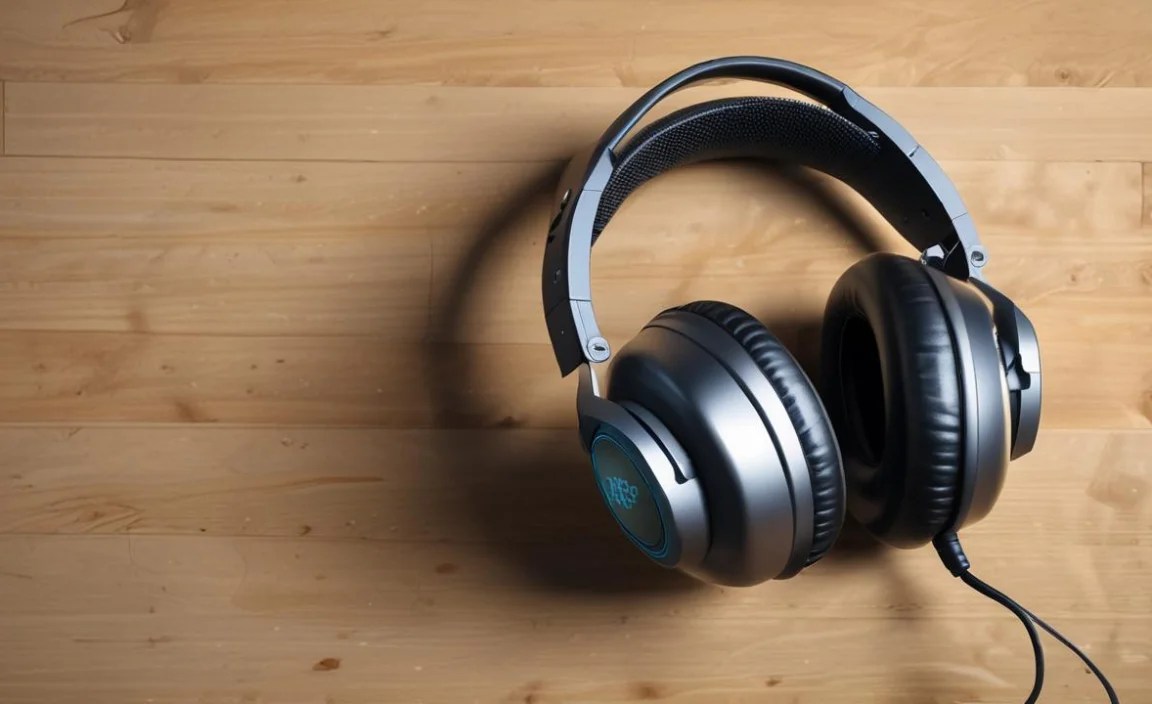
To help you compare, here’s a quick look at the microphone strengths of our top picks:
| Headset | Mic Type | Noise Cancellation | Key Strength | Beginner Friendliness |
|---|---|---|---|---|
| HyperX Cloud II | Detachable Condenser | Good (Physical & Software) | Balanced Clarity & Noise Rejection | High (Easy to use, comfortable) |
| Logitech G Pro X | Detachable Condenser | Excellent (Blue VO!CE Software) | Highly Customizable Voice Quality | Medium (Software setup) |
| SteelSeries Arctis 7+ / Nova 7 | Retractable ClearCast | Excellent (Bidirectional) | Studio-Quality Broadcast Tone | High (Retractable, easy mute) |
| Razer BlackShark V2 | Detachable HyperClear Cardioid | Very Good | Superior Voice Clarity & Isolation | High (Flexible positioning) |
| Corsair HS65 STEREO | Omni-directional | Good (Engineered Reduction) | Great Value for Clear Comms | High (Simple, effective) |
Setting Up Your Mic for Optimal Performance
Once you’ve got your new headset, a little bit of setup can go a long way. Don’t worry; it’s not complicated!
- Positioning is Key: As mentioned, try to get the mic about an inch or two from the corner of your mouth. Adjust the boom arm so it’s not directly in your line of sight but close enough to capture your voice clearly.
- Check Your Game/Platform Settings: Almost every game and voice chat application (like Discord, TeamSpeak, or even console party chat) has microphone settings. Ensure your headset is selected as the input device. You can often adjust mic volume here too.
- Utilize Software (If Available): For headsets like the Logitech G Pro X, dive into their proprietary software (e.g., Logitech G HUB). Explore the Blue VO!CE settings, experiment with presets, or adjust sliders for EQ and noise suppression. Start with a preset that sounds good, then make tiny adjustments. Remember, less is often more!
- Test Your Mic: Most platforms have a “test mic” feature. Use it! Speak normally and listen back to yourself, or ask a friend to confirm how you sound. Pay attention to any background noise or if your voice sounds distorted.
- Keep it Clean: If your mic has a little foam pop filter, make sure it’s not clogged with dust or debris. A gentle dusting can help maintain clarity.
When to Consider an External Microphone
While gaming headsets offer convenience, if your absolute priority is broadcast-quality audio for streaming, content creation, or serious competitive play where every nuance matters, you might consider an external microphone. These are separate from your headphones and connect directly to your PC.
Popular External Mic Options:
- USB Microphones: These are plug-and-play and great for beginners. Examples include the Blue Yeti, Rode NT-USB+, and HyperX QuadCast. They typically offer superior sound quality over headset mics.
- XLR Microphones: These offer the highest audio quality but require an audio interface or mixer to connect to your PC. Think Shure SM7B or Sennheiser MKH 416. This route is for more advanced users.
For most gamers just looking for clear in-game communication, a good headset mic is more than sufficient. But it’s good to know there are upgrade paths!
For those interested in the technical aspects of audio, the International Telecommunication Union (ITU) provides standards and recommendations for audio quality, which can be a deep dive for the curious!
Frequently Asked Questions (FAQ)
Q1: Do I really need a “gaming” headset mic, or can I use any headset?
While any headset with a microphone will technically work, dedicated gaming headsets are optimized for the gaming environment. Their microphones usually feature better noise cancellation, a cardioid pickup pattern to isolate your voice, and are often designed for clear, understandable comms over chaotic in-game sounds. For casual play, a good quality non-gaming headset might suffice, but a gaming headset will generally provide a superior experience for voice chat.
Q2: What does “noise-canceling mic” actually mean for a headset?
A “noise-canceling mic” on a headset means it’s designed to reduce or eliminate unwanted background sounds from reaching your teammates. This is usually achieved through a combination of the microphone’s pickup pattern (like cardioid), its physical design, and often software algorithms that actively filter out consistent noises like fans, air conditioners, or keyboard clicks. It ensures your voice is heard clearly.
Q3: My mic sounds muffled, even with a good headset. What can I do?
This is often a positioning issue or a
