
Quick Summary: Choosing the best headphone for your PS5 involves balancing features like 3D Audio compatibility, comfort, microphone quality, and wireless versus wired options. This guide breaks down what to look for, essential features to consider, and tips for making a smart purchase to elevate your gaming experience without the jargon.
Hey PlayStation fans! Edward Cavitt here from Headphone Horizon. Diving into the immersive worlds of PS5 gaming is an unparalleled thrill, and what better way to amplify that experience than with a truly fantastic pair of headphones? Whether you’re a seasoned gamer hunting for that competitive edge or just looking to lose yourself in the game’s story, the right audio gear can transform your play. But with so many options out there, pinpointing the “best headphone for PS5” can feel a bit overwhelming. Don’t worry, my friends! I’m here to cut through the noise and guide you through selecting headphones that will make your PS5 sound and feel absolutely incredible.
Understanding PS5 Audio: What Makes Headphones “Best” for Your Console?

Sony’s PlayStation 5 boasts some impressive audio technology, chief among them being the Tempest 3D AudioTech. This system is designed to create incredibly realistic and immersive soundscapes, making it seem like sounds are coming from all around you – above, below, left, right, and even front and back. To truly take advantage of this, you need headphones that are compatible and capable of recreating these detailed audio cues. It’s not just about picking any pair; it’s about finding ones that work harmoniously with your PS5 to deliver the ultimate sonic experience. We’ll explore what features matter most for this, ensuring you get the most bang for your buck and enjoyment from your gaming sessions.
Key Features to Consider for Your PS5 Headphone

When you’re on the hunt for the best headphone for PS5, several features stand out that will significantly impact your gaming performance and enjoyment. Let’s break down these must-haves:
1. Tempest 3D AudioTech Compatibility
This is the star of the show for PS5 audio. While almost any stereo headset will work with the PS5, headphones specifically designed or optimized to work with Tempest 3D AudioTech will offer the most impactful 3D audio experience. This processing is done by the console itself, so technically, any headphones will benefit, but some manufacturers may tune their headsets to better complement this feature. Look for explicit mentions of 3D audio support in product descriptions.
2. Comfort and Fit
Gaming sessions can often stretch for hours. Therefore, comfort is paramount. You’ll want headphones with:
- Plush earcups: Made from breathable materials like memory foam and fabric to prevent heat buildup and ear fatigue.
- Adjustable headband: To find the perfect fit for your head size.
- Lightweight design: So they don’t feel like a burden after a few hours.
- Secure but gentle clamping force: Enough to stay put without causing headaches.
3. Microphone Quality
Whether you’re coordinating with teammates in an intense multiplayer match or just chatting with friends, a clear microphone is essential. Look for headsets with:
- Clear voice pickup: Noise-canceling or unidirectional microphones help isolate your voice from background noise.
- Detachable or Mute functionality: For convenience and privacy.
- Good position or flexibility so it sits comfortably near your mouth without being obtrusive.
4. Wired vs. Wireless
This is a classic debate, and both have their pros and cons for PS5 gaming:
Wired Headphones
Wired headphones connect directly to your DualSense controller via a 3.5mm audio jack or to the PS5 console via USB. They typically offer:
- Zero latency: Sound transmission is instantaneous, crucial for competitive gaming.
- Simplicity: No charging or pairing required.
- Potentially better audio fidelity at a given price point.
- No battery worries: You can play as long as you want.
The main drawback is the cable, which can sometimes be restrictive.
Wireless Headphones
Wireless options connect either via Bluetooth or a USB dongle. Features to consider include:
- Freedom of movement: No cables to worry about getting tangled.
- Convenience: Easy to connect and disconnect.
- Battery life: Ensure they last for your typical gaming sessions.
- Potential latency: Some Bluetooth connections can introduce a slight delay, though many gaming headsets use proprietary low-latency wireless technology that’s virtually indistinguishable from wired.
For PS5, many recommend wireless headsets that use a USB dongle (often 2.4GHz wireless) for the lowest latency, rather than relying solely on standard Bluetooth.
5. Audio Drivers and Sound Quality
Audio drivers are the small speakers within the headphones. Larger drivers (commonly 40mm or 50mm) can often produce a more robust and detailed sound. For gaming, you’ll want a balance:
- Clear highs and mids: For dialogue, important sound cues, and environmental details.
- Punchy bass: To feel the impact of explosions and action, but not so overpowering that it muddles other sounds.
- Good soundstage: This refers to how “wide” or “spacious” the audio sounds, crucial for pinpointing enemy footsteps or distant environmental noises.
6. Connectivity Options
Beyond wired and wireless, how does the headset connect? Most PS5-compatible options will connect via:
- 3.5mm Audio Jack: Directly into the DualSense controller. This is the most universal connection.
- USB-C or USB-A: Directly into the PS5 console or a USB hub. This is common for wireless dongles and some wired headsets.
- Optical Audio Port: Older consoles used this, but the PS5 doesn’t have one. Some headsets connect via a USB dongle that might also have an optical pass-through for use with other devices, but this isn’t directly used by the PS5.
Top Headphone Categories for PS5 Gamers

Not all headphones are created equal, and different types cater to different needs. Here are some of the most popular categories for PS5 gaming:
1. Dedicated PS5 Wireless Headsets
Sony itself offers excellent options, like the Pulse 3D Wireless Headset. Many third-party brands also produce headsets specifically advertised as PS5 wireless compatible, often utilizing USB dongles for a stable, low-latency connection. These are designed to integrate seamlessly and maximize the console’s audio features.
2. High-Fidelity Wired Gaming Headsets
For audiophiles and competitive gamers who demand the absolute best sound clarity and zero latency, high-end wired headsets are a superb choice. They often offer superior build quality and audio drivers. You’ll typically connect these via the DualSense controller’s 3.5mm jack.
3. Versatile Multi-Platform Headsets
Many excellent gaming headsets work across PC, Xbox, and PlayStation. These are often great value as they offer broad compatibility. Look for models that confirm PS5 support, especially regarding their wireless dongle or 3.5mm jack functionality.
4. Everyday Headphones with Gaming Capabilities
Sometimes, your favorite pair of over-ear or even high-quality earbuds can double as gaming headphones. If they have a good microphone (or you can attach a ModMic) and a 3.5mm jack or Bluetooth functionality, they’ll work. However, they may not fully leverage the PS5’s 3D AudioTech in the same way a dedicated gaming headset might, but they can still offer a rich listening experience.
Step-by-Step Guide: Buying Your PS5 Headphone

Ready to make a decision? Follow these simple steps to find the perfect audio companion for your PS5 adventures.
Step 1: Define Your Budget
Headphones can range from $50 to $300 or even more. Knowing how much you’re willing to spend will help narrow down your options considerably. Remember that a higher price often means better build quality, more advanced features, and superior sound, but excellent options exist at various price points.
Step 2: Prioritize Wired or Wireless
Consider your gaming habits. Do you often find yourself moving around your couch or needing to step away briefly without interrupting your game? Wireless might be best. If you play in a dedicated space and prioritize absolute zero latency above all else, a wired headset could be your go-to.
Step 3: Check for PS5 Compatibility and 3D Audio Support
This is crucial for the “best headphone for PS5” experience. Look for product listings that explicitly state “PS5 Compatible” or “Works with PS5.” For the 3D AudioTech, while all stereo headphones will work, some are marketed to enhance it. Sony’s official recommendations and reviews often highlight which headsets are particularly good.
Step 4: Read Reviews and Watch Videos
Once you have a shortlist, dive into reviews from reputable tech sites and watch video reviews on platforms like YouTube. Pay attention to:
- Comfort for long sessions.
- Microphone clarity.
- Sound quality for gaming and media.
- Wireless connection stability and latency.
- Ease of use with the PS5.
Look for reviews that specifically test the headset with the PS5.
Step 5: Consider Specific Models (Examples)
To give you a starting point, here are a few types of headphones that consistently perform well for PS5 gamers:
| Headphone Type | Example Models/Brands | Key Strengths | Potential Downsides |
|---|---|---|---|
| Official Sony | PlayStation Pulse 3D Wireless Headset | Optimized for PS5 3D Audio, affordable wireless, comfortable. | Microphone quality is decent but not exceptional; build can feel less premium than some competitors. |
| Premium Wireless | SteelSeries Arctis Nova 7P Wireless, Audeze Maxwell | Excellent sound quality, great comfort, robust features, low-latency wireless. | Higher price point, may require USB dongle for optimal PS5 performance. |
| Wired Excellence | HyperX Cloud series (e.g., Cloud II), Beyerdynamic DT 770 Pro (with a separate mic) | Superb audio fidelity, zero latency, durable, often more affordable for the audio quality. | Requires 3.5mm jack connection (controller); separate mic needed for gaming. |
| Budget-Friendly | Razer Kraken X, Turtle Beach Recon 70 | Affordable, decent sound and mic, plug-and-play convenience. | Build quality and sound refinement might be less sophisticated than premium options. |
Note: Product models and availability can change. Always check the latest reviews for current recommendations.
Step 6: Make Your Purchase and Test It Out
Once you’ve decided, make your purchase. After receiving your new headphones, connect them and play your favorite PS5 game. Pay attention to the comfort, sound, and mic performance. Most retailers have a return policy, so if they aren’t quite right, you have options.
Tips for Maximizing Your PS5 Headphone Experience
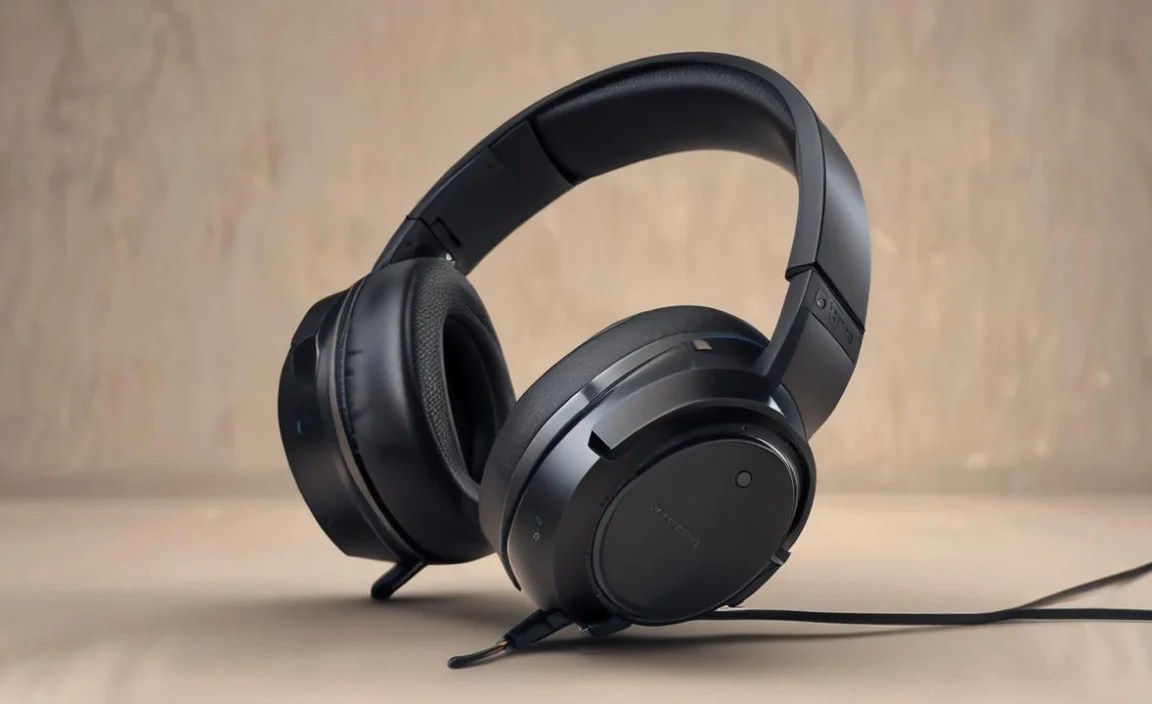
You’ve got your perfect headphones; now let’s make sure you’re getting the absolute most out of them.
1. Enable 3D Audio for Headphones in PS5 Settings
This is crucial! On your PS5, navigate to:
- Go to Settings.
- Select Sound.
- Under Audio Output, find Enable 3D Audio for Headphones and turn it On.
Here, you can also adjust the audio type (Height, Accents, or Volumetric) and the volume level. Experiment with these settings to see what sounds best for different games and your preferences. You can find more technical information on how game developers implement 3D audio on resources like Sony’s official PlayStation support page.
2. Adjust In-Game Audio Settings
Many games offer their own audio settings. You might find options to:
- Select a preset: Like “Home Theater,” “Headphones,” or “Night Mode.”
- Adjust EQ settings: To fine-tune bass or treble.
- Balance chat and game audio: Crucial for multiplayer balance.
Experiment with these to find what works best in tandem with the PS5’s system settings.
3. Keep Your Controller and Console Firmware Updated
Sony frequently releases system software updates for the PS5 and its DualSense controllers. These updates can sometimes include improvements to audio processing, controller connectivity, or bug fixes that might affect your headphones. Ensure both your console and controller firmware are always up-to-date.
4. Test Microphone Levels
If your friends are complaining about your comms, it might be a mic issue. On your PS5, go to Settings > Sound > Microphone > Adjust Microphone Level. Speak normally and watch the meter to ensure your voice is registering clearly without peaking.
5. Clean Your Headphones Regularly
For hygiene and longevity, keep your headphones clean:
- Earcups: Wipe down with a slightly damp microfiber cloth. For removable earcups, you can often wash them gently with mild soap and water (ensure they are completely dry before reattaching).
- Headband: Wipe clean as needed.
- Drivers and grille: Use a dry, soft brush or compressed air to gently remove dust without touching the drivers directly.
This simple maintenance ensures they stay comfortable and perform optimally.
6. Understand Wireless Connection Types
As mentioned, wireless headphones for PS5 typically use one of two methods:
- Proprietary 2.4GHz Wireless (via USB Dongle): Offers the best balance of low latency and range. This is what most dedicated gaming headsets use.
- Bluetooth: More commonly found on general-purpose headphones. While convenient, standard Bluetooth can have noticeable latency in gaming. Some newer Bluetooth codecs are improving this, but always check if the headset specifies low-latency Bluetooth for gaming.
For the best gaming experience, prioritize 2.4GHz wireless via a dongle or a reliable wired connection.
For more details on audio standards and how they apply to gaming, this article from RTINGS.com provides an in-depth look at latency and wireless technologies.
Frequently Asked Questions (FAQ)
Q1: Do I need special headphones for PS5 3D Audio?
No, you don’t need special headphones. The PS5’s Tempest 3D AudioTech processes sound to create the 3D effect, and any stereo headphones will allow you to hear this. However, some headphones might be tuned to better complement the effect, and official Sony accessories like the Pulse 3D are designed with this in mind.
Q2: How do I connect wired headphones to my PS5?
The easiest way is to plug them into the 3.5mm audio jack on the bottom of your DualSense wireless controller. You can also connect some wired headphones directly to the PS5 console’s front USB-C port or rear USB-A ports.
Q3: What is latency, and why is it important for PS5 headphones?
Latency is the delay between when an action happens in the game and when you hear the corresponding sound through your headphones. For competitive gaming, low latency is vital so you can react instantly. Wireless headphones, especially standard Bluetooth ones, can sometimes introduce noticeable latency, while wired or proprietary 2.4GHz wireless headphones typically have minimal to no audible latency.
Q4: Can I use my Xbox or PC gaming headset with PS5?
Generally, yes! Most gaming headsets that connect via a 3.5mm audio jack or a USB dongle will work with the PS5. Always check the product specifications to confirm PS5 compatibility, but it’s rare for a good gaming headset to be completely incompatible.
Q5: Is the PlayStation Pulse 3D headset worth the money?
The Pulse 3D headset is a very popular and affordable wireless option optimized for the PS5. It offers good comfort and a solid
