
Quick Summary: Discover incredible wireless audio without breaking the bank! This guide explores top-rated headphones under $100, focusing on sound quality, comfort, and battery life. We’ll help you find the perfect pair for music, calls, and everyday listening, making smart audio accessible for everyone.
Best Headphones Under 100 Wireless: Amazing Audio for Every Budget
Finding great wireless sound shouldn’t cost a fortune. If you’re on the hunt for the best headphones under $100 wireless, you’re in the right place! Gone are the days when high-quality audio required a hefty investment or tangled wires. Today, amazing sound, reliable Bluetooth connectivity, and long-lasting batteries are readily available at budget-friendly prices. Whether you’re a music aficionado, a podcast enthusiast, a student needing to focus, or just want to enjoy your favorite tunes on the go, this guide will help you cut through the noise and find the perfect pair of wireless headphones that deliver exceptional audio without emptying your wallet.
Why Go Wireless? The Freedom Factor
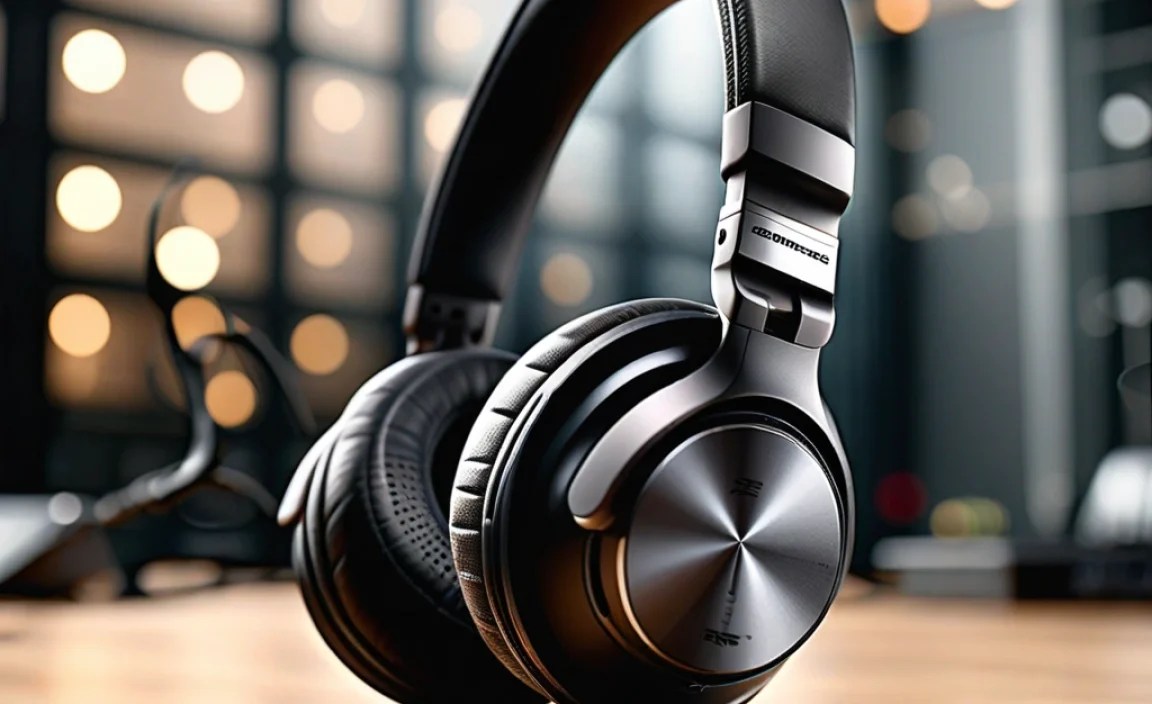
The shift to wireless headphones has been revolutionary for a reason. The freedom they offer is unparalleled. No more fumbling with tangled cables when you’re in a hurry, no more getting caught on doorknobs, and the ability to move around freely while still connected to your device is incredibly liberating. This convenience extends to all aspects of life, from your daily commute and gym sessions to settling in for a movie at home. Bluetooth technology has become more stable and efficient, offering a seamless listening experience that’s hard to beat.
What to Look for in Budget-Friendly Wireless Headphones

When you’re looking at the best headphones under $100 wireless, it’s easy to get overwhelmed by specs. But don’t worry, we’ll break down the key features to focus on:
1. Sound Quality: The Heart of the Matter
This is where “amazing audio” truly comes into play. For headphones at this price point, aim for a balanced sound profile. This means:
- Clear Mids: Crucial for vocals and most instruments.
- Defined Bass: Enough punch to make music engaging, but not so overpowering that it muddies the rest of the sound.
- Crisp Highs: For detail and clarity, without being harsh or sibilant.
Look for reviews that mention these aspects. Many brands now offer impressive audio fidelity that rivals more expensive models.
2. Comfort and Fit: Essential for Long Listening Sessions
Headphones are only as good as how they feel. Consider:
- Earcups (Over-ear): Should be plush and breathable.
- Earbuds (In-ear): Look for multiple ear tip sizes to ensure a snug, comfortable seal.
- Headband (Over-ear): Should be padded and adjustable for a secure fit without clamping too hard.
- Weight: Lighter is generally better for extended wear.
A good fit also contributes significantly to sound isolation, helping you hear more of your audio and less of your surroundings.
3. Battery Life: Keep the Music Playing
Wireless headphones rely on battery power, so check the specifications:
- Playback Time: Most headphones under $100 offer between 20-40 hours on a single charge, which is plenty for several days of use.
- Fast Charging: A lifesaver! A quick 10-15 minute charge can often give you several hours of playback.
- Charging Case (Earbuds): The case nearly always provides multiple additional charges, extending the total listening time considerably.
4. Connectivity: Bluetooth Version and Stability
Look for Bluetooth 5.0 or higher. Newer versions offer:
- Faster pairing
- More stable connections
- Improved power efficiency
- Better range
Some headphones also offer multi-point connectivity, allowing you to connect to two devices simultaneously (e.g., your phone and laptop), which is extremely convenient.
5. Durability and Build Quality: Investing for the Long Haul
Even at a lower price point, you want headphones that will last. Check for:
- Sturdy plastics that don’t feel flimsy.
- Well-constructed hinges and adjustable bands.
- Decent water/sweat resistance (IPX ratings) if you plan to use them for workouts.
Top Picks: Best Headphones Under $100 Wireless

It’s tough to pick just a few, but these consistently rank high for value and performance. We’re looking at both over-ear and in-ear options to cover different preferences.
Over-Ear Headphones: Immersive Comfort
Over-ear headphones often provide a more immersive listening experience and greater comfort for extended periods. They fully enclose the ear, offering good passive noise isolation.
1. Anker Soundcore Life Q30/Q35
Anker’s Soundcore line consistently punches above its weight in the budget audio space. The Life Q30 and Q35 models are standout choices for their active noise cancellation (ANC) capabilities, which are rare and usually less effective in this price range. They offer a surprisingly balanced sound profile with deep bass that can be customized via the Soundcore app. Battery life is phenomenal, easily exceeding 40 hours with ANC on.
- Pros: Excellent ANC for the price, long battery life, comfortable build, customizable EQ via app.
- Cons: Bass can be overpowering for some listeners out of the box (fixable with EQ), mic quality for calls is average.
2. Sennheiser HD 450BT
While sometimes slightly above the $100 mark depending on sales, the Sennheiser HD 450BT often dips into our target range and offers a refined sound signature that Sennheiser is known for. They provide a natural, detailed sound with good clarity. Support for aptX™ and AAC codecs ensures good wireless audio quality. They are lightweight and fold for portability.
- Pros: Superb Sennheiser sound quality, good codec support, comfortable and portable design.
- Cons: ANC is not as strong as some competitors, can be slightly more expensive when not on sale.
3. Skullcandy Hesh ANC
Skullcandy has been improving its audio quality significantly, and the Hesh ANC is a great example. It offers decent active noise cancellation and a sound profile that’s often favored by those who enjoy a bit more bass presence without sacrificing clarity. The design is also quite stylish and foldable.
- Pros: Stylish design, good bass response, effective ANC for casual listening, decent battery life.
- Cons: Build quality can feel a little less premium compared to others, mic is only average.
In-Ear Earbuds: Portability and Convenience
True wireless earbuds offer ultimate freedom and portability. Battery life is always measured with the charging case included.
1. Anker Soundcore Liberty Air 2 Pro
These earbuds pack a serious punch for their price. They feature impressive active noise cancellation with multiple modes (transport, indoor, outdoor) and a HearID™ feature in the Soundcore app that customizes EQ based on your hearing. The sound is well-balanced, and they offer good battery life with wireless charging for the case. The fit is secure and comfortable for most.
- Pros: Excellent ANC and transparency modes, HearID™ personalized sound, comfortable fit, wireless charging.
- Cons: Touch controls can be a bit sensitive.
2. JLab GO Air POP True Wireless Earbuds
For pure, no-frills budget wireless, the JLab GO Air POP is hard to beat. They are incredibly affordable and offer a surprisingly decent sound for basic listening. The standout feature is their exceptionally long battery life (up to 8 hours per charge, 32 total with the case). They are lightweight and come with several ear tip sizes.
- Pros: Extremely affordable, very long battery life, lightweight, comfortable for most ears.
- Cons: Sound quality is basic (not audiophile-grade), ANC is absent.
3. EarFun Air Pro 3
EarFun has made a name for itself by offering feature-rich earbuds at aggressive price points. The Air Pro 3 boasts effective ANC, a balanced sound profile with good bass, IPX5 water resistance, and support for the aptX™ Adaptive audio codec for better streaming quality on compatible devices. Battery life is also strong.
- Pros: Effective ANC, balanced sound with good bass, IPX5 rating, aptX™ Adaptive support.
- Cons: Touch controls can take some getting used to.
Comparison Table: Key Features at a Glance
Here’s a quick look at how some of these popular models stack up:
| Model | Type | ANC | Battery (Headphones/Earbuds) | Battery (with Case for Earbuds) | Notable Feature(s) |
|---|---|---|---|---|---|
| Anker Soundcore Life Q30/Q35 | Over-Ear | Yes (Hybrid ANC) | 40-60 Hours | N/A | Customizable EQ, long battery |
| Sennheiser HD 450BT | Over-Ear | Yes | 30 Hours | N/A | Premium sound, aptX™ support |
| Skullcandy Hesh ANC | Over-Ear | Yes | 22 Hours (ANC on) | N/A | Stylish, good bass |
| Anker Soundcore Liberty Air 2 Pro | In-Ear | Yes (Hybrid ANC) | 6-7 Hours | 26 Hours | HearID™ tuning, wireless charging |
| JLab GO Air POP | In-Ear | No | 8 Hours | 32 Hours | Incredible value, long battery |
| EarFun Air Pro 3 | In-Ear | Yes (Hybrid ANC) | 7-9 Hours | up to 40 Hours | aptX™ Adaptive, IPX5 |
Step-by-Step Guide: Making Your Purchase
Found a few contenders? Here’s how to make the final decision and ensure you land the best pair for your needs:
Step 1: Determine Your Preferred Style
Over-Ear vs. In-Ear:
- Over-ear offer more immersive sound, better passive noise isolation, and often superior comfort for long sessions. They tend to have longer individual battery life.
- In-ear (earbuds) are ultra-portable, discreet, and great for active lifestyles. They rely on a charging case for extended use.
Step 2: Prioritize Key Features
Think about your primary use:
- Pure Music Enjoyment: Focus on sound quality specs and reviews.
- Commuting/Travel: Active Noise Cancellation (ANC) is a must.
- Workouts: Look for sweat/water resistance (IPX rating) and a secure fit.
- Calls: Check reviews specifically on microphone quality.
Step 3: Read Reviews from Trusted Sources
Sites like Rtings.com, CNET, TechRadar, and What Hi-Fi? offer in-depth, objective reviews. Pay attention to:
- User experiences with connectivity and battery life.
- Detailed sound profile descriptions.
- Comfort and build quality feedback.
For objective measurements and comparisons, resources like the International Telecommunication Union (ITU) (.gov equivalent that often sets standards in audio/telecom) offer insights into audio testing methodologies, even if they don’t review specific products.
Step 4: Check for Sales and Deals
The “under $100” mark is dynamic. Prices fluctuate, especially around holidays or major sale events like Amazon Prime Day or Black Friday. Keep an eye on major retailers.
Step 5: Consider the Warranty and Return Policy
Buying from reputable retailers and brands often means a better warranty. Understand the return policy in case the headphones aren’t a good fit for your ears or listening style.
Understanding Audio Codecs for Wireless Sound
You might see terms like SBC, AAC, aptX™, and LDAC. These are Bluetooth audio codecs, essentially the languages devices use to send audio wirelessly. For the best quality under $100:
- SBC (Sub-band Coding): The default, universally compatible codec. It’s basic but functional.
- AAC (Advanced Audio Coding): Used widely by Apple devices (iPhone, iPad). Offers noticeably better quality than SBC. Great if you primarily use Apple products.
- aptX™ (and aptX™ HD/Adaptive): Common on Android devices and many Windows PCs. Generally offers superior sound quality and lower latency (delay) than SBC and AAC. aptX™ Adaptive adjusts quality based on your environment and device.
If your phone and headphones both support a superior codec like aptX™ or AAC, you’ll likely experience better wireless audio.
Maintaining Your Wireless Headphones
To keep your new headphones sounding and performing their best, follow these simple maintenance tips:
1. Cleaning
Regular cleaning prevents grime buildup and maintains sound quality.
- Earcups/Earbuds: Gently wipe with a slightly damp, soft cloth. Avoid harsh chemicals. For fabric earpads, some can be removed and gently hand-washed with mild soap and water, then air-dried completely before reattaching. Always check the manufacturer’s specific cleaning advice.
- Grilles: Use a dry, soft brush (like a clean toothbrush) or a puff of air to dislodge debris.
- Charging Ports: Use a dry cotton swab or a can of compressed air to gently clean any dust.
2. Storage
Proper storage protects your headphones from damage and dust.
- Use the provided carrying case or pouch whenever possible.
- Avoid storing them in hot environments (like a car dashboard) or in direct sunlight, as this can damage the battery and materials.
3. Battery Care
While modern lithium-ion batteries are robust, some basic practices can help prolong their lifespan:
- Avoid fully draining the battery regularly.
- Don’t leave them plugged in charging for days on end after reaching 100% (though most devices have circuitry to prevent overcharging).
- Store them with a partial charge (around 50%) if you plan not to use them for an extended period (e.g., several months).
Troubleshooting Common Wireless Headphone Issues
Even the best headphones can sometimes act up. Here are fixes for common problems:
Problem: Cannot Connect My Headphones to My Device
- Restart Both Devices: Turn off your headphones and your phone/tablet/computer, then turn them back on.
- Forget and Re-pair: On your device, go to Bluetooth settings, find your headphones, select “Forget Device,” and then try pairing them again as if they were new.
- Check for Interference: Too many other Bluetooth devices or Wi-Fi routers nearby can sometimes cause issues. Try moving to a different location.
- Ensure Headphones are in Pairing Mode: Consult your headphone manual on how to put them into pairing mode (usually involves holding a power or Bluetooth button).
Problem: Audio is Cutting Out or Choppy
- Check Distance: Ensure your device is within the Bluetooth range (typically up to 30 feet/10 meters in ideal conditions).
- Reduce Obstructions: Walls and even your own body can degrade the signal. Try keeping your device in a pocket on the same side as the headphones’ primary Bluetooth antenna (if known, usually the right earbud).
- Close Other Bluetooth Connections: If you have many devices connected or trying to connect, it can strain the connection.
- Update Device Software: Ensure your phone or computer has the latest operating system updates.
Problem: One Earbud Not Working (True Wireless)
- Check Battery: Ensure both earbuds and the charging case have sufficient charge.
- Re-seat in Case: Place both earbuds back in the charging case, close the lid for a few seconds, then take them out
