
Quick Summary: Discover how a headphone amplifier can transform your listening experience. This guide explains what it is, why you need one, how to choose the best for your needs, and simple tips for setup and maintenance. Enjoy richer, more detailed sound from your favorite headphones.
The Best Headphones Amplifier: Your Essential Guide to Unlocking Amazing Sound

Hey audio adventurers! Edward Cavitt here from headphonehorizon, your go-to spot for making sense of all things sound. Ever feel like your headphones are holding back? Like there’s a layer of detail or a punch of bass you’re just missing? You’re not alone! Today, we’re diving into the world of headphone amplifiers, or “headphone amps” as we often call them.
Think of it as a secret weapon for your ears, a way to take your everyday listening from good to truly, incredibly great. We’ll break down what they are, why they’re a game-changer, and how to find the perfect one for you, all without making your head spin. Let’s get your music sounding its absolute best!
What Exactly is a Headphone Amplifier?
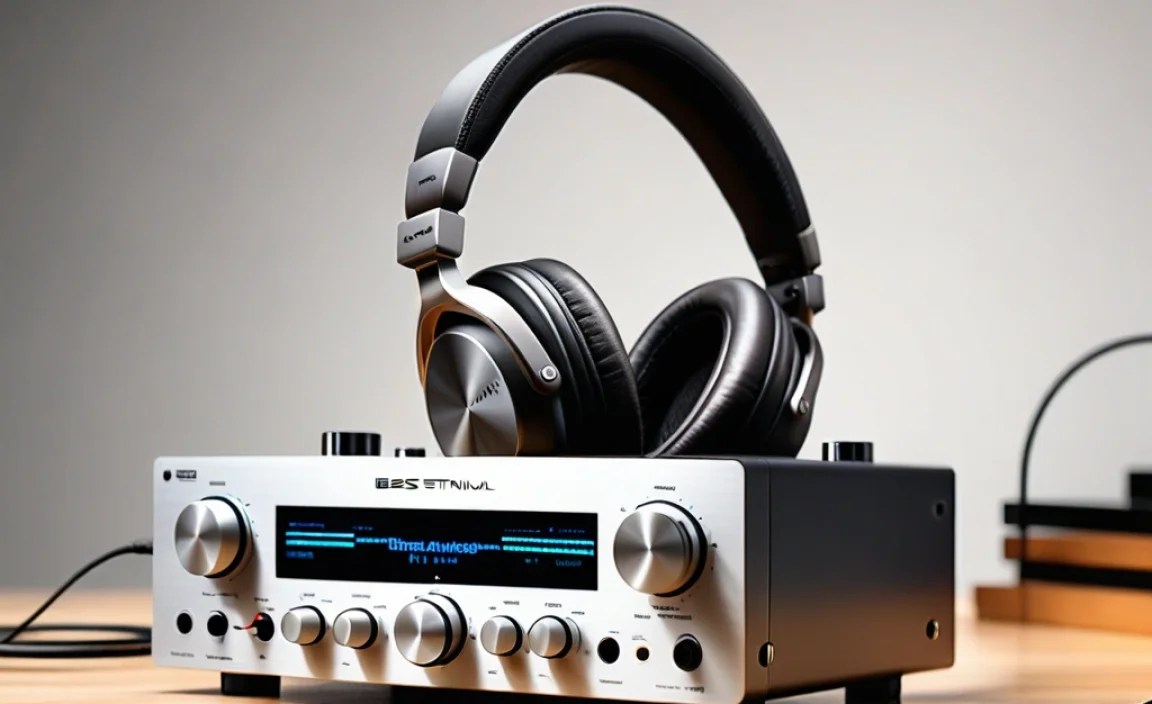
At its core, a headphone amplifier is a device that boosts the audio signal from your source (like your phone, computer, or MP3 player) to a level that your headphones can use effectively. Your typical devices have built-in amplifiers, but they’re usually quite basic and designed for a wide range of headphones, including low-impedance earbuds. For high-fidelity headphones, especially those with higher impedance (which we’ll get to!), these built-in amps often fall short.
A dedicated headphone amplifier is like giving your headphones a powerful, clean stream of audio. It provides more power, reduces distortion, and allows your headphones to perform at their full potential, revealing subtle details, improving clarity, and giving you a more dynamic and immersive listening experience. It’s not about making things louder necessarily, but about making them sound better.
Why Do You Need a Headphone Amplifier?
This is where the magic happens, and it all boils down to giving your headphones and your music the best possible chance to shine. Here are the key reasons why adding a headphone amplifier to your setup is a fantastic idea:
- Unlocking Your Headphones’ Potential: Many headphones, particularly higher-end audiophile models, are designed with higher impedance. Impedance is a measure of electrical resistance, and higher impedance usually means headphones require more power to drive them properly. A weak source device just can’t supply that power, leaving your headphones sounding flat, muffled, or simply not living up to their hype. An amp provides the necessary “oomph.”
- Improved Sound Quality: Beyond just power, dedicated amps are built to deliver a cleaner, less distorted audio signal. This translates to:
- Greater Detail and Clarity: You’ll hear nuances in music you never noticed before – the subtle strum of a guitar, the delicate breath before a singer’s note, the reverb on a distant cymbal.
- Better Bass Response: Bass will feel tighter, more controlled, and more impactful, without becoming muddy.
- Wider Soundstage: This refers to how “spacious” the music sounds. An amp can help create a more immersive, 3D-like listening environment.
- Reduced Distortion: When your source device or headphones are pushed too hard, distortion creeps in. An amp can prevent this by providing ample clean power.
- Enhanced Listening Experience: Whether you’re a critical listener dissecting every note or just want to get lost in your favorite album, an amp makes the experience more engaging and enjoyable. It’s like upgrading from a fuzzy TV to a crisp HD display.
- Driving Multiple Headphones (Sometimes): Certain amplifiers are designed to power more than one pair of headphones simultaneously, each receiving a clean signal.
- Portability and Versatility: While some amps are desktop units, many are portable, allowing you to enjoy dramatically improved sound quality on the go.
Understanding Headphone Impedance: A Quick Primer

Before we dive into choosing an amp, let’s quickly touch on impedance. You’ll see it listed in Ohms (Ω) and it’s crucial for understanding headphone compatibility. Think of it like this:
- Low Impedance (under 50 Ohms): Most portable devices (phones, laptops) can drive these headphones adequately. They are designed for easy listening on the go.
- Moderate Impedance (50-150 Ohms): Some portable devices might manage, but you’ll start to see noticeable improvements with an amp.
- High Impedance (150 Ohms and above): These headphones almost always require a dedicated amplifier to sound their best. They are typically designed for home or studio use where powered sources are available.
Connecting high-impedance headphones to a weak source will result in low volume and poor sound quality. Conversely, low-impedance headphones can sometimes be overdriven by very powerful amplifiers, leading to distortion or even damage (though this is less common with modern quality amps).
Types of Headphone Amplifiers
Headphone amplifiers come in various shapes and sizes, each suited for different needs and environments. Understanding these categories will help you narrow down your options:
1. Portable Headphone Amplifiers (Dongles & Battery-Powered)
These are designed for use on the go, often connecting directly to your smartphone or DAP (Digital Audio Player). They are small, lightweight, and offer a significant upgrade over your device’s internal audio components.
- USB-C / Lightning Dongles: These are the most compact. They plug into your phone’s charging port and are a simple, single-piece solution. They contain a DAC (Digital-to-Analog Converter) and an amplifier in a tiny package.
- Battery-Powered Portable Amps: These are slightly larger and have their own battery. They often offer more power and better sound quality than dongles and can be connected via Bluetooth or a direct cable connection from your source.
2. Desktop Headphone Amplifiers
These are stationary units designed for home or office use. They typically offer more power, advanced features, and superior sound quality compared to portable options. Many desktop units also include a DAC, making them a “DAC/Amp combo.”
- All-in-One DAC/Amps: These units combine both a Digital-to-Analog Converter and a headphone amplifier in a single chassis. They’re convenient and often a great starting point for desktop setups.
- Separate DACs and Amps: For the ultimate in customization and performance, audiophiles often opt for separate DACs and amplifiers. This allows you to mix and match components to achieve a specific sound signature.
3. Hybrid Amplifiers
These use a combination of vacuum tubes and solid-state components. Tubes are known for adding a warm, organic, and pleasing “coloration” to the sound, while solid-state components provide power and precision. Hybrid amps aim to offer the best of both worlds.
4. Tube Amplifiers
These amplifiers exclusively use vacuum tubes to amplify the audio signal. They are prized by some for their unique, often described as “euphonic” or “musical,” sound character. They tend to have a warmer, smoother sound that can be very pleasing for long listening sessions. However, tubes can require more maintenance and can be less transparent than solid-state amps.
5. Solid-State Amplifiers
These use transistors and other semiconductor devices to amplify the audio signal. They are generally known for their accuracy, neutrality, speed, and ability to render detail. Most modern amplifiers, especially for portable use, are solid-state.
Key Features to Consider When Choosing the Best Headphones Amplifier
With so many options, how do you pick the right one? Focus on these essential features:
- Power Output: This is usually measured in milliwatts (mW) and indicates how much power the amplifier can deliver to your headphones. It’s directly related to how well it can drive your headphones, especially higher impedance ones. Look for specs that match your headphones’ requirements.
- Impedance Compatibility: Ensure the amplifier can handle the impedance of your headphones. Most good amps will list their compatibleimpedance range.
- DAC (Digital-to-Analog Converter): Many amplifiers, especially desktop and portable dongles, include a built-in DAC. A good DAC is crucial for converting your digital music files into an analog signal that your amp and headphones can reproduce. If your source device has a mediocre DAC, a dedicated DAC/amp will offer a significant upgrade.
- Connectivity: How will you connect your amp to your source? Common connections include USB (Type-A, Type-C), Lightning, 3.5mm analog input, Bluetooth, optical, and coaxial. Make sure the amp has the ports you need.
- Headphone Outputs: Most amps have a standard 3.5mm (1/8″) headphone jack, but many also offer a 6.35mm (1/4″) jack for larger, high-fidelity headphones that often use this connector. Some advanced amps may even offer balanced outputs (like 4-pin XLR), which can provide even cleaner and more powerful audio for compatible headphones.
- Portability vs. Desktop: Are you looking for something to slip into your pocket or a permanent fixture on your desk? This will drastically narrow your choices.
- Battery Life (for Portables): If you’re going portable, battery life is key. Consider how long you’ll need it to last between charges.
- Build Quality and Design: You want something that feels robust and well-made, especially if it’s going to be carried around or used regularly.
- Price: Headphone amplifiers range from under $50 for basic dongles to well over $1,000 for high-end desktop units. Set a budget and stick to it.
Step-by-Step Guide: Setting Up Your New Headphone Amplifier
Don’t worry, setting up a headphone amplifier is usually very straightforward. Here’s a general guide:
Step 1: Unbox and Inspect
Carefully unbox your new amplifier and any accessories. Check for any visible damage. Make sure you have the amplifier, any included cables (USB, audio), and a power adapter if applicable.
Step 2: Identify Your Source Device
This is what you’ll be playing music from – your smartphone (iPhone/Android), computer (Mac/Windows), tablet, or dedicated audio player (DAP).
Step 3: Understand Your Headphones
Know the impedance (Ohms) and connector type (3.5mm, 6.35mm, balanced) of your headphones. This helps ensure compatibility and informs your setup.
Step 4: Connect the Amplifier to Your Source
This varies depending on the type of amplifier:
- Portable Dongle: Plug the dongle directly into your phone’s USB-C or Lightning port, or into a spare USB port on your computer.
- Battery-Powered Portable Amp:
- Wired: Connect a cable from your source device’s headphone jack (or USB-C/Lightning port via an adapter) to the amplifier’s input. Connect your headphones to the amplifier’s output.
- Bluetooth: Put the amplifier and your source device into Bluetooth pairing mode. Select the amplifier from your device’s Bluetooth list to connect. Then connect your headphones to the amplifier’s output.
- Desktop DAC/Amp:
- USB Connection: Connect the amplifier to your computer using a USB cable. Your computer should automatically detect it as an audio output device. You may need to select it in your computer’s sound settings.
- Analog Input: Connect an audio cable (e.g., RCA or 3.5mm) from your existing audio source’s output to the analog input on the amplifier. Then connect your headphones to the amplifier’s output.
Step 5: Connect Your Headphones
Plug your headphones into the designated headphone output jack on the amplifier. Use the appropriate adapter if your headphones have a larger 6.35mm plug or a balanced connector.
Step 6: Power On and Adjust Volume
Turn on the amplifier (if it has a power switch). Make sure your source device is playing audio. Crucially, start with the volume on the amplifier turned all the way down. Slowly increase the volume on the amplifier until you reach a comfortable listening level. It’s often recommended to set the volume on your source device to around 75-80% and use the amplifier’s knob for the final volume control.
Step 7: Listen and Enjoy!
Play your favorite music and experience the difference! You should notice increased clarity, better dynamics, and a more engaging sound.
Tips for Getting the Most Out of Your Amplifier
Beyond just plugging it in, a few simple practices can elevate your listening experience even further:
- Use High-Quality Music Files: The best amplifier in the world can’t polish a low-quality MP3. Aim for lossless formats like FLAC or ALAC, or high-bitrate streaming services.
- Experiment with Source Volume: As mentioned, finding the sweet spot for your source device’s volume can minimize noise and distortion.
- Cable Quality Matters (to an extent): While you don’t need $500 USB cables, decent quality, well-shielded cables can help retain signal integrity, especially for longer runs or in noisy environments.
- Proper Placement: For desktop amps, ensure good ventilation to prevent overheating. Keep sensitive electronic components away from strong electromagnetic interference.
- Keep it Clean: Dust can affect performance. Gently wipe down your amplifier with a soft, dry cloth. Avoid harsh chemicals.
- Consider a dedicated DAC: If your amplifier only has analog inputs, and your source has a weak built-in DAC, investing in a separate DAC to feed into your amplifier can be a significant upgrade. Websites like Audio Science Review often have in-depth technical analysis of DAC and amplifier performance.
Troubleshooting Common Issues
Even the best gear can sometimes act up. Here are a few common issues and how to resolve them:
- No Sound:
- Check all cable connections.
- Ensure the amplifier is powered on.
- Verify that the amplifier (or its DAC) is selected as the audio output device in your source device’s settings.
- Play audio directly from your source device to ensure it’s working.
- Try different headphones.
- Low Volume:
- Ensure the amplifier’s volume knob is turned up sufficiently.
- Check the volume levels on both your source device and the amplifier.
- Make sure your headphones are compatible with the amplifier’s power output and impedance handling.
- Humming or Buzzing Noise:
- This often indicates a ground loop or interference. Try plugging the amplifier and your source device into the same power outlet strip.
- Move the amplifier away from other electronic devices that might cause interference (e.g., Wi-Fi routers, monitors).
- Try a different USB port on your computer.
- If using an AC adapter, try a different one if possible.
- Distortion at Higher Volumes:
- Your source device’s volume might be too high, causing it to clip before the signal even reaches the amp. Try lowering the source volume and increasing the amp volume.
- Your headphones might be too demanding for the amplifier at that volume.
- Ensure your music file isn’t already distorted.
- Intermittent Sound (Bluetooth):
- Ensure the amplifier and source device are within Bluetooth range and have a clear line of sight.
- Forget and re-pair the Bluetooth connection.
- Ensure the amplifier’s firmware is up to date.
Recommended Headphone Amplifiers for Beginners
To help you get started, here are a few types of amplifiers that are popular and well-regarded for beginners, categorized by use case. Please note that specific models change rapidly, but these categories represent excellent starting points with many reputable brands to explore.
| Type of Amplifier | Example Use Case | Key Benefits | Things to Consider |
|---|---|---|---|
| USB-C/Lightning Dongle DAC/Amp (e.g., Fiio BTR series, iBasso DC series) |
On-the-go listening with smartphones/tablets. | Highly portable, simple plug-and-play, significant upgrade from phone audio. | Limited power for very demanding headphones; relies on phone battery (or has its own). |
| Portable Bluetooth DAC/Amp (e.g., |
