
Quick Summary: Discover the top headphones for CS:GO that balance superior audio, comfort, and mic quality. This guide simplifies your choice, helping you pinpoint the perfect headset to pinpoint enemy footsteps and immerse yourself in the game without breaking the bank. Elevate your gameplay with the right audio gear.
Best Headphones CSGO: Your Essential Guide to Dominating the Soundscape
Hey everyone, Edward Cavitt here from Headphone Horizon! If you live and breathe Counter-Strike: Global Offensive, you know that every faint footstep, every distant reload, is a potential game-changer. But are you truly hearing everything you should be? The right pair of headphones can transform your CS:GO experience from good to legendary. It’s not just about loud explosions; it’s about crystal-clear directional audio that tells you exactly where the enemy is. In this guide, we’ll cut through the jargon and complexity to help you find the best headphones CS:GO pros and beginners alike can rely on to gain that crucial auditory advantage. Let’s get your ears ready for victory!
Why Audio is Crucial in CS:GO

In tactical shooters like CS:GO, sound is as important as your aim. The ability to accurately pinpoint the direction and distance of enemy movements can be the difference between winning a clutch 1v1 or being caught off guard. Developers meticulously craft game audio to provide players with this vital information.
- Footstep Detection: Hearing an enemy’s footsteps gives you advance warning, allowing you to reposition, set up an ambush, or avoid a confrontation.
- Directional Audio: Understanding if a shot came from your left, right, above, or below is critical for situational awareness.
- Immersion: While competitive advantage is key, immersive audio also makes the game more engaging and enjoyable, enhancing the overall experience.
- Communication: A clear microphone is essential for coordinating with your team. Bad comms can lead to lost rounds and frustration.
Investing in a good pair of gaming headphones designed with these factors in mind is not just a luxury; it’s a performance upgrade. For more insights into how game audio works, you can explore resources from organizations like the Audio Engineering Society, a leading international organization for audio professionals.
Key Features to Look for in CS:GO Headphones

When shopping for the best headphones CS:GO players can use, certain features stand out. These aren’t just buzzwords; they directly impact your performance and comfort during long gaming sessions.
1. Sound Quality & Imaging
This is paramount. You need headphones that excel at soundstage (how wide the audio experience feels) and imaging (the precise placement of sounds within that soundstage). For CS:GO, this means accurately reproducing subtle directional cues.
- Frequency Response: Look for a relatively flat or balanced frequency response, especially in the mid and high frequencies, to clearly hear footsteps and gunshots without muddying the audio.
- Surround Sound: While many gaming headsets advertise “virtual surround sound” (like DTS Headphone:X or Dolby Atmos), CS:GO’s default stereo audio engine is highly effective when paired with good headphones. Some players even prefer pure stereo for its clarity.
2. Comfort & Design
You’ll be wearing these for hours. Comfort is non-negotiable. Look for lightweight designs, plush earcups, and an adjustable headband.
- Earcups: Over-ear designs (circumaural) are generally preferred as they enclose the ear, providing better passive noise isolation and comfort. Materials like memory foam are excellent.
- Weight: Lighter is usually better for long sessions to prevent neck strain.
- Clamping Force: It should be secure enough to stay on but not so tight that it causes headaches.
3. Microphone Quality
Clear communication with your team is vital. A good microphone ensures your callouts are heard precisely.
- Noise Cancellation: Features that reduce background noise (like keyboard clicks or fan hum) are a huge plus.
- Clarity: The mike should transmit your voice clearly without distortion.
4. Durability & Build Quality
Gaming headsets can take a beating. Metal frames, sturdy plastics, and replaceable cables contribute to longevity.
5. Connectivity
- Wired vs. Wireless: Wired headphones offer the most reliable, low-latency audio, which is crucial for competitive gaming. Wireless has improved significantly, but latency can still be a concern for some competitive players.
- 3.5mm Jack vs. USB: A standard 3.5mm jack offers broad compatibility with PCs, consoles, and mobile devices. USB connections can offer enhanced features like built-in DACs (Digital-to-Analog Converters) and software controls.
Top Headphones for CS:GO: A Closer Look
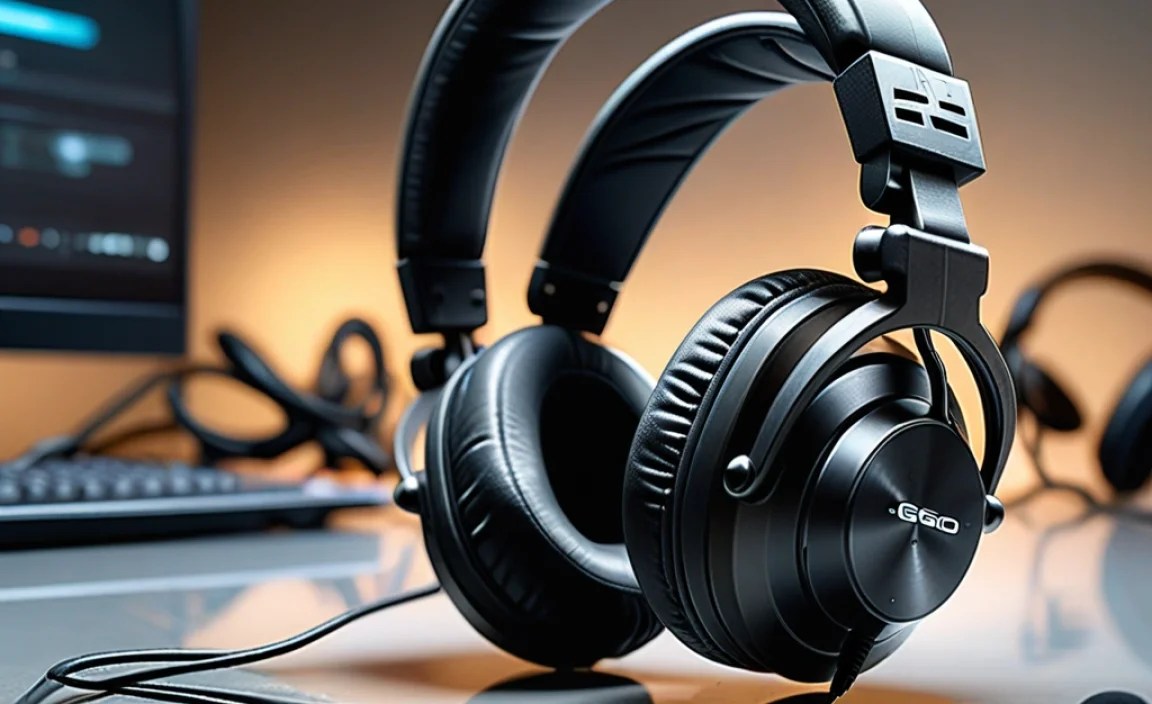
Finding the “best” is subjective, as it depends on your budget and specific preferences. However, some headphones consistently receive praise from competitive gamers for their performance in titles like CS:GO. Here’s a breakdown of some excellent choices, categorized to help you decide.
For the Competitive Purist (Focus on Pure Audio & Performance)
These options prioritize pinpoint sound accuracy and clarity above all else. They often feature open-back designs for a wider soundstage and more natural imaging, though they offer less noise isolation.
1. Beyerdynamic DT 990 Pro (250 Ohm)
A legendary choice in audio circles, the DT 990 Pro is a favorite for its incredible detail and wide soundstage. The open-back design provides an almost out-of-head listening experience, making it easy to pinpoint enemy locations.
- Pros: Exceptional detail retrieval, expansive soundstage, very comfortable velour earcups, durable build.
- Cons: Open-back means sound leaks in and out, requires a dedicated headphone amplifier for the 250 Ohm version to perform optimally.
2. Sennheiser HD 599 / HD 560S
Sennheiser is renowned for audio quality, and their open-back offerings are no exception. The HD 599 provides a slightly warmer sound signature, while the HD 560S is tuned for more accuracy and neutrality, making it a prime candidate for competitive gaming.
- Pros: Excellent clarity, natural sound, comfortable for long sessions, good value for audiophile-grade sound.
- Cons: Open-back design, mic quality might require a separate add-on microphone for team communication.
For the All-Rounder (Great Audio, Good Mic, Gaming Features)
These are dedicated gaming headsets that strike a balance. They offer strong positional audio, comfortable designs, and integrated microphones that are generally very good for voice chat.
1. HyperX Cloud II
A perennial bestseller, the Cloud II offers a fantastic combination of comfort, durability, and quality audio for its price. Its virtual 7.1 surround sound can help with positional awareness, and the detachable microphone is clear.
- Pros: Extremely comfortable, durable aluminum frame, good value, includes USB sound card with mic controls.
- Cons: Virtual surround can sometimes muddy audio for purists, mic is good but not exceptional.
2. SteelSeries Arctis Nova Pro Wireless
This is a premium option that integrates top-tier audio with a host of modern features. Its active noise cancellation, dual wireless system (2.4GHz + Bluetooth), and excellent microphone make it incredibly versatile whether gaming or on the go.
- Pros: Superb audio quality, excellent ANC, versatile dual wireless, comfortable, high-quality retractable mic, swappable battery system.
- Cons: Expensive, some may find it feature-heavy.
3. Logitech G Pro X 2 Lightspeed
Designed with esports in mind, this headset boasts graphene drivers for clear, precise sound and a comfortable fit. Its wireless connectivity is robust, and the mic is solid.
- Pros: Excellent directional audio, comfortable Graphene drivers, reliable wireless, good battery life.
- Cons: Premium price point, some may prefer a more neutral sound profile out of the box.
For the Budget-Conscious Player (Great Value)
You don’t need to spend a fortune to get good audio. These options provide excellent performance without breaking the bank.
1. HyperX Cloud Alpha
Building on the success of the Cloud II, the Cloud Alpha features a dual-chamber driver system for clearer distinction between bass and mids/highs. It’s another comfortable and durable option that punches above its weight.
- Pros: Great value, clear audio separation thanks to dual drivers, very comfortable, durable.
- Cons: No virtual surround sound (which some may prefer for simplicity), mic is decent but not top-tier.
2. Samson SR850 (with separate microphone)
For pure audio fidelity on a tight budget, the Samson SR850 semi-open headphones are phenomenal. While they lack a built-in mic, pairing them with an affordable clip-on or boom microphone offers an audio experience that rivals much more expensive options.
- Pros: Incredible sound quality for the price, wide soundstage, comfortable semi-open design.
- Cons: Requires purchasing a separate microphone, build quality is decent but not premium.
Understanding Virtual Surround Sound

Many gaming headsets boast “virtual surround sound” (like 7.1, DTS Headphone:X, or Dolby Atmos). How does this work, and is it always best for CS:GO?
Virtual surround sound aims to simulate audio coming from different directions by processing the stereo signal. It can enhance immersion and, in some games, help identify enemy positions more easily by creating a wider soundstage.
- How it Works: It uses digital signal processing (DSP) to manipulate the way sound reaches your ears, mimicking the delays and intensity differences that occur when sound bounces off surfaces in a real environment.
- Pros for Gaming: Can help create a more immersive experience and may improve directional awareness by expanding the perceived soundstage.
- Cons for Gaming: Can sometimes sound artificial, muddy the audio, or even distort the precise imaging that CS:GO relies on. Some players find that pure, high-quality stereo imaging is more accurate for competitive games.
Recommendation for CS:GO: While virtual surround can be useful, many top-tier CS:GO players prefer to rely on the game’s native stereo audio and exceptionally well-engineered stereo headphones. Test both with and without virtual surround enabled to see what works best for your ears. For more on how sound localization works in games, explore research from institutions like the School of Computing Science at Simon Fraser University, which delves into auditory spatial awareness.
Getting the Most Out of Your CS:GO Headphones
Simply buying good headphones isn’t the end of the story. A few adjustments and considerations can enhance your audio experience significantly.
1. Proper Fit and Seal
Ensure your headphones fit snugly. For over-ear headphones, the earcups should fully enclose your ears to create a good seal. This passive noise isolation is crucial for focusing on in-game sounds and also improves bass response. If your earcups are worn out, consider replacing them – it can make a huge difference in comfort and performance!
2. Audio Settings in CS:GO
CS:GO offers several audio settings. While the default settings are generally well-balanced, consider these:
- Advanced 3D Audio for Headphones: This setting is designed to enhance positional audio cues in CS:GO. Experiment with it on and off to see which you prefer.
- Volume Levels: Ensure your master volume in Windows and in-game is set to a comfortable level. Avoid maxing it out, as this can introduce distortion and can be harmful to your hearing over time. Aim for a level where you can clearly hear subtle sounds without straining.
3. Equalization (EQ)
If your headphones or gaming software offer EQ settings, you can fine-tune the sound. For CS:GO, players often boost the higher frequencies slightly to make footsteps more distinct, while keeping the bass from overwhelming other sounds.
Example EQ Adjustment for Footsteps:
| Frequency (Hz) | Adjustment (dB) | Purpose |
|---|---|---|
| 125 | -2 | Slightly reduce boominess/mud |
| 250 | -1 | Further reduce mud |
| 1000 | +1 | Enhance clarity of body sounds/voices |
| 4000 | +3 | Boost footstep clarity and directional cues |
| 8000 | +2 | Crispness of distant sounds/footsteps |
Note: This is a starting point. Always adjust based on your specific headphones and personal preference.
4. Amplifier/DAC (Digital-to-Analog Converter)
For higher-impedance headphones (like the Beyerdynamic DT 990 Pro 250 Ohm), a dedicated headphone amplifier and DAC can significantly improve sound quality, volume, and detail. Many motherboard audio outputs aren’t powerful enough to drive these headphones properly.
A good DAC/amp combo can take a clean digital signal from your PC and convert it into a more robust analog signal for your headphones, resulting in clearer, more dynamic sound.
5. Microphone Setup
Ensure your microphone is positioned correctly – usually about one to two finger-widths from the corner of your mouth. Test your mic levels in Windows and in CS:GO. You don’t want it clipping (distorting due to being too loud) or being so quiet your teammates can’t hear you.
Troubleshooting Common Headphone Issues
Even the best headphones can have hiccups. Here are some common problems and how to solve them.
- No Sound:
- Check all connections.
- Ensure the correct audio output device is selected in Windows Sound Settings and CS:GO.
- Test headphones on another device to rule out hardware failure.
- Restart your PC.
- Low Volume:
- Check volume mixer in Windows and game.
- Turn up the physical volume knob on the headset (if applicable).
- If using high-impedance headphones, consider a headphone amplifier.
- Distorted Audio:
- Lower volume levels in Windows and the game.
- Check for any EQ settings that might be pushing frequencies too high.
- Ensure the audio drivers are up to date.
- Microphone Not Working:
- Ensure the mic is unmuted (physical mute switch on headset or software).
- Check mic privacy settings in Windows.
- Select the correct microphone input device in Windows and CS:GO.
- Try detachable mics in a different port if applicable.
- Background Noise (Hissing):
- This can sometimes be caused by electrical interference. Try plugging your PC into a different outlet or using an audio ground loop isolator.
- Ensure your microphone isn’t set too high in software and picking up system noise.
For more in-depth sound troubleshooting, Microsoft provides a helpful guide to fix sound problems in Windows.
Frequently Asked Questions (FAQ)
Q1: Do I really need special gaming headphones for CS:GO, or will any headphones work?
While any headphones will technically let you hear the game, specialized gaming headphones are designed with crucial elements like directional audio accuracy, comfort for long sessions, and integrated microphones. For a competitive edge in CS:GO, investing in gaming-specific headphones or high-fidelity stereo headphones with good imaging is highly
