
Quick Summary: Finding the best headphones for your Google Pixel is easy with this guide. We cover essential features like Bluetooth versions, codec support, and comfort, helping you pick the perfect pair for music, calls, and more. Discover top picks and helpful tips to enhance your Pixel audio experience.
Best Headphones for Google Pixel: Your Essential Guide

Hey there, fellow audio adventurers! Edward Cavitt here from Headphone Horizon. So, you’ve got a fantastic Google Pixel phone, a device that’s as smart as it is stylish. Now, you want to pair it with some equally impressive headphones, right? It can feel a bit overwhelming with all the options out there, but don’t you worry! My goal is to make this journey super simple and enjoyable for you. We’ll walk through what really matters when choosing headphones for your Pixel, from the nitty-gritty tech bits explained in plain English to finding that perfect, comfortable fit. Get ready to unlock the best possible sound for your music, podcasts, and calls!
Why Your Pixel Needs the Right Headphones

Your Google Pixel phone is packed with advanced audio technology, designed to deliver crystal-clear sound. To truly experience this, you need headphones that can keep up! The right pair can make your music sound richer, your calls clearer, and your overall listening experience more immersive. It’s not just about volume; it’s about fidelity, comfort, and seamless integration with your device. Think of it like this: you wouldn’t put regular tires on a sports car, right? The same applies to your Pixel and its audio companions.
Key Features to Look For in Pixel Headphones

When diving into the world of headphones for your Google Pixel, a few key features can make a world of difference. Let’s break them down without getting too technical:
1. Bluetooth Version and Connectivity
Most modern headphones connect wirelessly via Bluetooth. Newer versions of Bluetooth offer more stable connections, better power efficiency, and improved audio quality. Your Google Pixel likely supports recent Bluetooth versions. Look for headphones that also offer at least Bluetooth 5.0, and ideally, Bluetooth 5.2 or higher for the best experience.
- Bluetooth 5.0: Offers improved range and data transfer speeds over older versions.
- Bluetooth 5.2: Introduces LE Audio, which promises better quality at lower bitrates and enhanced power efficiency.
- Multipoint Pairing: Allows you to connect your headphones to two devices simultaneously (e.g., your Pixel and your laptop). This is a fantastic convenience feature!
2. Audio Codec Support
Audio codecs are like translators between your phone and your headphones, converting the digital audio signal. Different codecs offer varying levels of audio quality and efficiency. Since your Pixel is an Android device, it’s important to ensure your headphones support codecs commonly used on Android systems.
- SBC (Subband Codec): The baseline codec. All Bluetooth devices support it, but it offers the lowest audio quality.
- AAC (Advanced Audio Coding): Commonly used with Apple devices, but many Android phones, including Pixels, also support it for good quality.
- aptX™ and aptX™ HD: Proprietary Qualcomm codecs that offer significantly better sound quality than SBC and are widely adopted on many Android devices.
- LDAC: Developed by Sony, this codec can transmit very high-resolution audio over Bluetooth, delivering near-lossless sound quality. Google Pixel phones (especially newer models) are excellent at supporting LDAC.
Pro Tip: For the absolute best sound quality from your Google Pixel, look for headphones that support LDAC. If LDAC isn’t an option, aptX HD is a great runner-up.
3. Active Noise Cancellation (ANC)
ANC is a game-changer for commuters, frequent flyers, or anyone who wants to block out ambient noise. Headphones with ANC use microphones to detect external sounds and then generate opposing sound waves to cancel them out. This creates a much quieter listening environment.
- Adjustable ANC: Some headphones let you adjust the level of noise cancellation or switch to transparency mode (to hear your surroundings).
- Adaptive ANC: Automatically adjusts the noise cancellation based on your environment.
4. Comfort and Fit
This is perhaps the most subjective but crucial factor. If your headphones aren’t comfortable, you won’t want to wear them for long. Consider the type of headphone and the fit:
- Over-ear headphones: Enclose your ears completely. They often offer better comfort for long sessions and superior passive noise isolation.
- On-ear headphones: Rest on your ears. They can be lighter but might become uncomfortable after extended use for some people.
- In-ear monitors (IEMs) / Earbuds: Fit inside your ear canal. Look for options that come with multiple ear tip sizes for a secure and comfortable fit. True wireless earbuds (like Pixel Buds) offer ultimate freedom of movement.
5. Battery Life
For wireless headphones, battery life is paramount. Check the advertised playtime on a single charge and the total playtime with the charging case (for earbuds). Many headphones also support fast charging, giving you several hours of playback with just a few minutes of charging.
6. Microphone Quality
If you plan on making a lot of calls or using voice commands with your Pixel, the quality of the built-in microphone is important. Some headphones offer better mic clarity than others, and features like beamforming microphones can help isolate your voice from background noise.
Types of Headphones to Consider for Your Google Pixel

Let’s explore the different styles of headphones and which might best suit your usage with a Google Pixel device.
Truly Wireless Earbuds
These are the epitome of wireless freedom. With no wires connecting the earbuds to each other or your phone, they’re perfect for workouts, commuting, and everyday use. Google’s own Pixel Buds are designed to integrate seamlessly with Pixel phones.
Pros:
- Ultimate portability and freedom of movement.
- Charge within their own compact case.
- Often feature touch controls for music and calls.
Cons:
- Can be easier to lose due to their small size.
- Battery life per charge might be shorter than other types.
- Mic quality can vary significantly between models.
Wireless Neckband Earbuds
These earbuds have a wire connecting them, but it rests around your neck, usually housing the battery and controls. This design prevents the buds from falling out easily during activity and extends battery life compared to truly wireless options.
Pros:
- More secure fit around the neck, less likely to be lost.
- Often have longer battery life than truly wireless buds.
- Controls are easily accessible on the neckband.
Cons:
- The neckband can be obtrusive for some users.
- Not as sleek or minimalist as truly wireless options.
Over-Ear Wireless Headphones
These are the big boys, offering large drivers for potentially superior sound quality and excellent comfort for long listening sessions. They usually provide the best Active Noise Cancellation performance.
Pros:
- Exceptional sound quality and immersion.
- Superior comfort for extended wear.
- Often boast the best ANC performance.
- Long battery life is common.
Cons:
- Bulky and less portable than earbuds.
- Can get warm during long use or in hot weather.
- May not be ideal for intense workouts due to size and weight.
On-Ear Wireless Headphones
A compromise between the portability of earbuds and the immersion of over-ear headphones. They sit directly on your ears.
Pros:
- More compact than over-ear models.
- Can offer a good balance of sound and portability.
Cons:
- Comfort can be an issue for some during long listening periods.
- Sound isolation and ANC may not be as effective as over-ear.
Top Headphone Recommendations for Google Pixel Users
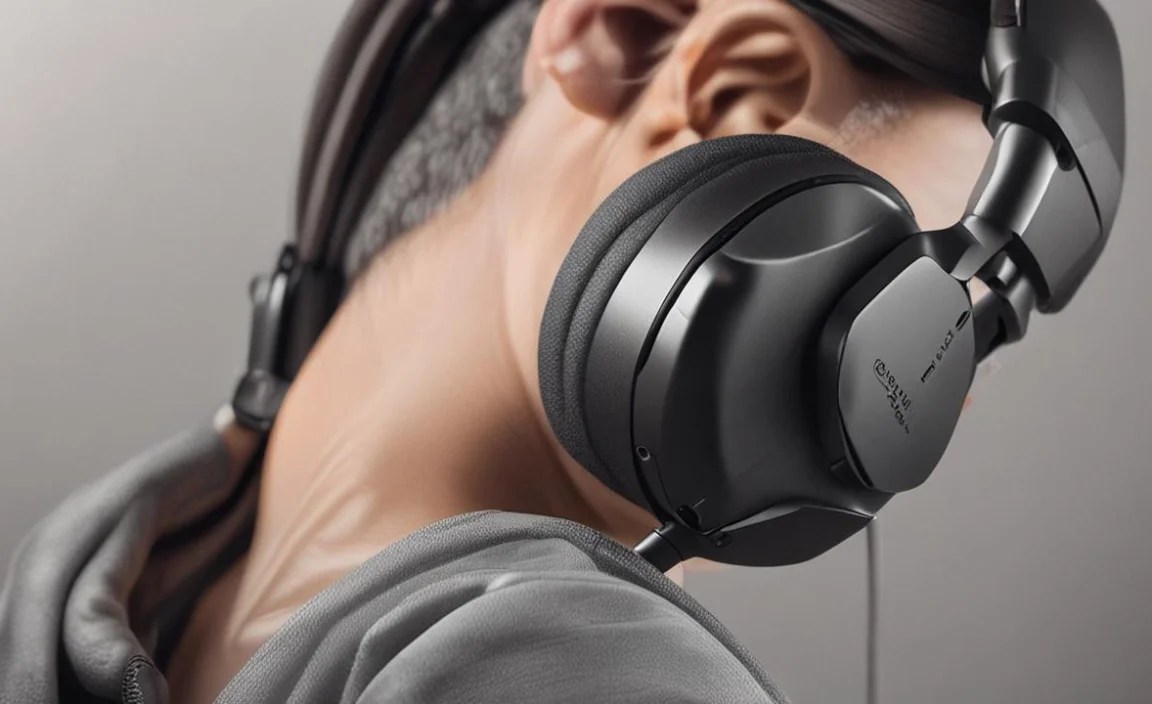
Based on the features we’ve discussed, here are a few excellent options that pair wonderfully with your Google Pixel phone. I’ll highlight models known for their compatibility and overall quality.
1. Google Pixel Buds Pro
It’s only natural to start with Google’s own flagship earbuds. Designed for seamless integration, these offer excellent ANC and are built to work harmoniously with your Pixel.
- Key Features: Active Noise Cancellation, Transparency Mode, Spatial Audio support, Multipoint connectivity, IPX4 water resistance, excellent microphone quality for calls, long battery life.
- Codec Support: SBC, AAC.
- Why it’s great for Pixel: Deep integration with Android and Pixel-specific features like Find My Device.
2. Sony WH-1000XM5 (Over-Ear)
If you prioritize industry-leading ANC and superb sound quality, the Sony WH-1000XM5 is hard to beat. They are fantastic for travel, work, and immersive listening.
- Key Features: Best-in-class Active Noise Cancellation, DSEE Extreme™ audio upscaling, Speak-to-Chat feature, multipoint connection, comfortable fit, excellent battery life up to 30 hours.
- Codec Support: SBC, AAC, LDAC.
- Why it’s great for Pixel: Excellent LDAC support means you’ll get incredibly detailed audio from your Pixel.
3. Samsung Galaxy Buds2 Pro (Truly Wireless)
While branded by Samsung, these offer excellent compatibility with all Android devices, including Google Pixel. They boast great sound and effective ANC.
- Key Features: 24-bit Hi-Fi audio, Intelligent Active Noise Cancellation, improved comfort and fit, 360 Audio, IPX7 water resistance.
- Codec Support: SBC, AAC, Samsung’s proprietary SSC (Samsung Seamless Codec).
- Why it’s great for Pixel: Supports AAC for good quality, and provides a high-quality audio experience comparable to higher-end options.
4. Sennheiser Momentum 4 Wireless (Over-Ear)
Sennheiser is renowned for its audio fidelity, and the Momentum 4 Wireless delivers. They offer a balanced sound profile and impressive battery life.
- Key Features: Adaptive Noise Cancellation, exceptional battery life (up to 60 hours), balanced sound signature, comfortable design, transparency mode.
- Codec Support: SBC, AAC, aptX™.
- Why it’s great for Pixel: Great sound reproduction and reliable Bluetooth connectivity, with aptX support for enhanced quality.
5. Jabra Elite 7 Pro (Truly Wireless)
Jabra is known for durability and call quality, and the Elite 7 Pro is a solid all-rounder for those who use their headphones for both music and calls.
- Key Features: Advanced Multi-point connection, excellent call clarity with multiple microphones, good ANC and HearThrough mode, IP57 rating (dust and water resistance), long battery life.
- Codec Support: SBC, AAC.
- Why it’s great for Pixel: Reliable performance, strong call quality, and good value.
Remember, the “best” pair is subjective and depends on your personal preferences and budget. It’s always a good idea to read reviews and, if possible, try them on before you buy.
Connecting Your Headphones to Your Google Pixel

Connecting your new headphones to your Google Pixel is usually a straightforward process. Here’s how:
- Put your headphones in pairing mode: This is crucial. Most headphones have a specific button to press or hold, or a sequence of actions. Consult your headphone’s manual for exact instructions. Often, it involves holding the power button until an LED indicator flashes in a specific way (e.g., blue and red).
- Open your Pixel’s Settings app: You can find the Settings icon on your home screen or in the app drawer.
- Tap on “Connected devices”: This option might be under a broader “Connections” menu depending on your Pixel’s Android version.
- Tap “Pair new device”: Your Pixel will start scanning for available Bluetooth devices nearby.
- Select your headphones from the list: Once your headphones appear in the list of available devices, tap on their name.
- Confirm pairing if prompted: You might see a pairing request on your Pixel’s screen. Tap “Pair” or “Allow.”
Once paired, your headphones should automatically connect to your Pixel whenever they are turned on and in range. You can manage your connected Bluetooth devices in the same “Connected devices” menu.
Optimizing Your Audio Experience with Pixel Features
Your Google Pixel offers some handy features that can enhance your listening experience with compatible headphones:
- Adaptive Sound: Found in Pixel phone Settings under “Sound & vibration” > “Adaptive Sound,” this feature can adjust EQ settings based on ambient noise. Experiment with it to see if it improves your audio.
- Spatial Audio: Newer Pixel phones support Spatial Audio for a more immersive, 3D sound experience, especially with supported content and headphones.
- Bluetooth Codec Settings: For advanced users, you can often force specific Bluetooth codecs. Go to Settings > System > Developer options (you may need to enable Developer Options by tapping the Build Number in “About phone” seven times). Under “Networking,” you can find “Bluetooth audio codec.” Ensure your headphones are connected and then select your preferred codec (e.g., LDAC).
- Google Assistant Integration: Pixel Buds and many other headphones work seamlessly with Google Assistant. You can ask questions, set reminders, control music, and more just by using your voice.
For more on Android’s audio capabilities, the official Android developer documentation provides in-depth information on Bluetooth standards and audio implementations.
Troubleshooting Common Headphone Issues with Your Pixel
Even with the best gear, occasional hiccups can happen. Here are some common issues and how to fix them:
Issue: Headphones won’t pair
Solutions:
- Ensure your headphones are in pairing mode.
- Make sure Bluetooth is enabled on your Pixel.
- Move headphones closer to your Pixel.
- Turn off and on Bluetooth on your Pixel.
- Restart both your headphones and your Pixel.
- If already paired, “forget” the device in your Pixel’s Bluetooth settings and try pairing again.
Issue: Audio cutting out or stuttering
Solutions:
- Check your distance from the Pixel; interference can occur if too far away.
- Minimize obstructions between your headphones and Pixel (e.g., avoid putting your phone in a back pocket that’s blocked by your body).
- Close other apps on your Pixel that might be running in the background, especially those using a lot of resources.
- Ensure your headphones have sufficient battery life.
- Disable other nearby Bluetooth devices that might be causing interference.
Issue: Poor microphone quality during calls
Solutions:
- Ensure the microphone(s) on your headphones are not covered or obstructed.
- Check that your Pixel’s microphone permissions allow the headphone app and calling apps to access the mic.
- Try testing the microphone in a quiet environment.
- Update your headphones’ firmware if an app is available.
- If using wireless earbuds, ensure they are properly seated in your ears.
Issue: One earbud not working (for wireless earbuds)
Solutions:
- Place both earbuds back into their charging case and close the lid for a few seconds, then try again.
- Check the battery level of both earbuds.
- Reset your earbuds according to the manufacturer’s instructions. Often, this involves holding buttons on the earbuds or case.
- Try “forgetting” the earbuds in your Pixel’s Bluetooth settings and re-pairing them.
For more in-depth troubleshooting, consult the support pages for your specific headphone model or Google’s Pixel support resources.
