
Quick Summary: Finding the best headphones for your keyboard playing enhances your practice and enjoyment. This guide breaks down essential features like comfort, sound quality, and isolation, helping you choose headphones that make every note sound its best, whether you’re a beginner or a seasoned musician.
Best Headphones For Keyboard: Genius Sound for Every Pianist

Hello there! Edward Cavitt here from headphonehorizon. If you’ve ever sat down at a keyboard, whether it’s a grand piano, an electric keyboard, or even just a MIDI controller, and felt like something was missing in your listening experience, you’re not alone. Often, the headphones we use for everyday listening don’t quite cut it when it comes to appreciating the subtle nuances of musical instruments.
That’s where choosing the “best headphones for keyboard” comes in. It’s about unlocking a richer, more detailed sound that helps you learn faster, play better, and simply enjoy your music more. Don’t worry if terms like “frequency response” sound a bit intimidating; we’re going to break it all down in a way that makes perfect sense, so you can find the perfect pair to elevate your keyboard sound.
Why the Right Headphones Matter for Keyboard Players

Playing a keyboard involves a wide range of sounds, from the delicate touch of a piano’s softest notes to the powerful resonance of its loudest chords. When you’re practicing, learning a new piece, or even just jamming, you need headphones that can accurately reproduce this entire spectrum without distortion or a lack of detail.
Generic earbuds or bass-heavy consumer headphones might make your favorite pop songs sound exciting, but they can often muddy the mid-range frequencies crucial for hearing individual piano notes clearly. The right pair of headphones will make you feel like you’re in the room with the instrument, allowing you to:
- Hear subtle dynamics and tonal variations.
- Identify mistakes or areas for improvement more easily.
- Stay immersed in your practice without external distractions.
- Better understand the sound you’re creating, whether playing acoustic piano samples or electronic synth sounds.
This isn’t just about enjoying your music; it’s about effective practice and musical development. According to research from institutions like Berklee College of Music, the quality of your audio monitoring can significantly impact learning and performance. Accessible, high-quality sound is a powerful tool for any musician. Berklee’s Web Technology site often discusses the importance of good audio in music education and production.
Key Features to Look For: Decoding Headphone Specs
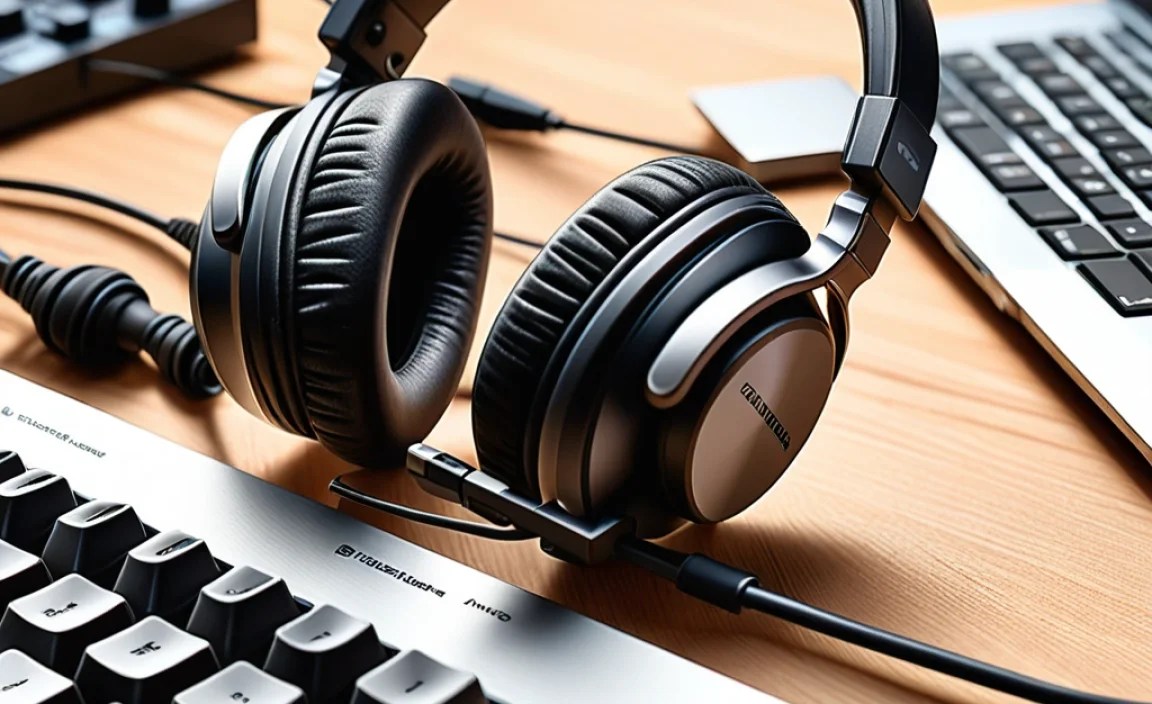
When you start looking at headphones, you’ll see a lot of technical terms. Let’s demystify the most important ones for keyboard players:
1. Sound Quality: The Heart of the Matter
This is paramount. You want headphones that offer a “flat” or “neutral” frequency response. What does that mean?
- Flat Frequency Response: Imagine a perfectly balanced scale. A flat frequency response means the headphones reproduce all the different pitches (from deep bass to high treble) at roughly the same volume. This is crucial for hearing the true sound of your keyboard. Many consumer headphones boost bass or treble to sound “exciting,” which can mask important mid-range details.
- Clarity and Detail: Look for headphones known for their ability to reproduce subtle nuances. This means you can clearly distinguish between different notes, hear the decay of a piano note, or understand the texture of a synth sound.
- Low Distortion: Even at higher volumes, the sound should remain clean and undistorted. This is especially important when playing loud passages or complex arrangements.
2. Comfort: For Those Long Practice Sessions
If your headphones are uncomfortable, you won’t want to wear them for extended periods, no matter how good they sound. Consider these comfort factors:
- Over-Ear vs. On-Ear:
- Over-Ear (Circumaural): Earcups completely surround your ears. These are generally more comfortable for long sessions, offer better passive noise isolation, and often provide a wider soundstage.
- On-Ear (Supra-aural): Earcups rest on your ears. They can be lighter but may become uncomfortable after a while and can leak sound more easily, both in and out. For keyboard playing, over-ear is usually preferred.
- Earpad Material: Plush velour or soft leatherette can make a big difference. Make sure they don’t get too hot.
- Headband Padding: A well-padded headband distributes weight evenly, preventing pressure points.
- Weight: Lighter headphones are generally more comfortable for extended wear.
3. Isolation and Openness: Your Listening Environment
This relates to how much external sound you hear and how much sound leaks out of your headphones.
- Closed-Back Headphones: These have a sealed design. They are excellent at blocking out external noise (great for practicing in a noisy environment) and prevent your playing from disturbing others. This is often the best choice for most keyboardists.
- Open-Back Headphones: These have vents or perforations. They offer a more natural, airy sound with a wider soundstage, which can be a joy for critical listening. However, they let in a lot of external noise and leak sound significantly, making them unsuitable for busy environments or if you don’t want to disturb people around you. They are ideal for quiet, dedicated listening spaces.
4. Impedance and Sensitivity: Technical but Important
These affect how loud the headphones can get with your keyboard’s audio output.
- Impedance (Ohms): This measures resistance to electrical current.
- Low Impedance (under 50 Ohms): Generally easier to drive and will get plenty loud from most keyboard headphone jacks.
- High Impedance (over 100 Ohms): May sound quieter or require a dedicated headphone amplifier to reach optimal volume and performance levels. For most beginner and intermediate keyboardists, low impedance headphones are perfectly fine.
- Sensitivity (dB/mW): Higher sensitivity means the headphones will play louder with the same amount of power.
For most electronic keyboards and digital pianos with standard headphone jacks, headphones with lower impedance (around 32-80 Ohms) are straightforward and will provide ample volume. If you’re using a professional audio interface or a higher-end keyboard with a robust output, you might explore some higher impedance options, but it’s usually not necessary for casual or practice use.
Types of Headphones Best Suited for Keyboard Playing

Based on the features above, here are the types of headphones that generally excel for keyboardists:
1. Studio Monitor Headphones (Closed-Back)
These are designed for accurate sound reproduction in recording studios. They typically offer a neutral frequency response, low distortion, and good isolation. This makes them ideal for hearing all the details in your playing and for practicing without bothering others.
2. Professional Hi-Fi Headphones (Closed-Back)
Similar to studio monitors but sometimes with a slightly more “musical” tuning, these headphones prioritize audio fidelity. They offer excellent detail and a balanced sound profile, perfect for appreciating the nuances of acoustic piano sounds or complex synth patches.
3. Open-Back Hi-Fi Headphones (For Quiet Environments)
While not ideal for isolation, if you have a dedicated, quiet space to practice, open-back headphones can offer an incredibly immersive and natural listening experience. The soundstage feels wider and more realistic, which can be wonderfully engaging.
Top Picks: Best Headphones for Keyboard Players (Under $200)

Finding the “best” is a personal journey, but here are some popular and highly-regarded headphones that offer excellent value and performance for keyboard players, generally falling within an accessible price range.
| Headphone Model | Type | Key Strengths for Keyboard | Considerations |
|---|---|---|---|
| Audio-Technica ATH-M40x | Closed-Back, Over-Ear | Excellent neutrality, good detail, durable build, decent isolation, comfortable for extended wear. | Can be a tad bright for some; ear pads might need replacing after a few years. |
| Sennheiser HD 280 Pro | Closed-Back, Over-Ear | Very good isolation, clear mid-range, robust construction, comfortable clamping force. | Might feel a bit snug for some; sound can be slightly less “exciting” than consumer sets. |
| Beyerdynamic DT 770 PRO (80 Ohm version) | Closed-Back, Over-Ear | Detailed and precise sound, comfortable velour pads, legendary build quality, excellent isolation. | Can be a bit bulky; 80 Ohm version is a good balance for most keyboards. |
| AKG K240 Studio | Semi-Open-Back, Over-Ear | Natural sound reproduction, comfortable, good for nuanced listening without being completely isolating audio. Great value. | Semi-open means some sound leakage and less isolation; not for noisy environments. |
These models are frequently recommended by audio professionals and musicians for their reliable performance and value. They offer a great starting point to experience high-quality sound at your keyboard.
Step-by-Step Guide: Connecting and Using Your New Headphones
Got your new headphones? Great! Here’s how to get them set up and get the most out of them:
Step 1: Unboxing and Inspection
Carefully open the package. Check for the headphones, any included cables (some headphones have detachable cables, which is a bonus!), an adapter (often 1/4-inch for larger jacks), and a manual. Ensure everything looks to be in good condition.
Step 2: Identifying the Headphone Jack on Your Keyboard
Most electronic keyboards and digital pianos have a headphone output jack. It’s usually located on the:
- Front panel: Often near the volume controls or outputs.
- Back panel: Sometimes near other audio connections.
It’s typically a 1/4-inch (6.35mm) standard jack. Your headphones might come with a smaller 3.5mm (1/8-inch) plug, and if so, you’ll use the included 1/4-inch adapter.
Step 3: Connecting the Headphones
If your headphones have a 3.5mm plug and your keyboard has a 1/4-inch jack, screw the adapter onto the headphone plug. Then, firmly plug the connector into the headphone output jack on your keyboard. Make sure it’s securely in place.
Step 4: Adjusting Keyboard Volume
Crucially, with your headphones plugged in, start with your keyboard’s master volume turned all the way down or very low. Gradually increase the volume while wearing the headphones until you reach a comfortable listening level. This prevents sudden loud sounds that could damage your hearing or your headphones.
Step 5: Adjusting Headphone Earcups and Headband
Put the headphones on. Adjust the headband so they sit comfortably on your head. The earcups should create a good seal around your ears (for closed-back) or rest gently (for on-ear) without too much pressure. Most headphones allow the earcups to swivel or slide up and down for a custom fit. Experiment with the positioning to find what feels best.
Step 6: Listening and Engaging
Start playing! Listen to the different sounds your keyboard can produce. Pay attention to the clarity of each note, the sustain, and the dynamics. Compare different instrument voices on your keyboard. Notice how the headphones reveal details you might not have heard before.
Step 7: Using the Volume Control
Listen at moderate levels. The Centers for Disease Control and Prevention (CDC) recommends avoiding prolonged exposure to sounds above 85 decibels. For keyboard practice, a level where you can clearly hear the music but still converse if needed is usually ideal for long sessions.
Maintaining Your Headphones for Longevity
Taking good care of your headphones ensures they last a long time and continue to deliver that “genius sound.”
- Cleaning:
- Earcups: Wipe them down gently with a slightly damp cloth. For velour pads, you can use a soft brush or a lint roller. Avoid harsh chemicals.
- Headband: Keep it clean with a similar method as the earcups.
- Driver Grilles (if accessible): Use a dry, soft brush to remove dust. Be very gentle.
- Cable Care: Avoid tightly wrapping the cable. Instead, use a loose coil. Never pull on the cable to unplug; always grip the plug. If your headphones have a detachable cable, disconnect it when not in use to reduce strain on the connectors.
- Storage: When not in use, store your headphones in a safe place where they won’t be crushed or exposed to extreme temperatures. A headphone stand, a dedicated case, or even the original box is better than leaving them on your desk or in a bag.
- Avoid Moisture: Keep them away from water and excessive humidity.
Troubleshooting Common Headphone Issues
Even with the best care, you might run into a minor hiccup. Here are some common issues and their simple fixes:
Issue: No Sound in One or Both Earcups
Possible Cause: Loose connection, damaged cable, or faulty headphone jack on the keyboard.
Solution:
- Check that the headphone plug is fully inserted into the keyboard jack.
- If your headphones have a detachable cable, try unplugging and re-plugging it at both the headset and cable ends (if applicable).
- If possible, test the headphones with a different audio source (like a phone or computer) to see if the problem is with the headphones or the keyboard.
- If the headphones work elsewhere, try a different set of headphones with your keyboard. If another set doesn’t work, the issue might be with the keyboard’s headphone jack.
Issue: Sound is Distorted or Crackling
Possible Cause: Volume too high, damaged driver, or debris in the headphone jack.
Solution:
- Lower the volume on your keyboard.
- Check the headphone jack on your keyboard for any visible dust or debris. You can try to gently clear it with a puff of compressed air.
- Test the headphones with another device. If they still sound distorted, the headphones may be damaged.
Issue: Headphones are Uncomfortable to Wear
Possible Cause: Improper fit, headband too tight, or earcup material.
Solution:
- Adjust the headband and earcup positions for a more ergonomic fit.
- If the clamping force feels too strong, try gently stretching the headband over a suitable object (like a large book) for a short period, but be cautious not to overdo it.
- Consider headphones with different earcup materials (e.g., velour instead of pleather) if heat or pressure is an issue.
Frequently Asked Questions (FAQ)
Q1: Do I really need special headphones for my keyboard? Can’t I just use my earbuds?
While you can use earbuds, dedicated keyboard or studio headphones are designed for more accurate sound reproduction. They offer a balanced frequency response that lets you hear the subtle details and dynamics of your playing, helping with practice and musicality. Earbuds often boost bass or treble, which can mask important mid-range notes.
Q2: What’s the difference between open-back and closed-back headphones for keyboard playing?
Closed-back headphones offer excellent isolation, meaning they block out external noise and prevent your music from leaking out. This is ideal for practicing in shared spaces or noisy environments. Open-back headphones provide a more natural, spacious sound but offer little isolation, making them best for quiet, private practice rooms or critical listening.
Q3: My keyboard has a 1/4-inch jack, but my headphones have a 3.5mm plug. What do I do?
This is very common! Most headphones designed for general listening come with a 3.5mm (1/8-inch) plug. Many keyboards and audio equipment use the larger 1/4-inch (6.35mm) jack. You’ll need a simple adapter, often included with professional headphones, to connect them. If not, they are inexpensive and widely available.
Q4: How loud should I play my keyboard through headphones?
It’s best to practice at moderate listening levels to protect your hearing
