
Quick Summary: Choosing the best headphones for beat making is crucial for accurate mixing and enjoyable production. This guide breaks down key features like flat frequency response, comfort, and connectivity, helping beginners select headphones that bring their musical ideas to life reliably and affordably.
Best Headphones To Make Beats: Your Essential Guide

Hey everyone, Edward Cavitt here from Headphone Horizon! If you’re diving into the exciting world of music production and looking to craft your own beats, then you’ve landed in the right spot. Picking the right headphones is like getting a super-accurate ruler for your sound.
They help you hear every tiny detail in your music, so you can make sure your bass is just right, your melodies are clear, and your overall mix sounds exactly how you want it. Don’t worry if audio tech sounds a bit intimidating; we’re going to walk through everything you need to know in plain English. Let’s find you a pair of headphones that will help your beats shine!
Why Good Headphones Matter for Beat Making

When you’re creating music, especially beats, your headphones are more than just something to listen to music with. They’re your primary tool for monitoring. Think of it like a painter needing a precise brush, or a sculptor needing a sharp chisel – you need gear that reflects the reality of your sound. Standard consumer headphones often boost certain frequencies, like bass or treble, to make music sound more exciting. While that’s great for casual listening, it’s a huge problem when you’re trying to mix. You might make decisions based on a sound that isn’t actually there, leading to a final product that sounds off when played on different systems. Accurate headphones reveal the true sound, allowing you to build your beats with confidence and precision. This honesty in sound reproduction ensures your creations translate well across various speakers and listening environments.
Key Features to Look For in Beat-Making Headphones

When you start looking for headphones specifically for making music, a few key features rise to the top. These aren’t just marketing buzzwords; they directly impact your ability to create good-sounding beats. Let’s break them down:
1. Flat Frequency Response (Neutral Sound)
This is arguably the most important feature. A flat frequency response means the headphones reproduce all the different pitches (from deep bass to high treble) at roughly the same volume. They don’t artificially boost or cut any part of the sound spectrum. This is crucial because it allows you to hear your music as it truly is. You can then make informed decisions about EQ (equalization) and levels, knowing that what you’re hearing is an accurate representation. Headphones designed for audio professionals, often called “studio monitors” or “reference headphones,” aim for this neutrality. They might not sound as “exciting” as consumer headphones, but they are far more accurate for production work.
2. Comfort and Fit
You’ll likely be wearing your headphones for extended periods while you’re in the zone, crafting beats. This means comfort is key! Look for:
- Over-ear design: These typically offer better comfort for long sessions as they rest around your ears, not on them.
- Padded earcups and headband: Plush materials prevent pressure points and reduce fatigue.
- Adjustable headband: A good fit ensures the headphones sit correctly and apply even pressure.
- Breathable materials: Some earcups are made with materials that allow air to circulate, preventing your ears from getting too hot.
A poorly fitting or uncomfortable pair can be a distraction and even lead to physical discomfort, hindering your creative flow. Investing in comfort is investing in your productivity.
3. Open-Back vs. Closed-Back Design
This is a significant consideration that affects both sound and isolation:
- Closed-Back Headphones: These have earcups that seal around your ears.
- Pros: Excellent at blocking out external noise, which is great for recording vocals or working in noisy environments. They also prevent sound from leaking out, which is important if others are nearby.
- Cons: The soundstage can sometimes feel more “in your head” and less spacious. They can also cause ears to get hotter during long sessions.
- Open-Back Headphones: These have earcups that are perforated or have grilles on the back, allowing air and sound to pass through.
- Pros: Offer a more natural, spacious, and immersive soundstage, often described as “airy.” They tend to be more comfortable for long periods as your ears can breathe.
- Cons: They isolate poorly from the outside world and leak a significant amount of sound. This makes them unsuitable for recording or use in noisy environments.
For most beginners focused purely on beat making and mixing in a quiet space, open-back headphones often provide a superior listening experience for detail and spatial awareness. If you plan to record yourself or work in a louder environment, closed-back is generally the way to go. Many producers find having both types useful for different tasks.
4. Impedance
Impedance is measured in ohms (Ω) and refers to how much electrical resistance the headphones have. This is important because it dictates how much power they need to perform optimally.
- Low Impedance (under 50Ω): These headphones are easier to drive. They will work fine with most smartphones, laptops, and tablets without needing a dedicated amplifier. They are very common in consumer headphones and many entry-level studio headphones.
- High Impedance (over 50Ω, often 80Ω, 250Ω, or even higher): These headphones typically require more power to reach adequate listening levels and perform at their best. They usually sound their best when connected to a dedicated headphone amplifier. While they can sound okay directly from a computer, they might lack volume or dynamic range.
For beginners, sticking with headphones in the low to medium impedance range (around 32Ω to 80Ω) is usually the safest bet, as they’ll work reliably with standard audio interfaces and computers without requiring additional gear.
5. Driver Size and Type
The driver is the component inside the headphone that actually produces sound. While size isn’t everything, larger drivers (typically 40mm or 50mm) can often provide better bass response and overall power. Different driver technologies exist, such as dynamic drivers (the most common) and planar magnetic drivers. For most beginners, the specific driver type is less critical than the overall sound quality and frequency response they deliver. Focus on reviews that discuss clarity and accuracy rather than just driver specs.
6. Connectivity (Wired vs. Wireless)
Wired Headphones: These are the standard for professional audio. They offer the highest possible sound quality without any compression or latency (delay). For beat making, especially when you’re playing virtual instruments or triggering samples, zero latency is critical. You need to hear sounds exactly when you play them. Wired headphones also don’t rely on battery power and are generally more durable in the long run.
Wireless Headphones: While incredibly convenient for everyday listening, wireless headphones can introduce latency. This delay can be a dealbreaker for production. Some wireless headphones use advanced codecs (like aptX Low Latency) to minimize this, but a hardwired connection is always the most reliable option for critical audio work. Unless you’re absolutely sure about the latency performance of a specific wireless model and it fits your workflow, it’s best to stick with wired options for beat making.
Recommended Headphones for Beat Making (Entry-Level to Mid-Range)

Finding the “best” pair is subjective and depends on your budget and specific needs. However, several models are consistently praised by producers for their accuracy, comfort, and value. Here are a few popular choices that are excellent for beginners:
Closed-Back Options (Good for Isolation & Recording)
Audio-Technica ATH-M50x
These are a staple in many home studios. They offer a good balance of clarity, punchy bass, and decent isolation. While they have a slight emphasis on bass and treble compared to the flattest “reference” headphones, they are very forgiving and sound good for a wide range of music. They are also built like a tank.
Sennheiser HD 280 Pro
A solid, workhorse option known for its excellent noise isolation and durable construction. They lean towards a more neutral sound, making them great for detailed listening and mixing. They might not be the most comfortable for very long sessions for everyone, but their accuracy for the price is undeniable.
Open-Back Options (Good for Spaciousness & Mixing)
Sennheiser HD 599 SE
A fantastic entry-level open-back headphone. They offer a wide, natural soundstage that makes it easy to distinguish different instruments and elements in your mix. They are also incredibly comfortable for extended listening. They provide a very pleasing and accurate listening experience for their price point.
AKG K240 Studio
This semi-open-back design is a long-standing favorite in project studios. It strikes a good balance, offering a more natural sound than many closed-back options while providing some isolation. They are praised for their clarity and balanced frequency response, making them popular for both monitoring and mixing.
Comparing Key Specifications
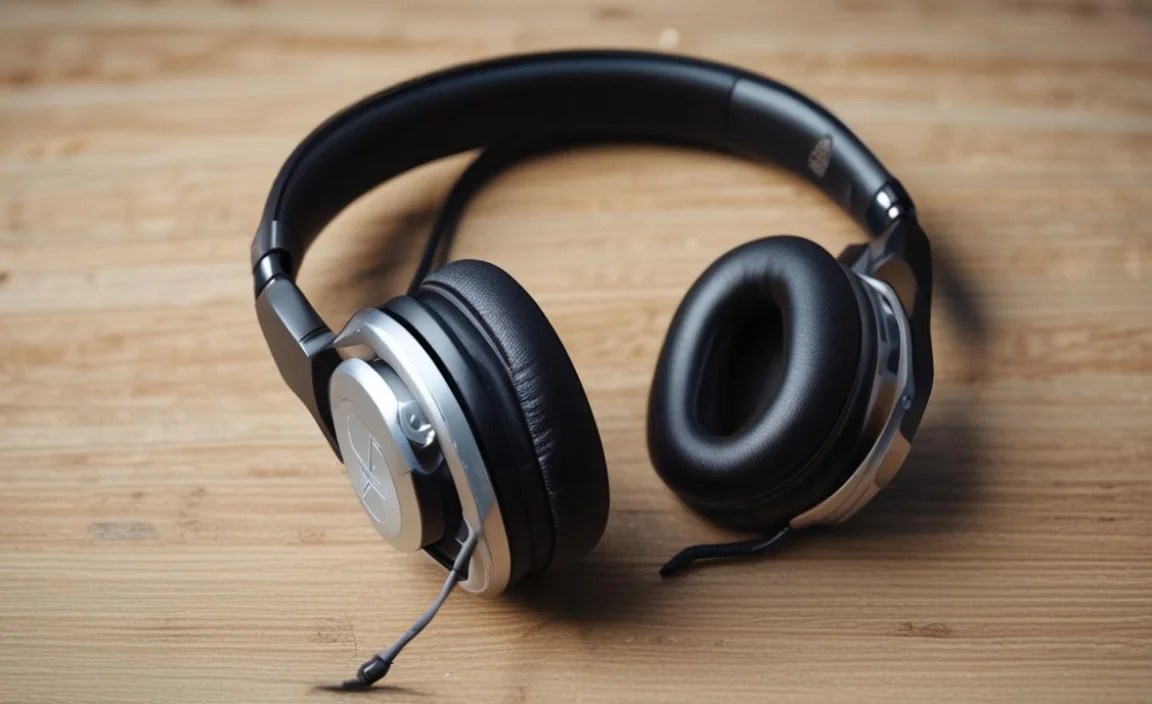
To help you visualize the differences, let’s look at some key specs side-by-side. This table focuses on accessible, beginner-friendly options.
| Headphone Model | Type | Driver Size | Impedance | Frequency Response | Primary Use Case |
|---|---|---|---|---|---|
| Audio-Technica ATH-M50x | Closed-Back | 45mm | 38 Ω | 15 Hz – 28,000 Hz | Monitoring, Mixing, General Production |
| Sennheiser HD 280 Pro | Closed-Back | 40mm | 64 Ω | 8 Hz – 25,000 Hz | Accurate Mixing, Recording, Noisy Environments |
| Sennheiser HD 599 SE | Open-Back | 38mm | 50 Ω | 12 Hz – 38,500 Hz | Mixing, Critical Listening, Detailed Soundstage |
| AKG K240 Studio | Semi-Open-Back | 30mm | 55 Ω | 15 Hz – 25,000 Hz | Budget Mixing, Comfortable Monitoring |
Note: Frequency response ranges indicate the audible spectrum the headphones can reproduce. Higher impedance generally requires more power from your audio source.
How to Test Headphones for Beat Making
Once you have a short list of headphones, how do you know which one is right for you? Here’s a simple process.
- Bring Your Own Music: Don’t just rely on demo tracks. Bring a few of your favorite songs that you know very well. Pick tracks with a good mix of instruments, vocals, and bass. This helps you compare how the headphones reproduce familiar sounds.
- Listen for Details: Pay attention to the bass. Is it muddy or tight? Can you hear the subtleties in the cymbals or hi-hats? How clear are the vocals? Do instruments sound distinct from each other?
- Test for Fatigue: Wear the headphones for at least 10-15 minutes. Do they start to hurt your ears or head? Do they get too hot? Comfort is crucial for those marathon beat-making sessions.
- Check at Volume: Listen at various volumes. Good headphones maintain their balance and detail even at lower listening levels, which is recommended for mixing to avoid ear fatigue.
- Consider the Source: If possible, try listening to the headphones through an audio interface, not just your laptop’s headphone jack. This will give you a better idea of their true potential.
Connecting Your Headphones to Your Music Production Setup
Getting your headphones connected properly is straightforward. Most modern computers and digital audio workstations (DAWs) have built-in audio capabilities. However, for the best results and to ensure you’re not dealing with latency or poor sound quality, consider using an audio interface.
Using Your Computer’s Headphone Jack
For very basic setups, you can plug your headphones directly into the headphone jack on your computer. Make sure to select your headphones as the output device in your operating system’s sound settings and within your DAW.
To do this:
- Plug your headphones into the designated headphone port on your computer.
- Go to your computer’s sound settings (e.g., Sound Preferences on macOS, Sound Settings on Windows).
- Under “Output,” select your headphones or the built-in audio device that your headphones are connected to.
- Open your DAW, go to its audio preferences or settings, and select the same output device.
Why an Audio Interface is Recommended
An audio interface is a small external box that connects to your computer, usually via USB. It provides higher-quality digital-to-analog converters (DACs) and amplifiers than most built-in sound cards, leading to cleaner sound. Crucially, they offer dedicated headphone outputs with more power, which can drive higher impedance headphones perfectly. They also offer lower latency, which is vital for real-time playing and recording.
Connecting with an audio interface:
- Connect your audio interface to your computer using its USB cable.
- Install any necessary drivers for the interface (most modern ones are plug-and-play).
- Plug your headphones into the headphone jack on the audio interface.
- In your computer’s sound settings, select the audio interface as the primary output device.
- In your DAW’s audio preferences, select the audio interface as both your input and output device.
This setup provides a more robust and professional pathway for your audio, ensuring the best possible sound quality and minimal latency from your chosen headphones.
Essential Maintenance and Care for Your Headphones
To ensure your headphones last and continue to sound their best, a little care goes a long way. Here are some simple tips:
- Keep them clean: Regularly wipe down the earcups and headband with a dry or slightly damp (not wet!) microfiber cloth. For deeper cleaning, check the manufacturer’s instructions. Some ear pads can be removed and cleaned more thoroughly.
- Store them properly: When not in use, store your headphones in a safe place to protect them from dust, accidental drops, or damage. A headphone stand or their original carrying case is ideal. Avoid forcing the cable into tight spaces.
- Handle the cable with care: Avoid yanking on the cable to unplug them from your device. Coil the cable loosely; avoid tight wrapping, which can damage the internal wires over time.
- Protect from moisture and extreme temperatures: Don’t leave your headphones in a hot car, direct sunlight, or in damp environments, as this can damage the materials and electronics.
- Use a headphone amplifier (if needed): If you have high-impedance headphones and are finding the volume lacking or the sound thin, consider a dedicated headphone amplifier. This not only provides sufficient power but also protects your computer’s audio circuitry from being overstressed.
By following these simple maintenance steps, you’ll help preserve the life and performance of your valuable beat-making tools.
Frequently Asked Questions (FAQ)
Q1: Do I really need special headphones for beat making, or can I use my regular earbuds?
A1: While you can technically listen to beats on earbuds, they are generally not accurate enough for mixing. Regular earbuds often color the sound, making it hard to make critical decisions about balance and EQ. De
