
Quick Summary: Finding the best headphones with a mic for your computer is crucial for clear calls and immersive sound. This guide breaks down what to look for, from comfort and sound quality to mic performance and connectivity, helping you choose the perfect pair for work, gaming, or leisure without the tech jargon.
Best Headphones With Mic For Computer: Your Essential Guide

Hello there! Edward Cavitt from headphonehorizon here. If you’re navigating the world of computer audio, you’ve probably realized that a good headset with a microphone isn’t just a nice-to-have anymore – it’s practically essential. Whether you’re leading a crucial work meeting, strategizing with your gaming team, or just catching up with friends, crisp, clear communication is key. But with so many options out there, how do you pick the best headphones with a mic for your computer? Don’t worry, I’m here to demystify it all. We’ll dive into what really matters, from the comfort of the earcups to the clarity of the microphone, and ensure you make a choice that feels right for your ears and your wallet. So, let’s get started on this exciting audio journey!
Why You Need a Decent Headset with a Mic

In today’s connected world, integrating a headset with a microphone into your daily computer use can dramatically improve your experience. It’s not just about hearing; it’s about being heard clearly, too. Let’s break down the key benefits:
- Crystal-Clear Communication: Essential for video calls, online classes, and team collaborations. No more “Can you hear me now?”
- Enhanced Focus: Noise isolation from over-ear designs helps block out distractions, letting you concentrate on tasks or enjoy your audio.
- Improved Audio Experience: Dedicated computer headsets often offer better sound quality for music, movies, and games than generic earbuds.
- Ergonomic Comfort: Designed for long wear, many headsets provide comfortable padding and adjustable headbands for extended use.
- Versatility: Many headsets can be used for a variety of purposes, from work calls to gaming and casual listening.
What to Look For: Key Features Explained
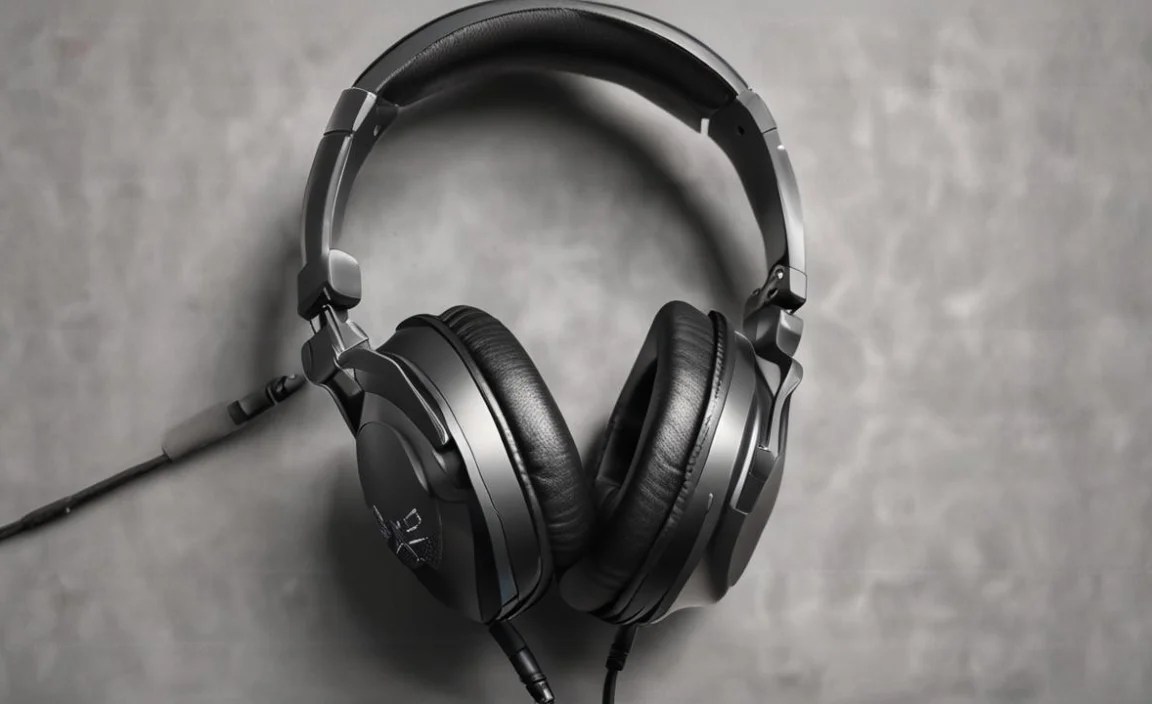
Choosing the right headphones with a mic for your computer involves considering several important factors. Think of it like building a great recipe; each ingredient (feature) plays a vital role in the final outcome.
Microphone Quality: The Voice of Your Headset
This is arguably the most critical part for communication headphones. You want your voice to be picked up clearly without background noise. Here’s what to consider:
- Microphone Type:
- Boom Mic: These are the adjustable arms that swing in front of your face. They generally offer the best voice pickup as they are positioned closer to your mouth and can often be directional, focusing solely on your voice. Many can be muted easily by flipping them up.
- In-line Mic: Found on the cable or a small stalk, these are more common on earbuds or simpler headsets. They can be less effective at isolating your voice from ambient noise.
- Integrated Mic: Built directly into the earcup. These are the least common for primary communication as they are furthest from the mouth.
- Noise Cancellation: Look for microphones with noise-canceling technology. This helps filter out background sounds like keyboard typing, air conditioning, or chatter, ensuring only your voice is transmitted clearly. Some use passive methods (design), while others use active digital processing.
- Microphone Placement: A mic that’s too far away or not close enough to your mouth will result in poor sound quality. Boom mics usually solve this problem effectively.
- Mute Function: A physical mute button on the headset or cable is incredibly convenient for quickly ensuring privacy during calls.
Audio Quality: Hearing is Believing
Beyond the mic, how you hear is just as important. Whether you’re listening to a podcast, enjoying music, or immersed in a game, good sound makes all the difference.
- Frequency Response: This indicates the range of sounds a headset can reproduce. A wider range (e.g., 20Hz – 20kHz, which is the typical human hearing range) is generally better for detailed sound.
- Driver Size: Larger drivers (measured in millimeters) can often produce more powerful and dynamic sound, especially in the bass frequencies. However, driver quality and design are more important than sheer size.
- Sound Profile: Some headsets are tuned for a neutral, balanced sound (great for critical listening or professional work), while others emphasize bass (popular for gaming and music genres like hip-hop). Consider what you’ll use them for most.
Comfort and Design: For Those Long Sessions
You’ll be wearing these for hours, so comfort is non-negotiable. A poorly designed headset can lead to headaches and fatigue.
- Earcup Type:
- Over-ear (Circumaural): These completely enclose your ears. They typically offer superior comfort, better passive noise isolation, and often better sound quality due to larger drivers.
- On-ear (Supra-aural): These rest on your ears. They can be lighter but may not provide as good a seal or noise isolation, and some people find them uncomfortable after long periods.
- In-ear (Earbuds): These go into your ear canal. They are the most portable but can have issues with mic placement and long-term comfort for some.
- Materials: Look for plush earcups (memory foam is a popular choice) and a well-padded, adjustable headband. Breathable materials can prevent your ears from getting too hot.
- Weight: Lighter headsets are generally more comfortable for extended wear.
Connectivity: Plugging In and Connecting Up
How your headset connects to your computer impacts convenience and compatibility.
- Wired Connections:
- 3.5mm Jack: The standard audio jack. Often requires separate jacks for headphones and microphone, though many modern computers have a single combo jack. Simple plug-and-play.
- USB: Offers a direct digital connection, potentially providing better audio quality as it bypasses your computer’s sound card. Also allows for more advanced features like virtual surround sound or integrated amplifier controls. Very common for gaming headsets and professional communication headsets.
- USB-C: Increasingly common, offering the same benefits as USB-A but with a smaller, reversible connector.
- Wireless Connections:
- Bluetooth: Offers freedom of movement. Latency can sometimes be an issue for gaming but is usually fine for calls and general use. Ensure good Bluetooth version support (e.g., 5.0 or higher) for stability and efficiency.
- 2.4GHz Wireless Dongle: Common in gaming or high-performance wireless headsets. These use a USB dongle to create a low-latency, stable connection, often superior to Bluetooth for real-time applications.
Types of Computer Headsets with Mics

Headsets come in various forms, each suited for different needs. Let’s explore the common categories:
1. All-Arounder / Productivity Headsets
These are designed for general use, often balancing excellent microphone clarity for calls with decent audio for music and other media. They prioritize comfort for long workdays.
Key Features:
- Comfortable, often over-ear design.
- Clear, noise-canceling microphone (usually boom mic).
- Balanced sound quality.
- Various connectivity options (USB is common).
- Inline controls for volume and mute.
2. Gaming Headsets
Built for immersive gaming experiences, these often feature strong bass, virtual surround sound, and a high-quality microphone for in-game communication. Durability and flashy aesthetics are also common.
Key Features:
- Over-ear design for immersion and isolation.
- High-quality boom mic with noise suppression.
- Emphasis on bass and positional audio (virtual surround sound).
- Often feature RGB lighting.
- Durable construction.
- Usually USB or 2.4GHz wireless connectivity for low latency.
3. Professional / Business Headsets
These are engineered with professional communication in mind. They might sacrifice some audiophile flair for top-tier mic performance, comfort, and features like advanced noise cancellation and dedicated call management buttons.
Key Features:
- Focus on exceptional microphone clarity and noise cancellation.
- Lightweight and comfortable for all-day wear.
- Often feature certifications for specific UC (Unified Communications) platforms like Microsoft Teams or Zoom.
- USB or Bluetooth connectivity.
- Advanced call controls (answer/end, volume, mute, sometimes voice assistant activation).
- May have a sleek, minimalist design.
4. Hybrid / Everyday Use Headsets
These are versatile options that aim to do a bit of everything. They might be smaller, on-ear or in-ear, with an integrated or small boom mic, making them suitable for both casual calls and listening on the go.
Key Features:
- Portability and a more discreet design.
- Decent microphone quality for general use.
- Aesthetic appeal;
- Often Bluetooth connectivity.
Top Picks for Best Headphones With Mic For Computer (As of [Current Year])
![Top Picks for Best Headphones With Mic For Computer (As of [Current Year])](https://i2.wp.com/headphonehorizon.com/wp-content/uploads/2026/05/top-picks-for-best-headphones-with-mic-for-computer-as-of-current-year.webp)
Choosing specific models can be tricky as the market evolves rapidly. However, based on consistent performance, user reviews, and expert consensus, here are a few highly regarded options across different categories. Remember to always check the latest reviews and pricing before making your final decision!
1. Best Overall Productivity: Logitech Zone Wireless
Logitech is a titan in computer peripherals, and the Zone Wireless headset delivers. It’s built for the modern professional, offering a comfy over-ear design, impressive noise cancellation, and a clear microphone that easily retracts. It supports both Bluetooth and a USB dongle for dual connectivity.
2. Best Gaming: SteelSeries Arctis Nova Pro Wireless
For gamers who also need a top-notch mic for comms, the Arctis Nova Pro Wireless is a powerhouse. It boasts a retractable Discord-certified mic, excellent audio quality with immersive surround sound, and dual wireless connectivity (2.4GHz and Bluetooth). The comfort and premium build are also standout features.
3. Best Budget-Friendly: Razer BlackShark V2 X
If you need a reliable headset with a good mic without breaking the bank, the Razer BlackShark V2 X is a fantastic choice. It features a highly-rated cardioid mic for clear voice pickup, comfortable memory foam earcups, and good sound quality for its price point. It uses a standard 3.5mm jack, making it widely compatible.
4. Best for Long Calls: Jabra Evolve2 65
Jabra specializes in business headsets, and the Evolve2 65 is a prime example. It’s incredibly lightweight, supremely comfortable for all-day wear, and features an outstanding microphone with advanced noise cancellation. It’s optimized for UC platforms.
