
Quick Summary: Choosing the best headphones for music editing means prioritizing accuracy and detail. Look for flat-frequency response, comfort for long sessions, and good isolation. This guide helps beginners understand key features and make an informed decision for clearer, more precise audio work.
Best Headphones For Music Editing: An Essential Beginner’s Guide
Hey there, fellow music lovers and aspiring producers! Edward Cavitt here from headphonehorizon. So, you’re diving into the exciting world of music editing? That’s fantastic! Whether you’re mixing your first track, mastering a song, or just trying to get those podcast levels just right, the right headphones are your secret weapon. They’re not just for listening; they’re your primary tool for hearing every nuance, every subtle detail, and ensuring your sound is polished and professional. But with so many options out there, how do you pick the best ones for music editing? Don’t worry, I’m here to break it down in a way that’s easy to understand, even if you’re brand new to audio production. Let’s get your mixes sounding amazing!
Why Are Special Headphones Needed for Music Editing?

You might be thinking, “Can’t I just use my everyday earbuds or those noise-canceling headphones I use for travel?” While those are great for casual listening, music editing is a different ballgame. The goal of editing headphones is to give you an honest, uncolored representation of your audio. Think of it like a painter using a very true white canvas; they need to see the actual colors they’re applying, not a canvas with a yellow tint. Similarly, music editors need headphones that don’t artificially boost bass or treble, which can lead to mistakes in mixing. We’ll delve into what makes a pair of headphones ideal for this precise work.
Key Features to Look for in Music Editing Headphones

When you’re serious about editing music, certain features become non-negotiable. These aren’t just fancy marketing terms; they directly impact your ability to make accurate decisions. Let’s break down the most important ones:
1. Flat Frequency Response (Neutrality is King!)
This is the absolute most crucial aspect. A “flat frequency response” means the headphones reproduce sound across the audible spectrum (roughly 20 Hz to 20 kHz) without emphasizing or de-emphasizing any particular frequencies. Most consumer headphones are “hyped” – they boost bass to make music sound more exciting or add sparkle to the highs. While fun for everyday listening, this is deadly for editing. If headphones boost the bass, you might mix your bass too low because it already sounds strong. Conversely, if they boost the treble, you might make your vocals too quiet. You want to hear your music exactly as it is, so you can make informed adjustments.
Think of it this way: If you were adjusting the color balance on a photo, you’d want to see the true colors on your screen, not a version that’s already shifted blue or red.
You can often find frequency response charts for headphones. Look for graphs that are as flat as possible across the entire range.
2. Open-Back vs. Closed-Back Design
This distinction significantly affects sound and isolation:
- Open-Back Headphones: These have perforations or grilles on the earcups, allowing air and sound to escape.
- Pros: Generally produce a more natural, spacious, and “airy” soundstage – the perception of where instruments are placed in space. They’re also often more comfortable for long wear as they don’t create as much pressure.
- Cons: Sound leaks out, meaning others can hear what you’re listening to, and ambient noise can easily get in. Not ideal for recording environments where microphone bleed is a concern, or for noisy public places.
- Closed-Back Headphones: These have solid earcups that seal around your ears.
- Pros: Excellent at blocking out external noise (isolation) and preventing sound from leaking out. This makes them great for recording (so the mic doesn’t pick up headphone sound) and for use in noisy environments.
- Cons: Can sometimes sound less natural or spacious than open-backs. They can also make your ears feel warmer after extended use due to the lack of ventilation.
For beginners in music editing, closed-back headphones are often the go-to choice due to their isolation, especially if you’re working in a less-than-ideal acoustic environment or need to prevent sound bleed during the recording process. However, if your primary concern is achieving the most natural soundstage and you work in a quiet, isolated space, open-backs are superb.
3. Comfort and Fit
You’ll likely be wearing these headphones for hours at a time. Discomfort is the enemy of concentration and creativity. Look for:
- Padded Earcups: Soft, breathable materials like velour or high-quality synthetic leather.
- Adjustable Headband: To ensure a snug but not painful fit.
- Lightweight Design: Less fatigue over long sessions.
- Earcups that don’t put excessive pressure on your ears or temples.
Try to read reviews specifically mentioning long-term comfort. What feels good for 30 minutes might become unbearable after three hours.
4. Driver Size and Type
The “driver” is the component inside the headphone that actually produces sound. While driver size (how large the diaphragm is, measured in millimeters) and type (e.g., dynamic, planar magnetic, balanced armature) can influence sound quality, clarity, and responsiveness, it’s more important that the headphone is tuned well with a flat response, regardless of the driver technology. For beginners, focusing on brand reputation and reviews that highlight accurate sound reproduction is usually more practical than getting lost in driver tech.
5. Impedance and Sensitivity
These are more technical, but I’ll simplify them:
- Impedance (Ohms): This measures the headphone’s electrical resistance. Higher impedance headphones (e.g., 250 Ohms or more) generally require a dedicated headphone amplifier to deliver sufficient volume and optimal sound quality. Lower impedance headphones (e.g., 32-80 Ohms) can usually be driven sufficiently by computers, phones, or audio interfaces. For most beginners working directly with a computer or audio interface, headphones in the 32-80 Ohm range are perfectly suitable and easier to get good volume from.
- Sensitivity (dB/mW or dB/V): This indicates how loud the headphones can get with a given amount of power. Higher sensitivity means they’ll be louder with less power.
Recommendation for Beginners: Aim for headphones with lower impedance (under 80 Ohms) so you don’t need to buy an extra amplifier right away. Most audio interfaces and modern computer sound cards can handle these just fine.
Top Picks for Beginner Music Editing Headphones

It’s tough to definitively name THE “best” because individual preferences and budgets vary. However, there are consistently recommended models that offer fantastic value and accuracy for those starting out. These are often referred to as “studio monitor” headphones, designed for critical listening.
Recommended Models (Based on Popularity & Performance)
- Audio-Technica ATH-M50x: A perennial favorite. These are closed-back, renowned for their detailed sound and robust build. They have a slight bass emphasis but are generally considered very balanced and punchy for their price. Excellent isolation.
- Sennheiser HD 280 Pro: Another solid closed-back option. Known for robust construction and good passive noise isolation. They offer a very neutral sound profile, making them great for critical listening and mixing.
- AKG K240 Studio: A semi-open-back headphone. This is a classic for a reason. It offers a good balance between spaciousness (thanks to the semi-open design) and a relatively neutral sound. If you can work in a quiet environment, these are excellent for detailed listening. They are also very comfortable.
- Beyerdynamic DT 770 Pro: (Available in different impedances: 32, 80, 250 Ohm). A very popular closed-back studio standard. The 80 Ohm version is a great all-rounder that doesn’t typically require an external amp and offers excellent detail and comfort. Very durable.
Here’s a quick comparison to help you visualize:
| Headphone Model | Type | Key Strengths | Considerations |
|---|---|---|---|
| Audio-Technica ATH-M50x | Closed-Back | Detailed sound, punchy bass, excellent isolation, durable. Popular all-rounder. | Slightly forward bass (can be a pro for some genres). |
| Sennheiser HD 280 Pro | Closed-Back | Very neutral sound, excellent isolation, robust build, good value. | Can be a bit tight on the head initially for some users. |
| AKG K240 Studio | Semi-Open Back | Natural soundstage, comfortable, good detail for price, affordable. | Less isolation than closed-backs, sound can leak. |
| Beyerdynamic DT 770 Pro (80 Ohm) | Closed-Back | Comfortable, excellent clarity, good bass definition, durable. Studio workhorse. | Can be a bit warm long-term due to closed design. |
Always check the latest reviews and prices, as models do get updated!
How to Test Headphones for Music Editing
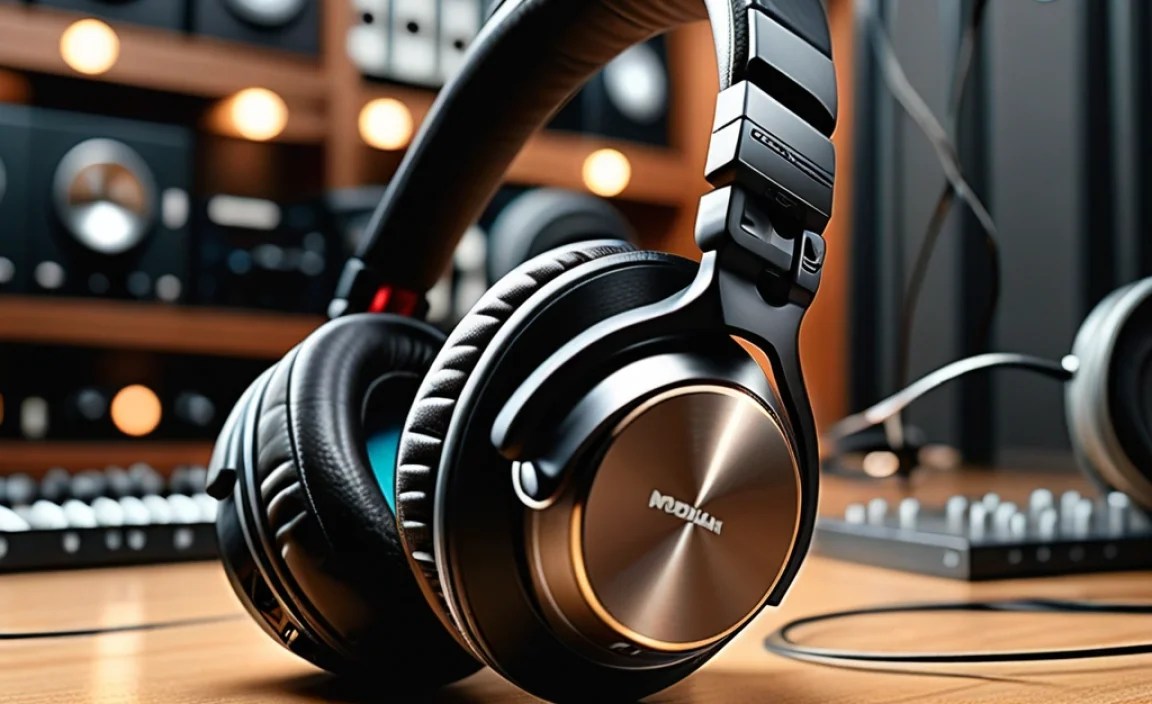
Ideally, you’d get to try headphones before buying. If that’s not possible, here’s what to do:
- Listen to Familiar Music: Play tracks you know inside and out – songs you’ve heard on various systems. This helps you identify if a headphone makes something sound “off” compared to your reference tracks. Pay attention to the bass, vocals, and cymbals.
- Use Reference Tracks: Music producers often use specific tracks they know are well-mixed and mastered as a “reference.” Download some high-quality audio files of expertly produced music in genres similar to what you want to edit.
- Check for Harshness: Do high frequencies (like cymbals or sibilant “s” sounds in vocals) sound piercing or overly bright? This is a sign of an unnatural treble response.
- Feel the Bass: Is the bass muddy, boomy, or almost non-existent? It should be present, tight, and controlled, not overpowering or absent.
- Listen for Detail: Can you hear subtle reverb tails, the breathing of a singer, or the distinct texture of an instrument? Good editing headphones reveal these details.
- Read Professional Reviews: Look for reviews on reputable audio websites that specifically discuss frequency response, soundstage, and neutrality. Sites like Sound on Sound and RTINGS.com offer detailed technical analysis.
Using Your New Headphones Effectively
Having the right tools is only half the battle; knowing how to use them makes all the difference. Here are some tips:
- Positioning is Key: Make sure the headphones are centered on your ears and creating a good seal (especially with closed-back models).
- Listen at Moderate Volumes: This is crucial! Listening too loudly for extended periods can damage your hearing and also lead to ear fatigue, causing you to misjudge levels. Lower listening levels actually reveal more detail and are safer. The World Health Organization recommends listening at no more than 85 decibels for up to eight hours a day as part of safe listening habits.
- Reference Tracks are Your Friends: As mentioned, use professionally mixed tracks in your genre and compare sections of your work to them. How does the kick drum feel? Is the vocal clarity similar?
- Take Regular Breaks: Step away from your headphones every 45-60 minutes. Give your ears a rest. This prevents ear fatigue and helps you return with a fresh perspective.
- Understand Your Environment’s Acoustic: While headphones aim to bypass room acoustics, a perfectly silent environment might be best for open-backs, and a slightly treated room can help with closed-backs. However, for beginners, focus on the headphone’s sound first.
Common Mistakes to Avoid
Even with the best intentions, beginners can fall into common traps:
- Buying “Bass-Heavy” Headphones: These might sound exciting for casual listening but will ruin your mixes.
- Ignoring Comfort: You’ll end up avoiding long editing sessions if your headphones are painful.
- Listening Too Loudly: This is a surefire way to damage your hearing and make poor mixing decisions due toural fatigue.
- Not Using Reference Tracks: Relying solely on how your mix sounds on your specific headphones doesn’t tell you how it will sound on other systems.
- Over-Reliance on One Pair: Experienced engineers often use multiple pairs of headphones (and studio monitors) to get a well-rounded perspective on their mix. For starters, one good, neutral pair is sufficient, but keep this in mind for the future.
Frequently Asked Questions (FAQ)
Q1: Can I use my gaming headset for music editing?
Generally, no. Gaming headsets are often designed with sound profiles that boost bass and treble to enhance in-game sounds (explosions, footsteps). They usually lack the flat frequency response needed for accurate music mixing. While some might be usable in a pinch, they’re not ideal and can lead to misleading audio decisions.
Q2: Do I need an audio interface to use these headphones?
It depends on the headphones’ impedance (see section 5). If you choose headphones with an impedance of 80 Ohms or less, they will likely work fine directly connected to your computer’s headphone jack or a standard audio interface. If you buy higher impedance headphones (like 250 Ohm or 600 Ohm models) in the future, you will need a dedicated headphone amplifier to get the best performance and volume.
Q3: What’s the difference between studio headphones and regular headphones?
Studio headphones are engineered for accuracy and neutrality. They aim to reproduce sound as faithfully as possible, without artificial enhancements like boosted bass or treble. Regular consumer headphones are often designed to make music sound more exciting or pleasing, which can involve adding emphasis to certain frequencies.
Q4: How much should I expect to spend on good editing headphones?
You can find capable beginner headphones for music editing in the $80 – $150 range. Mid-range options often fall between $150 – $300. While there are very expensive audiophile and professional models, the options listed above provide excellent performance for their price point and are a great starting point for beginners.
Q5: Can I use open-back headphones if other people are in the room?
It’s generally not recommended. Open-back headphones leak sound significantly, meaning anyone nearby will be able to hear what you’re listening to. They also offer very little protection from environmental noise. Closed-back headphones are much better if you need isolation for yourself or for others.
Q6: How do I know if my headphones have a flat frequency response?
Look for specifications or graphs provided by the manufacturer. Reputable brands will often show detailed frequency response charts. You can also rely on professional reviews from trusted audio websites that specifically test and analyze the frequency response of headphones.
Conclusion
Embarking on your music editing journey is an incredibly rewarding experience, and having the right tools will make it so much smoother and more enjoyable. The best headphones for music editing are those that offer a neutral, uncolored sound, allowing you to hear every detail with clarity. Prioritize that flat frequency response, consider whether open-back or closed-back suits your environment best, and don’t forget about comfort for those long creative sessions.
The models we’ve discussed are fantastic starting points. Don’t be intimidated by the technical terms; focus on what matters most: hearing your music accurately. With a reliable pair of headphones, you’ll gain confidence in your mixing decisions, learn to identify and fix sonic issues, and ultimately, create music that truly sounds the way you intend it to. Happy editing, and may your mixes always be clear and balanced!
