
Quick Summary: Finding the best headphones for music listening doesn’t have to be complicated. This guide breaks down headphone types, key features like sound quality and comfort, and practical tips to help you choose a pair that fits your budget and listening style. Make your music sound its best with informed choices.
Best Headphones For Music Listening: Your Essential Guide

Hey there, music lovers! Edward Cavitt here from Headphone Horizon. If you’re anything like me, music isn’t just background noise – it’s an experience. And the gateway to that incredible, immersive experience? A great pair of headphones. But step into any electronics store or browse online, and you’ll be met with a dizzying array of choices. What’s a music fan to do?
Don’t worry, I’m here to cut through the jargon and help you find the perfect headphones for truly enjoying your favorite tunes. We’ll explore everything from the different types of headphones available to the little details that make a big difference in sound quality and comfort, ensuring you can make a confident choice without feeling overwhelmed.
Understanding Headphone Types: Finding Your Fit
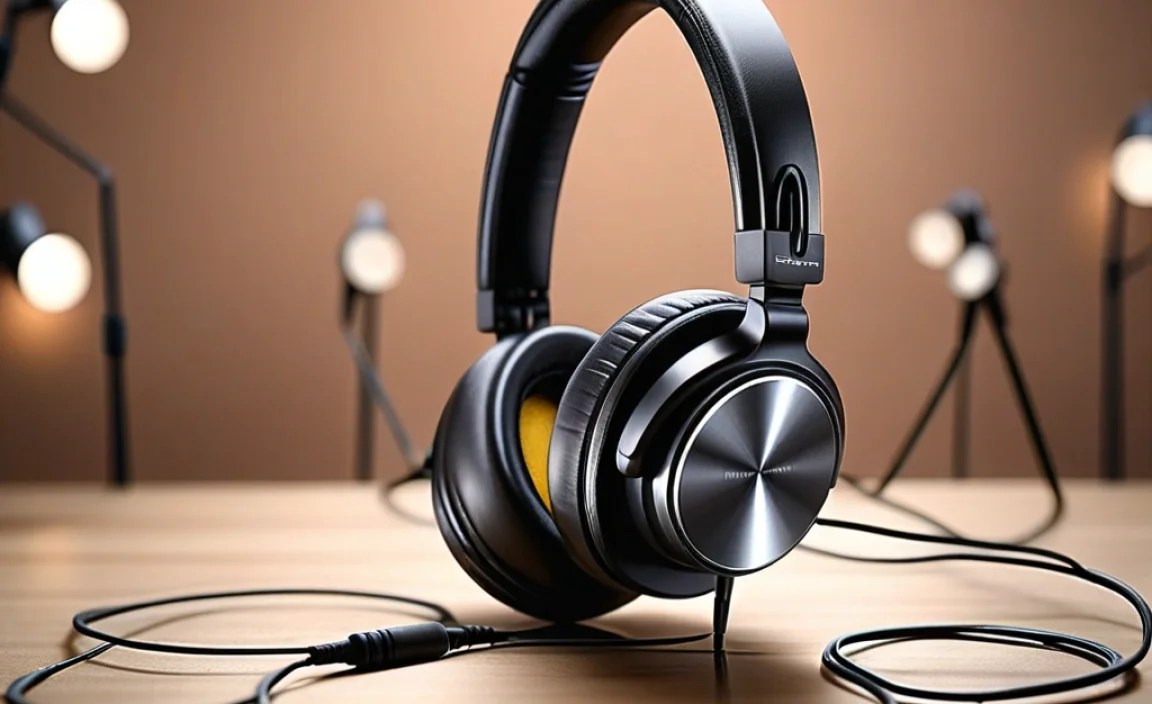
The first step to finding your perfect audio companion is understanding the different kinds of headphones out there. Each has its own strengths and is better suited for different listening environments and preferences. Let’s break them down:
1. Over-Ear Headphones (Circumaural)
These are the big guys. They completely enclose your ears, creating a seal that helps isolate you from outside noise. They’re known for their comfort during long listening sessions and often deliver the most robust sound quality.
- Open-Back: These headphones have earcups that are open to the air. This design allows sound to escape, creating a wider, more natural soundstage that many audiophiles love for critical listening at home. The downside is they offer very little noise isolation and let sound out, so they’re not ideal for public spaces.
- Closed-Back: The earcups on closed-back headphones are sealed. This provides excellent noise isolation, blocking out external sounds and preventing your music from leaking out. They’re fantastic for commutes, offices, or anywhere you need to focus on your music without distractions.
2. On-Ear Headphones (Supra-aural)
As the name suggests, these headphones rest directly on your ears. They’re generally more compact and lighter than over-ear models, making them a good option for portability. However, they can sometimes feel less comfortable during extended wear, and their noise isolation isn’t as effective as closed-back over-ear headphones.
3. In-Ear Monitors (IEMs) / Earbuds
These small wonders fit directly into your ear canal. They offer excellent portability and can provide a good seal for passive noise isolation. Modern IEMs often deliver surprisingly detailed sound, making them a favorite for musicians, commuters, and anyone who values a compact solution. True wireless earbuds, a subclass of IEMs, offer complete freedom from wires.
Key Features to Consider for Music Listening

Now that you know the types, let’s dive into what truly matters when it comes to enjoying your music. It’s not just about the brand; it’s about the technology and design that bring sound to life.
1. Sound Quality: The Heart of the Matter
This is, of course, the most crucial aspect for music lovers. While subjective to some extent, certain characteristics indicate good sound reproduction:
- Frequency Response: This indicates the range of bass, mids, and treble a headphone can reproduce. A well-balanced response means you’ll hear deep lows, clear vocals, and crisp highs without any one element overpowering the others. You’ll often see numbers like “20 Hz – 20,000 Hz,” representing the generally accepted range of human hearing.
- Soundstage: The “width” and “depth” of the sound you perceive. A wide soundstage makes instruments sound like they’re placed around you, rather than just in your head, offering a more immersive experience. Open-back headphones typically excel here.
- Clarity & Detail: How well you can distinguish individual instruments, vocal nuances, and subtle details in the music. Good clarity means no muddying of sounds, even in complex tracks.
- Distortion: The absence of unwanted noise or warping of the sound, especially at higher volumes.
2. Comfort and Fit: Essential for Long Sessions
If your headphones aren’t comfortable, you won’t want to wear them, no matter how good they sound. Consider:
- Weight: Lighter headphones are generally more comfortable.
- Earcups (Over-Ear & On-Ear): Look for plush padding made from materials like memory foam or soft leather/pleather. Ensure the clamping force isn’t too tight.
- Ear Tips (In-Ear): Most IEMs come with multiple sizes and materials (silicone, foam) to ensure a secure and comfortable seal within your ear canal. A good seal is vital for both comfort and bass response.
- Adjustability: Headbands and earcups should be easily adjustable to fit your head size and shape.
3. Noise Isolation & Noise Cancellation
How well do you need to block out the world? This is a key differentiator:
- Passive Noise Isolation: This is achieved through the physical design of the headphones, like a good seal from over-ear cups or in-ear tips. It’s effective for blocking out consistent, lower-frequency noises like airplane engines or office hum.
- Active Noise Cancellation (ANC): This technology uses microphones to detect external noise and generate opposing sound waves to cancel it out. ANC is incredibly effective at neutralizing ambient sounds, making it a game-changer for travel and noisy environments. However, it can sometimes slightly affect sound quality, and it requires battery power.
4. Durability and Build Quality
You want headphones that will last. Look for sturdy materials like metal or high-quality plastics. Flexible headbands and well-constructed hinges are good signs. For wireless models, check battery life and charging methods.
5. Connectivity: Wired vs. Wireless
- Wired Headphones: Offer the most direct and often highest-quality audio signal, as there’s no compression. They don’t require batteries, so they’re always ready to go. The cable can sometimes be a hassle, though.
- Wireless Headphones (Bluetooth): Offer freedom from cables. Key factors include Bluetooth version (newer versions offer better stability and efficiency), supported codecs (like aptX or LDAC for higher fidelity), and battery life.
Top Headphone Categories for Music Lovers

To help narrow down your search, let’s look at categories that often align with specific listening habits and musical genres.
| Headphone Type | Best For | Key Considerations | Examples |
|---|---|---|---|
| Audiophile Open-Back Over-Ear | Critical listening in quiet environments, classical, jazz, acoustic | Wide soundstage, natural sound, comfort. Not portable, leaks sound. | Sennheiser HD 600/650, Beyerdynamic DT 990 Pro |
| All-Round Closed-Back Over-Ear | Versatile listening, multiple genres, home, office, travel | Good isolation, balanced sound, comfort. Can be bulkier. | Sony WH-1000XM5, Bose QuietComfort 45, Audio-Technica ATH-M50x |
| Portable On-Ear | Commuting, travel, general use where portability matters | Compact, lightweight. Comfort can vary, less isolation. | Sennheiser HD 450BT, JBL Tune 510BT |
| High-Fidelity In-Ear Monitors (IEMs) | Detailed listening, active lifestyles, travelers, musicians | Excellent detail, good isolation, very portable. Fit is crucial. | Shure SE215, Moondrop Aria, 7Hz Timeless |
| True Wireless Earbuds | Ultimate portability, workouts, daily commutes, casual listening | No wires, compact charging case. Battery life and fit are key. | Apple AirPods Pro, Sony WF-1000XM5, Bose QuietComfort Earbuds II |
Step-by-Step Guide to Choosing Your Headphones

Ready to find your perfect audio match? Follow these steps:
Step 1: Define Your Primary Listening Environment
Where will you be using your headphones the most? This is the most important factor in determining the type and features you need.
- For Home (Quiet Environment): Open-back over-ear headphones offer the best soundstage and a natural listening experience. Closed-back over-ear can also work well if you want a bit more isolation.
- For Commuting/Office (Noisy Environments): Closed-back over-ear headphones with good passive isolation or, even better, ANC headphones are ideal. High-quality IEMs also offer excellent noise blocking due to their in-ear seal.
- For Workouts/Active Use: True wireless earbuds or secure-fitting IEMs are usually best. Look for sweat and water resistance (IPX rating).
- For Travel: ANC headphones (over-ear or earbuds) are invaluable for blocking engine noise on planes and trains.
Step 2: Set Your Budget
Headphones range from under $50 to over $1000. Having a budget in mind will help narrow your options significantly. Remember that sometimes, investing a little more upfront can get you a more durable and better-sounding product that will last longer.
Step 3: Consider Your Music Genres
While most good headphones are versatile, some are tuned for specific sound profiles. Do you listen to bass-heavy electronic music, or do you prefer the intricate details of acoustic sets?
- Bass-Heads: Some headphones emphasize bass frequencies.
- Vocal Lovers: Headphones with clear mid-range playback are great for vocal-centric music.
- Classical/Jazz Enthusiasts: A wide soundstage and detailed treble are often preferred.
Read reviews that specifically mention how headphones perform with the genres you love.
Step 4: Prioritize Comfort and Fit
This is where personal preference really comes into play. If possible, try headphones on! Pay attention to:
- The weight and how it feels on your head.
- The padding on earcups or the feel of eartips in your ears.
- How secure they feel, especially if you’ll be moving.
- Do they create any hot spots or pressure points after a few minutes?
Step 5: Evaluate Sound Quality and Features
Based on your environment, budget, and music taste, start looking at specific models. Read professional reviews and user feedback. Key features to look for:
- Driver Size: Larger drivers (e.g., 40mm or 50mm for over-ear) can potentially produce more impactful sound, but design and tuning are more important than sheer size.
- Impedance and Sensitivity (for wired): Higher impedance headphones often require a dedicated amplifier to reach their full potential. Lower impedance headphones tend to be easier to drive from your phone or laptop. Sensitivity affects how loud they get at a given power level. Generally, for everyday portable use, look for lower impedance (<100 Ohms) and higher sensitivity.
- Wireless Codecs: For Bluetooth, codecs like LDAC, aptX HD, and AAC offer better sound quality than standard SBC.
A great resource for understanding audio concepts further is the ITU’s recommendation on multi-channel audio formats, though this is more advanced. For beginner-friendly details, stick to reputable audio review sites.
Step 6: Consider Accessories and Extras
Some headphones come with useful extras like:
- Carrying cases for protection.
- Detachable, braided cables that are more durable.
- Multiple eartip options for IEMs.
- An audio adapter for different devices.
- A dedicated headphone amplifier if you’re going the high-impedance wired route for home listening.
Essential Maintenance Tips for Longevity
Taking good care of your headphones will ensure they keep sounding great and last for years. It’s simpler than you might think!
1. Keep Them Clean
- Earcups and Headbands: Gently wipe with a dry or slightly damp soft cloth. For stubborn grime, a mild soap solution can be used, but ensure the cloth is only slightly damp and never soak the materials. For pleather or leather, use specialized cleaners sparingly.
- Eartips (IEMs): Remove them from the earbuds and wash them gently with mild soap and water. Let them air dry completely before reattaching.
- Grilles: Use a dry, soft brush (like a clean toothbrush or makeup brush) to gently remove earwax or dust from speaker grilles. Be very careful not to push debris into the driver.
- Cables: Wipe down with a dry cloth. Avoid yanking on cables; always pull from the plug.
2. Proper Storage
- When not in use, store headphones in a cool, dry place.
- Use the provided carrying case or a dedicated headphone stand to protect them from dust, accidental drops, and damage.
- Avoid extreme temperatures, especially direct sunlight, which can degrade materials like earpads.
3. Cable Care (for Wired Headphones)
The cable is often the most fragile part of wired headphones. Avoid:
- Wrapping the cable too tightly. Loosely coiled wraps are much better for the internal wires.
- Stressing the cable where it connects to the headphone or the jack.
- Storing them with the cable tightly bent or under heavy objects.
4. Battery Care (for Wireless Headphones)
Most modern wireless headphones use lithium-ion batteries. To maximize their lifespan:
- Avoid fully draining the battery frequently.
- Don’t store them for extended periods with a completely dead battery.
- Avoid charging them in extremely hot conditions.
- Follow the manufacturer’s charging recommendations.
Troubleshooting Common Headphone Issues
Even the best headphones can encounter minor glitches. Here are some quick fixes:
1. No Sound or Only One Side Working
- Check Connections: Ensure the audio cable is fully plugged into both the headphones and the device. Try a different port or device.
- Volume Levels: Make sure the volume isn’t muted or set too low on both your device and the headphones themselves (if they have inline controls).
- Wireless Pairing: If using Bluetooth, ensure the headphones are properly paired and connected to your device. Try unpairing and re-pairing.
- Balanced Audio: On some devices (Windows PCs, some audio players), there’s a “mono audio” or “balanced audio” setting that might be misconfigured. Check your device’s audio settings.
- Physical Damage: Inspect the cable and headphone jack for any visible kinks or damage.
- Reset Headphones: Many wireless headphones have a reset function; check your manual.
2. Distorted or Poor Sound Quality
- Lower Volume: High volumes can cause distortion. Try turning the volume down.
- Check the Source: Is the audio file itself low quality? Try a different, higher-quality track.
- Clean Earwax: Earwax buildup on the speaker grille can muffle sound. Clean gently as described above.
- Bad Cable: For wired headphones, a damaged cable can cause crackling or a loss of clarity.
- Impedance Mismatch (Wired): If you’re using high-impedance headphones with a low-power source, they might sound weak or distorted. Consider a headphone amplifier.
3. Wireless Connection Issues
- Restart Devices: Turn both your headphones and your Bluetooth device off and then back on.
- Distance: Ensure your headphones are within the effective Bluetooth range (usually around 30 feet or 10 meters, but can vary).
- Interference: Other wireless devices (microwaves, other Bluetooth devices) can cause interference. Try moving away from them.
- Update Firmware: Some headphones have companion apps that allow you to update their firmware, which can fix bugs and improve connectivity.
- Clear Bluetooth Cache: On your phone or computer, you can sometimes clear the Bluetooth cache to resolve stubborn connection problems.
