
Elevate your PlayStation VR2 experience with our beginner’s guide to the best headphones. We break down crucial features like comfort, sound quality, and connectivity, offering expert recommendations to immerse you fully in virtual worlds without breaking the bank or getting lost in technical jargon. Find your perfect audio companion for PSVR2 gaming.
Welcome, fellow gamers and virtual reality adventurers! So, you’ve strapped on the gleaming PlayStation VR2 headset, ready to dive into breathtaking new worlds. But wait, something’s missing. The built-in audio, while functional, can sometimes leave you wishing for a little more oomph, a richer soundscape that truly pulls you into the game. That’s where the magic of dedicated headphones comes in!
Think of them as your audio portal to a more intense, believable, and utterly captivating VR experience. We’re here at Headphone Horizon to help you navigate the exciting world of PSVR2 audio, making sure you find headphones that not only sound amazing but also feel comfortable for those long gaming sessions. Let’s get your adventure started with the perfect sound!
Why Upgrading Your PSVR2 Audio Matters So Much

You might be wondering, “Do I really need different headphones for my PSVR2?” The short answer is: yes, if you want to get the absolute most out of your gaming. The PSVR2 itself boasts impressive visual fidelity, but immersive audio is the unsung hero of virtual reality.
It’s the subtle rustle of leaves behind you, the distant roar of a dragon, or the whispered dialogue that makes a game world feel truly alive. The integrated audio in most VR headsets is a good starting point, but it often lacks the depth, clarity, and positional accuracy that dedicated headphones can provide. Upgrading means:
- Deeper Immersion: Hear every detail, from the frantic footsteps of an enemy to the subtle ambient sounds that build atmosphere.
- Enhanced Positional Audio: Pinpoint the direction of sounds with greater accuracy, giving you a competitive edge in games and a more realistic sense of presence.
- Superior Comfort: Many VR headsets have awkward built-in audio solutions. Dedicated headphones can offer a more comfortable and secure fit, crucial for extended play.
- Reduced Distraction: Block out external noise and environmental distractions, allowing you to fully focus on the virtual world.
- Better Bass Response: Feel the rumble of explosions and the impact of every action with more powerful and nuanced bass.
Key Features to Look For in PSVR2 Headphones

Navigating the headphone market can feel like a quest in itself, but don’t worry! We’ll break down the most important features for your PSVR2 adventure. When choosing, think about these essential elements:
1. Comfort and Fit
This is paramount for VR. You’ll be wearing headphones, likely for extended periods, while also wearing a VR headset. Anything uncomfortable can quickly ruin the experience. Look for:
- Lightweight Design: The less weight added to your head, the better.
- Soft Earcups: Plush, breathable earcups are vital to avoid heat buildup and pressure points. Memory foam is often a great choice.
- Adjustable Headband: A well-padded and adjustable headband ensures a snug but not tight fit.
- Over-Ear vs. On-Ear: Over-ear (circumaural) headphones completely surround your ears, offering better noise isolation and comfort. On-ear (supra-aural) rest on your ears and can sometimes cause discomfort over time. For VR, over-ear is generally preferred.
- Compatibility with Headset: Ensure the headphones don’t interfere with the fit or sensors of your PSVR2 headset.
2. Sound Quality and Immersion
This is where the magic happens. You want audio that brings your virtual worlds to life.
- Soundstage: This refers to how “wide” or “spacious” the sound feels. A good soundstage makes you feel like sounds are coming from around you, not just inside your head.
- Clarity and Detail: You want to hear crisp highs, clear mids, and well-defined lows. This helps in distinguishing different sounds and their sources.
- Bass Response: While not always the most important thing, good bass adds impact to explosions, engines, and dramatic scores. Too much can be muddy, though.
- Virtual Surround Sound: Many gaming headphones offer simulated surround sound (like 7.1 or even more channels). This can significantly enhance positional awareness in games.
- Frequency Response: While a technical spec, a broad frequency response (e.g., 20Hz – 20kHz) indicates the headphone’s ability to reproduce a wide range of sounds accurately.
3. Connectivity
How do the headphones connect to your PSVR2 or PlayStation 5? For PSVR2, the primary audio output is through the headset itself, which has a 3.5mm headphone jack. This is a key advantage as it means many wired headphones will work directly.
- 3.5mm Jack: This is the most common and versatile connection for headphones. PSVR2 has one built-in.
- Wireless (Bluetooth): While PSVR2 itself doesn’t inherently support Bluetooth audio for the headset, you can connect Bluetooth headphones to your PlayStation 5 console for non-VR audio. If you opt for wireless, ensure it’s low-latency for gaming to avoid audio lag.
- USB-C/USB-A: Some gaming headsets use USB connections, often connecting to the console. This might not be directly applicable if you’re looking for audio through the PSVR2 headset, but it’s an option if you’re connecting directly to the PS5.
4. Durability and Build Quality
You want headphones that can withstand the rigors of enthusiastic gaming sessions. Look for sturdy materials, reinforced cables (if wired), and a design that feels robust.
5. Price
Headphones range from budget-friendly options to high-end audiophile gear. A good pair for PSVR2 doesn’t have to cost a fortune. We’ll aim for options that offer great value.
Best Headphones for PSVR2: Our Top Picks (Beginner-Friendly)

Based on comfort, sound quality, connectivity, and value, here are some excellent choices that will seriously upgrade your PSVR2 audio experience. We’ll focus mostly on wired headphones that connect directly to the PSVR2 headset for the most seamless experience.
1. The All-Rounder: HyperX Cloud II
Often cited as one of the best value gaming headsets, the HyperX Cloud II is a fantastic choice for PSVR2. It’s incredibly comfortable, renowned for its plush earcups and sturdy metal frame. Sonically, it offers a balanced sound profile that’s great for gaming, with good detail and a satisfying amount of bass. The included USB sound card provides virtual 7.1 surround sound, which can be toggled on/off, but it also sounds great when plugged directly into the PSVR2’s 3.5mm jack for a simpler setup.
Pros:
- Exceptional comfort for long sessions.
- Durable build quality.
- Clear audio with good bass.
- Detachable microphone.
- Great value for the price.
Cons:
- The USB sound card is primarily for PC/PS4/PS5, but the headphones themselves work perfectly plugged directly into the PSVR2.
- Some might prefer a more analytical sound for competitive gaming, but this is great for immersion.
2. The Immersive King: SteelSeries Arctis Nova 1
SteelSeries has a great reputation for gaming audio, and the Arctis Nova 1 is a comfortable, lightweight option that delivers excellent immersion. Its ski-goggle headband design distributes weight evenly, meaning you can wear it for hours without fatigue. The audio drivers are tuned for clarity, allowing you to pick out subtle in-game cues, and it offers a good sense of positional audio, crucial for VR. It connects via a standard 3.5mm jack, making it a plug-and-play solution for your PSVR2.
Pros:
- Super comfortable “ComfortMAX” headband.
- Clear and immersive sound.
- Lightweight design.
- Retractable microphone is handy.
- Easy 3.5mm connection.
Cons:
- Bass could be a little punchier for some genres.
- Build is good but not as tank-like as some metal-framed headphones.
3. The Budget Champion: Razer BlackShark V2 X
If you’re looking for a solid performance without emptying your wallet, the Razer BlackShark V2 X is a standout. It’s inspired by aviation headsets, offering a secure and comfortable fit. The audio quality is surprisingly good for the price, providing clear highs and mids that are essential for pinpointing sounds in VR. The sound isolation is also effective, helping to keep you locked into your virtual environment. It uses a 3.5mm jack for straightforward PSVR2 connectivity.
Pros:
- Excellent value for money.
- Comfortable and secure fit.
- Good audio clarity.
- Effective noise isolation.
Cons:
- Bass can feel a bit less impactful compared to higher-end options.
- Build quality is good for the price, but not premium.
4. The Audiophile Lite: Sennheiser HD 560S
Okay, this one is a step up in price and is more of a traditional headphone, not strictly a gaming headset. However, if you value pure sound fidelity and a wide, natural soundstage for maximum immersion, the Sennheiser HD 560S is exceptional and works perfectly with the PSVR2’s 3.5mm jack. These are open-back headphones, meaning they offer an incredibly spacious sound that can make VR feel incredibly realistic. Be aware that open-back headphones allow sound to leak in and out, so they are best suited for quiet environments. You’ll hear every detail with stunning clarity.
Pros:
- Incredible sound clarity and detail.
- Wide, natural soundstage for amazing immersion.
- Extremely comfortable for long listening sessions.
- Neutral, accurate sound signature.
Cons:
- Open-back design means sound leakage (both ways).
- No built-in microphone (you’ll rely on PSVR2’s mic or console mic if needed).
- Higher price point.
For more on open-back vs. closed-back headphones, you can check out resources like the Rtings.com guide, which offers detailed explanations.
How to Connect Your Headphones to PSVR2 (The Easy Way!)

Connecting wired headphones to your PSVR2 is wonderfully simple. The headset features a standard 3.5mm audio jack, usually located on the underside or side. Here’s how you do it:
- Locate the 3.5mm Jack: Find the small, round port on your PSVR2 headset.
- Plug In Your Headphones: Take the 3.5mm plug from your chosen headphones and firmly insert it into the jack. You should feel a slight click or resistance when it’s fully seated.
- Adjust Volume: You can control the headphone volume using the volume buttons located on the PSVR2 headset itself or through the PlayStation 5’s quick menu.
- Enjoy!: That’s it! Your PSVR2 will now output all audio through your new headphones.
If you’re using a gaming headset with a detachable cable, ensure the cable is fully plugged into the headphone earcup before connecting it to the PSVR2.
Considering Wireless for PSVR2?
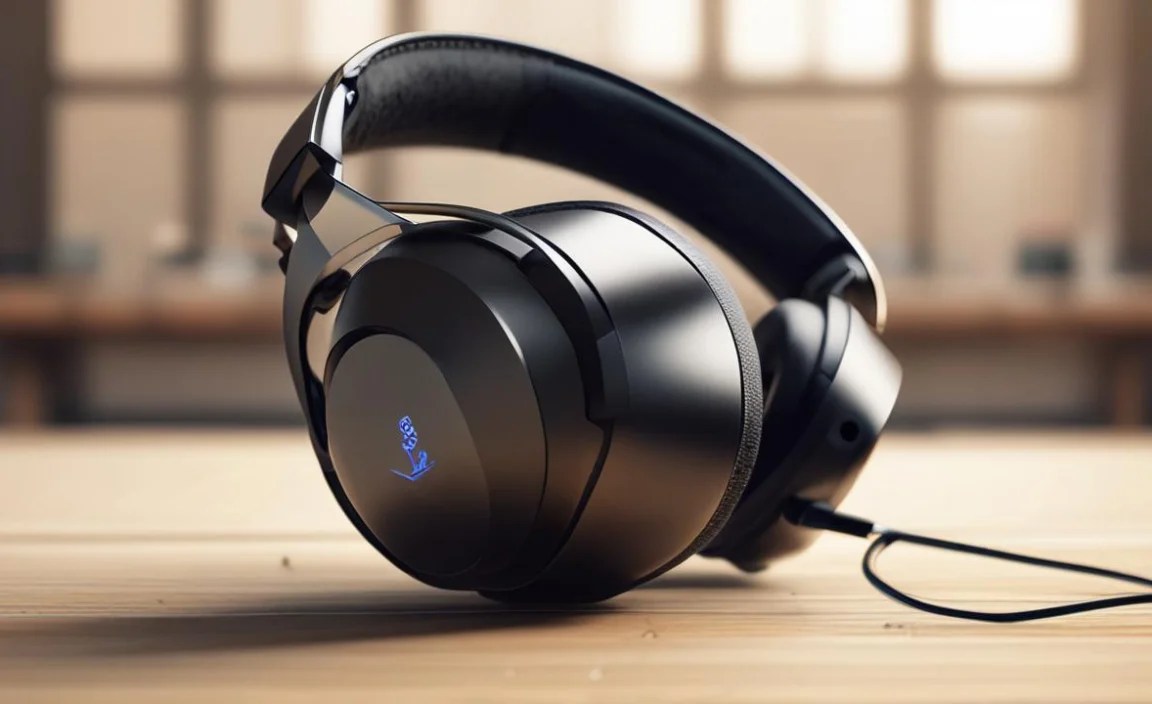
As mentioned, the PSVR2 headset itself does not support direct Bluetooth audio streaming. However, you can use wireless headphones with your PlayStation 5 console for general use, or even to listen to PS5 system audio while gaming on a regular TV to avoid using your PSVR2’s wired connection if the game allows for that type of output simultaneously (which is rare for pure VR immersion). Many wireless gaming headsets connect via a USB dongle to the PS5, offering low latency. If you go wireless, prioritize low latency to prevent that jarring delay between what you see and what you hear.
Popular Low-Latency Wireless Options for PS5 (Connect to Console, Not Headset):
- SteelSeries Arctis Nova 7P+ / 7X+
- Astro A50 Wireless + Base Station
- Logitech G Pro X Wireless Lightspeed
These connect directly to the PS5 via a USB transmitter, providing a stable, low-latency connection for the console’s audio. However, for the most seamless PSVR2 audio experience, the 3.5mm wired connection directly to the headset is the simplest and most reliable.
Understanding Open-Back vs. Closed-Back for VR
This is a distinction worth understanding, especially for VR immersion.
- Closed-Back Headphones: These have earcups that seal around your ears. This creates a barrier, effectively blocking out external noise and preventing your own headphone audio from leaking out. This is great for immersion in noisy environments and ensures others can’t hear what you’re listening to. They often provide a more impactful bass response.
- Open-Back Headphones: These have earcups that are vented or have grilles. This allows air and sound to pass through. The result is a more natural, spacious, and airy soundstage. It can feel like the sound is coming from around you, rather than being “in your head,” which is fantastic for VR realism. However, they do allow external noise in and audio to leak out, meaning they’re best suited for quiet rooms.
For PSVR2, if you game in a quiet room and prioritize the most natural, expansive audio, an open-back headphone like the Sennheiser HD 560S can be sublime. If you have a noisier environment or want maximum isolation, a good closed-back gaming headset is generally the more practical choice.
Table: Quick Comparison of Recommended Headphones
Here’s a quick rundown to help you visualize the differences:
| Headphone Model | Type | Primary Benefit | Connection Type (for PSVR2) | Mic Included? | Price Range (Approx.) |
|---|---|---|---|---|---|
| HyperX Cloud II | Closed-Back Over-Ear | Comfort & Durability | 3.5mm Jack | Yes (Detachable) | $$ |
| SteelSeries Arctis Nova 1 | Closed-Back Over-Ear | Comfort & Balanced Sound | 3.5mm Jack | Yes (Retractable) | $$ |
| Razer BlackShark V2 X | Closed-Back Over-Ear | Value & Clarity | 3.5mm Jack | Yes (Non-detachable) | $ |
| Sennheiser HD 560S | Open-Back Over-Ear | Soundstage & Detail | 3.5mm Jack | No | $$$ |
Note: Price ranges are approximate and can vary. ($ = Budget, $$ = Mid-Range, $$$ = Premium)
Tips For The Best PSVR2 Audio Experience
Beyond just choosing the right headphones, here are a few extra tips:
- Experiment with Volume: Find a comfortable volume level for your ears. Extended exposure to high volumes can cause hearing damage. The National Institute on Deafness and Other Communication Disorders has great resources on hearing health.
- Check Game Audio Settings: Some PSVR2 games might offer specific audio customization options. Explore these for even finer tuning.
- Cable Management: With a wire running from the headset to your headphones, keep the cable tidy to avoid accidental tugs or tangles. Some players use velcro ties or cable clips.
- Clean Your Earcups: Regularly wipe down your earcups with a damp cloth (or appropriate cleaning solution) to keep them hygienic and comfortable.
