
Quick Summary: Level up your Rainbow Six Siege (R6) PS5 experience with the right headphones. This guide breaks down what to look for, from clear comms to immersive sound, helping you pinpoint the perfect headset for strategic advantages and victory. Find great options that fit your budget and playstyle.
Best Headphones For R6 PS5: Effortless Wins
Rainbow Six Siege on the PlayStation 5 is a game of sharp reflexes, precise strategy, and, crucially, keen awareness. Being able to hear footsteps creeping around a corner, the distinct sound of a gadget deploying, or your teammates calling out enemy positions can be the difference between a clutch victory and a frustrating defeat. But with so many options out there, choosing the “best”headphones for R6 PS5 can feel like navigating a minefield. Fear not! As your guide at Headphone Horizon, I’m here to simplify this for you. We’ll cut through the jargon and focus on what really matters to help you find a headset that lets you hear every crucial sound, communicate clearly, and ultimately, achieve those well-deserved wins.
Why Good Headphones Matter for R6 Siege on PS5

In the tactical world of Rainbow Six Siege, sound is more than just background noise; it’s a vital intelligence stream. Unlike fast-paced shooters where you might rely more on visual cues, R6 demands an auditory understanding of your surroundings. The ability to pinpoint the direction and even the type of sound can give you a significant competitive edge. Imagine hearing a Caviera creeping behind you before she can get the drop on you, or knowing an enemy is trying to breach a wall from a specific direction. This auditory advantage is precisely why investing in a quality headset for your PS5 is one of the smartest upgrades you can make for your Siege gameplay. It enhances immersion, improves your situational awareness, and fosters better team communication, all of which contribute directly to your success on the battlefield.
Key Features to Look For in R6 PS5 Headphones

When you’re hunting for the perfect headset to dominate in Rainbow Six Siege on your PS5, there are a few key features that will make the most impact. We’re not just looking for something that sounds good; we’re looking for something that enhances your gameplay. Here’s a breakdown of what to prioritize:
1. Sound Accuracy and positional Awareness
This is arguably the most critical aspect for R6. You need headphones that can deliver clear, distinct audio cues for footsteps, gadget sounds, and gunfire. The ability to accurately discern the direction and distance of these sounds (known as positional audio) is paramount. This allows you to anticipate enemy movements and react defensively or aggressively with confidence. Look for headsets with well-tuned drivers that emphasize clarity in the mid-range frequencies, where footsteps and unique gadget sounds typically reside. You want to avoid overly bass-heavy headphones that can muddy these crucial details. For a deeper dive into how sound engineering impacts gaming, resources like those found at the Audio Engineering Society can offer fascinating insights, though we’ll focus on the practical application here.
2. Microphone Quality for Clear Communication
Rainbow Six Siege is a team-based game. Effective communication is non-negotiable. Your teammates need to clearly hear your callouts, and you need to clearly hear theirs. A good microphone should pick up your voice without excessive background noise, static, or distortion. Features like noise cancellation for the mic are a big plus, as they can filter out the sounds of your keyboard clicks or ambient room noise. A detachable or muteable microphone is also a convenient feature, allowing you to easily silence yourself when needed.
3. Comfort for Long Gaming Sessions
Siege matches can get intense, and sometimes you’ll be locked in for hours. A headset that’s uncomfortable can become a major distraction. Look for features like:
- Padded earcups: Soft, breathable materials like velour or memory foam can prevent ear fatigue and overheating.
- Adjustable headband: Ensures a snug but not tight fit for various head sizes.
- Lightweight design: Reduces pressure on your head and neck.
- Swivel or adjustable boom mic: Allows you to position the microphone optimally without discomfort.
Extended comfort means you can stay focused on the game for longer periods, giving you more opportunities to secure wins.
4. Connectivity Options (Wired vs. Wireless)
Both wired and wireless headphones have their pros and cons for PS5 gaming.
- Wired: Typically offer the most reliable connection with zero latency (delay), which is critical for competitive gaming. They often come at a more affordable price point and don’t require charging. However, the drawback is the cable, which can sometimes be restrictive or tangle.
- Wireless: Offer the ultimate freedom of movement, eliminating cable clutter. Modern wireless headsets use low-latency connections (like 2.4GHz dongles) that are almost indistinguishable from wired in terms of delay for most gamers. The main considerations here are battery life and the potential for interference, though this is rare with quality headsets.
For PS5, both are viable, but if every millisecond counts and you prefer a no-fuss setup, a good wired option is excellent. If you value freedom and are willing to manage charging, a low-latency wireless headset is fantastic.
5. Durability and Build Quality
While you don’t need a headset built like a tank, it’s worth considering how well it’s constructed. Cheaper plastic can feel flimsy and is more prone to breaking. Metal reinforcements in the headband or sturdy hinges on the earcups can indicate a more durable product designed to last. Read reviews specifically mentioning build quality to get a good idea.
Top Headphone Picks for R6 Siege PS5

Based on the features above, here are some highly recommended headphones that often perform exceptionally well for Rainbow Six Siege on PS5. This isn’t an exhaustive list, but a curated selection that provides excellent value and performance for R6 players.
We’ll look at a mix of wired and wireless options to suit different preferences and budgets.
Wired Champions
Wired headphones offer simplicity, reliability, and often, fantastic audio quality without breaking the bank. They connect directly to your PS5 controller or console for a straightforward experience.
1. HyperX Cloud II (Wired)
A long-standing favorite for a reason. The Cloud II is renowned for its comfort, robust build quality, and excellent audio reproduction. The included USB sound card offers virtual 7.1 surround sound, which can aid in positional awareness. Its microphone is also clear and detachable.
Pros:
- Superb comfort for long sessions.
- Solid, durable build.
- Clear, balanced audio suitable for R6.
- Detachable microphone.
- Good value for the performance.
Cons:
- The virtual 7.1 can sometimes feel artificial; many prefer it off.
- Cable can be a minor inconvenience for some.
2. SteelSeries Arctis Nova 1
SteelSeries is a name synonymous with gaming peripherals, and the Arctis Nova 1 is their more budget-friendly, wired offering. It boasts a comfortable “ski-goggle” headband and surprisingly good audio drivers for its price. The retractable ClearCast microphone is also a standout feature.
Pros:
- Excellent comfort with the ski-goggle headband.
- Clear microphone.
- Lightweight design.
- Affordable price point.
Cons:
- Build quality, while good, isn’t as premium as some higher-end options.
- Bass can be a bit subtle for music lovers, but great for positional audio in games.
Wireless Wonders
For those who crave the freedom of movement, modern wireless technology offers latency so low it’s practically imperceptible for gaming. These often come at a higher price point but deliver convenience.
1. SteelSeries Arctis Nova 7 Wireless
This headset strikes an excellent balance between features, performance, and price in the wireless market. It offers the comfort of the Arctis line, dual connectivity (wireless dongle and Bluetooth simultaneously), and good audio fidelity. The mic is also retractable and clear.
Pros:
- Comfortable design.
- Excellent wireless performance with low latency.
- Long battery life.
- Simultaneous Bluetooth and 2.4GHz wireless is a great feature for multitasking.
- Clear microphone.
Cons:
- Can be pricier than wired alternatives.
- Some might prefer a more robust bass for general listening.
2. Astro A50 Wireless + Base Station
While a premium investment, the Astro A50 is a top-tier choice for serious gamers. Its open-back design provides a wide soundstage, enhancing positional audio accuracy, and the build quality is exceptional. The base station provides easy charging and EQ presets.
Pros:
- Superb soundstage and positional audio.
- Premium build quality and comfort.
- Convenient charging and EQ presets via the base station.
- Low-latency wireless.
Cons:
- Very expensive.
- Open-back design means sound can leak in and out, not ideal for noisy environments.
3. PlayStation PULSE 3D Wireless Headset
If you’re looking for an officially licensed PS5 headset, the PULSE 3D is designed specifically for the console’s Tempest 3D AudioTech. It offers a decent all-around experience for gaming, including R6, with good comfort and solid mic performance for its price. It’s a great entry point into wireless PS5 gaming audio.
Pros:
- Optimized for PS5’s Tempest 3D AudioTech.
- Comfortable for extended wear.
- Wireless and Bluetooth connectivity.
- Affordable for an official wireless headset.
Cons:
- Audio quality, while good, may not match audiophile-grade headsets.
- Microphone quality is serviceable but not outstanding.
Setting Up Your Headphones for PS5

Once you’ve picked the perfect headset, getting it set up on your PS5 is usually quite straightforward. Here’s a general guide:
For Wired Headphones (Connecting via Controller)
- Plug In: Connect the headphone’s 3.5mm audio jack into the port on the bottom of your PS5 DualSense controller.
- PS5 Settings: Turn on your PS5 and navigate to Settings > Sound > Volume > Audio Output.
- Output Device: Ensure “Output Device” is set to “Headset Connected to Controller.”
- Output to Headphones: Under “Output to Headphones,” select “All Audio” for game and chat sounds, or “Chat Audio Only” if you prefer game audio through your TV speakers and chat through the headset.
- Microphone: Ensure “Microphone Input Level” is set appropriately, and test your microphone by speaking into it – you should see the volume bar react.
For Wired Headphones (Connecting via Console USB)
- Plug In: Connect the headphone’s USB cable into one of the USB ports on your PS5.
- PS5 Settings: Follow steps 2-5 from the “Connecting via Controller” section, but under “Output Device,” you should select the name of your headset.
For Wireless Headphones (Using USB Dongle)
- Plug In Dongle: Connect the wireless dongle (usually USB-A or USB-C) into a USB port on your PS5.
- Turn on Headset: Power on your wireless headset. It should automatically pair with the dongle.
- PS5 Settings: Navigate to Settings > Sound > Volume > Audio Output.
- Output Device: Select your headset from the list of output devices.
- Input Device: Ensure your headset is also selected as the Input Device.
- Tempest 3D AudioTech: You may wish to enable “Tempest 3D Audio for Headphones” under Settings > Sound > 3D Audio for Headphones. This is specifically designed to enhance positional audio for compatible titles, including many on PS5.
For Wireless Headphones (Using Bluetooth)
Note: While many wireless headsets have Bluetooth, the PS5’s native Bluetooth support for audio devices is limited and can sometimes introduce latency. It’s generally recommended to use the headset’s dedicated low-latency wireless dongle if available for gaming.
- Pairing Mode: Put your headphones into pairing mode (check your headset’s manual for instructions).
- PS5 Settings: Go to Settings > Accessories > Bluetooth Accessories.
- Scan for Devices: Select “Pair New Accessory” and your PS5 will scan.
- Select Headset: Once your headset appears, select it to pair.
- Audio Output: After pairing, you’ll need to manually set it as your audio output device in Settings > Sound > Volume > Audio Output.
- Latency Warning: Be aware that Bluetooth can introduce noticeable audio delay, which is detrimental to fast-paced games like R6.
Tips for Optimizing Headset Audio in R6 Siege
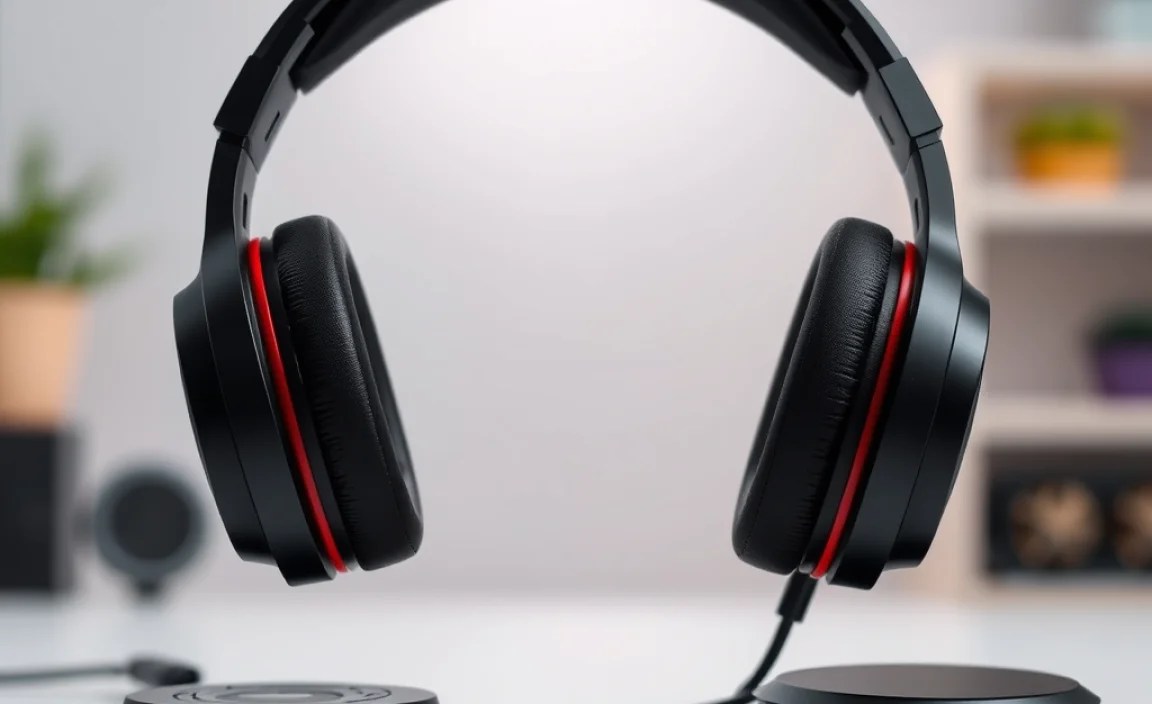
Once your headset is plugged in and recognized, there are a few extra steps and settings you can tweak to get the absolute best out of your audio for Rainbow Six Siege.
1. PS5’s 3D Audio Settings
As mentioned, the PS5 has a feature called “Tempest 3D AudioTech.” Go to Settings > Sound > 3D Audio for Headphones and ensure it’s enabled. Most modern headsets will benefit from this, though some audiophile-grade headsets might produce superior results with it off, as they have their own advanced spatial audio processing. Experiment to see what sounds best to you.
2. Adjusting In-Game Audio Settings
Rainbow Six Siege itself has an in-game audio menu that’s very useful. Go to Options > Audio within the game. You’ll find sliders for:
- Master Volume: Controls the overall sound.
- SFX Volume: Crucial for game sounds like footsteps, gunfire, and gadget activations. You’ll want this fairly high.
- Dialogue Volume: For character voice lines and operator callouts.
- Music Volume: Generally, competitive players turn this very low or off to avoid distractions.
- Voice Chat Volume: To adjust how loud your teammates are.
For R6, I usually recommend turning SFX volume to its maximum, music volume to 0, and adjusting Master, Dialogue, and Voice Chat to your preference. It’s about prioritizing game-critical sounds.
3. Checking Microphone Levels
Poor comms can lose you games. In your PS5 settings (Settings > Sound > Microphone > Adjust Microphone Level), speak into your mic and ensure your voice is picked up clearly without peaking (distorting) or being too quiet. Some headsets have physical mic gain controls too, so check your hardware manual.
4. Equalizer (EQ) Settings
If your headset comes with companion software (usually for PC, but some consoles have limited EQ options via the PS5 or controller app), you can further fine-tune the sound. For R6, you’re generally looking for a profile that boosts mid-frequencies (where footsteps and crucial game sounds live) and tames excessive bass, which can obscure important details. Many online guides offer EQ presets for popular gaming headsets; searching for “[Your Headset Model] R6 EQ” might yield good results.
Troubleshooting Common Headset Issues
Even the best gear can sometimes act up. Here are a few common issues and simple fixes to get you back in the game quickly:
No Sound
- Check Connections: Ensure all cables are plugged in securely, or that your wireless headset is properly paired and charged.
- Volume Levels: Verify that the headset volume dial is turned up and that the PS5’s system volume and headphone output volume are also set high.
- PS5 Audio Output Settings: Double-check that the correct output device is selected in the PS5 settings menu.
- Try Another Device: If possible, test your headphones on a different device (like a phone or PC) and test a different headset on your PS5 to isolate the problem.
Microphone Not Working
- Mute Switch: Most headsets have a physical mute button or switch.
