
Quick Summary: Finding the best headphones for remote work means prioritizing clear calls, comfort for long wear, and effective noise cancellation. This guide offers straightforward recommendations and tips to help you choose headphones that boost productivity and make your workday smoother, whether you’re in a busy home or a quiet office.
Best Headphones For Remote Work: Essential Picks for a Productive Day
Hey there, fellow remote warriors! Edward Cavitt here from Headphone Horizon, and I’m thrilled to help you navigate the often-confusing world of headphones. Working from home, or wherever your office may be, has become the norm for many of us. One of the most critical tools for success in this new era of work isn’t a fancy ergonomic chair or a faster internet plan; it’s a great pair of headphones. They’re your personal sound sanctuary, crucial for clear communication, focused work, and even a little stress relief. But with so many options out there, how do you pick “the one”? Don’t sweat it! I’m here to break down what really matters and highlight some fantastic picks that will make your remote workday so much better.
Why Good Headphones Are Non-Negotiable for Remote Work

Let’s be honest, the background noise of life can be a real productivity killer. Whether it’s barking dogs, noisy neighbors, kids playing, or just the general hum of your home, distractions are everywhere. For remote workers, this isn’t just an annoyance; it can directly impact your professionalism during client calls, your ability to concentrate on tasks, and your overall work-life boundaries. Investing in the right headphones means:
- Crystal-Clear Communication: No more “Can you hear me now?” Your colleagues and clients will appreciate your clear voice, thanks to good microphones.
- Enhanced Focus: Noise cancellation can create a quiet bubble, allowing you to dive deep into your work without interruption.
- Improved Comfort: Long hours wearing uncomfortable headphones are a nightmare. We’ll look for options designed for extended use.
- Better Boundaries: Headphones can signal to others in your household that you’re “at work” and shouldn’t be disturbed, helping you maintain focus and separation.
Key Features to Look For in Remote Work Headphones

When shopping for your perfect remote work companion, keep these essential features in mind. We’re going beyond just sound quality here, focusing on what truly makes headphones shine in a professional, collaborative setting.
1. Microphone Quality: Your Voice Matters
This is arguably the most important feature for remote work. A subpar microphone means muffled audio, background noise picked up by your mic, and potentially frustrating back-and-forth during crucial calls. Look for headphones with:
- Clear Voice Pickup: The microphone should be designed to isolate your voice from background noise. Many newer models use noise-canceling technology specifically for the microphone.
- Boom Mic vs. Integrated Mic: A dedicated boom microphone (the ones that stick out) often offers superior voice clarity. However, many sleeker, on-ear, or in-ear options have excellent integrated microphones that are nearly as good without the professional-looking arm.
- Mic Mute Functionality: A physical button or easy software control to quickly mute your mic is a lifesaver for those unexpected interruptions (like the doorbell!).
2. Active Noise Cancellation (ANC): Your Personal Quiet Zone
ANC is a game-changer for anyone working in a less-than-ideal sound environment. It works by using microphones to detect ambient noise and then generates an “anti-noise” soundwave to cancel it out. This is fantastic for drowning out:
- Traffic and construction sounds
- Chatter from family members or roommates
- The drone of appliances like dishwashers or air conditioners
While ANC is incredibly effective, completely silent environments aren’t always the goal. Some headphones offer an “ambient awareness” or “transparency mode” that allows you to hear your surroundings without taking off your headphones, which is great for quick conversations or being aware of important announcements.
3. Comfort and Fit: For All-Day Wear
You’ll likely be wearing these for hours on end. Discomfort can lead to headaches, ear fatigue, and a general distraction from your work. Consider:
- Earcup Material: Plush memory foam, breathable velour, or soft leatherette can make a huge difference.
- Clamping Force: They should feel secure without being painfully tight.
- Weight: Lighter headphones are generally more comfortable for long listening sessions.
- Over-Ear vs. On-Ear vs. In-Ear: Over-ear headphones tend to offer the best comfort and passive noise isolation. On-ear can be good for those who prefer not to have their ears fully enclosed. Earbuds are the most portable but may require finding the right ear tip for a secure and comfortable fit.
4. Battery Life and Connectivity: Stay Powered and Connected
For wireless headphones, battery life is crucial. You don’t want to be hunting for a charger mid-meeting. Aim for models offering at least 20-30 hours of battery life on a single charge. Also, consider:
- Bluetooth Version: Newer versions (like Bluetooth 5.0 or higher) offer more stable connections and better power efficiency.
- Multipoint Pairing: This allows your headphones to connect to two devices simultaneously (e.g., your laptop and your phone). Seamlessly switch between a video call on your computer and an incoming call on your phone without re-pairing.
- Wired Option: Some wireless headphones also offer a way to connect via a 3.5mm audio cable, which can be a lifesaver if the battery dies or for connecting to older devices.
Top Headphone Picks for Remote Work
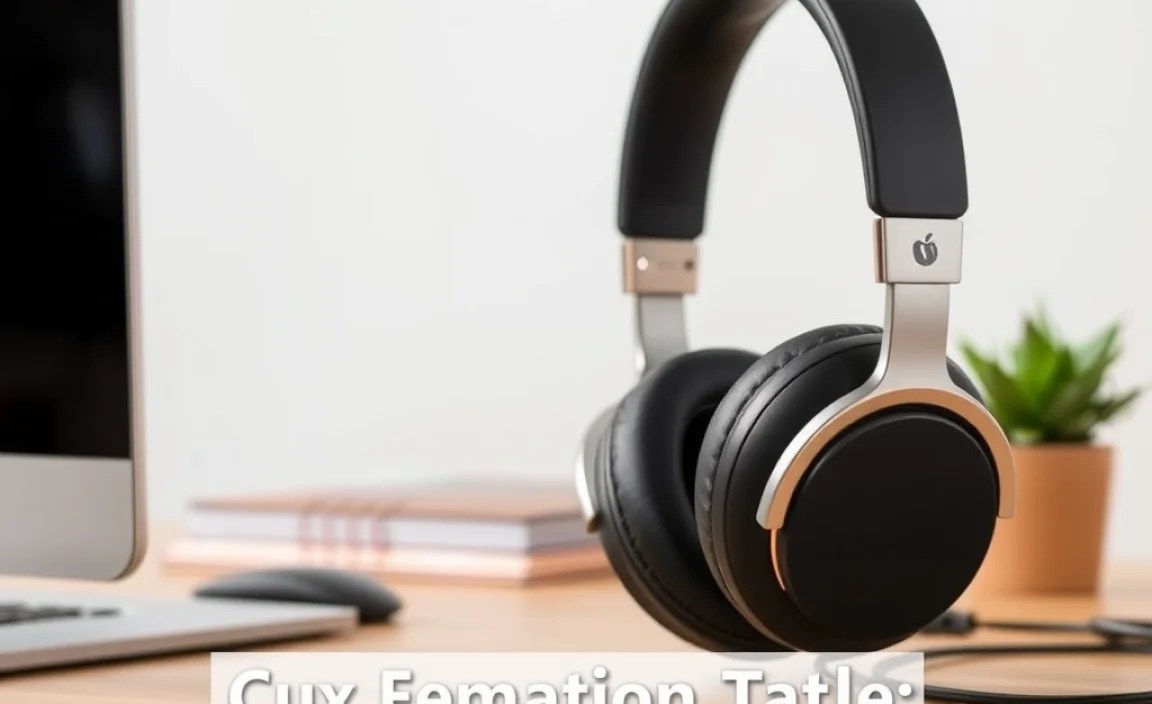
Based on these key features, here are some of the best headphones that consistently receive high marks for remote work. I’ve categorized them to help you find the best fit for your specific needs and budget.
Best Overall: For a Balanced Experience
These headphones strike an excellent balance between microphone quality, ANC, comfort, and sound, making them a solid choice for almost any remote worker.
Sony WH-1000XM5
The WH-1000XM5 from Sony is renowned for its industry-leading Active Noise Cancellation, which creates an almost uncanny silence perfect for deep focus. The sound quality is superb for both calls and music listening. While the microphone quality has seen improvements over previous generations and is generally excellent, some might still prefer a dedicated boom mic for absolute certainty in noisy environments. They are incredibly comfortable for long wear, boast fantastic battery life, and feature multipoint pairing.
- Pros: Exceptional ANC, excellent sound quality, very comfortable, long battery life, multipoint connectivity.
- Cons: Pricey, microphone performance is great but not traditionally “boom mic” clarity.
Bose QuietComfort Ultra Headphones
Bose has always championed comfort and ANC, and the QuietComfort Ultra Headphones are no exception. They offer a slightly different ANC profile than Sony, which some users prefer for its less intense feeling. The comfort is top-tier, making them ideal for marathon work sessions. Voice pickup is very good, ensuring you’re heard clearly on calls. Battery offers solid mid-day to full-day power, and multipoint connectivity is standard.
- Pros: Superb comfort, highly effective ANC, great sound, reliable call quality.
- Cons: Premium price point, ANC can be ‘too’ quiet for some.
Best for Clear Calls: When Your Voice is Key
If your work involves constant calls and you need to ensure you’re always heard perfectly, these are your top contenders.
Jabra Evolve2 75
Jabra has a strong reputation in the business and communications headset space, and the Evolve2 75 truly shines for its call quality. It features a remarkable microphone system designed to isolate your voice precisely, even in noisy settings, thanks to its advanced beamforming technology. It also offers good ANC, excellent comfort for all-day wear, and an impressive battery life, making it a powerhouse for dedicated remote professionals.
- Pros: Outstanding microphone quality for calls, excellent ANC, great comfort, long battery life, reliable connection.
- Cons: Design is more “business headset” than sleek consumer audio, ANC is good but not always on par with top-tier Sony/Bose.
Logitech Zone Wireless 2
The Logitech Zone Wireless 2 is built with the modern professional in mind. It features a highly effective noise-canceling microphone that filters out ambient sounds, allowing your voice to be the clearest element in the conversation. The headset is also designed for comfort and includes features like active noise cancellation for your listening pleasure and a battery that lasts through the workday and beyond. Multipoint connectivity for seamless device switching is a given.
- Pros: Excellent microphone performance, good ANC, comfortable design, all-day battery life, great value.
- Cons: Sound quality for music might not satisfy audiophiles, ANC is functional but not class-leading.
Best Budget-Friendly: Great Value Without Compromise
You don’t have to break the bank to get excellent remote work headphones. These options provide fantastic bang for your buck.
Anker Soundcore Life Q30
The Anker Soundcore Life Q30 headphones are a fantastic option for those on a tighter budget. They offer surprisingly good Active Noise Cancellation for their price, effectively reducing distractions. The microphone quality is decent for calls, and they are comfortable enough for several hours of wear. Battery life is also a strong point, often exceeding expectations for this price bracket.
- Pros: Excellent value for money, very good battery life, decent ANC, comfortable for the price.
- Cons: Microphone quality is basic, ANC is not as powerful as premium models, sound signature is consumer-oriented.
JBL Tune 760NC
JBL often delivers great sound quality at approachable price points. The Tune 760NC offers active noise cancellation and a comfortable over-ear design. While the microphone isn’t its strongest feature, it’s perfectly adequate for casual calls in quieter environments. The battery life is commendable, and you get that signature JBL sound for your music breaks.
- Pros: Affordable active noise cancellation, pleasant sound for music, long battery life.
- Cons: Microphone can pick up ambient noise, ANC is moderate, comfort is good but not exceptional for very long sessions.
Best Wireless Earbuds: Portability and Power
For those who prefer the discreetness and portability of earbuds, these options offer excellent features for remote work.
AirPods Pro (2nd generation)
If you’re in the Apple ecosystem, the AirPods Pro (2nd generation) are hard to beat. They offer superb Active Noise Cancellation, an excellent Transparency mode, and significantly improved microphone quality over their predecessors, making calls clear and professional. They are comfortable, fit securely, and integrate seamlessly with Apple devices. Battery life is good for earbuds, and the charging case provides multiple recharges.
- Pros: Seamless Apple integration, excellent ANC and Transparency mode, significantly improved mic quality, comfortable and secure fit.
- Cons: Best within the Apple ecosystem, premium price for earbuds, battery life requires recharges from case.
Sony WF-1000XM4 (or newer WF-1000XM5)
Sony’s top-tier earbuds, the WF-1000XM4 (or the even newer WF-1000XM5), are sonic powerhouses. They deliver outstanding Active Noise Cancellation, rivaling many over-ear headphones. The sound quality is exceptional, and the microphone performance is very good for calls, especially in less chaotic environments. They offer a comfortable, secure fit with multiple ear tip options and boast impressive battery life for true wireless earbuds.
- Pros: Industry-leading ANC in an earbud, superb sound quality, good microphone clarity, long earbud battery life with case.
- Cons: Can be expensive, fit might require experimentation with ear tips for some users.
Quick Comparison Table
Here’s a simplified look at how some of these top picks stack up:
| Headphone Model | Primary Strength | Microphone Quality | ANC Effectiveness | Comfort | Price Range |
|---|---|---|---|---|---|
| Sony WH-1000XM5 | Overall Excellence & ANC | Very Good | Exceptional | Excellent | $$$$ |
| Bose QuietComfort Ultra | Comfort & ANC | Good | Excellent | Exceptional | $$$$ |
| Jabra Evolve2 75 | Call Clarity | Outstanding | Very Good | Excellent | $$$-$$$$ |
| Logitech Zone Wireless 2 | Call Clarity & value | Excellent | Good | Very Good | $$$ |
| Anker Soundcore Life Q30 | Budget Value | Decent | Good | Good | $ |
| AirPods Pro (2nd Gen) | Apple Ecosystem & Versatility | Very Good | Excellent | Very Good | $$$ |
| Sony WF-1000XM4/5 | Earbud ANC & Sound | Good | Exceptional | Very Good | $$$-$$$$ |
Price Range Key: $ (Under $100), $$ ($100-$150), $$$ ($150-$250), $$$$ (Over $250)
Setting Up Your Headphones for Success
Once you’ve chosen your new audio companion, a few quick setup steps can optimize your remote work experience.
- Firmware Updates: Always check for and install the latest firmware updates. Manufacturers frequently improve microphone performance, ANC, and connectivity through these updates.
- Pairing with Multiple Devices: If your headphones support multipoint pairing, take the time to connect them to both your computer and your smartphone. This makes switching between work calls and personal calls seamless. For example, explore how Bluetooth connectivity works on your computer and phone to ensure both are enabled.
- Configure Microphone Settings: In your computer’s operating system (Windows or macOS) and any video conferencing software (Zoom, Microsoft Teams, Google Meet), ensure your new headphones are selected as the default microphone and speaker. You can often adjust microphone sensitivity or noise suppression further within the software settings. Learn more about audio settings for remote work tools from resources like this guide from the U.S. General Services Administration.
- Test ANC and Transparency Modes: Experiment with your ANC and transparency modes in different environments. This helps you understand how they work and when to use each for optimal focus or awareness.
- Comfort Adjustment: Spend a few minutes adjusting the headband, earcup positioning, or ear tips to find the most comfortable and secure fit. A good seal is crucial for both passive noise isolation and optimal ANC performance.
Troubleshooting Common Remote Work Headphone Issues
Even the best headphones can sometimes act up. Here are a few common issues and simple fixes:
- Problem: My voice sounds muffled or distant on calls.
- Solution: Check that the microphone isn’t obstructed. Ensure your headphones are selected as the default microphone in your computer’s sound settings and your conferencing app. Try updating the headphone’s firmware. Some headphones have a physical microphone mute button; ensure it’s not activated.
- Problem: I’m experiencing background noise during calls.
- Solution: Most headphones designed for calls have built-in noise reduction for the microphone. Make sure this feature is enabled in the headphone’s companion app or software. Try to position the microphone closer to your mouth if it’s adjustable. If you’re in a very noisy environment, consider investing in headphones with superior dedicated microphone noise cancellation, like the Jabra Evolve2 75.
- Problem: The headphones won’t connect to my devices.
- Solution: Ensure Bluetooth is enabled on both devices. Try turning Bluetooth off and on again on both the headphones and your device. If pairing fails, reset the headphones and clear the Bluetooth cache on your device before attempting to re-pair. Refer to your headphone’s manual for specific reset instructions.
- Problem: The ANC isn’t working effectively.
- Solution: Check if the ANC mode is activated. Ensure the earcups are creating a good seal around your ears. Clean any debris from the ANC microphones on
